소개
This manual provides essential instructions for the safe operation, setup, and maintenance of your Protocol Director HD Foldable Drone. Please read this manual thoroughly before operating the drone to ensure proper function and to prevent damage or injury.
The Protocol Director HD is a foldable drone equipped with a live streaming HD camera, designed for capturing aerial video and photos. It features an intuitive 2.4 GHz remote control, an altitude sensor for stable flight, and a free downloadable app for enhanced camera control and flight path drawing.
안전 예방 조치
- 드론은 항상 사람, 동물, 장애물이 없는 열린 공간에서 작동하세요.
- 공항, 공역 제한 구역 또는 중요 시설 근처에서는 운항하지 마십시오.
- Maintain a safe distance from power lines, trees, and water bodies.
- 비행 전에 모든 프로펠러가 단단히 부착되어 있고 손상되지 않았는지 확인하십시오.
- 강풍이나 악천후에는 비행하지 마십시오.
- 회전하는 프로펠러에 손가락과 머리카락을 가까이 두지 마세요.
- Adult supervision is recommended for users under 18 years of age. Recommended age for operation is 14 years and up.
- Only use original Protocol replacement parts and accessories.
- 드론이나 그 구성품을 개조하려고 시도하지 마십시오.
- Turn off the drone and remote control when not in use.
패키지 내용
패키지에 모든 품목이 들어 있는지 확인하세요.
- Protocol Director HD Foldable Drone with Camera
- Remote Control with Phone Mount
- USB 충전 케이블
- 드론 배터리 2개
- 여행 가방
- 사용 설명서(본 문서)
- Spare Parts: Blades, Screwdriver

Image: The Protocol Director HD Foldable Drone, showcasing its compact design with propellers extended and camera visible at the front.
설정
1. 드론 배터리 충전
- Insert one of the drone batteries into the USB charging cable.
- USB 충전 케이블을 USB 전원(예: 컴퓨터 USB 포트, USB 벽면 어댑터)에 연결하세요.
- USB 케이블의 충전 표시등은 충전 중에 켜지고 완전히 충전되면 꺼집니다.
- 충전은 일반적으로 약 60~90분 정도 소요됩니다. 과충전하지 마십시오.
2. 리모컨 배터리 설치
- 리모컨 뒷면의 배터리 수납칸을 엽니다.
- AA 배터리 4개(별매)를 올바른 극성(+/-)에 맞춰 삽입합니다.
- 배터리 칸을 단단히 닫으세요.

Image: The drone's remote control with a smartphone securely mounted, displaying a live feed from the drone's camera.
3. 드론 펼치기
- Gently unfold each of the four rotor arms until they click into place.
- 비행 전 모든 팔이 완전히 펴지고 고정되었는지 확인하십시오.
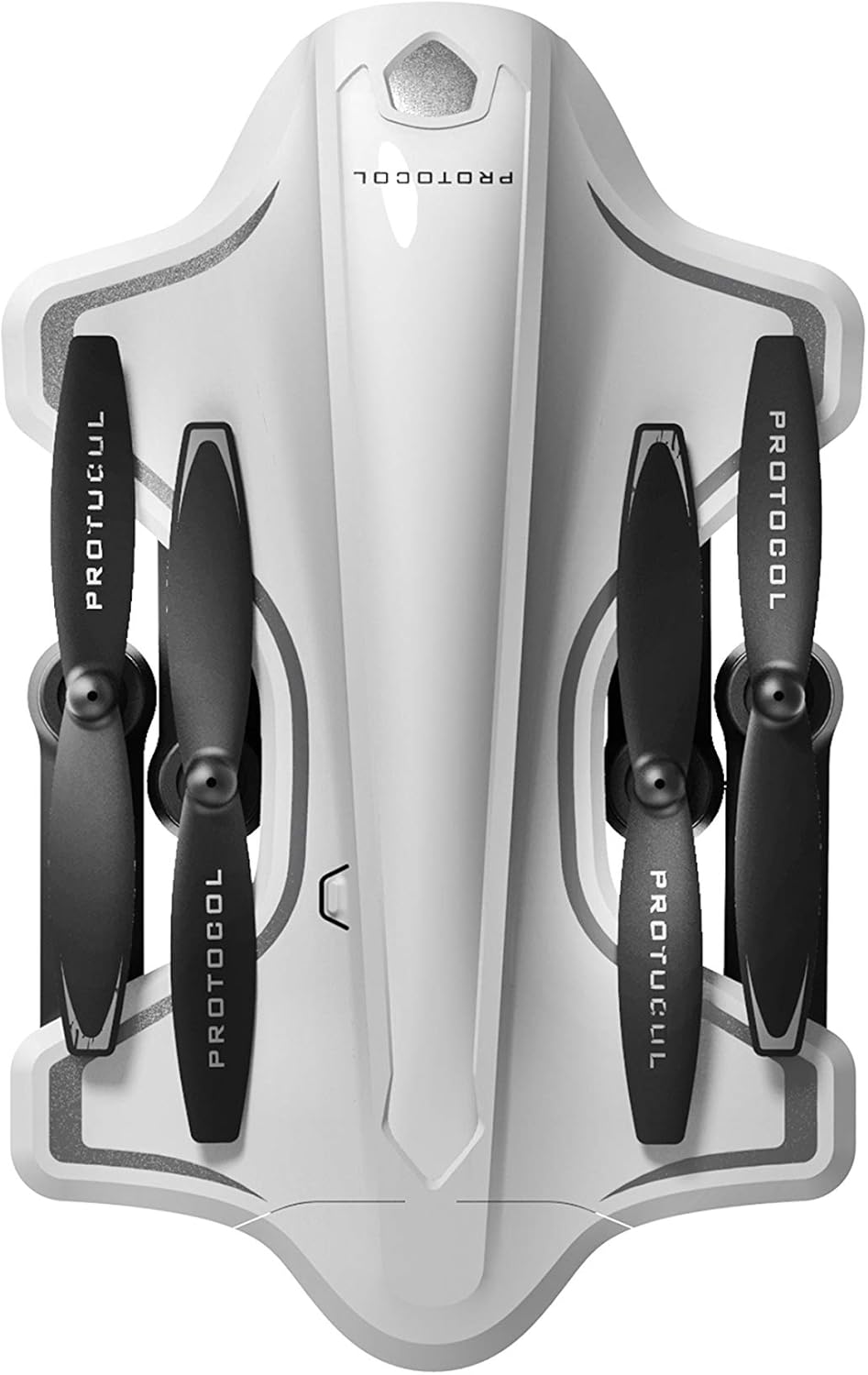
Image: The Protocol Director HD Foldable Drone in its compact, folded configuration, ready for transport.
4. 드론 배터리 설치
- 드론의 배터리 칸을 찾으세요.
- Insert the fully charged drone battery, ensuring it is securely seated.
- 배터리 덮개를 닫습니다.
5. Downloading the App (Optional for Camera Features)
- 검색 the "Protocol Director HD" app in your smartphone's app store (iOS or Android).
- Download and install the free application.
- Mount your smartphone onto the remote control's phone mount.
작동 지침
1. 전원 켜기 및 페어링
- 드론을 평평하고 평평한 표면에 놓습니다.
- 전원 버튼을 눌러 드론을 켜세요. 드론의 표시등이 깜빡입니다.
- 리모콘을 켭니다.
- 왼쪽 조이스틱(스로틀)을 위로 끝까지 밀었다가 다시 아래로 끝까지 내리세요. 드론의 표시등이 계속 켜지면 페어링이 성공적으로 완료된 것입니다.
2. 자이로스코프 보정
After pairing, it is recommended to calibrate the gyroscope for stable flight:
- With the drone on a flat surface, push both joysticks down and to the right simultaneously for a few seconds.
- The drone's lights will flash rapidly and then become solid, indicating calibration is complete.
3. 기본 비행 제어
The Protocol Director HD features auto launch, hover, and land functions due to its altitude sensor.
- Auto Launch: Press the dedicated auto launch button on the remote. The drone will ascend to a stable hovering altitude.
- 스로틀(왼쪽 조이스틱):
- Push up: Increase altitude
- Push down: Decrease altitude
- Push left/right: Rotate drone left/right (yaw)
- 방향 제어(오른쪽 조이스틱):
- 푸시업: 앞으로 날아오르세요
- Push down: Fly backward
- 왼쪽으로 밀기: 왼쪽으로 비행(좌측 이동)
- 오른쪽으로 밀기: 오른쪽으로 비행(좌측 이동)
- Auto Land: Press the dedicated auto land button. The drone will slowly descend and land.
- 속도 선택: Use the speed button on the remote to cycle through three selectable speeds (low, medium, high).
4. Camera and App Features
Connect your smartphone to the drone's Wi-Fi network (usually named "Protocol_Drone_XXXXXX") to access live streaming and advanced camera functions via the app.
- 라이브 스트리밍: View the drone's camera feed in real-time on your smartphone.
- 비디오 녹화: Initiate and stop video recording (480p resolution) through the app.
- 사진 캡처: Take still images through the app.
- Multiple Camera Angles: The app supports three different camera angles (Aerial, POV, Selfie) for varied content creation.
- 오디오 녹음: The app allows for audio recording alongside video.
- Draw Your Own Flight Path: Utilize the app's feature to draw a flight path on your screen, and the drone will follow it.
- VR Capability: The app is VR capable; VR goggles are sold separately.
유지
- 프로펠러 검사: Regularly check propellers for cracks, bends, or damage. Replace any damaged propellers using the provided spare parts and screwdriver.
- 청소: Use a soft, dry cloth to clean the drone and remote control. Avoid using liquids or harsh chemicals.
- 배터리 관리 :
- 배터리를 과충전하지 마십시오.
- 배터리를 서늘하고 건조한 곳에 보관하십시오.
- Remove batteries from the drone and remote control during long periods of non-use.
- 저장: Fold the drone arms for compact storage in the provided travel bag when not in use. Store in a cool, dry environment.
문제 해결
| 문제 | 가능한 원인 | 해결책 |
|---|---|---|
| 드론의 전원이 켜지지 않습니다. | 배터리가 충전되지 않았거나 올바르게 설치되지 않았습니다. | 배터리가 완전히 충전되었고 올바르게 삽입되었는지 확인하세요. |
| 리모컨 전원이 켜지지 않습니다. | AA batteries are dead or incorrectly installed. | Replace AA batteries, checking polarity. |
| Drone and remote do not pair. | 페어링 순서가 올바르지 않았습니다. | Ensure drone is on, then remote. Push left joystick up then down completely. |
| 드론이 비행 중에 표류합니다. | Gyroscope needs calibration; uneven surface at launch. | Land the drone, place on a flat surface, and recalibrate the gyroscope (both joysticks down and right). |
| One propeller does not spin. | Propeller damaged or motor issue. | Check for obstructions. Replace damaged propeller. If issue persists, contact support. |
| No live video feed on smartphone. | 드론의 Wi-Fi에 연결되지 않았습니다. 앱이 열려 있지 않습니다. | Ensure smartphone is connected to the drone's Wi-Fi network and the app is running. |
명세서
| 상표 | 규약 |
| 모델명 | Director HD |
| 모델 번호 | 6182-7RCHA |
| 외형 치수도 | 길이는 약 4.75인치입니다. |
| 치수(확장) | Approximately 9 inches (length, including blades) |
| 무게 | 0.94킬로그램(940g) |
| 카메라 해상도 | 480p (Video Capture) |
| 연결성 | Wi-Fi (for app control and live streaming), 2.4 GHz (for remote control) |
| 안정화 | 6-axis motion-sensitive auto stabilizers, Altitude sensor |
| 속도 모드 | Three selectable speeds |
| 드론 배터리 | 충전식 (2개 포함) |
| 리모컨 배터리 | AA 배터리 4개(포함되지 않음) |
| 재료 | Plastic (Crash-resistant) |
| 추천연령 | 14세 이상 |
보증 및 지원
For warranty information, technical support, or to purchase replacement parts, please visit the official Protocol web해당 사이트를 방문하거나 고객 서비스 부서에 문의하세요. 구매 증빙 자료로 구매 영수증을 보관하세요.
Web대지: www.protocolny.com (전amp(링크는 실제 링크와 다를 수 있습니다)
연락하다: Refer to the Protocol web전화번호나 이메일 지원 등 연락처 정보는 해당 사이트에서 확인하세요.


