1. 서론
This manual provides essential instructions for the safe and effective use of your Sigma 70-200mm F2.8 Sports DG OS HSM lens, designed for Canon EF mount cameras. This high-performance telephoto zoom lens features a constant F2.8 aperture, Optical Stabilizer (OS), and a Hyper Sonic Motor (HSM) for fast and quiet autofocus. Its robust construction is dust- and splash-proof, making it suitable for various shooting conditions.
렌즈의 최적 성능과 수명 유지를 위해 사용 전에 본 설명서를 꼼꼼히 읽어 주십시오.
2. 패키지 내용
패키지에 모든 품목이 들어 있는지 확인하세요.
- Sigma 70-200mm F2.8 Sports DG OS HSM Lens
- 렌즈 후드
- 전면 렌즈 캡
- 후면 렌즈 캡
- 삼각대 고리
- 렌즈 케이스
- 사용 설명서(본 문서)
3. 설정 및 설치
3.1 카메라에 렌즈 장착하기
- 카메라와 렌즈의 전원이 꺼져 있는지 확인하세요.
- 렌즈에서 뒷 렌즈 캡을 제거하고 카메라에서 바디 캡을 제거합니다.
- Align the mounting index on the lens with the corresponding index on the camera body.
- 렌즈를 카메라 마운트에 삽입하고 딸깍 소리가 나면서 제자리에 단단히 고정될 때까지 시계 방향으로 돌리십시오.
- 렌즈를 분리하려면 카메라 본체의 렌즈 분리 버튼을 누르고 렌즈를 시계 반대 방향으로 돌리십시오.
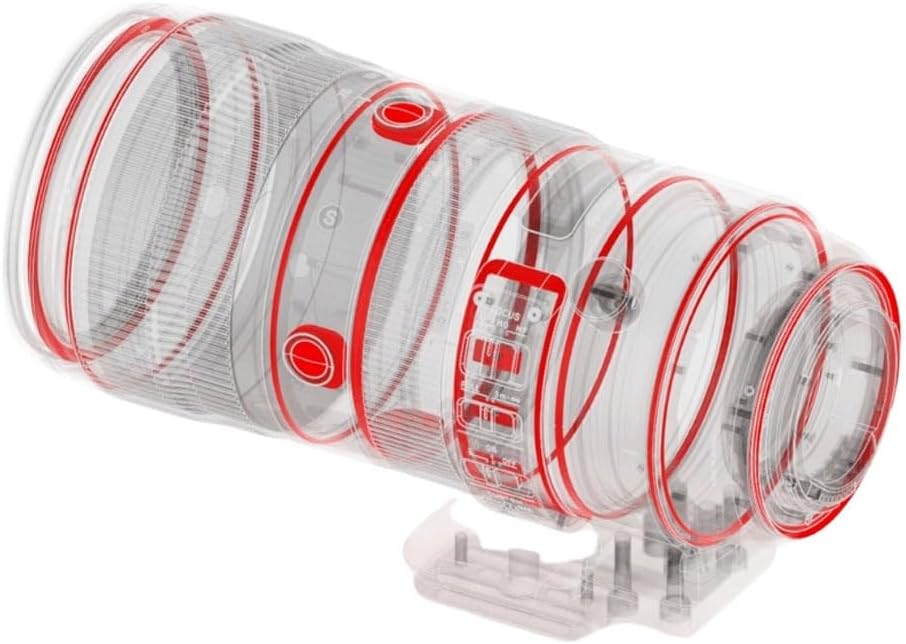
Figure 3.1: Sigma 70-200mm F2.8 Sports DG OS HSM lens attached to a camera body, illustrating proper mounting.
3.2 렌즈 후드 부착
The included lens hood helps to block extraneous light, reducing flare and ghosting. Align the red dot on the lens hood with the red dot on the front of the lens, then rotate the hood clockwise until it locks into place. To remove, press the release button on the hood and rotate counter-clockwise.

Figure 3.2: The Sigma 70-200mm F2.8 Sports DG OS HSM lens shown with its dedicated lens hood securely attached, ready for use.
3.3 삼각대 칼라 사용
The lens features an integrated tripod collar with 90-degree click stops and an Arca-Swiss type clamp. This allows for stable mounting on a tripod or monopod, balancing the camera and lens assembly. The collar can be rotated to switch between horizontal and vertical orientations without removing the camera from the tripod. To rotate, loosen the locking knob, adjust to the desired position (indicated by click stops), and tighten the knob securely.
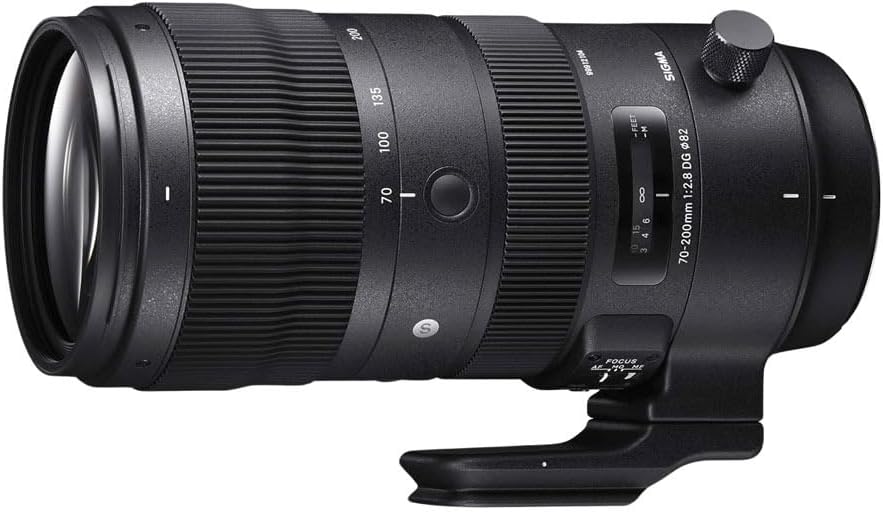
그림 3.3: 자세한 view of the Sigma 70-200mm F2.8 Sports DG OS HSM lens, highlighting the integrated tripod collar and its locking mechanism.
4. 렌즈 작동
4.1 초점 모드 전환 (AF/MF)
Locate the AF/MF switch on the side of the lens barrel. Set it to:
- AF(자동 초점): For automatic focusing. The Hyper Sonic Motor (HSM) provides fast and quiet autofocus performance.
- MF(수동 초점): 수동 초점 조절용입니다. 초점 링을 돌려 초점을 맞추세요.
4.2 Optical Stabilizer (OS) Switch
The Optical Stabilizer (OS) function helps to reduce camera shake, especially when shooting handheld or in low light. The lens typically offers multiple OS modes:
- 모드 1 : General-purpose stabilization, effective for various shooting situations.
- 모드 2 : Designed for panning shots, stabilizing vertical movement while allowing horizontal movement.
- OFF : Disables the Optical Stabilizer. It is recommended to turn OS off when using a tripod to avoid potential interference.
Refer to your camera's manual for specific recommendations on using image stabilization with your camera model.
4.3 확대/축소
To change the focal length, rotate the zoom ring on the lens barrel. The lens covers a versatile range from 70mm (wide telephoto) to 200mm (long telephoto).
4.4 조리개 제어
This lens features a constant maximum aperture of F2.8 across its entire zoom range, allowing for excellent low-light performance and shallow depth of field. The 11-blade rounded diaphragm contributes to a smooth and pleasing bokeh (background blur).
5. 유지관리 및 관리
적절한 관리는 렌즈의 수명과 성능을 보장합니다.
- 청소: Use a soft, clean microfiber cloth to wipe dust and smudges from the lens elements. For stubborn marks, use a lens cleaning solution specifically designed for optical surfaces. Avoid harsh chemicals or abrasive materials.
- Dust and Splash Resistance: The lens features a dust- and splash-proof structure. While this provides protection against light rain and dust, it is not waterproof. Avoid exposing the lens to heavy rain or submerging it in water.
- 저장: When not in use, store the lens with both front and rear caps attached in a cool, dry place, away from direct sunlight and extreme temperatures. Use the provided lens case for added protection during transport.
- 손질: The lens barrel is constructed from magnesium alloy, offering durability. However, avoid dropping or subjecting the lens to strong impacts.
6. 문제 해결
렌즈에 문제가 발생하면 다음과 같은 일반적인 해결책을 고려해 보세요.
- 렌즈가 초점을 맞추지 않음:
- 렌즈의 AF/MF 스위치가 AF로 설정되어 있는지 확인하십시오.
- Check your camera's focus mode settings.
- 렌즈가 카메라 본체에 단단히 고정되었는지 확인하십시오.
- 렌즈와 카메라의 렌즈 접점을 청소합니다.
- Image stabilization not working:
- Ensure the OS switch on the lens is set to Mode 1 or Mode 2.
- If using a tripod, turn the OS function OFF.
- Image quality issues (e.g., soft images):
- Ensure the lens elements are clean.
- 초점이 제대로 맞춰졌는지 확인하세요.
- Verify that the lens is securely attached and not loose.
문제가 지속될 경우 카메라 사용 설명서를 참조하거나 시그마 고객 지원팀에 문의하십시오.
7. 사양
| 모델 번호 | 590954 |
| 초점거리 | 70-200mm |
| 최대 조리개 | F2.8 (상수) |
| 렌즈 유형 | 망원 줌 렌즈 |
| 호환 가능한 마운팅 | 캐논 EF, 캐논 EF-S |
| 광학 구조 | Incorporates 9 FLD and 1 SLD low-dispersion glass elements |
| 다이어프램 블레이드 | 11-blade rounded diaphragm |
| 최소 초점 거리 | 47.24인치(1.2미터) |
| 필터 크기 | 82mm |
| 치수(길이 x 깊이) | 7.99 x 3.71 x 3.71인치(약 20.3 x 9.4 x 9.4cm) |
| 무게 | 3.98파운드(약 1.81kg) |
| 특징 | Dust- and splash-proof structure, Magnesium alloy barrel, Tripod socket with 90 click stops and Arca Swiss type clamp |
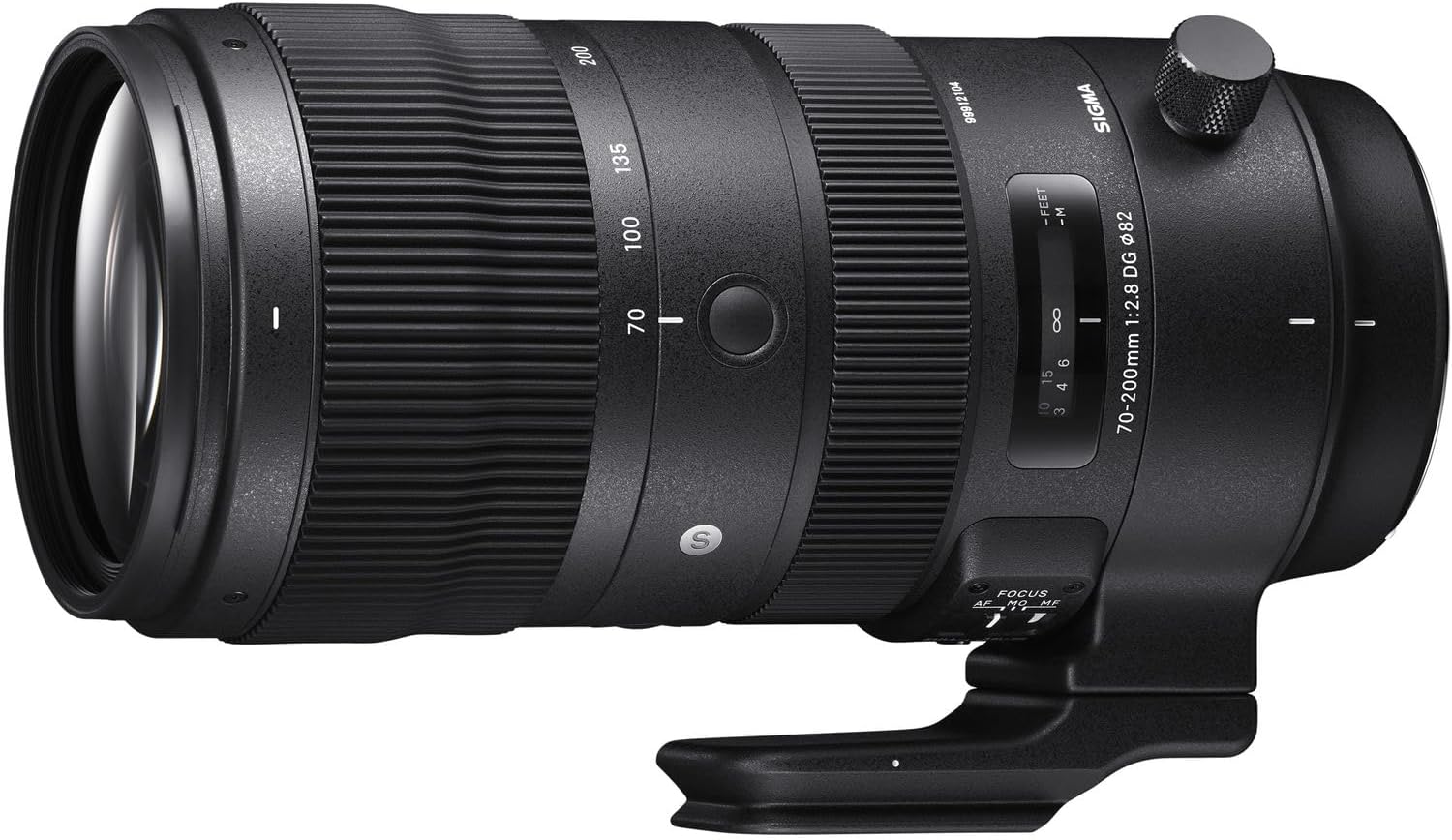
Figure 7.1: Internal diagram of the Sigma 70-200mm F2.8 Sports DG OS HSM lens, illustrating its complex optical and mechanical construction, including weather sealing points.
8. 보증 정보
For detailed warranty terms and conditions, please refer to the warranty card included with your product or visit the official Sigma website. Warranty coverage typically varies by region and purchase date. Keep your proof of purchase for warranty claims.
9. 고객 지원
If you require further assistance, technical support, or service, please contact Sigma customer support. Contact information can typically be found on the official Sigma web사이트나 제품 포장에 표시하세요.


