1. 제품 오버view
The Elecom M-FBL01DBXSBK is a 5-button wireless mouse designed for comfortable and quiet operation. It features a Blue LED sensor for versatile surface compatibility and a compact USB receiver.

Image 1.1: Elecom M-FBL01DBXSBK Wireless Mouse with its compact USB receiver.
2. 패키지 내용
- Elecom M-FBL01DBXSBK Wireless Mouse
- USB 무선 수신기
- AA Alkaline Battery (for operation confirmation)
- 사용 설명서 (본 문서)
3. 설정 지침
3.1. 배터리 설치
- 마우스 밑면에서 배터리 덮개를 찾으세요.
- 덮개를 밀거나 들어 올려서 수납 공간을 엽니다.
- Insert one AA alkaline battery, ensuring the positive (+) and negative (-) terminals align correctly with the markings inside the compartment.
- 배터리 덮개를 단단히 닫으세요.

Image 3.1: The underside of the mouse, indicating the battery compartment and power switch.
3.2. USB 수신기 연결
- Remove the compact USB receiver from its storage slot on the underside of the mouse.
- USB 수신기를 컴퓨터의 사용 가능한 USB-A 포트에 꽂습니다.
- 컴퓨터가 필요한 드라이버를 자동으로 감지하여 설치합니다. 이 작업에는 몇 분 정도 걸릴 수 있습니다.
3.3. 마우스 전원 켜기
After installing the battery and connecting the receiver, locate the power switch on the underside of the mouse and slide it to the 'ON' position. The mouse is now ready for use.
3.4. 운영체제 호환성
The Elecom M-FBL01DBXSBK Wireless Mouse is compatible with:
- Windows 11, Windows 10, Windows RT8.1, Windows 8.1, Windows 7, Windows Vista
- macOS High Sierra 10.13 이상
Ensure your operating system is updated to the latest version and any service packs are installed for optimal performance.
4. 마우스 작동
4.1. 기본 기능
The mouse features five buttons and a scroll wheel:
- 왼쪽 버튼: 주요 클릭 기능.
- 오른쪽 버튼: 2차 클릭 기능(컨텍스트 메뉴).
- 스크롤 휠: 문서를 스크롤하고 web pages vertically. Can also be pressed for a middle-click function.
- 앞으로 버튼: 앞으로 이동합니다 web 브라우저 또는 file 탐험가.
- 뒤로가기 버튼: 뒤로 탐색합니다 web 브라우저 또는 file 탐험가.

Image 4.1: The five buttons of the Elecom M-FBL01DBXSBK mouse, including the scroll wheel.
4.2. 조용한 클릭 기능
All five buttons incorporate a silent switch mechanism, significantly reducing clicking noise. This allows for quiet operation in various environments.

Image 4.2: The silent switch design minimizes operational noise.
4.3. Blue LED Sensor
The mouse is equipped with a Blue LED optical sensor, which provides accurate tracking on a variety of surfaces, including those with slight unevenness or dust. This enhances usability in diverse settings.

Image 4.3: The Blue LED sensor allows for comfortable use on various surfaces.
4.4. 무선 연결
The mouse utilizes a 2.4 GHz wireless band for stable communication. The effective radio distance is approximately 3 meters (9.8 feet) on magnetic surfaces (e.g., steel desks) and up to 10 meters (32.8 feet) on non-magnetic surfaces (e.g., wooden desks).
4.5. 배터리 표시기
An integrated battery indicator light notifies you when the battery level is low, signaling that a replacement is needed.
4.6. Elecom Mouse Assistant Software
Button functions can be customized using the free downloadable Elecom Mouse Assistant software. This allows users to reassign functions to the mouse buttons for improved workflow efficiency.
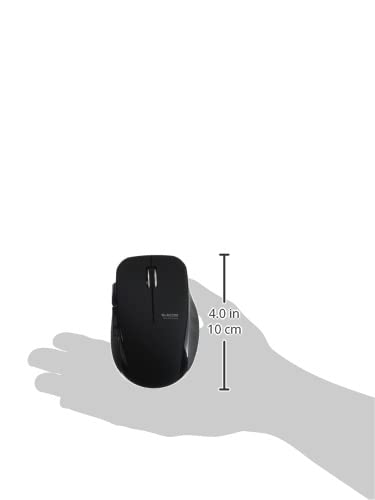
Image 4.4: The Elecom Mouse Assistant software enables button customization.
5. 유지관리
5.1. 배터리 교체
When the battery indicator signals low power, replace the AA battery with a new AA alkaline, manganese, or NiMH battery. Follow the battery installation steps outlined in Section 3.1.
5.2. 청소
To clean the mouse, gently wipe its surface with a soft, dry cloth. Avoid using harsh chemicals or abrasive materials, as these can damage the finish. Ensure no liquid enters the mouse.
5.3. Receiver Storage
The USB receiver can be stored inside the mouse body when not in use or during transport. This helps prevent loss of the receiver.
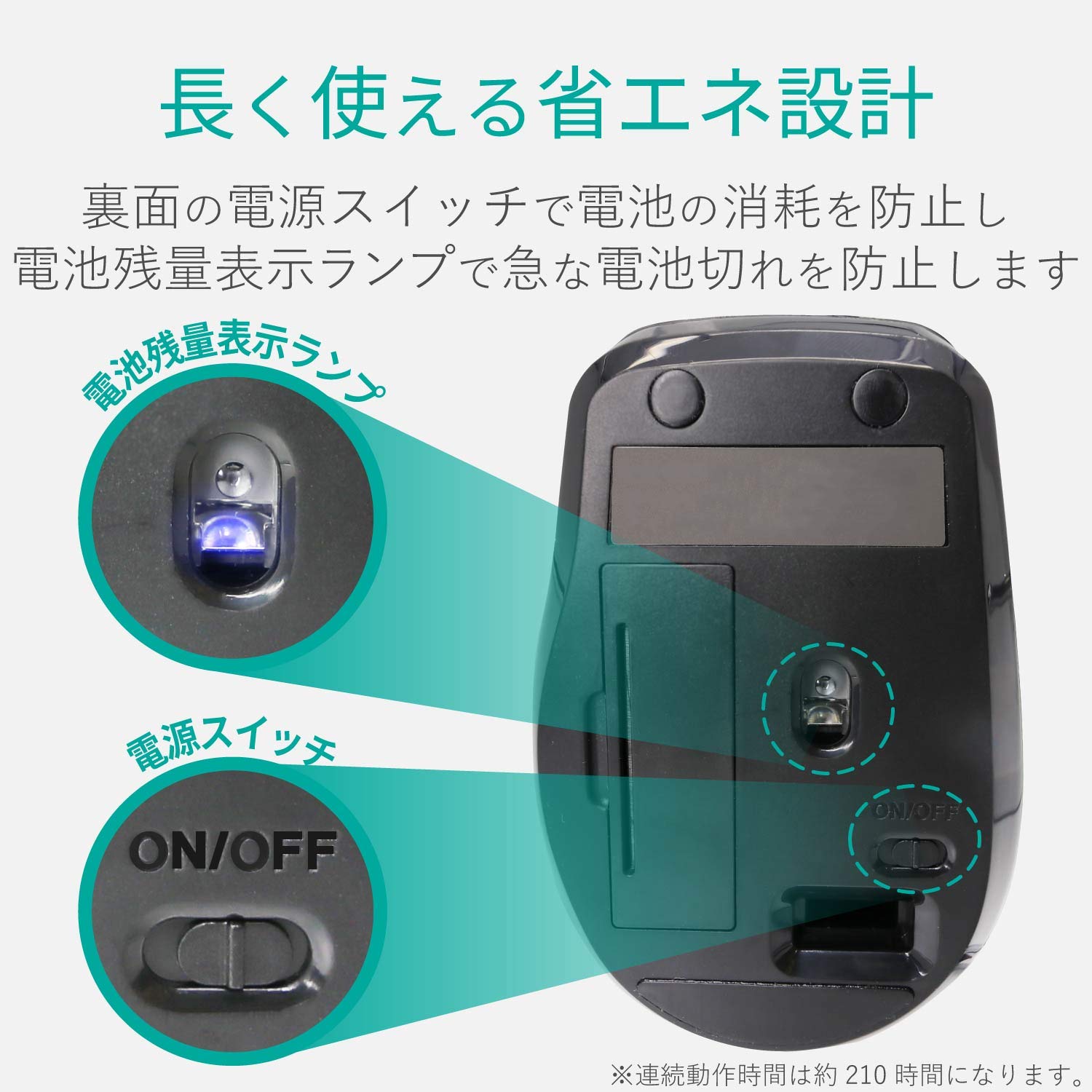
Image 5.1: The compact receiver can be stored within the mouse for convenience.
6. 문제 해결
- 마우스가 응답하지 않습니다.
- Check if the mouse is powered on (power switch on the underside).
- 배터리가 올바르게 설치되었고 방전되지 않았는지 확인하세요. 필요한 경우 교체하세요.
- USB 수신기가 컴퓨터의 정상 작동하는 USB 포트에 제대로 꽂혀 있는지 확인하세요. 다른 USB 포트에 연결해 보세요.
- 컴퓨터를 다시 시작하세요.
- 커서 움직임이 불규칙적임:
- Clean the optical sensor area on the underside of the mouse.
- 마우스를 적절한 표면에서 사용하고 있는지 확인하세요. 반사율이 높거나 투명한 표면은 피하세요.
- Check for interference from other wireless devices. Move the mouse closer to the receiver.
- 버튼이 제대로 작동하지 않음:
- If using Elecom Mouse Assistant, ensure button assignments are correct.
- Reinstall the Elecom Mouse Assistant software if issues persist.
7. 사양
| 인터페이스 | USB |
| 커넥터 모양 | USB-A 남성 |
| 호환 OS | Windows 11, 10, RT8.1, 8.1, 7, Vista; macOS High Sierra 10.13+ |
| 해결 | 1600 카운트 |
| 통신 방법 | GFSK 방식 |
| 고주파 | 2.4GHz 대역 |
| Radio Distance | Magnetic objects: 3m (9.8 ft); Non-magnetic objects: 10m (32.8 ft) |
| 독서 방법 | 광센서 시스템(Blue LED) |
| 버튼의 수 | 5 (휠 버튼 포함) |
| 바퀴 수 | 1 |
| 수신기 보관 | 예 |
| 연속 작동 시간 | 약 210시간 |
| 대기 시간 | 약. 1666 일 |
| Estimated Battery Usage Time | 약. 478 일 |
| 전원 공급 장치(메인 장치) | 1 AA alkaline, manganese, or NiMH battery |
| 정격 볼륨tage (Body) | 1.5V |
| 색상 | 검은색 |
| 무게(마우스) | 약 62g (배터리 제외) |
| 외부 치수(수신기) | 14.5 x 18.0 x 6.3mm |
| 무게(수신기) | 약 2g |
8. 보증 및 지원
8.1. 보증 기간
본 제품은 구입일로부터 6개월 보증이 제공됩니다.
8.2. Product Inquiries
For product inquiries or technical support, please contact the Elecom General Information Center:
- 전화: 0570-084-465
- 팩스: 0570-050-012
- 접수 시간: 10:00 - 19:00 (24시간 연중무휴)


