제품 끝view
The Fractal Design Define R6 USB-C TG is a mid-tower PC case designed for quiet operation and flexible component support. It features a full-size tempered glass side panel and sound-dampened steel panels. The case includes a USB 3.1 Gen 2 Type-C port on the front I/O for high-speed connectivity. Its interior is designed for extensive component compatibility, including multiple storage drives, various cooling configurations, and efficient cable management.

이미지: 위에서 아래로 view of the Fractal Design Define R6 USB-C TG case, highlighting the front panel I/O ports including USB-C, USB 3.0, and audio jacks.
설정 및 설치
사건 준비
Before installing components, remove the side panels. The tempered glass side panel is secured with a push-to-lock latching mechanism. The opposite steel side panel also detaches for access to the cable management area. The top panel features ModuVent technology, allowing it to be removed for enhanced airflow or radiator installation.

이미지: 폭발 view illustrating the modular design of the Define R6, with the top panel, front panel, and side panels detached, revealing the internal structure and component bays.
마더보드 설치
The Define R6 supports ATX motherboards. Install the necessary standoffs into the motherboard tray according to your motherboard's form factor. Secure the motherboard using screws.
드라이브 설치
The case supports up to six 3.5"/2.5" drives and two dedicated 2.5" drives. Utilize the provided drive trays and mounting points for secure installation. Drives can be configured in various positions within the case.

이미지: 내부 view of the Define R6, showcasing the spacious interior, motherboard tray, and multiple drive bay locations for storage devices.
냉각 시스템 설정
The Define R6 offers nine fan positions and supports radiators up to 420mm. The ModuVent technology allows the top panel to be converted from a sound-dampened cover to a filtered, high-airflow ventilation setup for optimal cooling performance. Install fans or radiators in the designated mounts.
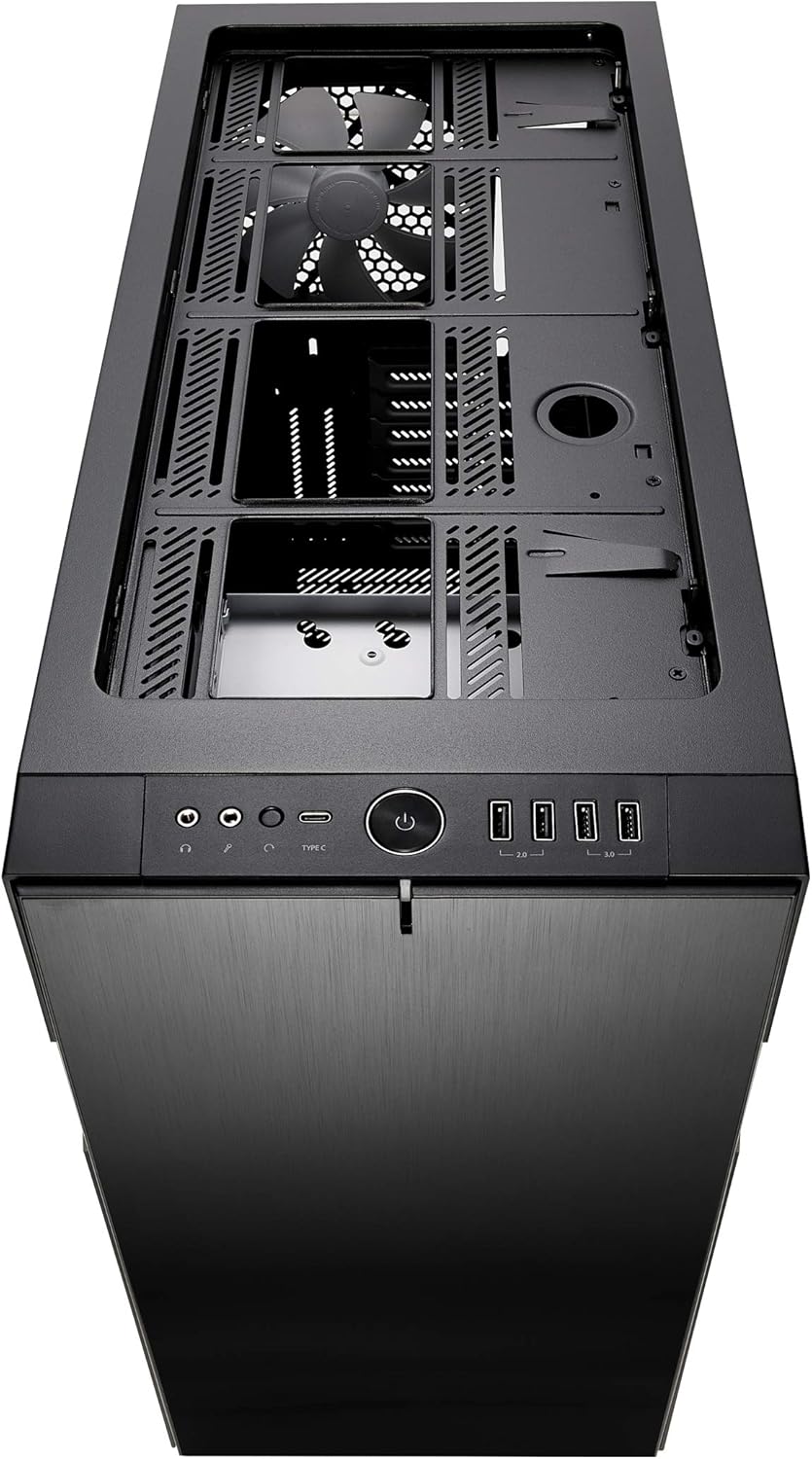
이미지: 상단 view of the Define R6 with the ModuVent panel removed, exposing the fan and radiator mounting points for custom cooling solutions.
케이블 관리
The case provides 23mm of cable routing space behind the motherboard tray. Utilize the integrated cable channels and tie-down points to organize cables, ensuring clean aesthetics and unobstructed airflow.
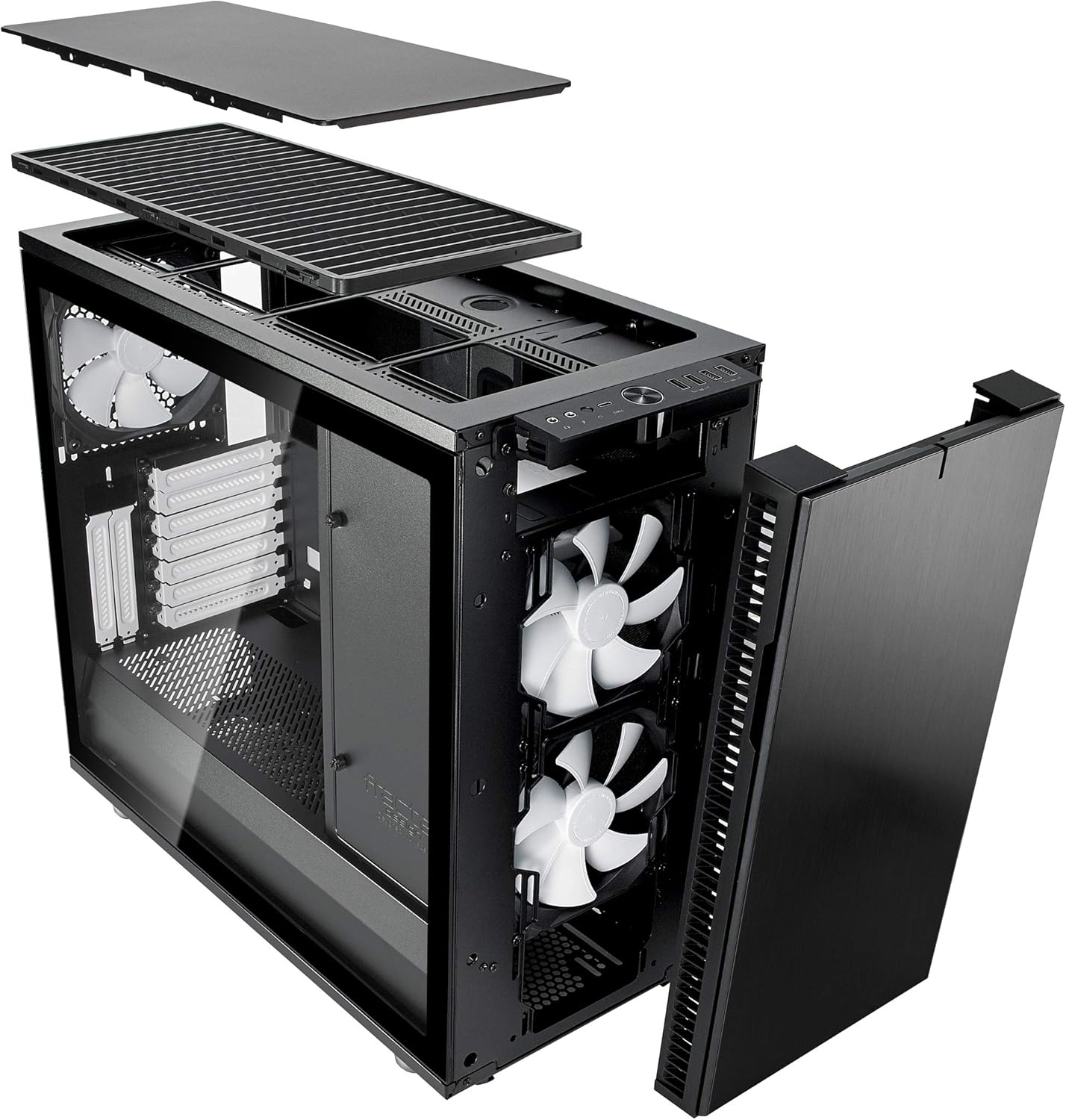
이미지: 내부 view of the Define R6 from an angle, highlighting the ample space and grommets available for effective cable management behind the motherboard tray.
작업
전면 패널 연결
The front I/O panel includes a USB 3.1 Gen 2 Type-C port, two USB 3.0 ports, and two USB 2.0 ports, along with audio input/output jacks. Connect compatible devices to these ports for data transfer and audio functionality.

이미지: 앞면 view of the Define R6, clearly showing the accessible front panel with its power button, USB-C, USB 3.0, USB 2.0, and audio ports.
Airflow and Noise Management
The case is optimized for silence with high-density industrial dampening on the side, top, and front panels. Ensure proper fan configuration and cable routing to maintain optimal airflow while minimizing noise levels. The reversible front door can be adjusted for user preference.
유지
먼지 필터 청소
Regularly clean the dust filters located at the front, top (if ModuVent is open), and bottom of the case to prevent dust buildup and maintain optimal airflow. Filters can typically be slid out for easy cleaning with water or a soft brush.
외부 청소
Clean the tempered glass side panel with a microfiber cloth and a mild glass cleaner. For the steel panels, use a soft, damp 천을 사용하세요. 표면에 흠집이 생길 수 있는 연마성 세제는 사용하지 마세요.
문제 해결
일반적인 문제
- 공기 흐름이 좋지 않음: Ensure all dust filters are clean and fans are oriented correctly for intake and exhaust. Verify no cables are obstructing airflow paths.
- 과도한 소음: Check that all fans are securely mounted and free from obstructions. Ensure sound-dampening panels are properly seated. Verify component vibration is minimized.
- 부품 장착 문제: Refer to the specifications for maximum GPU length, CPU cooler height, and PSU depth. Ensure components are installed according to the manual.
- 전면 패널 I/O가 작동하지 않음: Verify all front panel cables (USB, audio) are correctly connected to the motherboard headers.
기술 사양
| 특징 | 세부 사항 |
|---|---|
| 모델명 | Define R6 Tempered Glass USB-C |
| 케이스 유형 | 미드 타워 |
| 마더보드 호환성 | 에이티엑스 |
| 치수(길이x너비x높이) | 18.31 x 9.15 x 21.38 인치 |
| 품목 무게 | 27.3파운드(12.4킬로그램) |
| 재료 | 강화 유리, 강철 |
| 냉각 방식 | 공기 |
| 최대 GPU 길이 | 440mm |
| 최대 CPU 쿨러 높이 | 185mm |
| Max PSU Depth | 300mm |
| 케이블 라우팅 공간 | 23mm |
| USB 3.1 Gen 2 Type-C Ports | 1 |
| USB 3.0 포트 | 2 |
| USB 2.0 포트 | 2 |
| 드라이브 베이 (3.5인치/2.5인치) | 6 |
| Drive Bays (2.5" dedicated) | 2 |
보증 및 지원
This product is covered by a manufacturer's warranty. For specific warranty terms and conditions, please refer to the documentation included with your purchase or visit the official Fractal Design website. For technical support, product registration, or to download the latest drivers and manuals, please visit the Fractal Design support portal.
Official Fractal Design Web대지: www.fractal-design.com


