1. 서론
구매해주셔서 감사합니다asing the ieGeek Portable DVD Player. This manual provides essential information for the safe and efficient operation of your device. Please read it thoroughly before use and retain it for future reference.
안전 정보
- 장치를 비나 습기에 노출시키지 마십시오.
- 기기를 분해하지 마십시오. 모든 서비스는 자격을 갖춘 전문가에게 맡기십시오.
- Use only the specified power adapters and accessories.
- 극단적인 온도와 직사광선을 피하세요.
- 장치를 강한 자기장에서 멀리 두십시오.
2. 패키지 내용
패키지에 모든 품목이 들어 있는지 확인하세요.
- ieGeek Portable DVD Player
- 원격 제어
- 자동차 충전기
- AC 전원 어댑터
- 3-in-1 AV 케이블
- 사용자 설명서

그림 2.1: 포함된 액세서리
3. 제품 오버view
The ieGeek Portable DVD Player features a 10.5-inch HD swivel screen and supports various media formats for versatile entertainment.
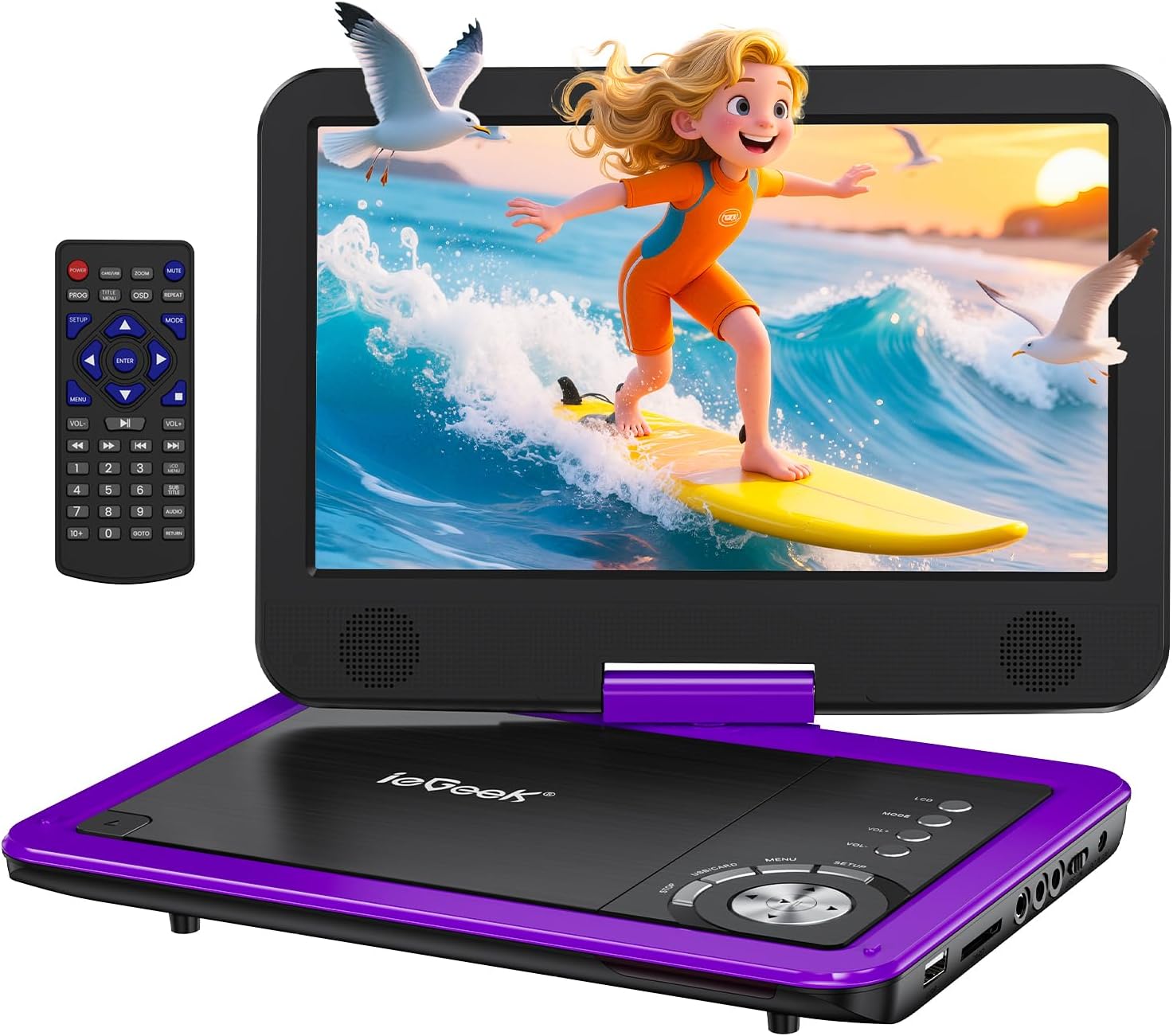
Figure 3.1: ieGeek Portable DVD Player
컨트롤 및 포트

Figure 3.2: Side Ports and Controls
- USB 포트: USB 플래시 드라이브 연결용입니다.
- SD 카드 슬롯: SD 메모리 카드를 삽입하기 위한 것입니다.
- 이어폰 잭: 헤드폰 연결 용.
- AV 출력 : Connects to a TV or projector for larger screen view주고받음.
- AV 입력 : Connects to another portable DVD player for synchronized view주고받음.
- 온 / 오프 스위치: 장치의 전원을 켜거나 끕니다.
- DC 입력 12V: AC 어댑터 또는 차량 충전기를 위한 전원 입력입니다.
- GAME Port: For connecting a game controller (if supported).
4. 설정
4.1 초기 충전
Before first use, fully charge the portable DVD player. The built-in rechargeable battery provides approximately 5 hours of video playback.
- Connect the AC Power Adapter to the DC IN 12V port and a power outlet.
- Alternatively, use the Car Charger to power the device in a vehicle.

그림 4.1: 충전 옵션
4.2 Loading a Disc
- Slide the 'OPEN' latch to open the disc lid.
- Place the DVD or CD onto the spindle, ensuring it clicks into place.
- Close the disc lid firmly. The player will begin loading automatically.
메모: Blu-ray discs are not supported.
4.3 Inserting USB/SD Card
- USB 포트에 USB 플래시 드라이브를 삽입합니다.
- Insert an SD card into the SD Card slot.
The player will detect the media and allow you to select file재생을 위한 s.

Figure 4.2: USB and SD Card Insertion
5. 사용 설명서
5.1 기본 재생
- 전원 켜기/끄기: Use the ON/OFF switch on the side of the device.
- 재생/일시 중지: Press the Play/Pause button on the device or remote to start or pause playback.
- 중지: 정지 버튼을 누르면 재생이 종료됩니다.
- 건너뛰다: Use the Previous/Next buttons to skip tracks or chapters.
- 볼륨 조절: Adjust the volume using the VOL+ and VOL- buttons on the device or remote.
5.2 화면 회전
The 10.5-inch HD screen can rotate 270° and flip 180°, allowing for multiple viewing angles or folding into a tablet-like form.

Figure 5.1: Screen Rotation Capabilities
5.3 리모컨
함께 제공되는 리모컨을 사용하면 멀리서도 편리하게 모든 기능을 조작할 수 있습니다.
5.4 External Connections (SYNC Screen Playing)
- TV에 연결: Use the AV to RCA cable (3-in-1 AV Cable) to connect the AV OUT port of the DVD player to the AV IN ports of a television. This allows you to view 더 큰 화면에서 콘텐츠를 즐기세요.
- Connect to Another Player: Use an AV to AV cable (not included) to connect the AV OUT of one player to the AV IN of another, enabling synchronized viewing across two devices.
5.5 특수 기능
- 마지막 메모리 기능: The player automatically resumes playback from where it was last stopped, even after powering off.
- 반복 재생: Enable the repeat function to play files on a continuous loop.
- 흔들림 방지 기능: Designed to minimize disc skip issues during movement, ideal for car travel.
6. 미디어 호환성
This portable DVD player supports a wide range of media formats and is region-free for DVD playback.

Figure 6.1: Supported Media Types
6.1 지원되는 디스크 형식
- CD, DVD, VCD, DVD±R, DVD±RW, CD-R, CD-RW, CVD, SVCD.
- Not compatible with Blu-ray discs.
6.2 Supported Digital Media (USB/SD Card)
Supports USB and SD cards up to 32GB.
- 동영상: AVI, MPG, MPVG4, VOB, FLV, RMVB (resolution within 720*576).
- 오디오: MP3, WMA, OGG, AAC.
7. 문제 해결
If you encounter issues with your ieGeek Portable DVD Player, refer to the following common solutions:
- 전원 없음: Ensure the device is fully charged or connected to a power source. Check the ON/OFF switch.
- No Disc Detected: Verify the disc is inserted correctly and is a supported format (not Blu-ray). Clean the disc if necessary.
- TV 화면에 영상이나 소리가 나오지 않음: Check the AV cable connections between the DVD player and the TV. Ensure the TV input is set to the correct AV channel.
- 화질이 좋지 않음: Ensure the disc is clean and free of scratches. Adjust screen settings if available.
- 원격 제어가 작동하지 않음: Check the remote's batteries. Ensure there are no obstructions between the remote and the player's sensor.
Game Functionality
The ieGeek Portable DVD Player supports game playback via the USB port. Connect a compatible game controller to the USB port to access pre-loaded games or games from a USB drive.
Video 7.1: Demonstrating game play on the ieGeek Portable DVD Player by connecting a game controller via USB and playing a classic game.
8. 사양
| 제품 치수 | 5.5 x 10.33 x 5.5 인치 |
| 품목 무게 | 3.25파운드 |
| 배터리 | 1 리튬 폴리머 배터리 필요(포함) |
| 상표 | 아이지크(ieGeek) |
| 미디어 유형 | DVD, VCD, CD, MP3, MPEG, AVI, VOB, USB, SD |
| 색상 | 보라 |
| 화면 크기 | 10.5 인치 |
| 디스플레이 유형 | 액정표시장치 |
9. 보증 및 지원
The ieGeek Portable DVD Player typically comes with a 1-year warranty from the date of purchase. For technical support, warranty claims, or any inquiries, please contact ieGeek customer service.
- 연락처 이메일: vp-service@iegeek.com
- 지원하다: 평생 기술 지원이 제공됩니다.
- 반품/교환: 24 Months Return and Exchange policy.


