1. 서론
The Zerone K-1028E is a universal remote control designed for use with a wide range of air conditioning units. This remote offers comprehensive functionality, including temperature adjustment, mode selection, fan speed control, and timer settings, providing a convenient replacement for lost or damaged original air conditioner remotes. Its compact design and clear LCD screen ensure ease of use.
2. 안전 정보
- 오래된 배터리와 새 배터리를 섞어서 사용하지 마십시오.
- 알칼리 전지, 표준형 전지(탄소-아연 전지), 충전형 전지(니켈-카드뮴 전지)를 섞어서 사용하지 마세요.
- 장기간 리모컨을 사용하지 않을 경우 배터리 누출을 방지하기 위해 배터리를 제거하세요.
- 리모컨을 직사광선, 열원, 습기로부터 멀리 두세요.
- 리모컨을 떨어뜨리거나 강한 충격을 가하지 마십시오.
3. 제품 오버view
The K-1028E remote control features an ergonomic design with clearly labeled buttons and a large LCD display for easy readability. It includes essential functions such as power, mode, temperature control, fan speed, and a dedicated light button.

This image displays the front of the Zerone K-1028E universal air conditioner remote control, highlighting its compact size with approximate dimensions of 13.3 cm in length, 5 cm in width, and 2.3 cm in thickness. The LCD screen and primary control buttons are visible.

A hand is shown holding the remote control, with the LCD screen clearly visible. The display shows a temperature setting of 26°C, along with icons indicating various modes and functions, demonstrating the remote in active use.
4. 설정
4.1 배터리 설치
- 리모컨 뒷면의 배터리실 커버를 엽니다.
- AAA 배터리 두 개를 올바른 극성(+ 및 -)에 맞춰 삽입합니다.
- 배터리 덮개를 단단히 닫으세요.
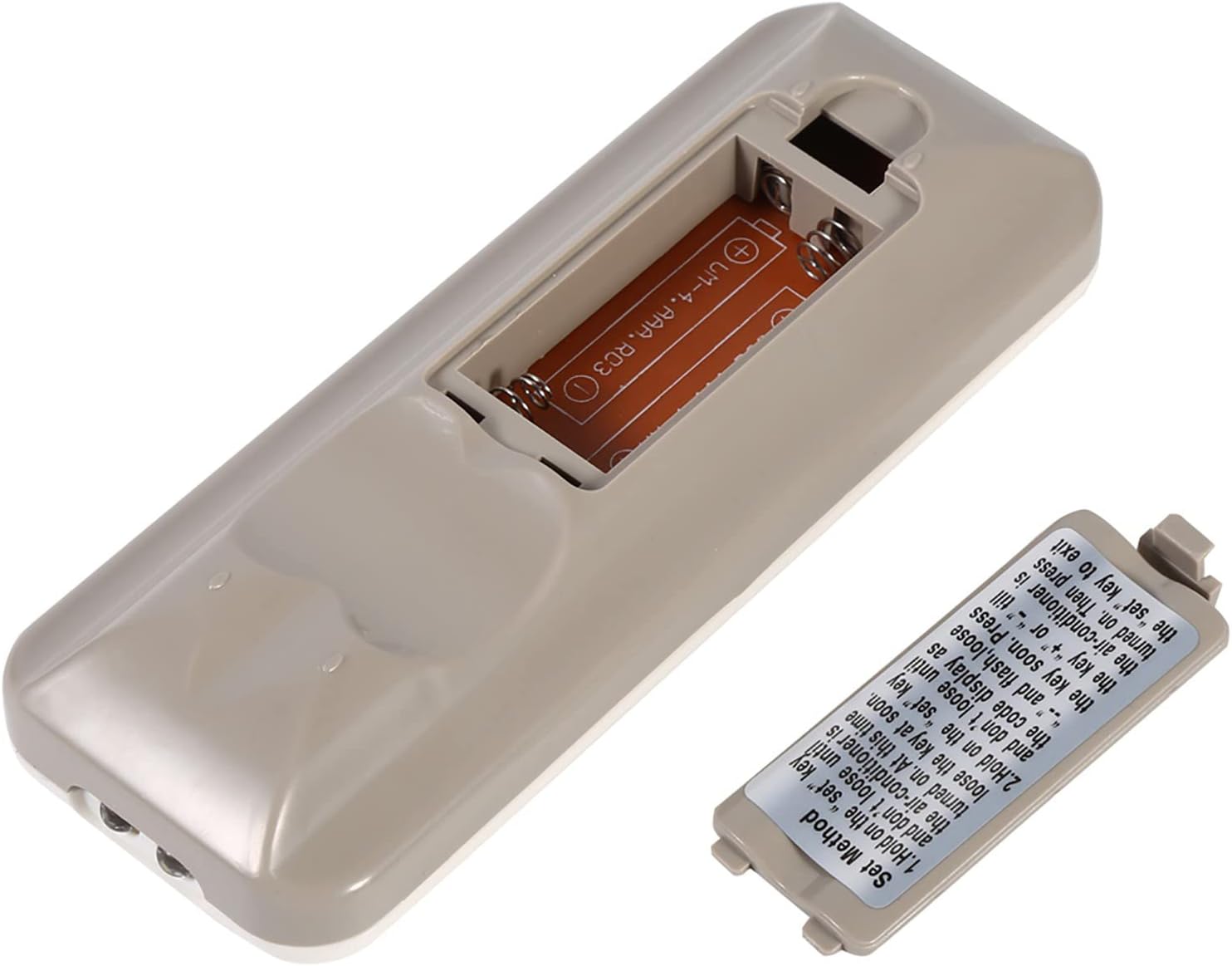
The back of the remote control is shown with the battery compartment cover removed, revealing the slot for two AAA batteries. This illustrates where to insert or replace the power source.
4.2 Programming the Remote (Automatic Search Method)
This method allows the remote to automatically search for the correct code for your air conditioner.
- Ensure your air conditioner unit is powered off.
- 를 누르고 계세요 세트 button on the remote control. Continue holding until your air conditioner unit turns on. Once the air conditioner turns on, immediately release the 세트 단추.
- Alternatively, if the above step does not work, press and hold the 세트 button until the code display on the remote's LCD screen shows "--" and begins to flash. Release the 세트 단추.
- While the code is flashing, press the + or - buttons repeatedly until your air conditioner unit turns on.
- Once the air conditioner turns on, press the 세트 button again to confirm the code and exit the programming mode.
- Test all functions of the remote control to ensure proper operation. If some functions do not work, repeat the programming process to find a more compatible code.

이 이미지는 자세한 내용을 제공합니다. view of the 'Set Method' instructions sticker located on the back of the remote control. It outlines the steps for automatically programming the remote to an air conditioner unit.
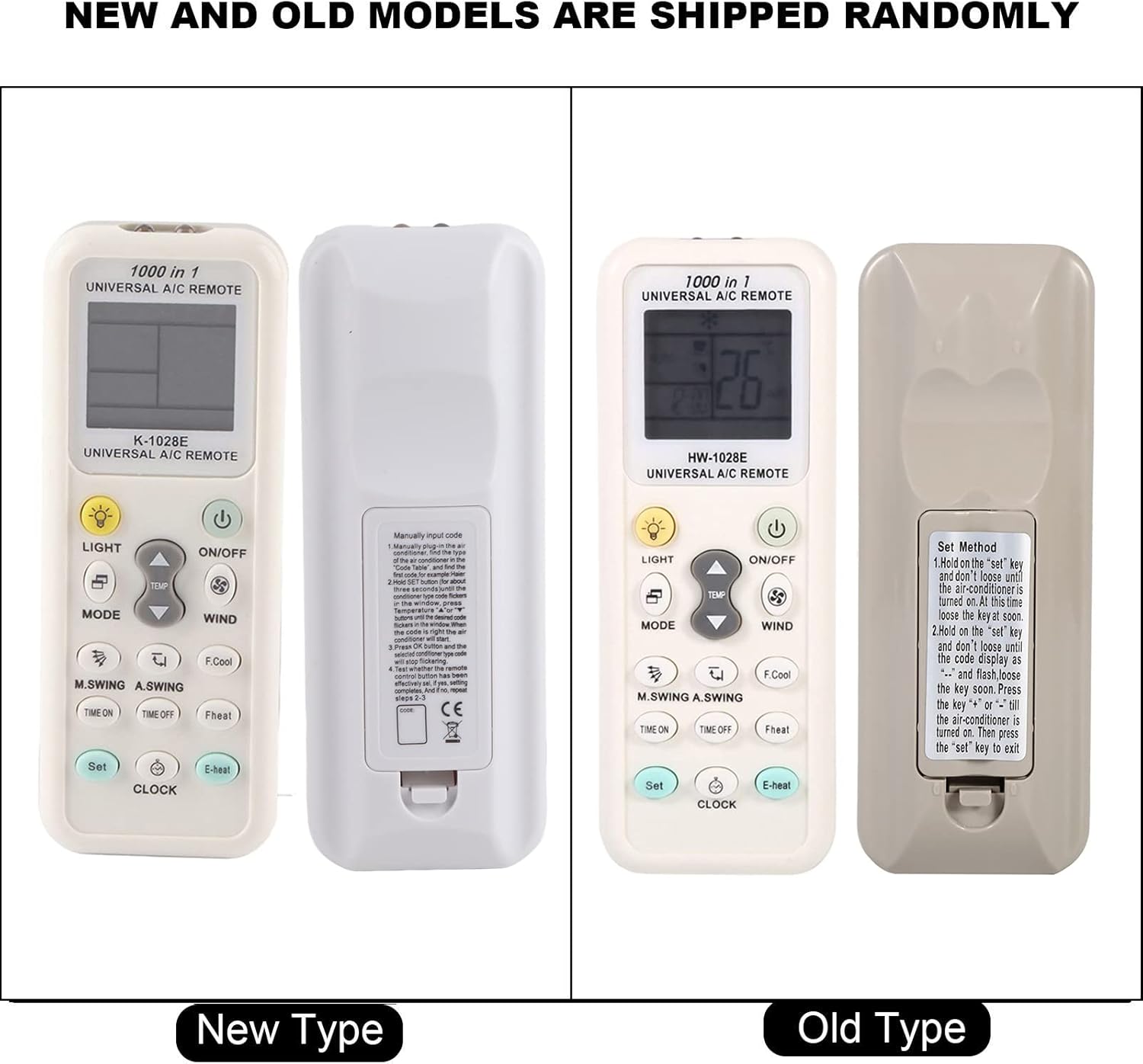
This image compares two versions of the K-1028E remote control, labeled 'New Type' and 'Old Type'. It illustrates slight variations in button arrangement and the instruction sticker on the back panel, indicating potential minor design updates over time. The programming method remains consistent.
5. 사용 설명서
- 켜기/끄기 버튼: 에어컨을 켜거나 끄려면 누르세요.
- MODE 버튼: Press to cycle through available operating modes: Auto, Cool, Dry, Fan, Heat.
- 온도 ▲/▼ 버튼: 원하는 온도 설정을 늘리거나 줄이려면 누르세요.
- WIND (Fan Speed) Button: Press to adjust the fan speed (e.g., Auto, Low, Medium, High).
- M.SWING/A.SWING Button: Controls the horizontal or vertical swing of the air conditioner's louvers.
- TIME ON/TIME OFF Buttons: Used to set a timer for the air conditioner to turn on or off automatically.
- 라이트 버튼: Activates or deactivates the backlight on the remote's LCD screen or the air conditioner's display light (if supported).
- 설정 버튼: Used for programming the remote and confirming settings.
- 시계 버튼: 리모컨 디스플레이에 현재 시간을 설정하는 데 사용됩니다.
6. 유지관리
- 리모컨은 부드럽고 마른 천으로 정기적으로 닦아주세요. 액체 세제나 연마성 재질은 사용하지 마세요.
- If the remote control is not responding or the display is dim, replace the batteries.
- 장기간 사용하지 않을 때는 리모컨을 시원하고 건조한 곳에 보관하세요.
7. 문제 해결
- 리모컨이 작동하지 않음 : Ensure batteries are inserted correctly and are not depleted. Reprogram the remote using the automatic search method. Ensure there are no obstructions between the remote and the air conditioner's receiver.
- 제한된 기능: If some functions do not work after programming, it may indicate that the selected code is not fully compatible. Try repeating the automatic search method to find an alternative, more compatible code.
- 디스플레이 문제: If the LCD display is dim or incomplete, replace the batteries.
8. 사양
| 상표 | 제론 |
| 모델 번호 | K-1028K |
| 품목 무게 | 0.704온스(약 20그램) |
| 호환 장치 | 에어컨 |
| 지원되는 최대 장치 수 | 1 (Universal for many AC brands) |
| 특징 | 범용 호환성 |
9. 보증 및 지원
For warranty information or technical support, please refer to the documentation provided with your purchase or contact the retailer. Keep your purchase receipt as proof of purchase.