소개
This manual provides essential information for the safe and efficient operation of your Skyworth 49 M20 Full HD LED Smart TV. Please read it thoroughly before using the product and retain it for future reference.
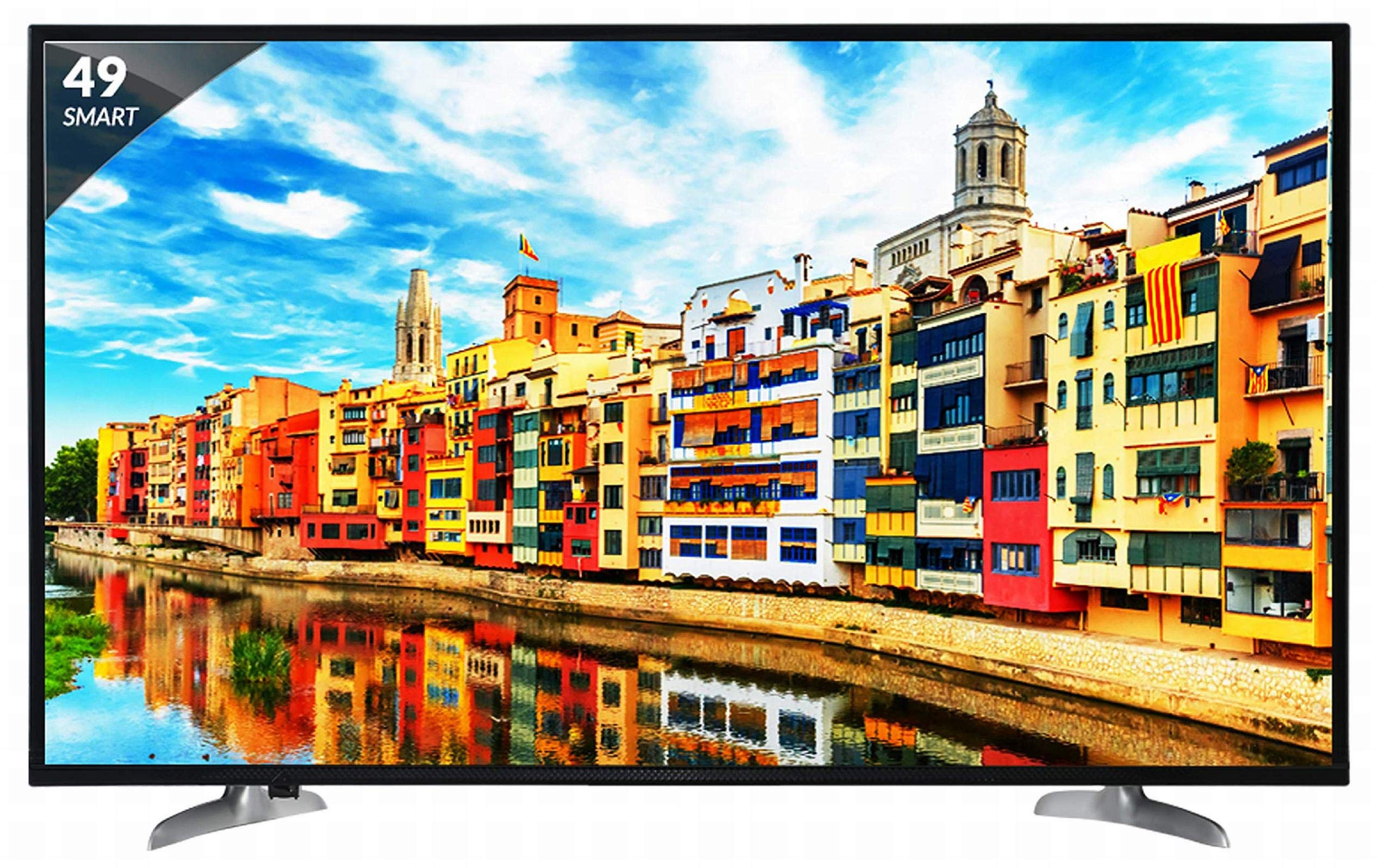
그림 1: 전면 view of the Skyworth 49 M20 Full HD LED Smart TV.
설정 및 설치
Unpacking the TV
포장에서 모든 구성품을 조심스럽게 꺼내십시오. 아래 나열된 모든 품목이 있는지 확인하십시오.
상자 안에 무엇이 들어있나요?
- 1 LED 티비
- 1 탁상용 스탠드
- 1 벽걸이 브라켓
- 1 사용자 설명서
- 1 보증 카드
- 1 리모컨
- AAA 배터리 2개
- 1. 전원 케이블/전원 어댑터
영상 1: 언박싱 및 초기 설정view of the Skyworth 49 M20 Smart TV.
스탠드 설치
If using the table-top stand, attach it securely to the base of the TV using the provided screws. Refer to the diagram for correct orientation.
벽면 장착
For wall mounting, use the included wall mount bracket. It is recommended to seek professional assistance for wall mounting to ensure safety and proper installation. Contact Skyworth at 18001210108 for installation services.

그림 2: 측면 view of the TV, illustrating the slim design and stand attachment points.
연결성
Your Skyworth 49 M20 TV offers various ports for connecting external devices.
사용 가능한 포트:
- HDMI 포트 3개: 셋톱박스, 블루레이 플레이어, 게임 콘솔 및 기타 HDMI 지원 장치를 연결하는 데 사용합니다.
- USB 포트 2개: For connecting hard drives, USB flash drives, and other USB devices to play media files.
- VGA 포트 1개: For connecting laptops or desktop computers.

Figure 3: Rear panel of the TV, highlighting the various input and output ports.

그림 4: 상세 view of the connectivity ports including HDMI, USB, and VGA.
스마트 TV 작동하기
전원 켜기/끄기
Connect the power cable to the TV and a power outlet. Press the power button on the remote control or on the TV to turn it on or off.
초기 설정 마법사
TV를 처음 켜면 언어 선택, 네트워크 연결, 채널 검색 등을 포함한 초기 설정 과정을 안내해 줍니다.
스마트 TV 기능
The Skyworth 49 M20 is an Android-based Smart TV with built-in Wi-Fi, offering access to a variety of applications and online content.
- 내장 Wi-Fi: 인터넷에 접속하려면 홈 네트워크에 연결하세요.
- Netrange App Store: Download and install applications for movies, music, games, and more.
- APK 설치: Allows installation of additional applications via APK files.
- Sky Share: Share media files (videos, pictures) from your mobile phone to the TV.
- 홈 네트워크: Access media content from other devices on your home network.
- 지원되는 인터넷 서비스: Includes Twitter and YouTube.

Figure 5: The Smart TV home screen interface, showing various app icons.

Figure 6: The Netrange App Store interface, displaying available applications.
비디오 2: 끝view of the Skyworth Full HD IPS Smart LED TV features, including display, smart functions, and connectivity.
디스플레이 및 오디오
디스플레이 기술
The TV features a 49-inch Full HD (1920x1080p) IPS LED panel with a 60 Hz refresh rate. The IPS technology provides a wide 178-degree viewing angle, ensuring consistent picture quality from various positions.
오디오 시스템
Equipped with 20 Watts output and down-firing speakers, the TV delivers clear audio. DTS Sound technology enhances the audio experience.
기술 사양
| 특징 | 세부 사항 |
|---|---|
| 모델 | 49 M20 |
| 화면 크기 | 49 인치 (124.5cm) |
| 디스플레이 기술 | IPS LED 패널 |
| 해결 | 풀 HD (1920 x 1080p) |
| 새로 고침 빈도 | 60 헤르츠 |
| View잉 각도 | 178도 |
| 운영 체제 | 기계적 인조 인간 |
| 프로세서 | ARM Quad Core Processor |
| 그래픽 카드 | Dual Core 3D GPU |
| 숫양 | 512MB |
| 집시 남자 | 4GB |
| 연결성 | 3 HDMI, 2 USB, 1 VGA, Built-in Wi-Fi |
| 오디오 출력 | 20 와트 |
| 사운드 기술 | DTS Sound, Down Firing Speakers |
| 제품 크기(LxWxH) | 111.1 x 27.1 x 68.9cm |
| 품목 무게 | 16kg |
| 배터리 | AAA 배터리 2개(리모컨 포함) |

Figure 7: Summary of key TV features including screen size, connectivity, display, sound, and smart TV capabilities.
문제 해결
This section addresses common issues you might encounter with your TV. For more complex problems, please contact customer support.
전원이 없습니다
- 전원 케이블이 TV와 작동하는 전원 콘센트에 모두 단단히 연결되어 있는지 확인하세요.
- 다른 장치를 연결해 전원 콘센트가 제대로 작동하는지 확인하세요.
- Verify that the power indicator light on the TV is on.
화면/소리 없음
- 올바른 입력 소스가 선택되었는지 확인하십시오(예: HDMI 1, AV).
- Check all cable connections (HDMI, AV, etc.) between the TV and external devices.
- 볼륨이 음소거되어 있거나 너무 낮게 설정되어 있지 않은지 확인하세요.
Wi-Fi 연결 문제
- 와이파이 공유기와 TV를 재시작하세요.
- TV가 Wi-Fi 라우터 범위 내에 있는지 확인하세요.
- 입력한 Wi-Fi 비밀번호가 올바른지 확인하세요.
리모컨이 작동하지 않음
- 리모콘의 AAA 배터리를 교체하세요.
- 리모컨과 TV의 적외선 센서 사이에 장애물이 없는지 확인하십시오.
관리 및 유지 보수
화면 청소
부드럽고 보풀이 없는 천으로 화면을 부드럽게 닦으세요. 잘 지워지지 않는 얼룩은 가볍게 닦아주세요.amp천에 물이나 특수 화면 세척제를 묻혀 닦아주세요. 강한 화학 물질이나 연마재는 사용하지 마세요.
일반 청소
Wipe the TV's frame and stand with a soft, dry cloth. Do not spray cleaning liquids directly onto the TV.
통풍
TV 과열을 방지하기 위해 TV 주변에 적절한 통풍이 이루어지도록 하십시오. TV 뒷면의 통풍구를 막지 마십시오.
보증 및 지원
보증 정보
Your Skyworth 49 M20 TV comes with a 2년 표준 제조업체 보증 from Skyworth. Please retain your purchase invoice for warranty claims.
고객 지원
For installation, wall mounting, product demonstration, or any service-related queries, please contact Skyworth directly at 18001210108. Provide the product's model name (49 M20) and seller's details from your invoice.
본 제품은 제품 결함, 손상 또는 제품 설명과 일치하지 않는 기능이 있는 경우, 배송일로부터 10일 이내에 교환/환불이 가능합니다.


