1. 서론
This manual provides comprehensive instructions for the installation, operation, and maintenance of your Lorex 4K Analog Security Camera. This camera is designed for both outdoor and indoor surveillance, offering advanced features to enhance your security system.

그림 1: 전면 view of the Lorex 4K Analog Security Camera, showing the lens and integrated LED light.
주요 특징:
- Smart Active Deterrence: Features a motion-activated LED warning light and remote-activated siren options to deter intruders.
- HD 4K Camera System: Delivers 4K video resolution with realistic color representation and superior digital zoom capabilities for clear imaging in various lighting conditions.
- 컬러 나이트 비전: Provides enhanced nighttime clarity and better video evidence with Color Night Vision (requires ambient lighting) and a wide 111° field of view. Long-range IR night vision offers clear black and white images in darker environments.
- Outdoor Security System: Constructed with durable aluminum alloy housing, the camera is weatherproof rated (IP65) to withstand temperatures from -40°F to 131°F.
- 호환성: Designed for use with Lorex D841, D841B, D861, LHV5100, and LHV5100W series recorders.

Figure 2: Visual comparison demonstrating the sharper video and superior digital zoom capabilities of 4K Ultra HD.

Figure 3: Comparison showing enhanced nighttime clarity with Color Night Vision versus traditional infrared night vision.

Figure 4: Illustration of Active Deterrence, including motion-activated LED warning lights and remote siren activation via a mobile app.
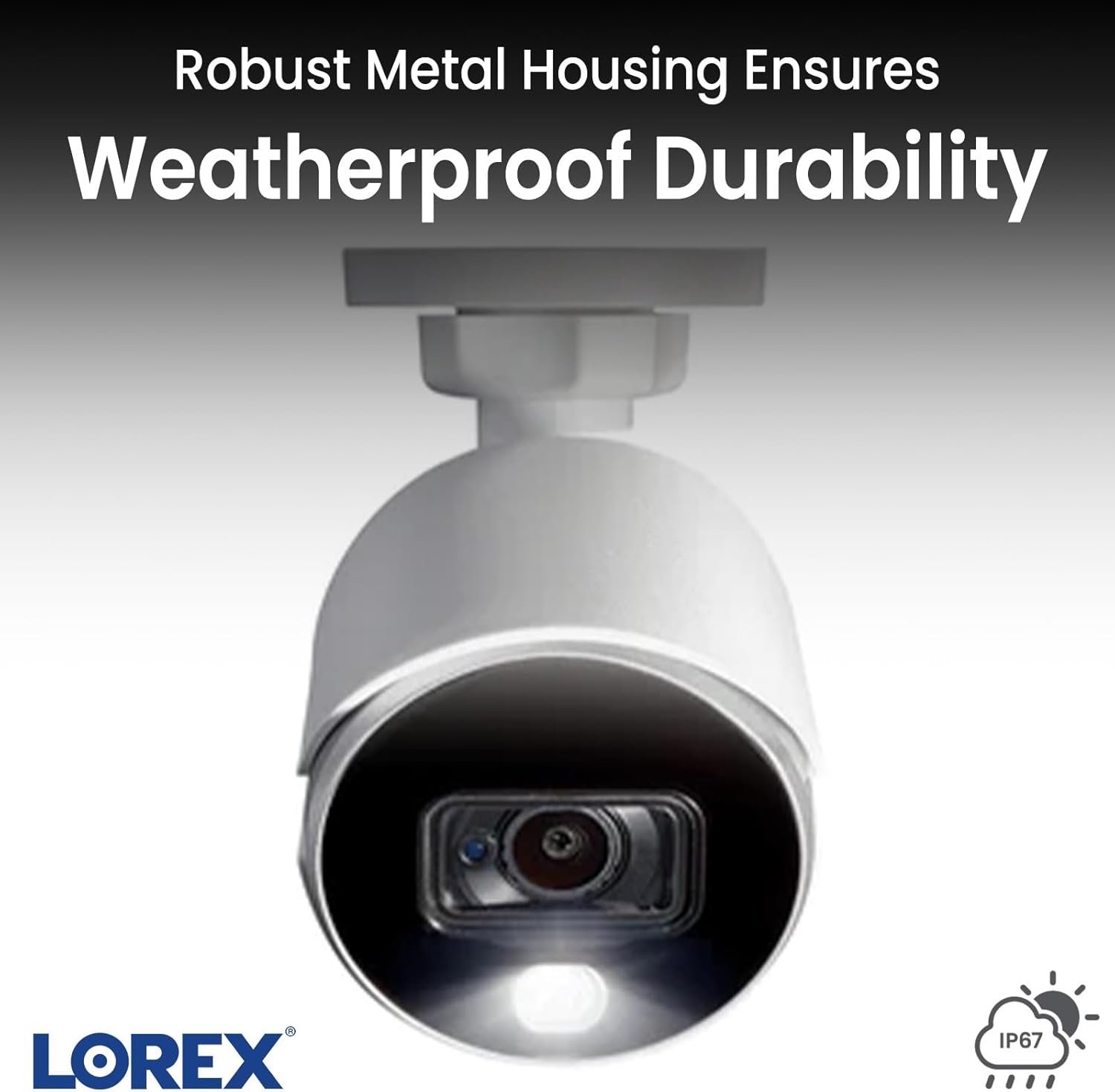
Figure 5: Close-up of the camera's robust metal housing, highlighting its weatherproof durability (IP65 rating).
2. 설정
Follow these steps to set up your Lorex 4K Analog Security Camera system:
- 구성 요소 풀기: Verify all included components are present: camera, mounting kit, power adapter, extension cable, and quick start guide.
- 카메라 장착: 카메라를 설치할 적절한 위치를 선택하고, 시야가 확보되는지 확인하십시오. view. Use the provided mounting kit to securely attach the camera to a wall or ceiling. The camera is designed for both indoor and outdoor use.
- Connecting to DVR/NVR: Connect the camera to your compatible Lorex DVR/NVR (D841 / D841B / D861 / LHV5100 / LHV5100W series) using the provided extension cable. Ensure a secure connection.
- 전원 연결: Connect the camera's power adapter to a regular power outlet.
- DVR/NVR Setup: Connect your DVR/NVR to a display (e.g., TV) using an HDMI cable. Power on the DVR/NVR.
- 앱 설치: Download and install the Lorex mobile application on your smartphone or tablet. This app allows for remote viewing and control of your camera system.
- 시스템 구성 : Follow the on-screen prompts on your DVR/NVR and within the Lorex app to complete the initial system configuration, including setting up network access and user accounts.

Figure 6: The Lorex DVR/NVR hub, illustrating its connections to the camera and display via HDMI and power.
3. Operating the Camera System
Your Lorex security camera system offers various ways to monitor and manage your surveillance footage.
3.1. 라이브 View 및 재생
- 온스크린 디스플레이: View live feeds from all connected cameras directly on your connected TV or monitor. Use the provided mouse to navigate the main menu, switch between individual camera views, and access playback options.
- 모바일 앱: 실시간 액세스 views of individual cameras from anywhere using the Lorex mobile app. The app allows you to select specific cameras to view, providing real-time monitoring.
3.2. 양방향 대화
Some Lorex camera models support two-way audio communication. If your camera has this feature, you can speak through the camera and hear audio from the camera's location directly through the mobile app. This is useful for communicating with visitors or deterring unwanted individuals.
3.3. 동작 감지 및 알림
The system is equipped with advanced motion detection capabilities. You can configure detection zones and sensitivity settings to receive alerts when motion, people, or vehicles are detected. These alerts can be sent directly to your mobile device, allowing for immediate awareness of events.
3.4. 녹음 및 저장
The DVR/NVR includes a 1 terabyte hard drive for extensive video storage. The system is designed to continuously loop record, automatically overwriting the oldest footage once the storage is full. You can also search for specific events or playback recorded footage through the DVR/NVR interface or the mobile app.
4. 유지관리
Regular maintenance ensures optimal performance and longevity of your Lorex security camera system.
- 카메라 렌즈 청소하기: Periodically clean the camera lens with a soft, lint-free cloth to remove dust, dirt, or smudges that may affect image clarity. Avoid abrasive cleaners.
- 연결 확인 중: 신호 손실이나 전원 공급 중단을 방지하기 위해 모든 케이블(전원, 비디오, 네트워크)이 단단히 연결되어 있는지 확인하십시오.
- 펌웨어 업데이트: Lorex를 확인하세요 website or your mobile app for available firmware updates for your DVR/NVR and cameras. Keeping firmware updated can improve performance and add new features.
- 환경 고려 사항: While the camera is weatherproof (IP65), ensure its mounting location minimizes direct exposure to extreme weather conditions where possible, such as prolonged standing water or direct impact from debris.
- 하드 드라이브 상태: Monitor the health of your DVR/NVR's hard drive through the system settings to ensure continuous recording.
5. 문제 해결
If you encounter issues with your Lorex security camera system, refer to the following common troubleshooting steps:
5.1. No Image/Signal on Display
- 전원 확인: Ensure the camera and DVR/NVR are properly powered on and connected to a working power outlet.
- 연결 확인: Confirm that all video cables (BNC/HDMI) are securely connected between the camera, DVR/NVR, and display.
- 입력 선택: TV/모니터의 입력 소스가 올바르게 설정되어 있는지 확인하십시오(예: HDMI 1, HDMI 2).
- 테스트 카메라: If possible, test the camera with a different video input or a known working channel on your DVR/NVR.
5.2. 녹음 문제
- 하드 드라이브 상태: Check the DVR/NVR settings to ensure the hard drive is detected and functioning correctly. Reformat the hard drive if necessary (this will erase all existing recordings).
- 녹화 일정: 연속 녹화 또는 동작 감지 녹화로 녹화 일정이 올바르게 설정되어 있는지 확인하십시오.
- 움직임 감지 설정: If using motion-activated recording, ensure motion detection is enabled and sensitivity levels are appropriate for the environment.
5.3. 원격 Viewing Issues (Mobile App)
- 네트워크 연결 : Ensure your DVR/NVR is connected to the internet via an Ethernet cable and has a stable network connection.
- 앱 로그인: Confirm you are logged into the Lorex app with the correct credentials.
- 라우터 설정: Check your router's firewall settings to ensure they are not blocking the Lorex system's access to the internet. Port forwarding may be required in some cases.
- 앱 업데이트: Ensure your Lorex mobile app is updated to the latest version.
6. 사양
| 특징 | 사양 |
|---|---|
| 모델 번호 | C882DA |
| 비디오 캡처 해상도 | 4K (유효 정지 이미지 해상도 8MP) |
| 연결 기술 | 열광한 |
| 전원 | 코드식 전기(8와트) |
| 장착 유형 | 천장 / 벽 마운트 |
| 실내/실외 사용 | 실내/실외 |
| 국제 보호 등급 | IP65(비바람에 견디는) |
| 나이트 비전 범위 | 150 피트 |
| 저조도 기술 | 컬러 나이트 비전 |
| 경고 유형 | 모션 전용 |
| 재료 | 폴리카보네이트(PC) |
| 품목 치수(L x W x H) | 5.9 x 2.8 x 3.2 인치 |
| 품목 무게 | 2.31파운드 |
| 포함된 구성 요소 | Camera, mounting kit, power adapter, extension cable, quick start guide |
| Compatible DVR/NVR Series | D841 / D841B / D861 / LHV5100 / LHV5100W |
7. 보증 및 지원
Lorex products typically come with a limited warranty. For specific warranty details, duration, and terms, please refer to the warranty card included with your product or visit the official Lorex web사이트. 보증 청구를 위해 구매 증빙 자료를 보관하세요.
For technical support, product registration, or to access additional resources such as FAQs and software downloads, please visit the Lorex support page on their official web해당 사이트에서 고객 서비스 연락처 정보도 찾을 수 있습니다.
중요한: Always ensure you are using official Lorex support channels for assistance.


