1. 서론
The Aputure Amaran AL-F7 is a compact and versatile LED video light designed for various photographic and videographic applications. It features 256 high-CRI LED lights, offering a strong output and a wide color temperature range. The AL-F7 provides precise brightness and color temperature controls, multiple charging options, and a lightweight, portable design.
This manual provides detailed instructions for the safe and effective use of your Amaran AL-F7 LED video light. Please read it thoroughly before operation and retain it for future reference.
2. 안전 정보
제품 손상이나 본인 또는 타인의 부상을 방지하기 위해 다음의 기본적인 안전 수칙을 항상 준수하십시오.
- Do not disassemble or modify the product. Unauthorized modifications may cause damage or malfunction.
- 제품을 물이나 기타 액체로부터 멀리하십시오. 젖은 손으로 제품을 작동하지 마십시오.
- Do not block the ventilation openings. Overheating can damage the device.
- Avoid direct eye exposure to the LED light. The light is very bright and can cause temporary vision impairment.
- 권장되는 전원 및 액세서리만 사용하십시오.
- 어린이의 손이 닿지 않는 곳에 보관하세요.
3. 패키지 내용
아래 나열된 모든 품목이 패키지에 포함되어 있는지 확인하세요.
- Amaran AL-F7 LED Video Light
- Hot-shoe mounting ball head
- 캔버스백
- USB Type-C charging cable (may vary by region)
- 사용자 설명서
4. 제품 오버view
Familiarize yourself with the components and controls of your Amaran AL-F7.
4.1 Front Panel (LED Array)
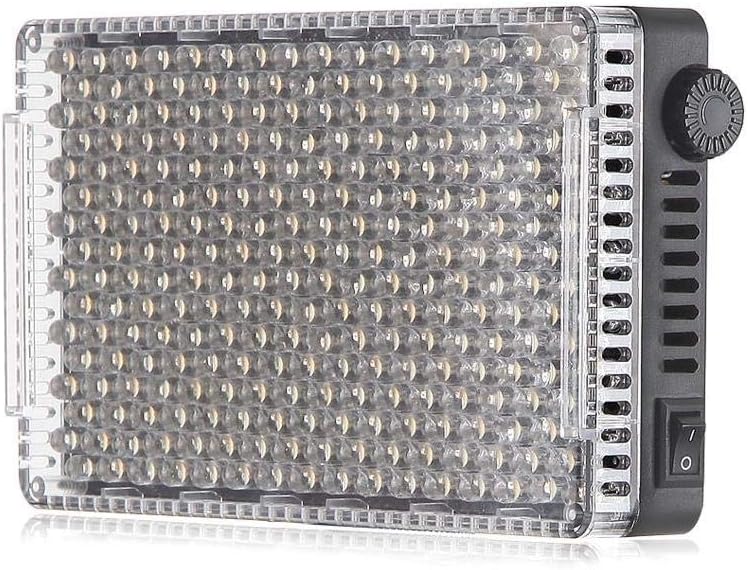
그림 1: 전면 view of the AL-F7 LED panel, displaying the light-emitting diodes.
4.2 Rear Panel (Display and Battery Mount)

Figure 2: Rear panel of the AL-F7, featuring the LCD screen, battery mount, and control interface.
- LCD 디스플레이: Shows brightness percentage, color temperature (CT), and battery status.
- 컨트롤 다이얼 : Used to adjust brightness and color temperature. Press to switch between modes.
- 배터리 플레이트: Compatible with Sony NP-F series batteries for portable power.
4.3 Side Panels (Controls and Ports)

그림 3: 측면 view showing the power switch and control dial.

그림 4: 측면 view displaying the D-Tap input, 1/4" mounting point, and USB Type-C port.
- 전원 스위치: 기기를 켜거나 끕니다.
- D-Tap Input: For external power supply (e.g., V-mount battery).
- USB 타입-C 포트: For charging and powering the unit.
- 1/4" Screw Threads: Located on three sides for versatile mounting options.
5. 설정
5.1 Powering the AL-F7
The Amaran AL-F7 can be powered using one of three methods:
- Sony NP-F Series Battery: Attach a compatible NP-F battery to the battery plate on the rear of the unit.
- USB 타입-C: Connect a USB Type-C cable from a power bank or USB power adapter to the USB-C port on the side.
- D-Tap: Connect a D-Tap cable from a compatible power source (e.g., V-mount battery) to the D-Tap input.
전원 공급 장치가 충분한 전압을 제공하는지 확인하십시오.tag안정적인 작동을 위해서는 전류와 전기가 필요합니다.
5.2 Mounting the AL-F7
The AL-F7 features 1/4" screw threads on three sides for flexible mounting. Use the included hot-shoe mounting ball head to attach the light to a camera's hot shoe or a light stand with a 1/4" screw.
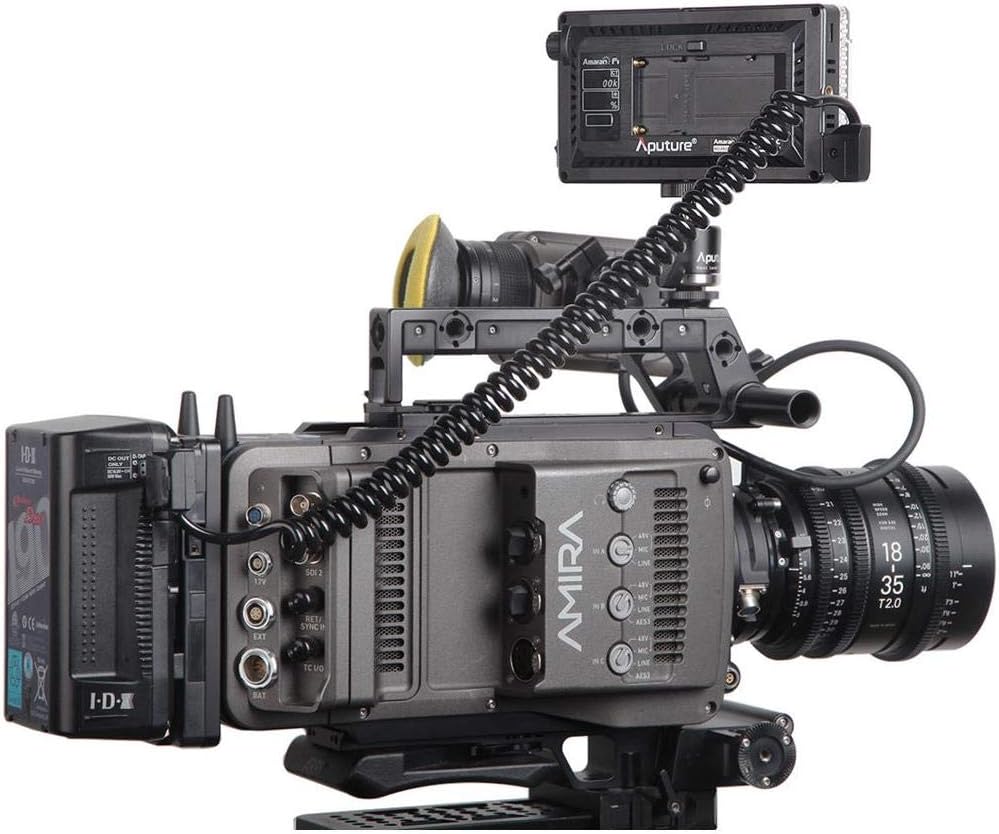
Figure 5: AL-F7 mounted on a camera rig, demonstrating a typical setup.
- Screw the hot-shoe mounting ball head into one of the 1/4" threads on the AL-F7.
- Secure the ball head to your camera's hot shoe or a light stand.
- Adjust the angle of the light using the ball head.
6. 운영
6.1 전원 켜기/끄기
Locate the power switch on the side of the unit. Flip the switch to the 'ON' position to power on the light. Flip it to 'OFF' to power off.
6.2 밝기 조정
After powering on, the LCD display will show the current brightness percentage. Rotate the control dial to adjust the brightness from 1% to 100%. The AL-F7 offers stepless control for fine-tuning.
6.3 색온도 조정
To switch to color temperature adjustment mode, press the control dial. The display will show the current color temperature in Kelvin (K). Rotate the control dial to adjust the color temperature within the range of 3200K to 9500K. Press the dial again to switch back to brightness adjustment.
The AL-F7's maximum output is achieved at approximately 5500K, which corresponds to daylight balanced light.
6.4 메모리 기능
The AL-F7 features a built-in memory function that automatically stores the last brightness and color temperature settings used. When the light is powered on again, it will recall these settings.
7. 유지관리
- 청소: 부드럽고 마른 천으로 조명을 닦으십시오. 강한 화학 약품이나 연마제를 사용하지 마십시오.
- 저장: Store the light in a cool, dry place, away from direct sunlight and extreme temperatures. Use the provided canvas bag for protection during transport and storage.
- 배터리 관리 : If using NP-F batteries, follow the manufacturer's guidelines for charging and storage to prolong battery life.
8. 문제 해결
| 문제 | 가능한 원인 | 해결책 |
|---|---|---|
| 불이 켜지지 않습니다 | No power supply; battery depleted; power switch off | Ensure power switch is ON. Connect to a power source (USB-C, D-Tap) or replace/charge NP-F battery. |
| 조명이 예기치 않게 깜박이거나 어두워집니다. | Low battery; unstable power connection; overheating | Charge or replace battery. Check power cable connections. Ensure adequate ventilation. |
| Cannot adjust brightness/color temperature | Control dial malfunction; incorrect mode selected | Press the control dial to switch between brightness and color temperature modes. If issue persists, contact support. |
9. 사양
| 특징 | 세부 사항 |
|---|---|
| 모델 번호 | AL-F7 |
| 제품 치수 | 6.69 x 2.76 x 1.57인치(170 x 70 x 40mm) |
| 품목 무게 | 9.2 온스(260g) |
| 색온도 범위 | 3200K - 9500K |
| 밝기 조절 | 1% - 100% 무단계 |
| 전원 입력 | D-Tap, USB Type-C, Sony NP-F series battery |
| 연결 기술 | USB |
| 설치 | 1/4" screw thread (3 sides) |
| 필요한 배터리 | 1 Lithium Polymer (NP-F type, not included) |
10. 보증 및 지원
Aputure products are covered by a limited warranty. For detailed warranty information, please refer to the warranty card included with your product or visit the official Aputure web사이트. 보증 청구를 위해 구매 증빙 자료로 구매 영수증을 보관하세요.
For technical support, service, or inquiries, please contact Aputure customer service through their official website or authorized distributors. Do not attempt to repair the unit yourself, as this may void your warranty.


