1. 서론
The HyperX Cloud II Gaming Headset is engineered to deliver an optimal Hi-Fi gaming experience. It features a newly designed USB sound card audio control box that amplifies audio and voice, allowing users to discern subtle in-game details. This headset generates virtual 7.1 surround sound, enhancing gaming, movie, and music experiences with improved distance and depth perception. Independent audio and microphone volume controls, along with a toggle for 7.1 Surround Sound and microphone mute, provide comprehensive control over your audio environment.

Figure 1: HyperX Cloud II Gaming Headset, showcasin디자인이 그렇습니다.
2. 주요 특징
- 뛰어난 음질: Equipped with 53mm drivers for rich, clear audio and an immersive gaming experience.
- 탈착식 노이즈 캔슬링 마이크: Ensures clear and effective communication by minimizing background noise.
- 편안한 디자인: Features HyperX's signature memory foam and premium leatherette material for extended comfort during long gaming sessions.
- 다중 플랫폼 호환성: Compatible with PC, PS5, PS4, Xbox Series X|S, Xbox One, Nintendo Switch, and mobile gaming devices.
- 유선 연결: Connects to gaming devices or computers using a physical cable for reliable and uninterrupted audio transmission.

Figure 2: Headset with the detachable microphone in place.
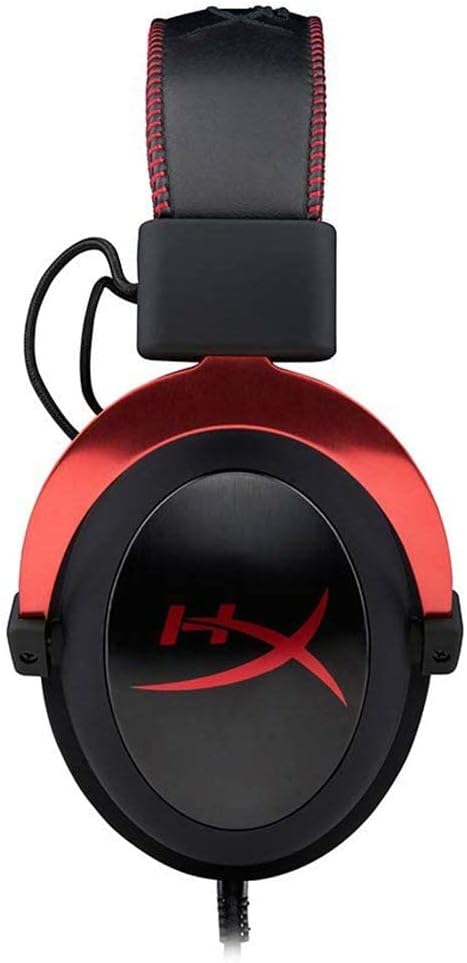
Figure 3: The USB audio control box for the HyperX Cloud II headset.
3. 설정
3.1 포함된 구성 요소
- HyperX Cloud II 게임용 헤드셋
- 탈착식 노이즈 캔슬링 마이크
- USB 오디오 제어 상자
- Additional Velour Ear Cushions (for replacement)
- 여행용 파우치

Figure 4: HyperX Cloud II headset and its included accessories.
3.2 헤드셋 연결
- 마이크 부착: Insert the detachable noise-cancelling microphone into the port on the left earcup until it clicks securely into place.
- PC Connection (USB Audio Control Box):
- Connect the headset's 3.5mm jack to the USB audio control box.
- Plug the USB connector of the audio control box into an available USB port on your PC.
- PC는 필요한 드라이버를 자동으로 감지하고 설치해야 합니다.
- Console/Mobile Connection (3.5mm Jack):
- For PS4, Xbox One (with adapter, sold separately), Nintendo Switch, and mobile devices, connect the headset's 3.5mm jack directly to the controller or device's audio port. The USB audio control box is not used for these direct connections.

Figure 5: Multiplatform connection options for the headset.
4. 사용 설명서
4.1 Using the USB Audio Control Box (PC Only)
The in-line USB audio control box provides convenient access to essential audio functions:
- 헤드폰 볼륨 조절: Use the '+' and '-' buttons on the left side to adjust the headset's audio output volume.
- 마이크 볼륨 조절: Use the '+' and '-' buttons on the right side to adjust the microphone input level.
- 7.1 서라운드 사운드 켜기/끄기: Press the '7.1' button in the center to activate or deactivate virtual 7.1 surround sound. An LED indicator will confirm its status.
- 마이크 음소거: Use the microphone mute switch on the side of the control box to quickly mute or unmute your microphone.
4.2 Using the Detachable Microphone
The flexible microphone can be positioned for optimal voice pickup. Ensure it is positioned close to your mouth but not directly in front to avoid plosives. When not needed, the microphone can be easily detached for a more streamlined headset profile.
5. 유지관리
- 청소: 헤드셋을 닦을 때는 부드럽고 마른 천을 사용하십시오. 강한 화학 약품이나 연마성 재질은 사용하지 마십시오.
- 귀 쿠션: The ear cushions are replaceable. If they show signs of wear or damage, they can be replaced with the included velour ear cushions or new ones purchased separately. Gently remove the old cushions and carefully attach the new ones.
- 저장: When not in use, store the headset in the provided travel pouch to protect it from dust and damage.

Figure 6: Detail of the headset's comfortable earcups.
6. 문제 해결
- 소리가 안 나거나 소리가 작음:
- 모든 연결이 안전한지 확인하세요.
- Check the volume levels on the in-line audio control box and your device.
- 시스템 설정에서 헤드셋이 기본 오디오 출력 장치로 선택되어 있는지 확인하십시오.
- 마이크가 작동하지 않음:
- Ensure the microphone is securely attached and not muted on the in-line control box.
- 기기의 소리 설정에서 마이크 입력 레벨을 확인하세요.
- Verify that the headset microphone is selected as the default input device.
- 7.1 서라운드 사운드 문제:
- Ensure the 7.1 button on the USB audio control box is activated (LED illuminated).
- 7.1 surround sound functionality is primarily for PC via the USB audio control box.
7. 사양
| 특징 | 사양 |
|---|---|
| 모델명 | 클라우드 II |
| 모델 번호 | KHX-HSCP-RD |
| 연결 기술 | Wired (USB for PC, 3.5mm for consoles/mobile) |
| 헤드폰 잭 | USB, 3.5mm |
| 오디오 드라이버 크기 | 53 밀리미터 |
| 소음 제어 기능 | Noise-Cancelling Microphone, Active Noise Cancellation |
| 품목 무게 | 318그램(11.2온스) |
| 제품 치수 | 6.69 x 4.72 x 2.76 인치 |
| 재료 | Aluminum, Leatherette, Plastic |
| 포함된 구성 요소 | Headset, Detachable Microphone, USB Audio Control Box, Velour Ear Cushions, Travel Pouch |
| 블루투스 기술 지원 | 아니요 |
8. 호환성
The HyperX Cloud II Gaming Headset offers broad compatibility across various gaming platforms:
- PC (via USB Audio Control Box)
- 플레이스테이션 5(PS5)
- 플레이스테이션 4(PS4)
- Xbox Series X|S (via controller 3.5mm port)
- Xbox One (via controller 3.5mm port, adapter may be required for older controllers)
- 닌텐도 스위치
- Mobile Gaming Devices
9. 공식 제품 영상
비디오 1: 오버view of the HyperX Cloud II Gaming Headset, highlighting its 53mm drivers and noise-cancelling microphone. This video is provided by the seller, Renew4Me.
10. 보증 및 지원
For warranty information, technical support, or service inquiries regarding your HyperX Cloud II Gaming Headset, please refer to the official HyperX web사이트를 방문하거나 고객 지원팀에 직접 문의하세요. 보증 청구를 위해 구매 증빙 자료를 보관하세요.