소개
구매해주셔서 감사합니다asing the MAJORITY Histon Portable DAB/DAB+ Digital Radio. This manual provides essential information for setting up, operating, and maintaining your radio. Please read it thoroughly before use to ensure optimal performance and longevity of your device.
상자 안에 무엇이 들어있나요?
- MAJORITY Histon Radio
- 주전원 케이블
- 사용 설명서(이 문서)

Image: The contents of the product packaging, including the Histon radio, its mains power cable, and the user manual.
제품 끝view
The MAJORITY Histon radio is designed for portable and mains-powered listening, offering both DAB/DAB+ and FM radio reception. It features a clear LED display, dual alarm functionality, and a sleep timer.
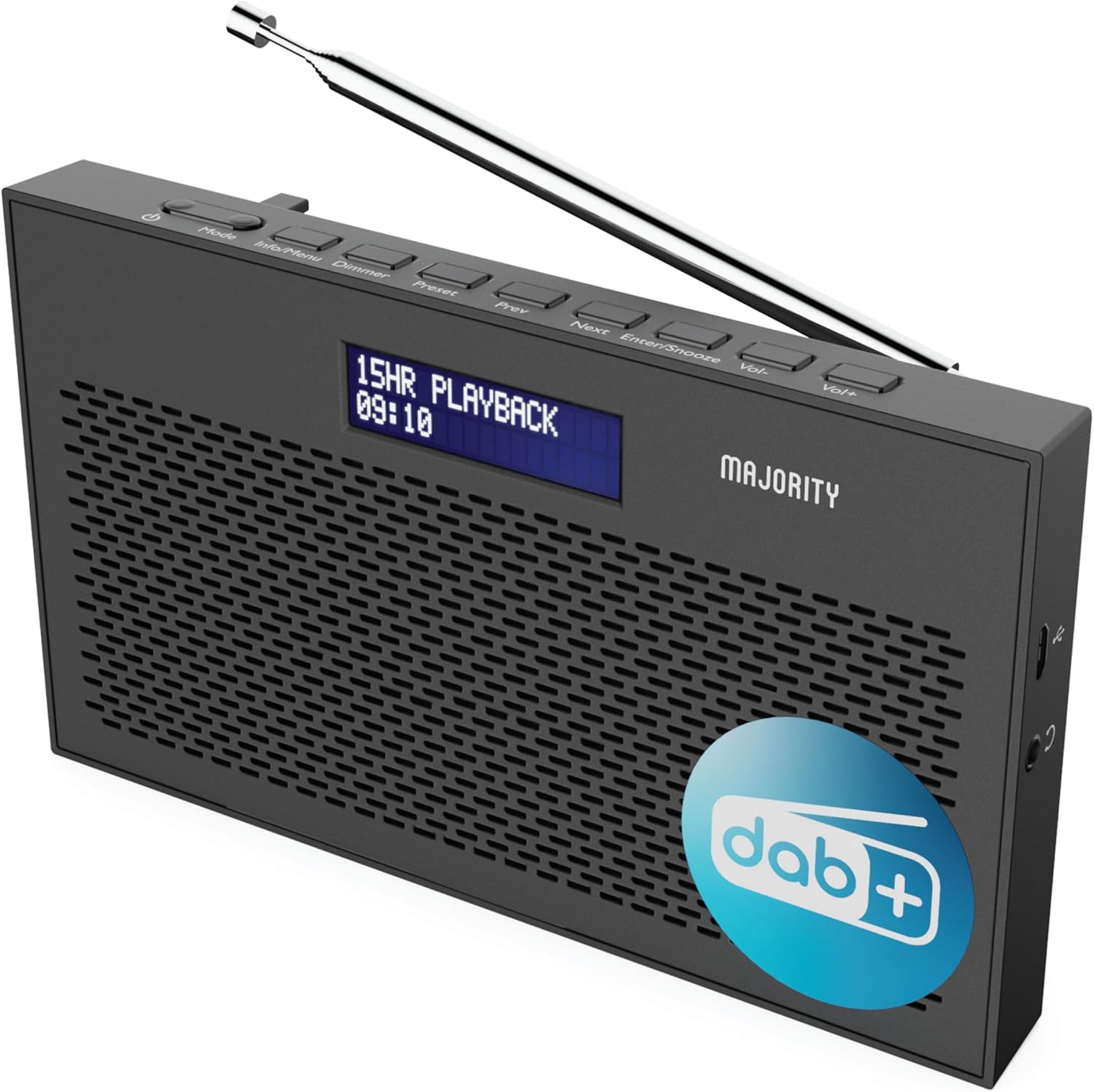
이미지: 자세한 view of the Majority Histon radio, highlighting its compact design and front speaker.
컨트롤 및 디스플레이
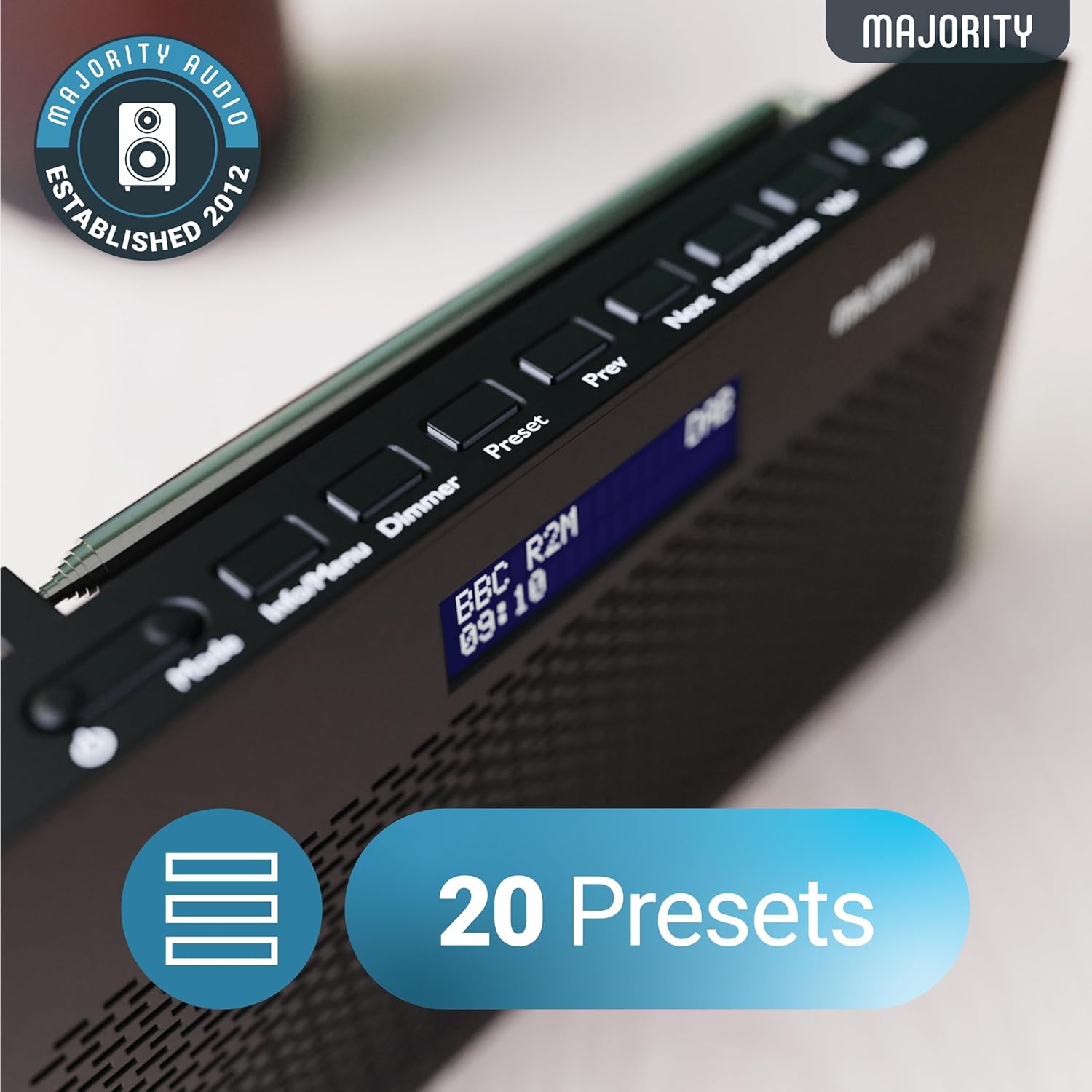
Image: A close-up of the radio's top panel, illustrating the various control buttons and the LED display showing station information.
- 방법: Switches between DAB, FM, and other modes.
- 정보/메뉴: Displays station information or accesses menu settings.
- 주차: 디스플레이 밝기를 조정합니다.
- 사전 설정: Accesses or saves preset stations.
- 이전/다음: 스테이션이나 메뉴 옵션을 탐색합니다.
- Enter/Snooze: Confirms selections or activates snooze during an alarm.
- Vol-/Vol+: 볼륨을 조정합니다.
포트 및 연결
- DC IN 포트: For connecting the mains power cable.
- 3.5mm 헤드폰 잭 : 개인적으로 듣기 위한 것입니다.
- 배터리 칸: Located on the rear for 4 AA batteries (not included).
- 텔레스코픽 안테나: Extendable for optimal signal reception.
설정
전원 켜기
The Histon radio can be powered by either the included mains power cable or 4 x AA batteries (not supplied).
- 주전원: Connect the mains power cable to the DC IN port on the radio and plug the adapter into a wall socket.
- 배터리 전원: Open the battery compartment on the rear of the radio and insert 4 x AA batteries, ensuring correct polarity.

Image: The radio in a portable setting, emphasizing its 15-hour battery life capability.
안테나 조정
Extend the telescopic antenna fully for the best possible signal reception, especially for DAB/DAB+ and FM broadcasts.
Initial Scan (DAB/DAB+)
Upon first power-on, the radio will automatically perform a full scan for DAB/DAB+ stations. This process may take a few minutes. Once complete, the radio will tune to the first available station.
- If no stations are found, ensure the antenna is fully extended and reposition the radio, then perform a manual scan (see Operating Instructions).
작동 지침
DAB/DAB+ 라디오 작동
- Selecting DAB Mode: 를 누르세요 방법 "DAB"가 표시될 때까지 버튼을 누르세요.
- 역 선택: 사용하세요 이전 or 다음 buttons to scroll through available DAB stations. Press 입력하다 방송국을 선택합니다.
- 전체 검사: 새로운 방송국을 완전히 검색하려면 버튼을 길게 누르세요. 정보/메뉴 button to enter the menu, then navigate to "Full Scan" and press 입력하다.
- 사전 설정된 방송국:
- 사전 설정 저장: 방송을 듣는 동안 길게 누르세요 사전 설정 단추. 사용하다 이전 / 다음 미리 설정된 숫자(1-20)를 선택한 다음 누르세요. 입력하다 저장하다.
- 사전 설정 불러오기: 짧게 누르세요 사전 설정 단추. 사용하다 이전 / 다음 to scroll through saved presets, then press 입력하다 to tune.
Image: The radio's control panel, highlighting the capability to store up to 20 preset radio stations.
FM 라디오 작동
- Selecting FM Mode: 를 누르세요 방법 "FM"이 표시될 때까지 버튼을 누르세요.
- 자동 스캔: 누르고 있으세요 입력하다 자동으로 다음에 청취 가능한 FM 방송국을 검색합니다.
- 수동 조정 : 짧게 누르세요 이전 or 다음 to fine-tune the frequency in 0.05 MHz steps.
- 사전 설정된 방송국: Saving and recalling FM presets follows the same procedure as DAB presets.
알람 설정
The Histon radio features a dual alarm function.

Image: The radio displaying "DUAL ALARM" on its screen, illustrating its dual alarm capability.
- 누르고 있으세요 정보/메뉴 메뉴에 들어가려면.
- 사용 이전 / 다음 to navigate to "System Settings" and press 입력하다.
- Navigate to "Alarm" and press 입력하다.
- Select "Alarm 1" or "Alarm 2" and press 입력하다.
- Configure the alarm time, duration, source (Buzzer, DAB, FM), frequency (Daily, Once, Weekends, Weekdays), and volume using 이전 / 다음 그리고 입력하다.
- To activate/deactivate an alarm, select "On" or "Off" for the chosen alarm.
- 알람이 울리면 누르세요 입력/스누즈 to snooze for 9 minutes, or press the 힘 버튼을 누르면 알람이 꺼집니다.
슬립 타이머
취침 타이머 기능은 설정된 시간이 지나면 라디오가 자동으로 꺼지도록 해줍니다.
- 누르고 있으세요 정보/메뉴 메뉴에 들어가려면.
- Navigate to "System Settings" and press 입력하다.
- Navigate to "Sleep" and press 입력하다.
- 사용 이전 / 다음 to select the desired sleep duration (e.g., 15, 30, 45, 60, 90, 120 minutes) or "Off". Press 입력하다 확인합니다.
디스플레이 밝기
LED 디스플레이의 밝기를 조절합니다.
- 짧게 누르세요 주차 밝기 조절 버튼을 눌러 밝기 단계를 변경할 수 있습니다.
헤드폰 사용
For private listening, connect standard 3.5mm headphones to the headphone jack on the side of the radio. The internal speaker will automatically mute when headphones are connected.
문제 해결
| 문제 | 가능한 원인 / 해결책 |
|---|---|
| 전원이 안 들어옴 / 라디오가 켜지지 않음. |
|
| DAB/FM 수신 상태가 좋지 않거나 방송국을 찾을 수 없습니다. |
|
| 소리가 왜곡되거나 간헐적입니다. |
|
| 알람이 울리지 않습니다. |
|
| 디스플레이가 비어 있거나 읽을 수 없습니다. |
|
명세서
- 모델: Histon 2
- 제품 크기: 18 x 4.5 x 11cm(길이 x 너비 x 높이)
- 무게: 249그램
- 전원: Mains (via included adapter) or 4 x AA Batteries (not included)
- 지원되는 라디오 대역: DAB/DAB+, FM
- 사전 설정 : 20 (DAB) / 20 (FM)
- 연결성: 3.5mm Headphone Jack, DC IN Port
- 특별 기능: Portable, Lightweight, Automatic and Manual Tuning, Dual Alarm Clock, Sleep Timer, LED Display, Mono/Auto Switching in FM Mode

Image: A visual representation of the radio's dimensions for reference.
유지
- 청소: 부드럽고 마른 천을 사용하여 라디오 표면을 닦으세요. 연마성 세제나 용제는 사용하지 마세요.
- 저장: 라디오를 장기간 보관할 경우, 누액을 방지하기 위해 배터리를 제거하십시오. 서늘하고 건조한 곳에 보관하십시오.
- 물 노출: 이 라디오는 방수 기능이 없습니다. 물이나 높은 습도에 노출시키지 마십시오.
- 안테나 관리: 접이식 안테나는 구부러지거나 부러지지 않도록 조심스럽게 다루십시오.
보증 및 지원
The MAJORITY Histon radio comes with a 3년 보증. To activate your warranty and for further support, please refer to the registration instructions provided with your purchase or visit the official MAJORITY web대지.
For technical assistance or warranty claims, please contact MAJORITY customer support through their official channels. Keep your proof of purchase for warranty validation.

Image: A graphic highlighting the 3-year warranty provided with Majority audio products.


