1. 서론
This manual provides detailed instructions for the Joyroom JR-P1 Bluetooth Headset. Please read this manual carefully before using the product to ensure proper operation and to maximize your user experience. The JR-P1 is a wireless on-ear headset designed for mobile phone compatibility, featuring a built-in microphone for calls and touch controls.
2. 제품 오버view
The Joyroom JR-P1 features an ergonomic ear-hook design for comfortable and stable wear. It is lightweight and designed for various activities.
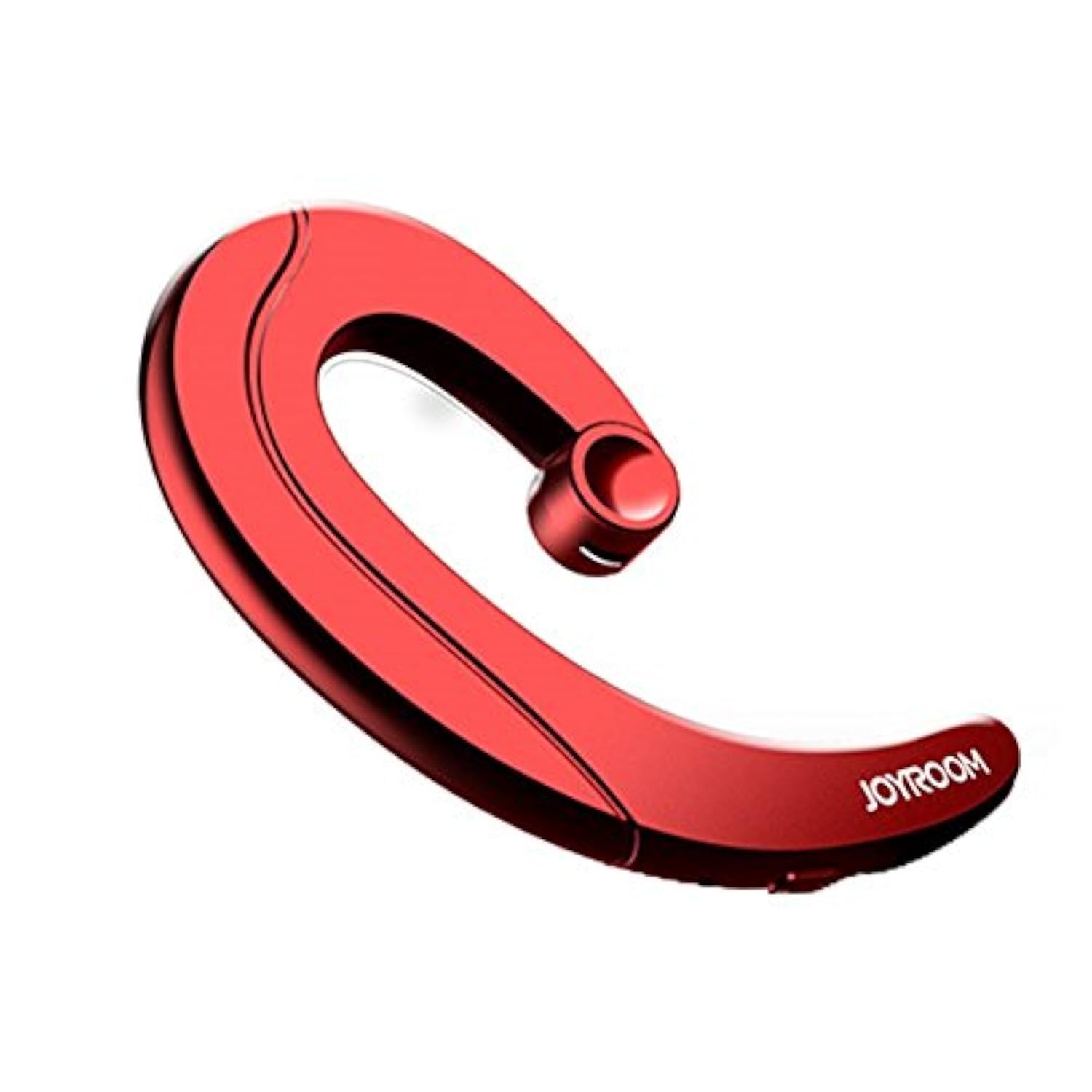
Figure 2.1: Joyroom JR-P1 Bluetooth Headset, showcasing its ear-hook design.
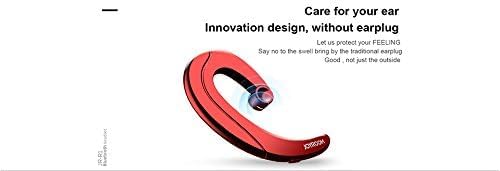
Figure 2.2: Illustration of the innovative design, providing comfort without an earplug.
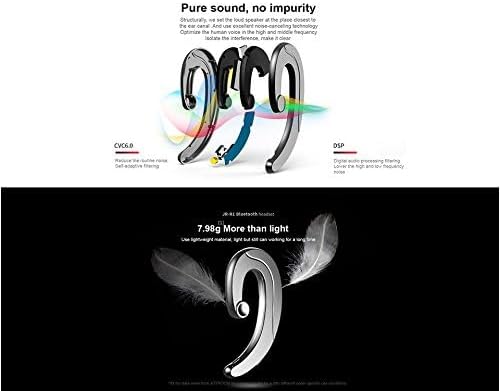
Figure 2.3: Internal technologies including CVC6.0 for noise reduction and DSP for digital audio processing.
3. 설정
3.1 헤드셋 충전
Before first use, fully charge the headset. Connect the charging cable (not specified, assume standard USB) to the charging port on the headset and to a compatible USB power source. The indicator light will show charging status and turn off or change color when fully charged.
3.2 블루투스 페어링
- 헤드셋이 충전되어 있고 전원이 꺼져 있는지 확인하세요.
- Press and hold the power button (or multi-function button) on the headset until the indicator light flashes red and blue, indicating pairing mode.
- 휴대폰이나 기기에서 블루투스를 켜고 사용 가능한 기기를 검색하세요.
- Select "JR-P1" from the list of found devices.
- Once connected, the indicator light on the headset will typically flash blue slowly or turn off.
- 비밀번호를 입력하라는 메시지가 나타나면 "0000"을 입력하세요.
4. 사용 설명서
The JR-P1 headset uses touch controls for various functions.
4.1 전원 켜기/끄기
- 전원 켜기: Press and hold the multi-function button for approximately 3 seconds until the indicator light flashes.
- 전원 끄기 : 다기능 버튼을 표시등이 꺼질 때까지 약 5초 동안 길게 누르십시오.
4.2 통화 관리
- 전화 받기/종료: Tap the multi-function button once.
- 전화 거부: 다기능 버튼을 2초 동안 길게 누릅니다.
- 마지막 번호 재다이얼: 다기능 버튼을 두 번 누르세요.
4.3 음악 재생
- 재생/일시 중지: Tap the multi-function button once.
- 다음 트랙: 다기능 버튼을 세 번 누르세요.
- 이전 트랙 : Quadruple-tap the multi-function button.
4.4 볼륨 조절
Volume is typically controlled via your connected mobile device. Some headsets may have dedicated volume buttons; refer to the physical design of your JR-P1 headset.

Figure 4.1: The JR-P1 headset is suitable for hands-free communication, such as during driving.
5. 유지관리
Proper maintenance ensures the longevity and performance of your Joyroom JR-P1 headset.
- 청소: Use a soft, dry, lint-free cloth to clean the headset. Do not use harsh chemicals or abrasive materials.
- 방수 기능: 이 헤드셋은 방수가 안 됨. Avoid exposure to water, moisture, rain, or sweat to prevent damage.
- 저장: 헤드셋은 직사광선과 극한의 온도를 피해 서늘하고 건조한 곳에 보관하세요.
- 충전 중: Do not overcharge the battery. Disconnect the charger once the headset is fully charged.
6. 문제 해결
If you encounter issues with your JR-P1 headset, refer to the following common solutions:
| 문제 | 해결책 |
|---|---|
| 헤드셋의 전원이 켜지지 않습니다. | Ensure the headset is fully charged. Press and hold the power button for a longer duration. |
| 기기와 페어링할 수 없습니다. | Ensure the headset is in pairing mode (flashing red/blue). Turn off and on Bluetooth on your device. Move the headset closer to your device. Clear previous Bluetooth connections on your device. |
| 소리가 나지 않거나 음질이 좋지 않습니다. | Check the volume level on both the headset and your connected device. Ensure the headset is properly connected. Try re-pairing the headset. |
| 마이크가 작동하지 않습니다. | Ensure the headset is properly connected and selected as the audio input device on your phone. Check for any obstructions on the microphone. |
7. 사양
Key technical specifications for the Joyroom JR-P1 Bluetooth Headset:
- 상표: 조이룸
- 모델 번호: JR-P1
- 연결 기술 : 무선 전화
- 무선 기술: 블루투스
- 헤드셋 폼 팩터: On-ear (Ear-hook)
- 제어 방법: 만지다
- 마이크 포함: 예
- 소음 차단 : 아니요
- 호환 장치: 휴대전화
- 권장 사용: 전화 걸기
- 무게: 20그램
- 제품 크기: 7.36 x 3.89 x 0.65cm
- 방수 수준: 방수가 안됨
- 케이블 기능: Without cable
8. 안전 정보
다음 안전 지침을 준수하십시오.
- Do not disassemble or modify the headset. This may cause damage and void the warranty.
- 헤드셋을 극한 온도, 습기 및 부식성 물질로부터 멀리하십시오.
- 청력 손상을 방지하려면 장시간 높은 볼륨으로 청취하지 마십시오.
- Use caution when using the headset in situations requiring awareness of your surroundings, such as driving or walking in traffic.
- 해당 지역 규정에 따라 제품과 배터리를 책임감 있게 폐기하세요.
9. 보증 및 지원
For warranty information or technical support, please refer to the documentation included with your purchase or contact Joyroom customer service. Keep your proof of purchase for warranty claims.


