1. 서론
This manual provides detailed instructions for the setup, operation, and maintenance of your LMP USB Wired Keyboard with Numeric Keypad, Model 17203. This keyboard is designed for use with Mac computers and features a German (QWERTZ) layout.
패키지 내용:
- LMP USB Wired Keyboard (Model 17203)
- 통합 USB 케이블

2. 설정
Follow these steps to connect your LMP USB Wired Keyboard to your Mac computer.
- 키보드 연결: Locate an available USB port on your Mac computer. Insert the USB connector of the keyboard's integrated cable into the USB port.
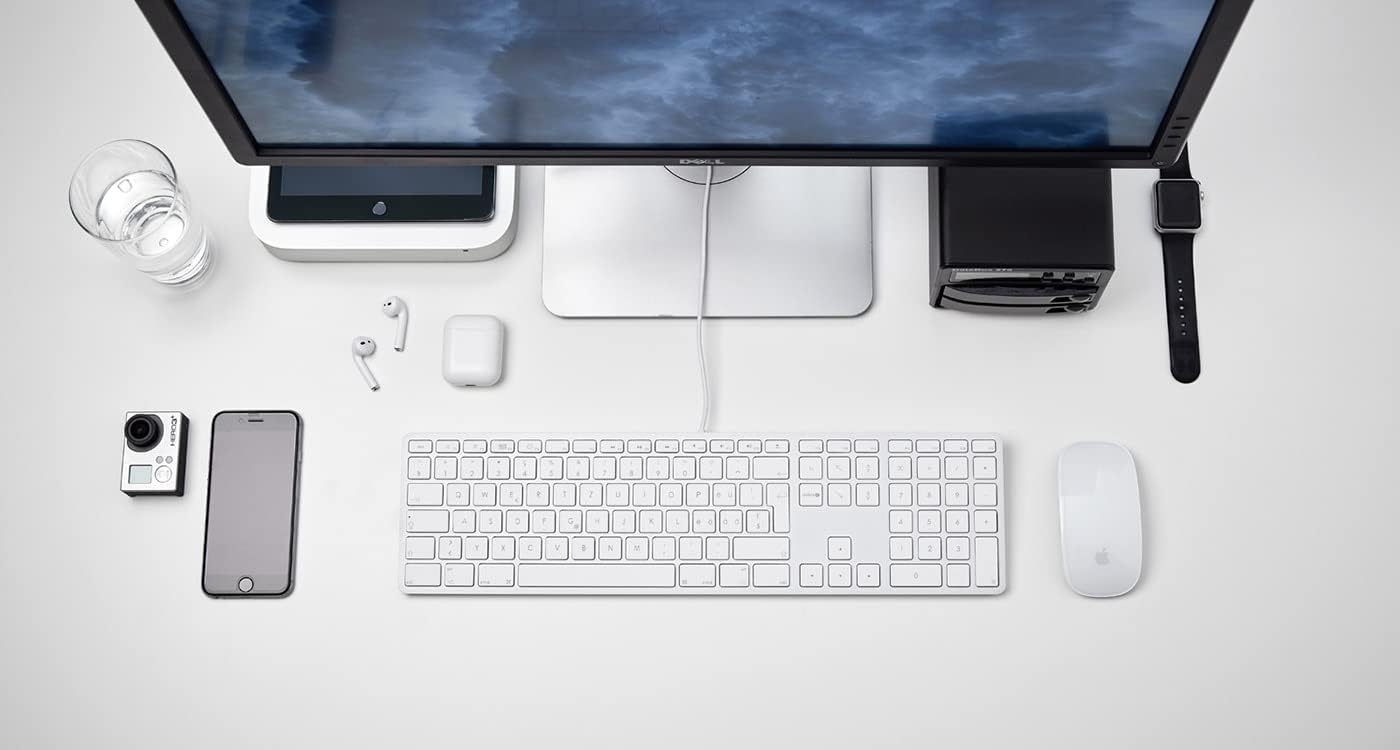
그림 2.1: The LMP USB Wired Keyboard integrated into a typical Mac desktop setup, demonstrating its connection via USB. - 시스템 인식: Your Mac operating system (macOS 10.5 or higher is required) should automatically detect and configure the keyboard. No additional drivers are typically needed.
- 초기 테스트: Open a text editor or any application where you can type to confirm the keyboard is functioning correctly.
3. 사용 설명서
This section details the primary functions and features of your LMP USB Wired Keyboard.
3.1 표준 타이핑
The keyboard features a full German (QWERTZ) layout with 110 laser-engraved keys, providing a familiar typing experience. All standard alphanumeric, symbol, and modifier keys function as expected on macOS.
3.2 기능 키 (F1-F12)
The top row of keys includes dedicated function keys (F1-F12) that control various macOS features:
- 밝기 조절: F1(감소), F2(증가)
- Mission Control/App Exposé: F3
- 런치패드: F4
- Keyboard Backlight (if applicable): F5 (decrease), F6 (increase) - Note: This keyboard does not feature backlighting.
- 미디어 컨트롤: F7 (previous track), F8 (play/pause), F9 (next track)
- 볼륨 조절: F10(음소거), F11(감소), F12(증가)
To use F-keys as standard function keys (e.g., F5 for refresh in a browser), you may need to hold the Fn key simultaneously or adjust settings in System Preferences > Keyboard.
3.3 숫자 키패드
The integrated numeric keypad on the right side of the keyboard allows for efficient data entry and calculations. It includes standard number keys, arithmetic operators, and navigation keys.
3.4 Integrated USB Hubs
The keyboard features two USB 2.0 hubs, one on each side, allowing you to connect low-power USB devices directly to your keyboard. These are suitable for devices such as USB mice, flash drives, or other peripherals that do not require significant power.

중요한: High-power devices (e.g., external hard drives, some webcams) may not function correctly when connected to the keyboard's USB hubs due to power limitations. Connect such devices directly to your Mac's USB ports.
4. 디자인 및 특징
The LMP USB Wired Keyboard is crafted with a focus on functionality and aesthetic integration with Mac environments.
- Aluminum Top Cover: The keyboard features a durable aluminum top cover, contributing to its robust construction and sleek appearance.
- Laser-Engraved Keys: All keycaps are laser-engraved, ensuring long-lasting legibility and resistance to wear.
- German (QWERTZ) Layout: Specifically designed for users requiring a German keyboard layout, including special characters and key placements.
- 풀 사이즈 디자인: Includes a full complement of 110 keys, including a dedicated numeric keypad and a full set of function keys.


5. 유지관리
Proper care will extend the lifespan of your keyboard.
- 표면 청소: 부드럽고 털이 없는 천을 살짝 사용하세요.ampened with water or a mild, non-abrasive cleaning solution. Avoid spraying liquids directly onto the keyboard.
- Cleaning Between Keys: 압축 공기를 사용하여 키 사이의 먼지와 이물질을 제거하십시오. 부드러운 브러시를 사용할 수도 있습니다.
- 유출을 방지하세요: 내부 부품이 손상되는 것을 방지하려면 키보드 근처에 액체가 닿지 않도록 하세요.
- 저장: 장기간 사용하지 않을 때는 키보드를 깨끗하고 건조한 곳에 보관하십시오.
6. 문제 해결
키보드에 문제가 발생하면 다음의 일반적인 해결 방법을 참조하십시오.
| 문제 | 가능한 원인 / 해결책 |
|---|---|
| 키보드가 응답하지 않습니다. |
|
| 키가 제대로 작동하지 않거나 키가 뻑뻑합니다. |
|
| Devices connected to the keyboard's USB hubs are not working. |
|
| Function keys (F1-F12) are not performing expected macOS actions. |
|
7. 사양
| 특징 | 세부 사항 |
|---|---|
| 상표 | LMP |
| 모델명 | KB-1243 |
| 모델 번호 | 17203 |
| 연결 기술 | USB(유선) |
| 키보드 설명 | 쿼츠(독일식 키보드) |
| 키의 개수 | 110 (ISO) |
| 특별 기능 | Integrated Numeric Keypad, 2x USB 2.0 Hubs, Laser-engraved keys |
| 호환 장치 | Mac computers with USB port (macOS 10.5 or higher) |
| 재료 | 알루미늄(상단 덮개) |
| 색상 | 은 |
| 포함된 구성 요소 | USB 케이블 |
8. 보증 및 지원
For warranty information and technical support, please refer to the documentation provided with your purchase or visit the official LMP web사이트. 보증 청구를 위해 구매 증빙 자료를 보관하세요.


