1. 서론
This manual provides detailed instructions for the Aluratek AUMC0302F USB Type-C Hub. This versatile 4-in-1 multiport adapter is designed to expand the connectivity of your USB-C enabled devices, offering a comprehensive solution for data transfer, video output, and peripheral connections. Please read this manual thoroughly before using the product to ensure proper operation and to maximize its capabilities.
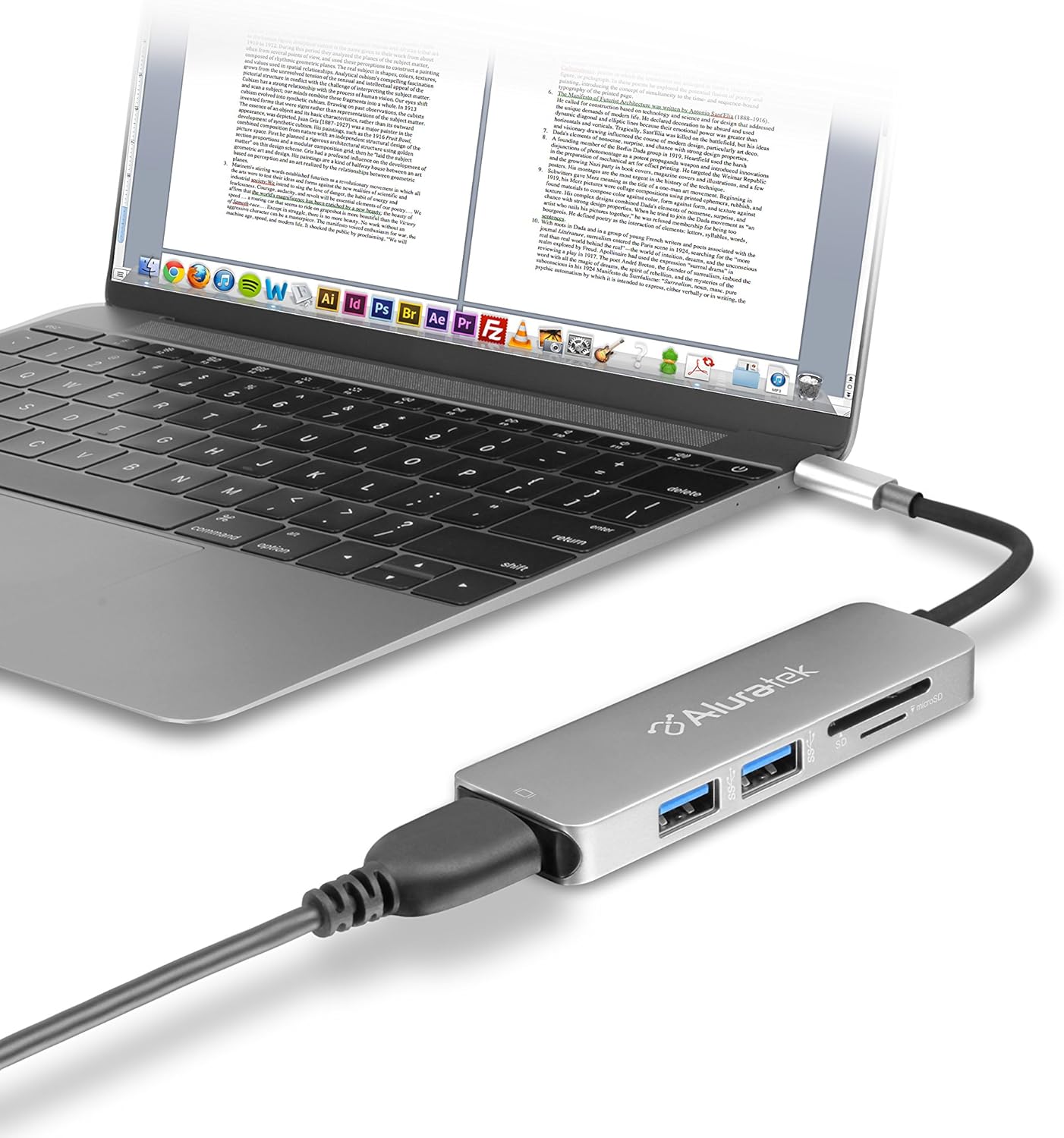
Image 1.1: The Aluratek AUMC0302F USB Type-C Hub connected to a laptop, demonstrating its use with various peripherals.
2. 특징
- 향상된 연결성: Expands a single USB-C port to include 4K HDMI, three USB 3.0 ports, and a Micro/SD card reader.
- Crystal-Clear HDMI Output: Supports 4K HDMI video output, allowing connection to external displays or monitors for high-definition visuals.
- 빠른 데이터 전송: Three USB 3.0 ports provide data transfer speeds up to 5Gbps, suitable for connecting peripherals and external storage devices.
- Seamless Card Reader: Integrated SD and MicroSD card reader for quick access and transfer of file메모리 카드에서.
- 광범위한 장치 호환성: Compatible with various USB-C enabled laptops, including MacBook, Dell, HP, and Surface models.

이미지 2.1: 자세한 view of the Aluratek AUMC0302F hub, showcasing its USB 3.0, SD, and MicroSD ports.
3. 패키지 내용
패키지에 모든 품목이 들어 있는지 확인하세요.
- Aluratek USB Type-C Hub (AUMC0302F)
- 빠른 시작 가이드
4. 설정 지침
The Aluratek AUMC0302F hub is designed for plug-and-play functionality, requiring no additional drivers for most operating systems.
- 허브 연결: Plug the USB Type-C connector of the Aluratek hub into an available USB Type-C port on your laptop or compatible device.
- 시스템 인식: Your operating system should automatically detect and configure the hub. This process may take a few moments.
- 사용 준비: Once recognized, the hub's ports are ready for connecting your peripherals and memory cards.
5. 사용 설명서
Utilize the various ports on your Aluratek AUMC0302F hub as follows:
5.1. Using USB 3.0 Ports
- Connect USB devices such as external hard drives, flash drives, keyboards, mice, or other USB peripherals to the three available USB 3.0 ports.
- 이 포트들은 최대 5Gbps의 데이터 전송 속도를 지원합니다.
5.2. Using the HDMI Port
- Connect an HDMI cable from the hub's HDMI port to an external monitor, TV, or projector.
- The hub supports resolutions up to 4K (3840 x 2160) at 30Hz, providing a clear and vibrant display.
- Configure your display settings (e.g., duplicate, extend) through your computer's operating system.

Image 5.1: The Aluratek AUMC0302F hub facilitating video output from a laptop to an external display.
5.3. Using the SD and MicroSD Card Reader
- Insert your SD or MicroSD card into the corresponding slot on the hub. Ensure the card is inserted correctly with the contacts facing down.
- Your computer will recognize the card as a removable drive, allowing you to access and transfer files.
- Do not insert both an SD and a MicroSD card simultaneously if the hub only supports one at a time (check product specifications if unsure). This model supports both.
6. 문제 해결
If you encounter issues with your Aluratek AUMC0302F hub, please refer to the following common solutions:
- 인식되지 않는 장치:
- Ensure the USB Type-C connector is fully inserted into your computer's port.
- Try connecting the hub to a different USB Type-C port on your computer.
- 컴퓨터를 다시 시작하세요.
- HDMI 디스플레이 문제:
- HDMI 케이블이 허브와 외부 디스플레이에 제대로 연결되어 있는지 확인하십시오.
- Check the input source on your external display to ensure it's set to the correct HDMI input.
- 컴퓨터의 그래픽 드라이버를 업데이트하세요.
- 가능하다면 다른 HDMI 케이블이나 디스플레이로 테스트해 보세요.
- USB 장치가 작동하지 않음:
- Ensure the USB device is properly connected to the hub.
- USB 장치를 허브의 다른 포트에 연결해 보세요.
- If it's a high-power device, ensure your laptop's USB-C port can provide sufficient power. Some devices may require direct connection or an externally powered hub.
- SD/MicroSD Card Not Detected:
- 카드가 슬롯에 완전히 그리고 올바르게 삽입되었는지 확인하십시오.
- Test the card in another device to confirm it is functional.
- Check your computer's Disk Management (Windows) or Disk Utility (macOS) to see if the card is recognized but not assigned a drive letter.
7. 사양
| 상표 | 알루라텍 |
| 모델 번호 | AUMC0302F |
| 하드웨어 플랫폼 | 노트북, PC |
| 운영 체제 호환성 | Chrome OS, Windows 10, Windows 7 |
| 품목 무게 | 1 온스 |
| 제품 크기(LxWxH) | 4.5 x 1 x 0.45 인치 |
| 색상 | 은 |
| 하드웨어 인터페이스 | USB Type-C, HDMI, USB 3.0, SD, MicroSD |
| 특징 | Powered (via USB-C host connection) |
| 호환 장치 | Laptops with USB Type-C ports |
8. 안전 정보
안전한 작동과 기기 수명 연장을 위해 다음 사항을 준수해 주십시오.
- 장치를 물, 습기 및 극한의 온도로부터 멀리 두십시오.
- 기기를 직접 분해하거나 수리하지 마십시오. 모든 정비는 자격을 갖춘 기술자에게 맡기십시오.
- 장치를 떨어뜨리거나 강한 충격을 가하지 마십시오.
- Use only with compatible USB Type-C devices.
- Disconnect the hub when not in use for extended periods.
9. 보증 및 지원
Aluratek products are backed by a manufacturer's warranty. For specific warranty details, please refer to the warranty card included with your product or visit the official Aluratek website. If you require technical support or have questions about your Aluratek AUMC0302F hub, please contact Aluratek customer service through their official web사이트 또는 제품 포장에 제공된 연락처 정보를 참조하세요.
For the latest drivers, FAQs, and product registration, please visit: www.aluratek.com


