소개
This manual provides essential information for the safe and efficient operation of your Skyworth E-Series 40E2 40-inch 1080P LED TV. Please read it thoroughly before use and retain it for future reference. This television features a 1080P LED display, 60 Hz refresh rate, and DTS Dolby Audio Sound for an enhanced view경험.
안전 정보
손상을 방지하고 안전한 작동을 보장하려면 다음 안전 예방 조치를 준수하세요.
- 전원: TV는 AC 100-240V, 50/60Hz 전원에만 연결하십시오.
- 통풍: TV 주변의 통풍이 잘 되도록 하세요. 통풍구를 막지 마세요.
- 물과 습기: TV를 비나 습기에 노출시키지 마세요. 꽃병 등 액체가 담긴 물건을 TV 위에 올려놓지 마세요.
- 청소: 청소하기 전에 TV 플러그를 뽑으세요. 부드럽고 마른 천을 사용하세요. 액체 세척제나 에어로졸 스프레이는 사용하지 마세요.
- 놓기: TV를 안정적이고 평평한 곳에 놓으십시오. 직사광선, 열원 및 극한 온도 변화를 피하십시오.
- 서비스: 이 제품을 직접 수리하려고 하지 마십시오. 모든 서비스는 자격을 갖춘 서비스 담당자에게 문의하십시오.
상자 안에 무엇이 들어있나요?
포장을 풀 때 모든 구성품이 들어 있는지 확인하세요.
- Skyworth E-Series 40E2 40-inch LED TV
- 리모컨(AAA 배터리 2개 필요, 포함되지 않음)
- 전원 코드
- TV Stand Bases (2 pieces)
- 스탠드 조립용 나사
- 사용 설명서 (본 문서)
설정
1. 풀기
Carefully remove the TV and all accessories from the packaging. Place the TV screen-down on a soft, clean, and flat surface to prevent scratches during stand assembly.
2. 스탠드 조립
To attach the stand bases:
- Align each stand base with the corresponding mounting holes on the bottom of the TV.
- Insert the provided screws into the holes and tighten them securely with a screwdriver.
- Ensure both stand bases are firmly attached and the TV is stable before placing it upright.

이미지: 앞면 view of the Skyworth 40E2 TV with its two stand bases attached, displaying a hockey game.
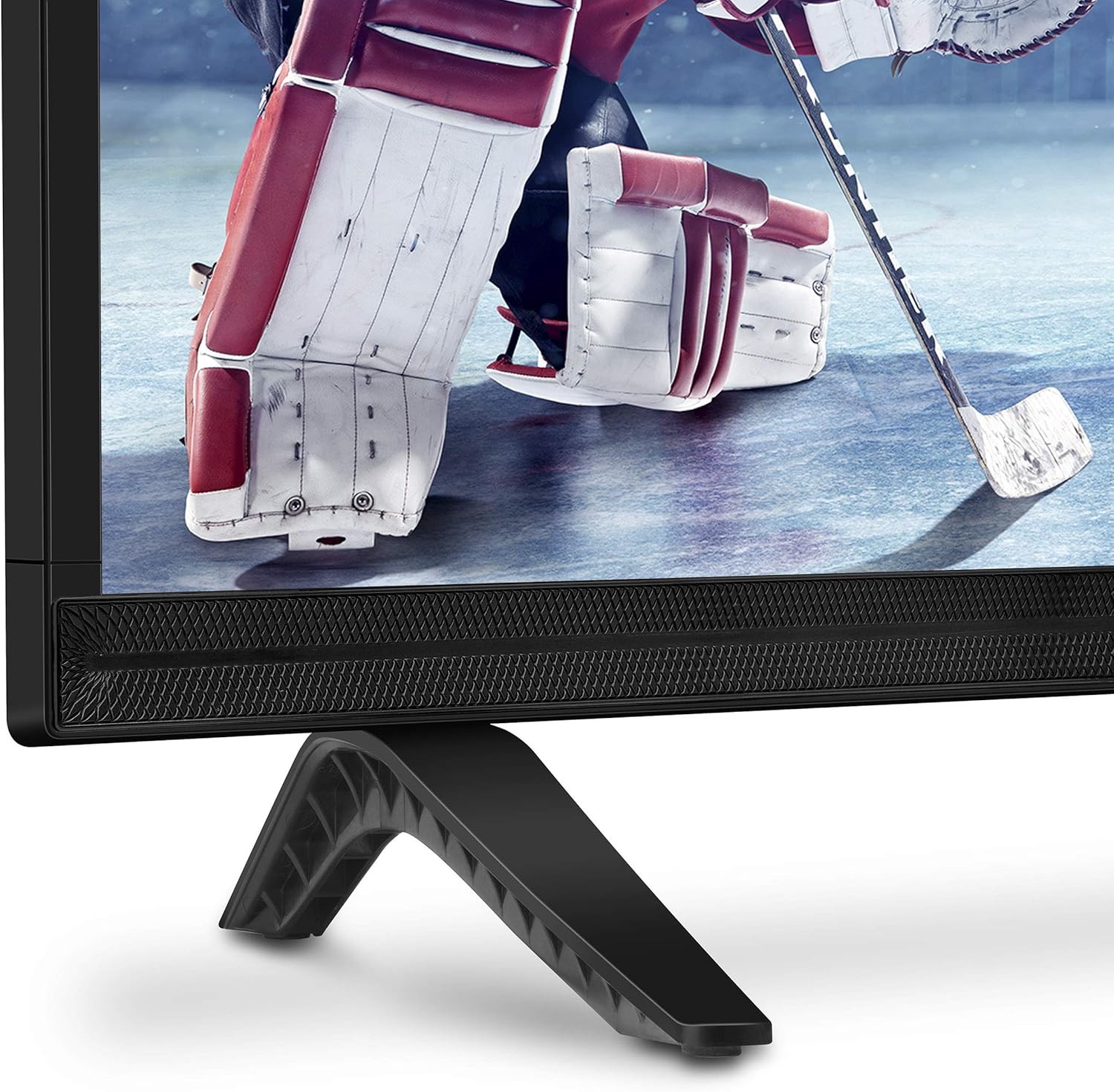
이미지: 클로즈업 view of the bottom right corner of the Skyworth 40E2 TV, showing the textured speaker grille and one of the black stand bases.
3. 벽면 장착 (선택 사항)
If you choose to wall mount your TV, ensure you use a VESA-compatible wall mount (sold separately). It is crucial to verify that the wall mounting plate does not obstruct the power port or any other connection ports on the back of the TV. Professional installation is recommended for wall mounting.
4. 장치 연결
Connect your external devices (e.g., cable box, Blu-ray player, gaming console) to the appropriate ports on the back of the TV. The Skyworth 40E2 features HDMI and USB connectivity.

이미지: 후면 view of the Skyworth 40E2 TV, showing the various input ports including HDMI and USB on the left side, and the power input on the right.
5. 전원 연결하기
전원 코드를 TV의 전원 입력 단자에 꽂은 다음, 다른 한쪽 끝을 벽면 콘센트에 꽂으세요.
6. 초기 전원 켜기
Press the Power button on the remote control or on the TV. Follow the on-screen instructions for the initial setup, which typically includes language selection, channel scanning, and network configuration (if applicable).
운영
원격 제어 기능
리모컨 버튼 사용법을 숙지하세요.
- 힘: TV를 켜거나 끕니다.
- 입력: 입력 소스(HDMI 1, HDMI 2, USB 등)를 선택합니다.
- 볼륨 +/- : 사운드 레벨을 조정합니다.
- 채널 +/-: TV 채널을 변경합니다.
- 메뉴: 설정 메뉴에 접근합니다.
- 탐색 버튼(위/아래/왼쪽/오른쪽): 메뉴 옵션을 탐색합니다.
- 확인/입력: 선택 사항을 확인합니다.
- 종료/뒤로: 이전 화면으로 돌아가거나 메뉴를 종료합니다.
그림 설정
Access the Picture menu to adjust settings for optimal viewing:
- 사진 모드: Select from preset modes like Standard, Dynamic, Movie, or User.
- 명도: 이미지의 전체적인 밝기 또는 어두움을 조절합니다.
- 차이: 밝은 부분과 어두운 부분의 차이를 조절합니다.
- 색상: 색상의 강도를 조절합니다.
- 날카로움: 사진 속 사물의 가장자리를 강조합니다.
- 종횡비: Changes the screen display format (e.g., 16:9, 4:3).
사운드 설정
Access the Sound menu to customize audio output:
- 사운드 모드 : Choose from preset modes like Standard, Music, Movie, or User.
- 이퀄라이저 : 오디오 주파수를 수동으로 조정하세요.
- DTS Dolby Audio: Enable or disable advanced audio processing for enhanced sound quality.
- 균형: 좌우 스피커 간의 음량 균형을 조절하세요.
연결성
The TV supports various connections:
- HDMI : Connect high-definition devices such as Blu-ray players, game consoles, or set-top boxes.
- USB: 멀티미디어 재생 fileUSB 저장 장치에서 사진, 음악, 비디오 등의 파일을 가져옵니다.
유지
Proper care ensures the longevity of your TV:
- 화면 청소: 부드럽고 마른 보풀 없는 천으로 화면을 부드럽게 닦으세요. 잘 지워지지 않는 얼룩의 경우,amp물에 적신 천으로 닦아주세요 (화면에 직접 물을 뿌리지 마세요).
- 캐비닛 청소: TV 캐비닛은 부드럽고 마른 천으로 닦으세요. 연마성 세제나 용제는 사용하지 마세요.
- 가루 살포: 과열을 방지하려면 통풍구에 정기적으로 먼지를 털어주세요.
- 전원 코드: 전원 코드에 손상이 있는지 주기적으로 점검하십시오. 손상된 경우 즉시 교체하십시오.
문제 해결
문제가 발생하면 다음의 일반적인 문제와 해결 방법을 참조하세요.
| 문제 | 가능한 원인 / 해결책 |
|---|---|
| 전원이 없습니다 | 전원 코드가 TV와 작동하는 콘센트에 제대로 꽂혀 있는지 확인하십시오. 콘센트에 전원이 들어오는지 확인하십시오. |
| 화면은 나오지 않지만 소리는 나옵니다 | 입력 소스를 확인하세요. 연결된 기기의 전원이 켜져 있고 제대로 작동하는지 확인하세요. 다른 HDMI 케이블을 사용해 보세요. |
| 소리는 나지 않지만 화면은 나옵니다 | Check the volume level. Ensure the TV is not muted. Verify audio settings in the menu. Try a different HDMI cable. |
| 리모컨이 작동하지 않습니다 | Check and replace the batteries (2 AAA). Ensure there are no obstructions between the remote and the TV's IR sensor. |
| 화질이 좋지 않음 | Adjust picture settings (Brightness, Contrast, Sharpness). Ensure the input source is providing a high-quality signal. |
명세서
| 특징 | 세부 사항 |
|---|---|
| 상표 | 스카이워스 |
| 모델 번호 | 40E2 |
| 화면 크기 | 40 인치 |
| 디스플레이 기술 | 주도의 |
| 해결 | 1080p(풀 HD) |
| 새로 고침 빈도 | 60Hz |
| 종횡비 | 16시 9분 |
| 오디오 기술 | DTS Dolby Audio Sound |
| 연결 기술 | HDMI, USB |
| 제품 치수(스탠드 포함) | 35.7 x 8.8 x 22.9 인치 (W x D x H) |
| 품목 무게(스탠드 포함) | 14.5파운드 |
| 원격 제어 배터리 | AAA 배터리 2개 (포함되지 않음) |
보증 및 지원
For warranty information, please refer to the warranty card included with your product at the time of purchase. For technical assistance, product registration, or to download the latest software updates, please visit the official Skyworth website or contact their customer support services. Keep your purchase receipt as proof of purchase for warranty claims.


