1. 서론
This manual provides essential information for the safe and effective use of your Panasonic LUMIX GX85 4K Digital Camera. The LUMIX GX85 is a compact mirrorless camera featuring a 16-megapixel Micro Four Thirds sensor, 5-axis in-body image stabilization, and 4K video recording capabilities. It is designed for enthusiasts seeking high-quality imaging in a portable form factor.

Figure 1: Panasonic LUMIX GX85 4K Digital Camera with included lenses.
2. 설정
2.1 언박싱
Carefully remove all components from the packaging. Verify that all items listed in the 'What's in the Box' section of the specifications are present. Keep the packaging for future storage or transport.
Video 1: Unboxing the Panasonic LUMIX GX85 Digital Camera. This video demonstrates the contents of the camera kit and initial handling of the components.
2.2 배터리 설치
Locate the battery compartment on the bottom of the camera. Open the cover and insert the supplied DMW-BLG10 battery pack, ensuring the correct orientation. Close the compartment cover securely.
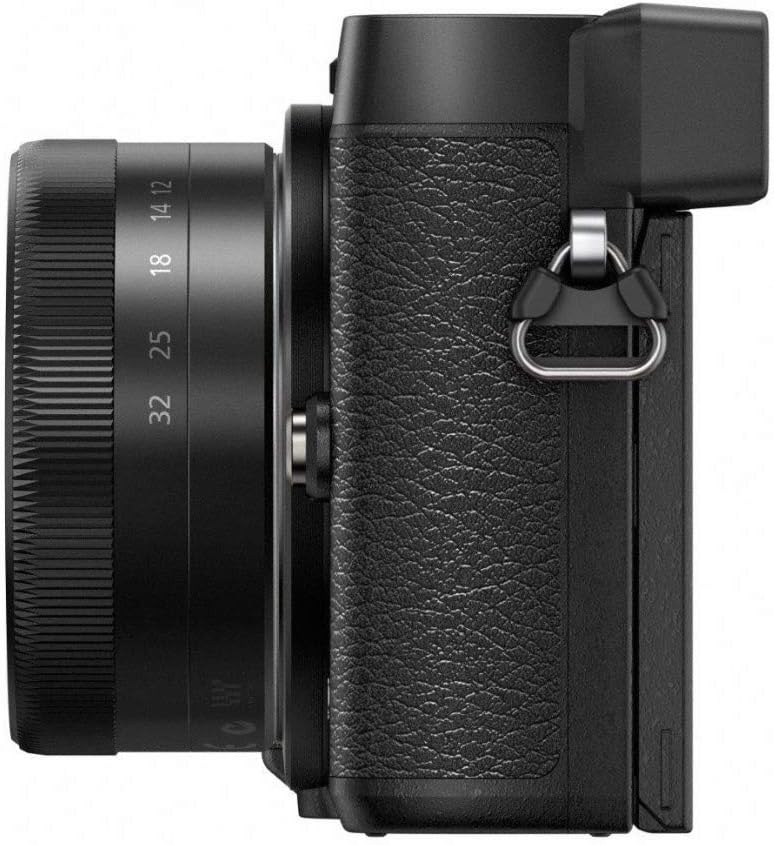
Figure 2: The bottom of the camera showing the battery and SD card slot. The battery is inserted into the larger compartment.
2.3 SD 카드 설치
The SD card slot is located next to the battery compartment. Insert a compatible SDHC/SDXC memory card (UHS-I UHS Speed Class 3 standard recommended for 4K video) into the slot until it clicks into place. Ensure the card is oriented correctly to avoid damage.
2.4 렌즈 부착
Align the white or red index mark on the lens with the corresponding mark on the camera body. Rotate the lens clockwise until it clicks into place. To remove, press the lens release button on the camera body and rotate the lens counter-clockwise.

그림 3: 전면 view of the Panasonic LUMIX GX85 camera body, highlighting the lens mount for attaching interchangeable lenses.
2.5 스트랩 부착
Attach the provided shoulder strap to the strap lugs on either side of the camera body. Ensure the strap is securely fastened to prevent accidental drops.
3. 카메라 작동
3.1 기본 컨트롤
Familiarize yourself with the camera's main controls. The mode dial on the top allows selection of various shooting modes (e.g., Program AE, Aperture Priority, Shutter Priority, Manual, Scene Modes). The shutter button is located on the top right. Rear controls include a directional pad, menu/set button, and function buttons (Fn1-Fn4) for customizable shortcuts.

그림 4: 상단 view of the camera, illustrating the mode dial, shutter button, and other top-mounted controls.
3.2 LCD Display and View파인더
The camera features a 3-inch tilting touch-enabled LCD display (1040K dots) and an integrated eye-level electronic viewfinder (2764K dots). The LCD can be tilted 80 degrees up and 45 degrees down for flexible shooting angles. Use the LVF button to switch between the LCD and view파인더.

Figure 5: The Panasonic LUMIX GX85 with its tilting LCD screen, demonstrating its flexibility for various shooting positions.
3.3 이미지 안정화
The LUMIX GX85 incorporates 5-axis in-body image stabilization, which works in conjunction with LUMIX 2-axis lens O.I.S. (Optical Image Stabilization) for enhanced stability. This Dual I.S. system is effective in both photo and 4K video recording modes, reducing blur from camera shake.
비디오 2: 끝view of the Panasonic LUMIX GX85's features, including its 4K capabilities and image stabilization system.
3.4 4K 비디오 및 사진 모드
The camera supports 4K QFHD video recording (3840 x 2160). Utilize 4K Photo mode to extract 8-megapixel still images from 4K video footage, allowing you to capture fleeting moments at 30 frames per second.
3.5 Post Focus
Post Focus mode enables you to select the desired focus point after taking a picture. The camera captures multiple images with different focus points, allowing you to choose the sharpest area in post-production.
3.6 연결성
The LUMIX GX85 features built-in Wi-Fi for wireless image transfer and remote control via a smartphone app. It also includes HDMI and USB 2.0 ports for wired connections.
4. 유지관리
4.1 청소
Regularly clean the camera body with a soft, dry cloth. For the lens and sensor, use specialized cleaning tools such as a blower brush and lens cleaning solution to avoid scratches. Never touch the sensor directly.
4.2 배터리 관리
Charge the battery using the supplied AC adapter and USB cable. For optimal battery life, avoid extreme temperatures and store the battery in a cool, dry place when not in use. It is recommended to fully charge the battery before first use.
4.3 보관
When storing the camera for extended periods, remove the battery and SD card. Store the camera in a dry, dust-free environment, preferably in a camera bag or case to protect it from impacts.
5. 문제 해결
카메라에 문제가 발생하면 다음의 일반적인 해결 방법을 참조하십시오.
- 카메라 전원이 켜지지 않습니다: 배터리가 완전히 충전되었고 올바르게 삽입되었는지 확인하세요.
- 이미지가 흐릿합니다. Check focus settings, ensure sufficient lighting, and verify image stabilization is active.
- 메모리 카드 오류: Reinsert the SD card, try a different compatible card, or format the card (this will erase all data).
- Wi-Fi 연결 문제: Ensure the camera and smart device are within range and the correct Wi-Fi settings are selected.
For more detailed troubleshooting, consult the full owner's manual available on the Panasonic support web대지.
6. 사양
| 특징 | 세부 사항 |
|---|---|
| 모델명 | Panasonic Lumix GX85 (DMC-GX85W) |
| 사진 센서 해상도 | 16 MP |
| 포토 센서 크기 | 마이크로 포서드 |
| 이미지 안정화 | 5-Axis In-Body Dual Image Stabilization |
| 비디오 해상도 | 4K UHD 2160p(3840 x 2160) |
| 화면 크기 | 3 인치 |
| 디스플레이 유형 | Tilting Touch-Enabled LCD (1040K dots) |
| View파인더 | Electronic (2764K dots) |
| 연결성 | Wi-Fi, HDMI, USB 2.0 |
| 호환 가능한 마운팅 | 마이크로 포서드 |
| 지원됨 File 체재 | JPEG, Raw, MPO |
| 품목 무게 | 1.09 파운드 |
| 포함된 렌즈 | 12-32mm F3.5-5.6 and 45-150mm F4.0-5.6 |
7. 보증 및 지원
7.1 보증 정보
The Panasonic LUMIX GX85 comes with a 1-year limited warranty. Please retain your proof of purchase for warranty claims. For full details regarding warranty coverage and terms, refer to the warranty card included in your product packaging or visit the official Panasonic support web대지.
7.2 고객 지원
For technical assistance, product inquiries, or service requests, please contact Panasonic Customer Support. You can find contact information and additional resources, including downloadable manuals and firmware updates, on the official Panasonic web대지: 파나소닉 매장을 방문하세요.


