1. 서론
Thank you for choosing the Rampage SMX-R12 Hawker Gaming Mouse. This manual provides detailed instructions for setting up, operating, and maintaining your new gaming mouse. The SMX-R12 Hawker is designed for precision and comfort, featuring an advanced optical sensor, adjustable DPI settings, and multiple programmable buttons to enhance your gaming experience.
2. 제품 오버view
Familiarize yourself with the components of your Rampage SMX-R12 Hawker Gaming Mouse:
- 왼쪽 클릭 버튼: 표준 기본 클릭 기능.
- 오른쪽 클릭 버튼: 표준 보조 클릭 기능.
- 스크롤 휠: For scrolling and can also function as a middle click button.
- DPI 조정 버튼: Buttons to cycle through different DPI sensitivity levels.
- 앞으로/뒤로 버튼: Side-mounted buttons for navigation or custom functions.
- 광학 센서: Located on the bottom, provides high-resolution tracking.
- 켜기/끄기 스위치: Located on the bottom, to power the mouse on or off.
- 마이크로 USB 충전 포트: Located at the front, for charging the internal battery.
- USB 수신기: Small dongle for wireless connectivity, often stored in a compartment on the mouse's bottom.

그림 2.1: 상단 view R의ampage SMX-R12 Hawker Gaming Mouse, showing the left/right click buttons, scroll wheel, and DPI adjustment buttons.

그림 2.2: 측면 view R의ampage SMX-R12 Hawker Gaming Mouse, highlighting the ergonomic design and side buttons.

그림 2.3: 하단 view R의ampage SMX-R12 Hawker Gaming Mouse, showing the optical sensor, On/Off switch, and USB receiver storage compartment.
3. 설정
- 마우스 풀기: Carefully remove the mouse and its accessories from the packaging. Ensure you have the Rampage SMX-R12 Hawker mouse, the USB wireless receiver, and the micro USB charging cable.
- USB 수신기를 찾으세요: The small USB wireless receiver is typically stored in a compartment on the bottom of the mouse for safe keeping during transport. Remove it from its slot.
- USB 수신기를 연결합니다: Plug the USB wireless receiver into an available USB port on your computer. Your operating system should automatically detect and install the necessary drivers.
- 마우스 전원 켜기: Locate the On/Off switch on the bottom of the mouse and slide it to the 'On' position. The mouse should now connect wirelessly to your computer.
- Initial Charge (Recommended): For optimal performance, it is recommended to fully charge the mouse before first use. Connect the micro USB charging cable to the mouse's charging port and the other end to a USB power source (e.g., computer USB port, USB wall adapter).
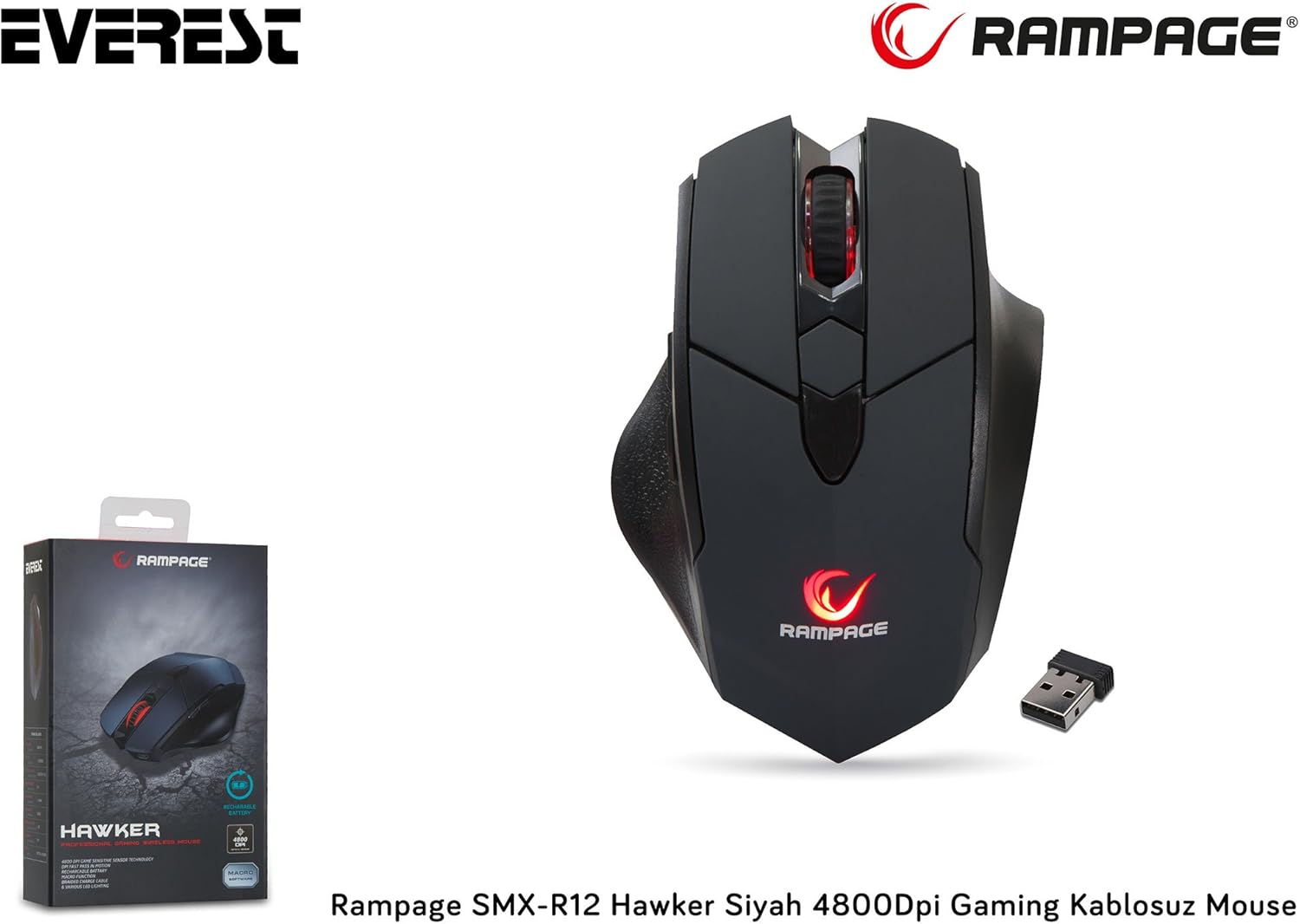
Figure 3.1: The Rampage SMX-R12 Hawker Gaming Mouse with its USB receiver and charging cable.
4. 사용 설명서
Once connected, your Rampage SMX-R12 Hawker mouse is ready for use. Here are its primary functions:
- 기본 탐색: 화면의 커서를 제어하려면 평평한 표면에서 마우스를 움직이세요.
- 클릭: Use the left and right click buttons for primary and secondary actions.
- 스크롤링: 스크롤 휠을 위아래로 돌려 문서를 탐색하세요. web pages. Press the scroll wheel for a middle-click function.
- 측면 버튼: The side buttons typically function as 'Forward' and 'Backward' in web 브라우저 및 file explorers. These buttons may be programmable through specific software (if available from the manufacturer) for custom in-game actions.
5. DPI 설정
R은ampage SMX-R12 Hawker features an optical sensor with adjustable DPI (Dots Per Inch) settings, allowing you to change the mouse's sensitivity on the fly. Higher DPI means the cursor moves further with less physical mouse movement, ideal for fast-paced gaming. Lower DPI provides more precise control, suitable for tasks requiring accuracy.
Use the dedicated DPI adjustment buttons (usually located behind the scroll wheel) to cycle through the available DPI levels. The mouse typically has visual indicators (e.g., LED color changes) to show the current DPI setting, though specific details may vary.
The mouse supports a maximum DPI of 4800, offering a wide range of sensitivity options.
6. 마우스 충전
R은ampage SMX-R12 Hawker Gaming Mouse is equipped with a rechargeable internal battery, eliminating the need for disposable batteries. When the battery level is low, the mouse's indicator light may flash or change color.
- 케이블 연결: Insert the micro USB end of the charging cable into the charging port located at the front of the mouse.
- 전원에 연결: Plug the standard USB-A end of the charging cable into a powered USB port on your computer or a USB wall adapter.
- 충전 표시기: The mouse will typically display an LED indicator to show that it is charging. This light may turn solid when fully charged.
- 충전 시간: A full charge usually takes a few hours. You can continue to use the mouse while it is charging.

Figure 6.1: The micro USB charging port located at the front of the Rampage SMX-R12 Hawker Gaming Mouse.
7. 유지관리
마우스의 수명과 최적의 성능을 보장하려면 다음 유지 관리 지침을 따르세요.
- 청소: 부드럽고 마른 천을 사용하여 마우스 표면을 닦으세요. 잘 지워지지 않는 오염의 경우, 살짝 damp천에 물을 묻혀 닦으세요. 강한 화학 물질이나 연마재는 사용하지 마세요.
- 센서 청소: Occasionally, dust or debris may accumulate around the optical sensor. Use a cotton swab or compressed air to gently clean the sensor area.
- 배터리 관리 : 배터리 수명을 연장하려면 마우스를 자주 완전히 방전시키지 마십시오. 배터리 부족 표시등이 켜지면 충전하십시오.
- 저장: When not in use, especially during travel, store the USB receiver in its designated compartment on the mouse's bottom to prevent loss.
8. 문제 해결
If you encounter issues with your Rampage SMX-R12 Hawker mouse, refer to the following common solutions:
| 문제 | 가능한 해결책 |
|---|---|
| 마우스가 응답하지 않음 |
|
| 커서가 불규칙하거나 갑작스럽게 움직입니다. |
|
| 마우스가 충전되지 않습니다 |
|
| 측면 버튼이 작동하지 않습니다 |
|
9. 사양
| 특징 | 세부 사항 |
|---|---|
| 상표 | Ramp나이 |
| 모델 | SMX-R12 Hawker |
| 센서 유형 | 광학 |
| DPI(인치당 도트 수) | 최대 4800 DPI |
| 버튼의 수 | 7 (Left, Right, Scroll Click, 2 DPI, 2 Side) |
| 연결성 | 2.4GHz 무선(USB 수신기 이용) |
| 배터리 유형 | Rechargeable (500mAh capacity) |
| 충전 포트 | 마이크로 USB |
| 충전 케이블 길이 | 1.7 미터 |
| 치수(길이 x 너비 x 높이) | 12.5 x 4.2 x 8.3cm |
| 무게 | 270그램 |
| 운영 체제 호환성 | Windows, macOS, ChromeOS (general compatibility) |
10. 보증 및 지원
Rampage products are designed for quality and reliability. For information regarding warranty coverage, technical support, or service, please refer to the warranty card included with your product or visit the official Ramp나이 web사이트. 보증 청구를 위해 구매 증빙 자료를 보관하세요.
For further assistance, please contact Rampage customer support through their official channels.


