1. 서론
The Polar Handlebar Mount is designed to provide a secure and convenient way to attach your compatible Polar cycling computer or sports watch to your bicycle's handlebars. This allows for easy visibility of your training data, such as speed, distance, and heart rate, during your rides. This universal mount is compatible with various Polar wrist units, including the V650 and M450 models.
Please read these instructions carefully before installation and use to ensure proper setup and optimal performance.
2. 설정 및 설치
2.1 패키지 내용
- Polar Handlebar Mount
- Zip ties (typically two or more for secure fastening)
2.2 설치 단계
Follow these steps to securely attach the handlebar mount to your bicycle:
- 마운트 위치 지정: Place the Polar Handlebar Mount on a suitable section of your bicycle's handlebars. Ensure it is positioned centrally and does not obstruct your view or access to other controls.
- 케이블 타이로 고정하세요: Thread the provided zip ties through the designated slots on the mount and around the handlebar. Pull the zip ties tight to secure the mount firmly in place.
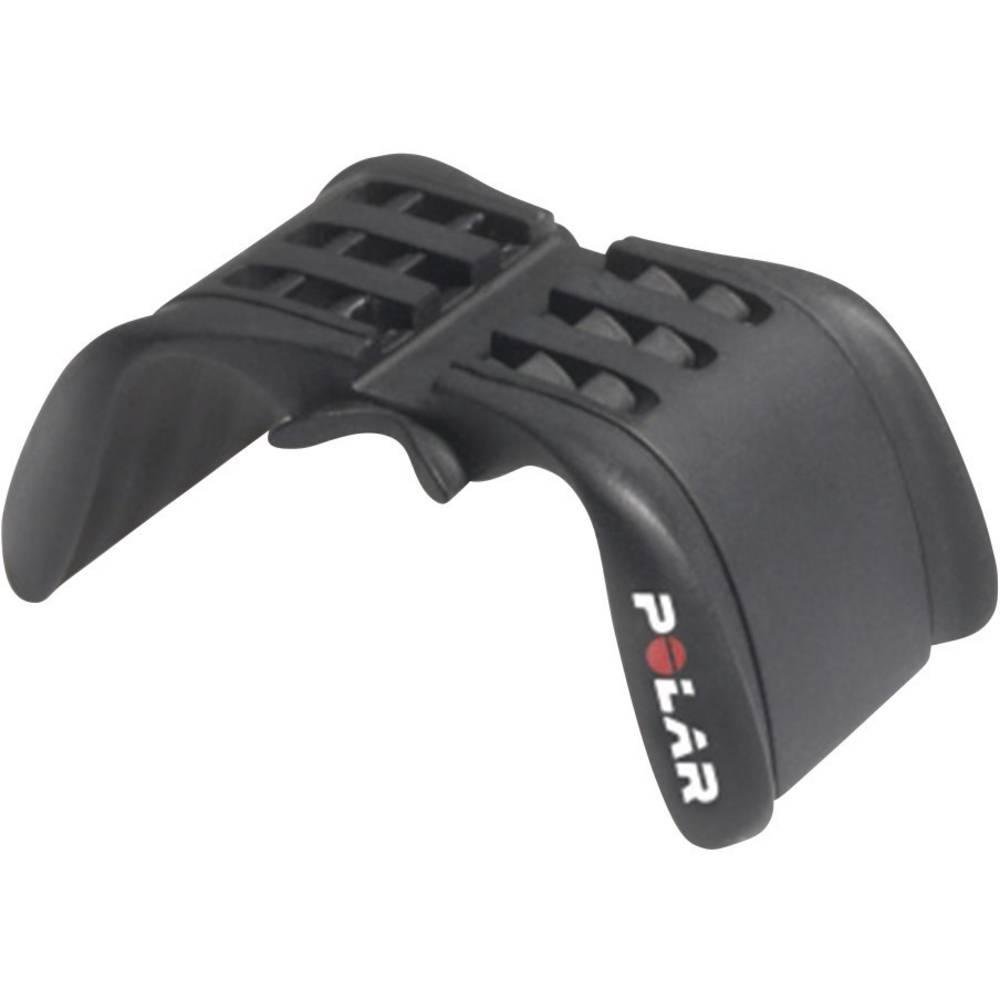
Image: The Polar Handlebar Mount shown attached to a bicycle handlebar using two black zip ties. The mount is positioned centrally on the bar, with the Polar logo visible on the side. This image illustrates the correct method for securing the mount.
- 초과분 정리: Once the mount is firmly secured and does not move, trim any excess length from the zip ties using scissors or a cutting tool. Ensure no sharp edges remain.
- 테스트 안정성: Gently try to move the mount by hand to confirm it is stable and will not shift during your ride. Adjust the zip ties if necessary.
중요한: Ensure the mount is extremely stable. A loose mount could lead to your device falling off during a ride.
3. 사용 설명서
3.1 Attaching Your Polar Device
The Polar Handlebar Mount is designed to hold your Polar cycling computer or sports watch securely.
- 장치 준비: Remove your Polar device from its wrist strap.
- 장치 정렬: Align the back of your Polar device with the mounting grooves on the handlebar mount.
- Slide and Secure: Gently slide the device into the mount until it clicks into place. Ensure it is fully seated and does not wobble.
3.2 Detaching Your Polar Device
To remove your Polar device from the mount:
- Press Release Mechanism: Locate the release tab or button on the back or side of your Polar device (refer to your device's specific manual for exact location).
- Slide Out: While pressing the release, gently slide the device out of the handlebar mount.
주의: Do not force the device into or out of the mount. If it feels stuck, re-check alignment or the release mechanism.
4. 유지관리
- 청소: Clean the mount periodically with a damp 천으로 닦아주세요. 강한 화학 물질이나 연마성 세제는 플라스틱을 손상시킬 수 있으므로 사용하지 마세요.
- 점검: Regularly inspect the mount and zip ties for any signs of wear, cracks, or damage. Replace the mount or zip ties if any damage is observed to prevent your device from falling.
- 저장: 장기간 사용하지 않을 경우, 직사광선을 피해 시원하고 건조한 곳에 보관하세요.
5. 문제 해결
| 문제 | 가능한 원인 | 해결책 |
|---|---|---|
| Mount is loose on handlebar. | Zip ties are not tight enough or are damaged. | Tighten the existing zip ties or replace them with new ones. Ensure they are pulled very taut. |
| Device does not fit into the mount. | Incorrect device model or improper alignment. | Verify your Polar device is compatible with this mount (e.g., V650, M450). Ensure the device is aligned correctly with the mount's grooves before sliding. |
| Device falls out of the mount during use. | Device not fully secured or mount is damaged. | Ensure the device clicks firmly into place. Inspect the mount for any cracks or broken tabs that might prevent a secure fit. Replace if damaged. |
6. 사양
- 모델: 91053127
- 상표: 극선
- 재료: 플라스틱
- 색상: 검은색
- 장착 유형: 핸들바
- 호환 장치: Polar V650, Polar M450, and other compatible Polar sports watches/cycling computers.
- 치수(길이 x 너비 x 높이): 약 30 x 10 x 5cm(11.8 x 3.9 x 2.0인치)
- 무게: 약 40.82그램(1.44온스)
- 특징: 조절할 수 있는 viewing angle (via device rotation), secure zip-tie fastening.
7. 지원 및 보증
For further assistance, product information, or warranty details, please visit the official Polar support web사이트를 방문하거나 고객 서비스에 문의하세요.
보증 청구를 위해 구매 증빙서류를 보관하세요.


