소개
Welcome to the world of Resident Evil 5. This manual provides essential information to help you get started and navigate the game's challenging environments. Prepare to face new bio-organic threats as you uncover a global conspiracy.

Image: The official game cover for Resident Evil 5 on PlayStation 4, featuring protagonists Chris Redfield and Sheva Alomar.
설정 및 설치
To install Resident Evil 5 on your PlayStation 4 console, follow these steps:
- Insert the Resident Evil 5 game disc into the PlayStation 4 console's disc drive.
- 시스템이 자동으로 설치 프로세스를 시작합니다. 화면에 나타나는 안내에 따라 진행하십시오.
- Ensure your PlayStation 4 is connected to the internet to download any available game updates or patches for optimal performance.
- Once installation is complete, select the Resident Evil 5 icon from your PlayStation 4 home screen to launch the game.
시스템 요구 사항
- 플레이스테이션 4 콘솔
- Minimum 18 GB available storage space
- 업데이트 및 온라인 기능을 이용하려면 인터넷 연결이 필요합니다.
Operating the Game: Basic Controls
Resident Evil 5 utilizes the standard PlayStation 4 controller layout. Familiarize yourself with the basic controls before beginning your mission.
| 컨트롤러 입력 | 행동 |
|---|---|
| 왼쪽 아날로그 스틱 | 캐릭터 이동 |
| 오른쪽 아날로그 스틱 | 카메라 제어 |
| X 버튼 | Confirm / Action |
| 원 버튼 | Cancel / Dodge |
| 스퀘어 버튼 | Reload Weapon |
| 삼각형 버튼 | Access Inventory |
| R2 버튼 | 화기 |
| L2 버튼 | Aim Weapon |
| R1 버튼 | Melee Attack |
| L1 버튼 | Partner Command |
Detailed control schemes and customizable options can be found within the game's settings menu.
게임플레이 종료view
Resident Evil 5 is a third-person shooter with survival horror elements. Players control Chris Redfield, accompanied by his partner Sheva Alomar, as they investigate a bioterrorism threat in Africa. The game emphasizes cooperative play, with an AI partner or another player controlling Sheva.
주요 특징:
- Cooperative Gameplay: Work together with your partner to overcome challenges, solve puzzles, and defeat enemies.
- Resource Management: Strategically manage your limited ammunition, health items, and weapons.
- Enemy Variety: Encounter a diverse range of infected humans and mutated creatures.
- Weapon Upgrades: Collect currency to upgrade your weapons and unlock new ones.

Image: Chris Redfield and Sheva Alomar surveying a desolate village environment, typical of the game's setting.

Image: An intense combat scene where characters are engaging multiple infected enemies in a confined space.
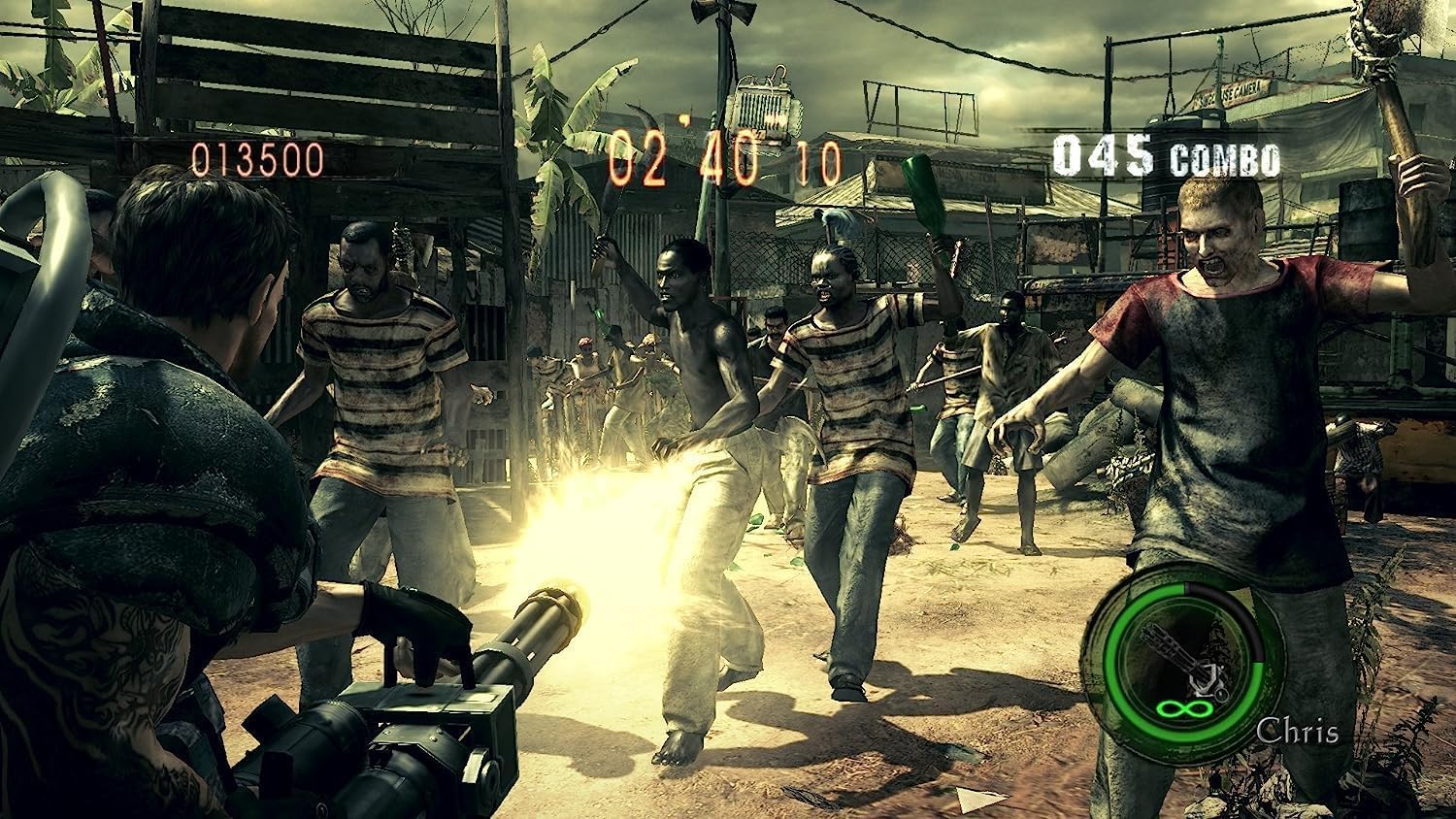
Image: Chris Redfield wielding a powerful minigun against a horde of approaching enemies.

Image: Chris and Sheva exploring a dark, cavernous area, encountering a mutated creature.

Image: Excella Gionne observing as zombies approach in a futuristic-looking facility.

Image: Chris and Sheva engaging in combat against flying, mutated enemies in an outdoor environment.
유지 보수 및 관리
To ensure the longevity of your Resident Evil 5 game disc and optimal performance:
- 게임 디스크는 항상 가장자리를 잡고 다루어 지문이나 흠집이 생기는 것을 방지하세요.
- 사용하지 않을 때는 디스크를 원래 케이스에 보관하세요.
- Keep the disc away from direct sunlight, extreme temperatures, and humidity.
- 디스크가 더러워지면 부드럽고 보풀 없는 천으로 중앙에서 바깥쪽으로 살살 닦아주세요. 연마성 세척제를 사용하지 마세요.
- Ensure your PlayStation 4 console's disc drive is clean and free of dust.
문제 해결
If you encounter issues while playing Resident Evil 5, refer to the following common solutions:
- Game Not Starting / Disc Read Error:
- Check the game disc for scratches or smudges. Clean if necessary.
- 디스크가 콘솔에 올바르게 삽입되었는지 확인하십시오.
- 플레이스테이션 4 콘솔을 재시작하세요.
- 콘솔의 시스템 소프트웨어가 최신인지 확인하세요.
- Freezing / Crashing:
- Close the game application and restart it.
- Ensure there is sufficient free space on your console's hard drive.
- Check for and install any available game updates.
- 온라인 연결 문제:
- 인터넷 연결이 안정적인지 확인하세요.
- Check PlayStation Network (PSN) status for any service outag에스.
- 라우터/모뎀을 다시 시작하세요.
For persistent issues, consult the official Capcom support web해당 사이트 또는 PlayStation 지원 리소스를 참조하십시오.
명세서
| 기인하다 | 세부 사항 |
|---|---|
| 제품 제목 | Resident Evil 5 (PS4) |
| 제조업체 | Capcom |
| 플랫폼 | 플레이스테이션 4 |
| ASIN | B07831LNP3 |
| ESRB 등급 | 성숙한 |
| 제품 치수 | 13.49 x 1.4 x 17.2 cm; 68 g (Disc and Case) |
보증 및 지원
For information regarding product warranty, technical support, or customer service for Resident Evil 5, please refer to the official Capcom support channels.
- Capcom Official Web대지: 방문하다 www.capcom.com for general information and news.
- Capcom Support: For technical assistance, FAQs, and troubleshooting guides, please visit the dedicated support section on the Capcom website. Specific support details may vary by region.
- 플레이스테이션 지원: For console-related issues or PlayStation Network support, visit the official PlayStation support web사이트에서 www.playstation.com/support.
보증 청구를 위해 구매 증빙서류를 보관하세요.


