1. 서론
Welcome to the user manual for your BH Fitness i.zk500 Elliptical Trainer. This manual provides essential information for the safe assembly, operation, and maintenance of your equipment. Please read this manual thoroughly before using the elliptical trainer to ensure proper function and to maximize your workout experience. Keep this manual for future reference.
2. 안전 정보
Before starting any exercise program, consult with your physician. It is crucial to follow these safety guidelines:
- 매 사용 전에 모든 부품이 올바르게 조립되고 단단히 조여졌는지 확인하십시오.
- 타원형 운동기구를 주변에 충분한 공간을 확보한 평평하고 안정적인 표면에 놓으십시오.
- 작동 중에는 어린이와 애완동물을 장비에 가까이 두지 마십시오.
- 적절한 운동화와 옷을 착용하세요.
- 통증, 어지럼증 또는 호흡곤란이 느껴지면 즉시 운동을 중단하고 의사와 상담하십시오.
- Do not attempt to service the equipment beyond the maintenance instructions provided in this manual.
3. 제품 오버view
The BH Fitness i.zk500 is an elliptical trainer designed for regular home use, offering a comprehensive cardiovascular workout. It features a robust magnetic braking system for smooth and quiet operation, along with advanced console functions to enhance your training.
주요 특징:
- Regular Home Use: Designed for workouts between 3 to 7 hours per week.
- 3-in-1 Stride System: Offers three customizable stride lengths for optimal user adaptation.
- Magnetic Braking System: Provides smooth, silent, and maintenance-free pedaling with various tension levels.
- Blue Backlit LCD Monitor: Displays workout data and offers 12 different exercise profiles with 24 intensity levels.
- 심박수 제어(HRC) 프로그램: Four programs allow selection of cardiovascular zones, automatically adjusting intensity.
- 맞춤형 프로file (uPrg): Design your own training program profile.
- Recovery Test (RT): Helps monitor physical fitness through controlled recovery.
- i.Concept Technology: Connects with fitness apps like BH by Kinomap for personalized and motivating workouts, including virtual routes via Google Maps.
- 맥박 측정: Contact sensors on the handlebars provide heart rate data for advanced training.
구성 요소:

그림 3.1: 가득한 view of the BH Fitness i.zk500 Elliptical Trainer. This image shows the complete assembly of the elliptical, including the console, handlebars, pedals, and base unit.
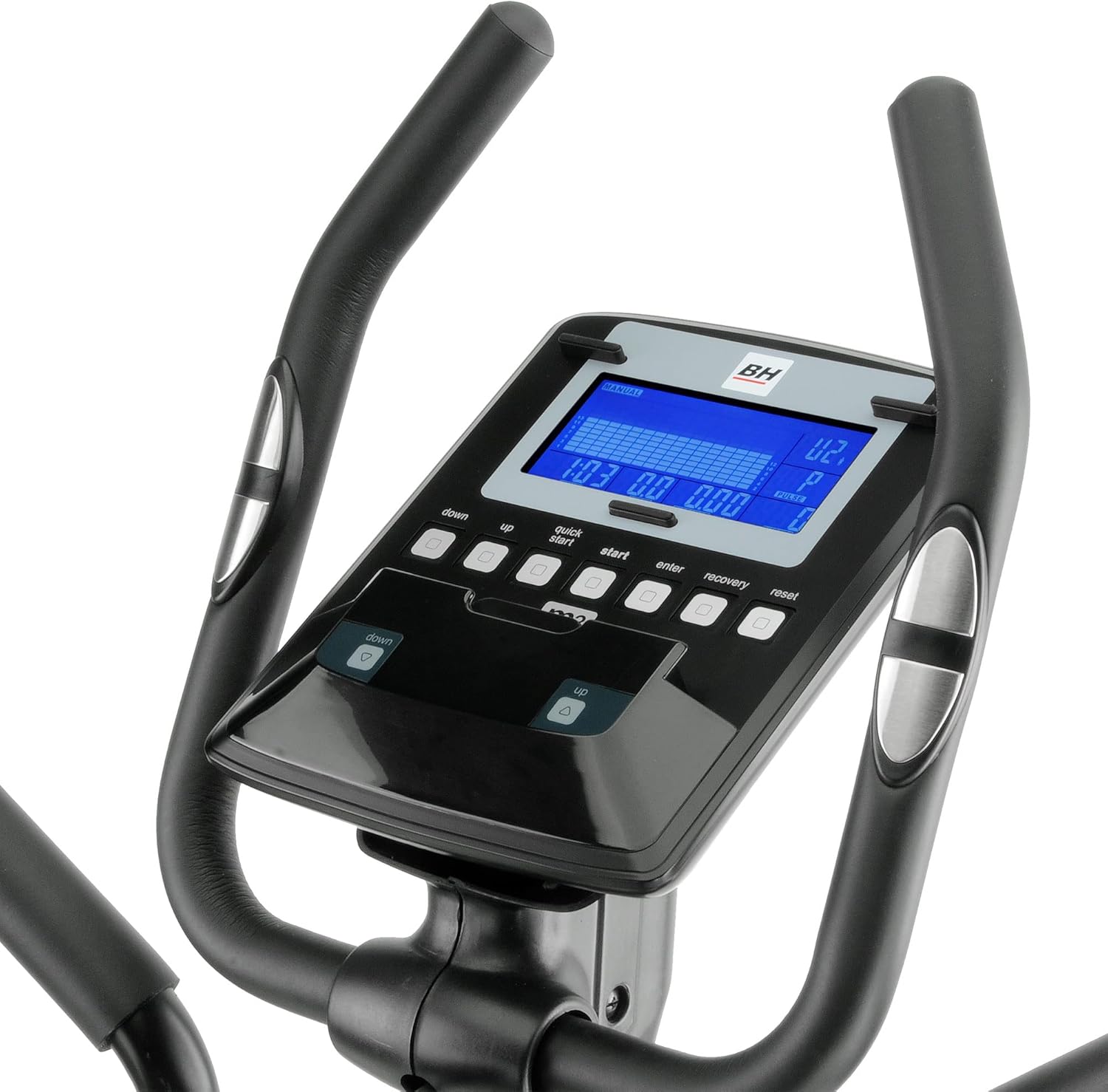
그림 3.2: Close-up of the elliptical trainer's console. The blue backlit LCD screen and control buttons for program selection, intensity adjustment, and recovery test are visible.

그림 3.3: 옆 view of the elliptical trainer, highlighting the flywheel and magnetic resistance mechanism. The "XTR Reinforced Frame" branding is also visible.
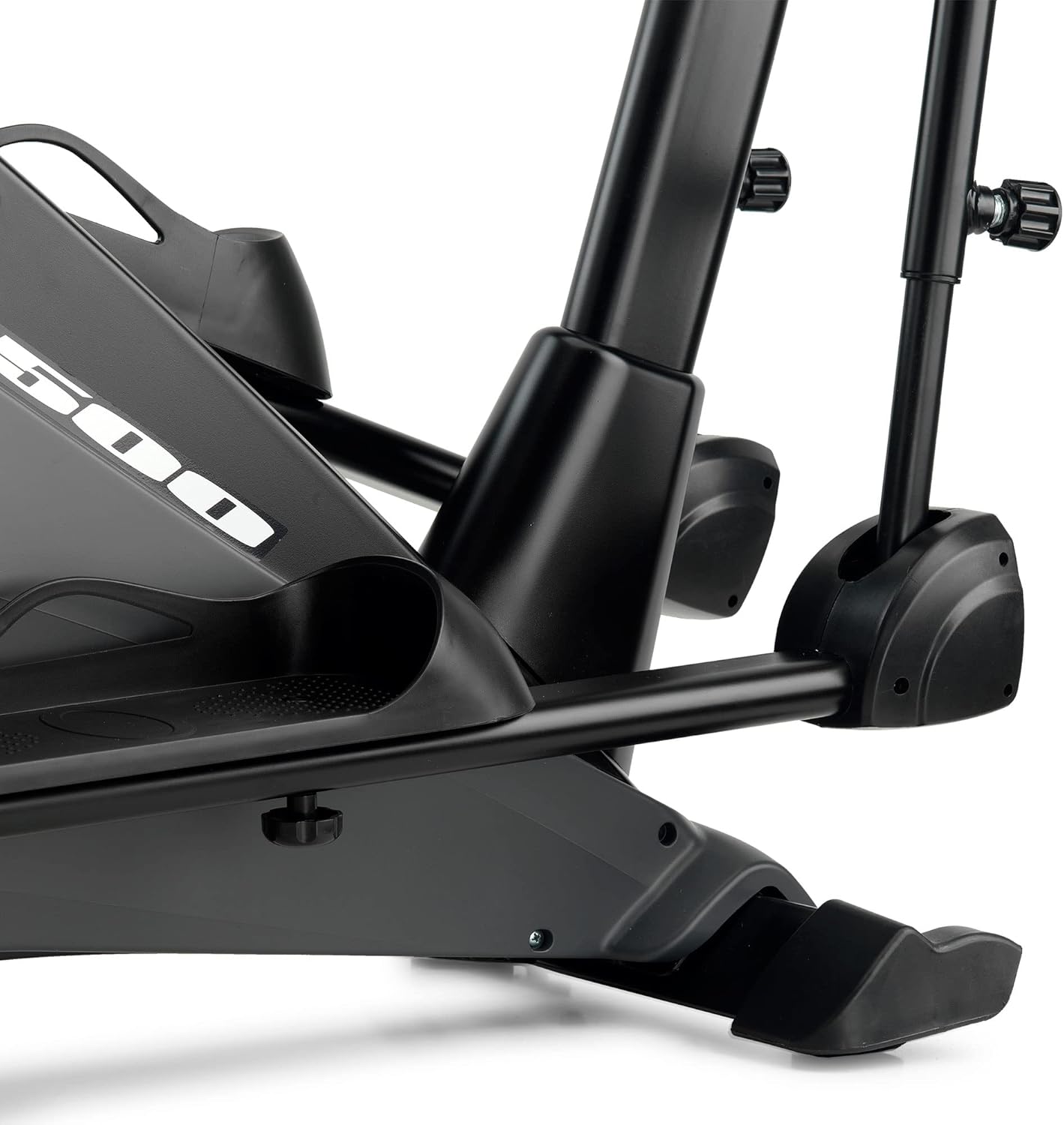
그림 3.4: Detail of the elliptical trainer's pedal and stable base. This view shows the robust construction and foot placement area.
4. 설정
The BH Fitness i.zk500 Elliptical Trainer requires assembly. Please follow the detailed instructions provided in the separate assembly guide that accompanies your product. Ensure all components are present before beginning assembly.
주요 조립 단계(일반):
- 모든 구성품을 풀어서 부품 목록과 비교해보세요.
- 앞뒤 안정 장치를 본체에 부착하십시오.
- Mount the upright post and secure the console wiring.
- Install the handlebars and pedal arms.
- Connect the console to the main unit.
- 모든 볼트와 너트가 단단히 조여졌는지 최종 점검을 하십시오.
After assembly, place the elliptical trainer on a level surface. Use the adjustable feet on the stabilizers to ensure stability and prevent rocking during use.
5. 운영
The i.zk500 console provides various functions to customize and monitor your workout.
5.1 콘솔 함수
The blue backlit LCD monitor displays key workout metrics such as time, distance, speed, calories burned, and heart rate. Use the buttons below the display to navigate menus and select programs.
- "UP" / "DOWN" Buttons: 저항 수준을 조정하거나 메뉴 옵션을 탐색하세요.
- "START" / "STOP" Button: Begin or end a workout.
- "ENTER" Button: 선택을 확인합니다.
- "RECOVERY" Button: Initiate the Recovery Test (RT).
- "RESET" Button: 현재 운동 데이터를 삭제하거나 메인 메뉴로 돌아가세요.
5.2 Exercise Programs
The i.zk500 offers 12 pre-set exercise profiles, each with 24 intensity levels. To select a program:
- 콘솔을 켭니다.
- Use the "UP" or "DOWN" buttons to browse through the available programs.
- Press "ENTER" to select a program.
- Adjust the intensity level using "UP" or "DOWN" and confirm with "ENTER".
- Press "START" to begin your workout.
5.3 Heart Rate Control (HRC) Programs
The 4 HRC programs automatically adjust the elliptical's resistance to keep your heart rate within a target zone. To use HRC programs:
- Select an HRC program from the menu.
- Input your age (if prompted) to calculate target heart rate zones.
- Hold the pulse sensors on the handlebars to allow the console to read your heart rate.
- The elliptical will adjust resistance to maintain your heart rate within the selected zone.
5.4 맞춤형 프로file (uPrg)
Create and save your own personalized workout program:
- Select the uPrg option from the program menu.
- Follow the on-screen prompts to set resistance levels for different segments of your workout.
- 프로를 저장하세요file 추후 사용을 위해.
5.5 Recovery Test (RT)
The Recovery Test measures your heart rate recovery after exercise, providing an indication of your fitness level:
- After completing a workout, press the "RECOVERY" button.
- Hold the pulse sensors. The console will count down for 60 seconds.
- At the end of the test, a fitness score will be displayed.
5.6 i.Concept Technology
The i.Concept technology allows you to connect your smartphone or tablet to the elliptical trainer for an interactive workout experience:
- Download compatible fitness apps (e.g., BH by Kinomap) from your device's app store.
- 스마트폰이나 태블릿에서 블루투스를 활성화하세요.
- Open the fitness app and follow the instructions to pair it with your i.zk500 elliptical trainer.
- Enjoy personalized workouts, virtual routes via Google Maps, and challenges with other users.
6. 유지관리
Regular maintenance ensures the longevity and optimal performance of your BH Fitness i.zk500 Elliptical Trainer.
- 청소: 광고로 장비를 닦으세요amp 사용 후에는 천으로 닦아 땀과 먼지를 제거하세요. 연마성 세제는 사용하지 마세요.
- 점검: 모든 볼트, 너트, 그리고 움직이는 부품의 조임 상태와 마모 여부를 정기적으로 점검하십시오. 느슨한 고정 장치는 조이십시오.
- 매끄럽게 하기: The magnetic braking system is maintenance-free. However, if any moving joints develop squeaks, apply a small amount of silicone-based lubricant.
- 저장: 타원형 운동기구는 직사광선과 극한 온도 변화를 피해 건조하고 서늘한 곳에 보관하십시오.
7. 문제 해결
If you encounter issues with your elliptical trainer, refer to the following common problems and solutions:
| 문제 | 가능한 원인 | 해결책 |
|---|---|---|
| 작동 중 삐걱거리거나 갈리는 소음 발생 | Loose bolts, dry joints, or internal component friction. | Check and tighten all assembly bolts. Apply silicone lubricant to moving joints if necessary. If the noise persists, contact customer support. |
| 콘솔 디스플레이가 작동하지 않습니다 | Loose connection, depleted batteries (if applicable), or power issue. | Ensure all console cables are securely connected. Replace batteries if the console is battery-powered. Check power adapter connection if applicable. |
| 저항이 변하지 않음 | Console malfunction or internal resistance mechanism issue. | Restart the console. Check for any error codes. If the problem persists, contact customer support. |
| i.Concept app not connecting | Bluetooth not enabled, app not updated, or device compatibility issue. | Ensure Bluetooth is active on your device. Update the app to the latest version. Check app compatibility with your device's operating system. |
For issues not listed here or if solutions do not resolve the problem, please contact BH Fitness customer support.
8. 사양
| 특징 | 세부 사항 |
|---|---|
| 상표 | BH |
| 모델명 | Bicicletta Ellittica I.zk500 |
| 색상 | 검은색 |
| 재료 | 철 |
| 제품 크기(L x W x H) | 148 x 60 x 160cm(58.3 x 23.6 x 63인치) |
| 저항 메커니즘 | 자기 |
| 저항 수준 수 | 24 |
| 최대 보폭 길이 | 148 cm (58.3 inches) - Note: This might refer to the overall length of the machine, not stride length itself, given the 3-in-1 system. Refer to assembly guide for specific stride length options. |
| 용도 | Regular home use (3-7 hours/week) |
| ASIN | B0761Z969R |
| 국제 물품 코드 | 08431284788834 |
9. 보증 및 지원
For warranty information, please refer to the warranty card included with your product or visit the official BH Fitness website. If you require technical assistance, spare parts, or have any questions regarding your BH Fitness i.zk500 Elliptical Trainer, please contact BH Fitness customer support directly. Have your model number (i.zk500) and serial number (if applicable) ready when contacting support.
You can typically find contact information on the BH Fitness official web사이트 또는 제품 포장.