1. 서론
This manual provides essential information for setting up, operating, maintaining, and troubleshooting your CyberpowerPC Gamer Supreme SLC8820CPG Gaming PC. Please read this manual thoroughly before using your new computer to ensure proper functionality and longevity.
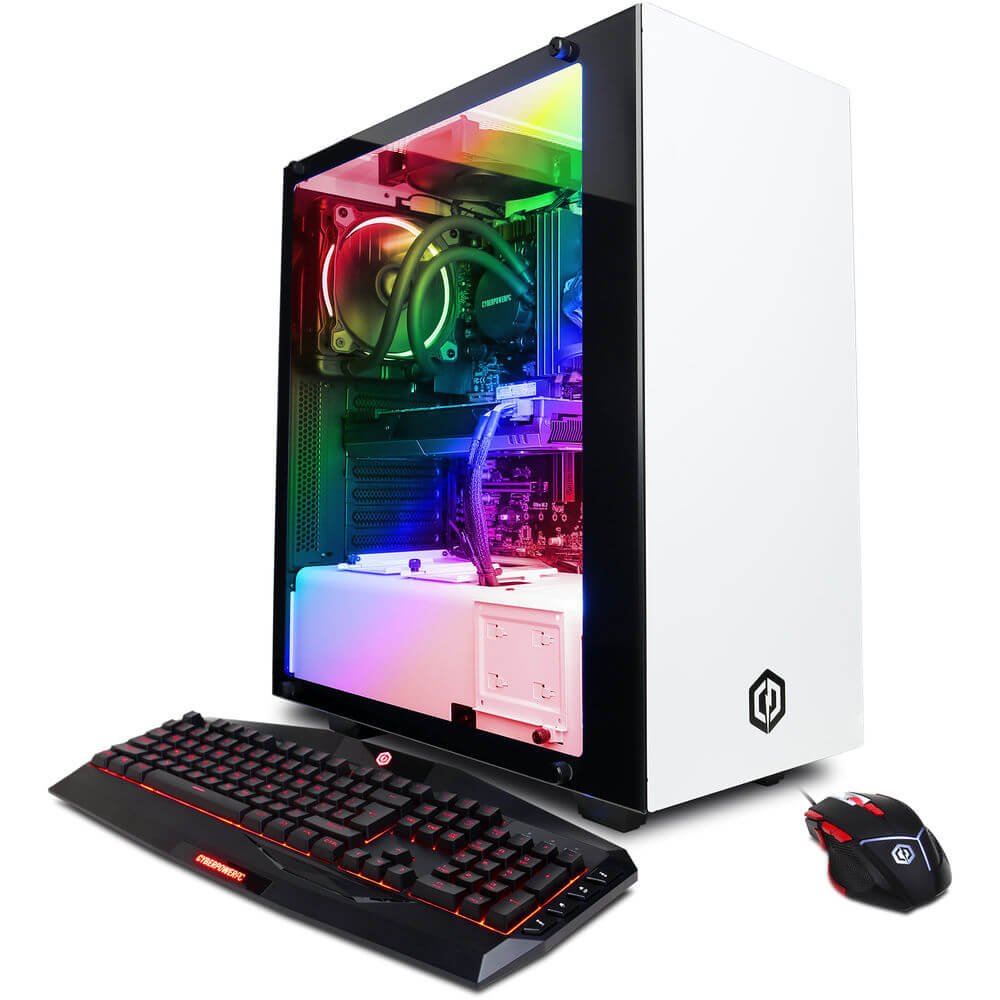
Figure 1.1: CyberpowerPC Gamer Supreme SLC8820CPG Gaming PC with included peripherals.
2. 패키지 내용
아래 나열된 모든 품목이 패키지에 들어 있는지 확인하세요.
- CyberpowerPC Gamer Supreme SLC8820CPG Gaming PC
- USB 7 Color Gaming Keyboard
- USB 게임용 마우스
- Driver Discs
- 전원 코드
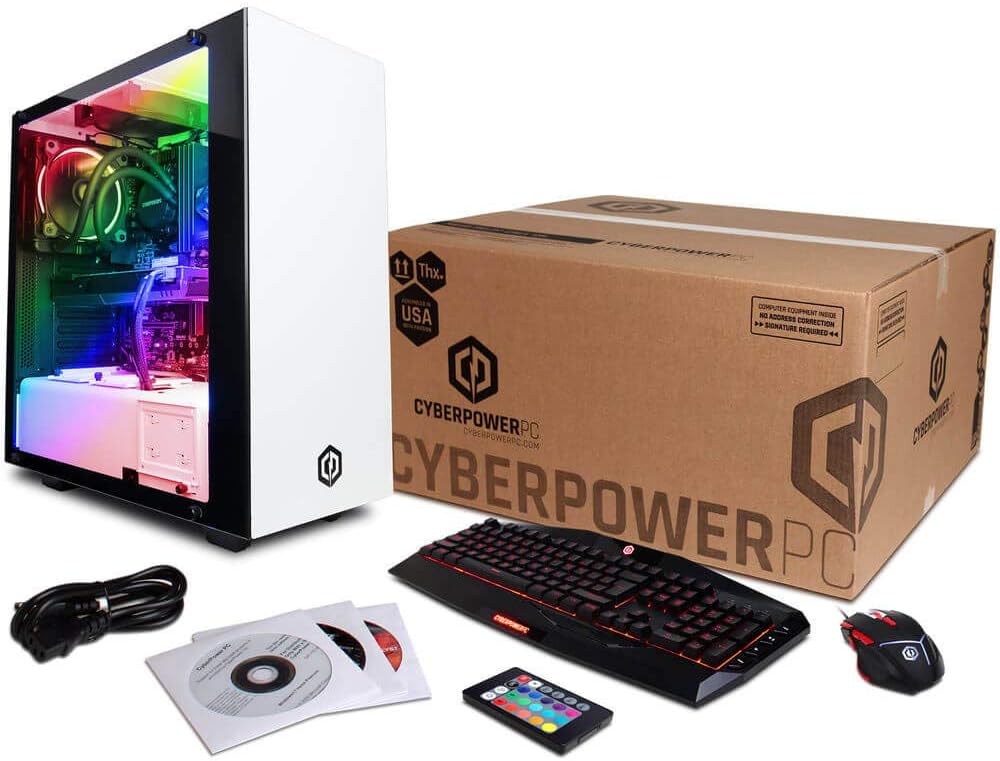
Figure 2.1: Contents of the CyberpowerPC Gamer Supreme SLC8820CPG package.
3. 설정 가이드
3.1 풀기
- PC와 모든 액세서리를 포장에서 조심스럽게 꺼내세요.
- Retain all packaging materials for future transport or service needs.
- PC를 통풍이 잘 되는 안정적이고 평평한 곳에 놓으십시오.
3.2 주변기기 연결하기
Connect your monitor, keyboard, mouse, and other devices to the appropriate ports on the PC.
- 감시 장치: Connect your monitor to the NVIDIA GeForce GTX 1080 graphics card using an HDMI, DVI, or DisplayPort cable. Ensure the cable is securely fastened.
- 키보드 및 마우스: Connect the USB gaming keyboard and mouse to any available USB ports. The PC features 6 x USB 3.1 ports and 2 x USB 2.0 ports.
- 회로망: For wired internet, connect an Ethernet cable to the RJ-45 port. For wireless internet, attach the included Wi-Fi antenna to the designated ports on the rear of the PC.
- 오디오: Connect speakers or headphones to the audio output jacks. The system supports 7.1 Channel audio.
- 힘: 전원 코드를 PC의 전원 공급 장치에 연결한 다음 접지된 콘센트에 연결하십시오.
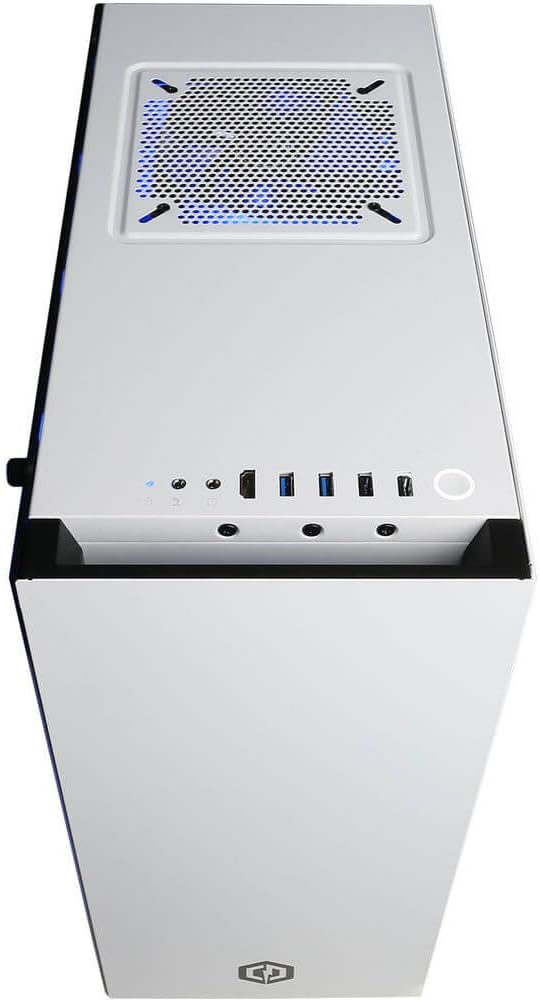
Figure 3.1: Top panel with USB ports, audio jacks, and power button.

그림 3.2: 상세 view of front I/O ports for easy access.
3.3 초기 전원 켜기
- After connecting all peripherals, press the power button located on the top panel of the PC.
- Follow the on-screen instructions to complete the Windows 10 Home 64-bit operating system setup.
4. PC 작동 방법
4.1 기본 작업
Your CyberpowerPC Gamer Supreme is pre-installed with Windows 10 Home. Utilize the keyboard and mouse for navigation. Refer to Microsoft's official documentation for detailed instructions on Windows 10 operation.
4.2 RGB 조명 제어
The PC features custom RGB lighting. Use the included remote control to adjust the colors and lighting effects within the case. Ensure the remote has a clear line of sight to the PC's internal receiver for optimal control.
5. 유지관리
5.1 청소
- 외부: 부드러운 d를 사용하세요amp cloth to clean the exterior surfaces of the PC. Avoid abrasive cleaners.
- 내부: Periodically clean dust from internal components using compressed air. Ensure the PC is powered off and unplugged before opening the side panel.
5.2 소프트웨어 업데이트
최적의 성능과 보안을 유지하려면 운영 체제, 드라이버(특히 그래픽 드라이버) 및 보안 소프트웨어를 정기적으로 업데이트하십시오.
5.3 액체 냉각 시스템
The PC features a liquid cooling system for the CPU. This system is generally maintenance-free. However, monitor temperatures periodically using system monitoring software to ensure proper cooling performance. If you notice unusual noises or high temperatures, contact technical support.
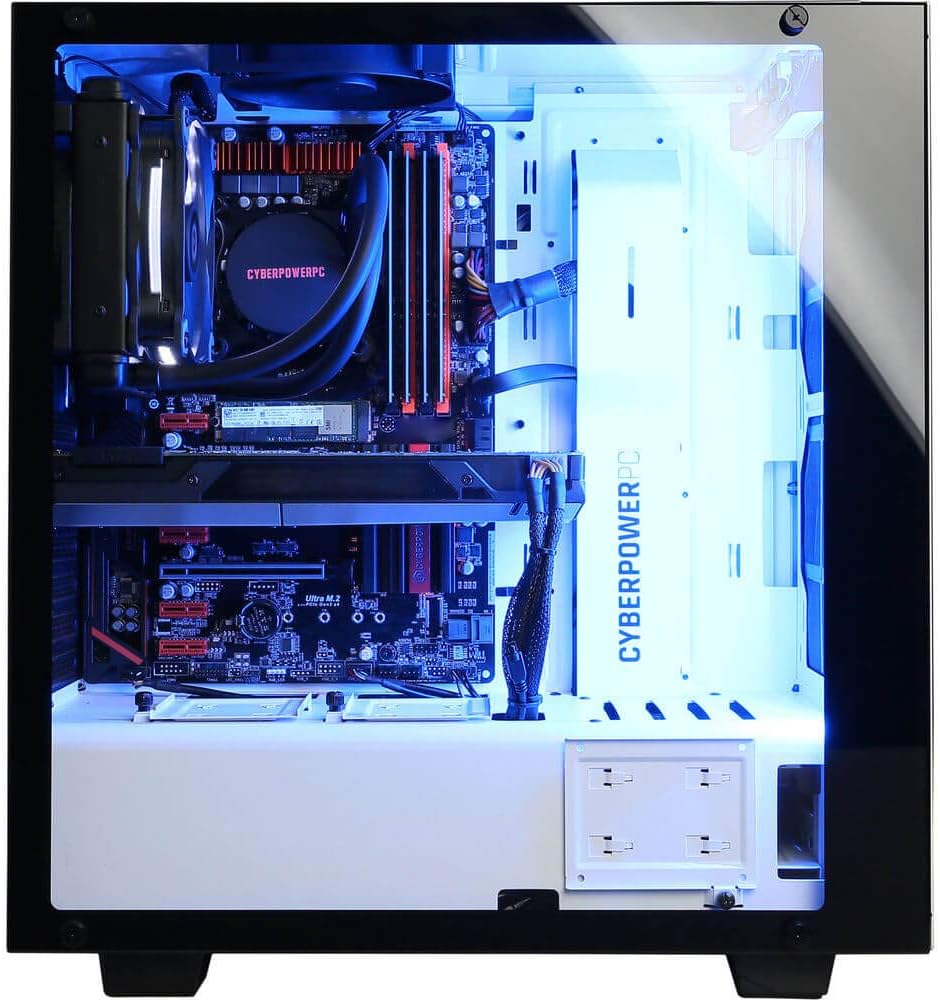
Figure 5.1: Internal components including the liquid cooling system.
6. 문제 해결
| 문제 | 가능한 원인 | 해결책 |
|---|---|---|
| PC 전원이 켜지지 않습니다 | Loose power cable, power supply issue | Ensure power cable is securely connected to PC and outlet. Check power switch on PSU. |
| 모니터에 표시되지 않음 | 모니터 케이블이 헐거워졌거나 모니터에서 잘못된 입력이 선택되었을 수 있습니다. | Verify monitor cable is connected to the graphics card (not motherboard). Check monitor input settings. |
| 인터넷 연결 없음 | Wi-Fi antenna not connected, Ethernet cable loose, driver issue | Ensure Wi-Fi antenna is attached or Ethernet cable is secure. Check network adapter drivers in Device Manager. |
| System runs slowly or crashes | Overheating, outdated drivers, malware | Ensure proper ventilation. Update drivers. Run antivirus scans. |
7. 사양
| 요소 | 세부 사항 |
|---|---|
| 프로세서 | Intel Core i7-8700K 3.7GHz (6 Cores) |
| 칩셋 | Intel Z370 Express |
| 숫양 | 32GB DDR4 |
| 저장 | 480GB SSD + 3TB HDD (7200 RPM SATA III) |
| 그래픽 카드 | 엔비디아 지포스 GTX 1080 8GB |
| 비디오 포트 | 1 x DVI, 1 x HDMI, 2 x DisplayPort |
| USB 포트 | 6 X USB 3.1, 2 X USB 2.0 |
| 회로망 | RJ-45 Network Ethernet 10/100/1000, 802.11AC Wi-Fi |
| 오디오 | 7.1채널 |
| 운영 체제 | 정품 윈도우 10 홈 64비트 |
| 특별 기능 | Liquid Cooling, Tempered Glass Side Panel, Custom RGB Lighting |
| 치수(길이x너비x높이) | 17.5 x 7.9 x 17 인치 |
| 품목 무게 | 32파운드 |
8. 보증 및 지원
Your CyberpowerPC Gamer Supreme SLC8820CPG Gaming PC comes with a 1년 부품 및 공임 보증. 또한, 평생 무료 기술 지원 is provided. For technical assistance, warranty claims, or further inquiries, please contact CyberpowerPC customer support through their official web사이트 또는 구매 문서에 제공된 연락처 정보를 참조하세요.


