1. 서론
구매해주셔서 감사합니다asing the Gingko Cube LED Click Clock. This innovative alarm clock combines elegant design with smart functionality, displaying time, date, and temperature. Its unique sound-activated display ensures a dark room at night, illuminating only when needed. Please read this manual carefully to ensure proper setup and operation of your device.
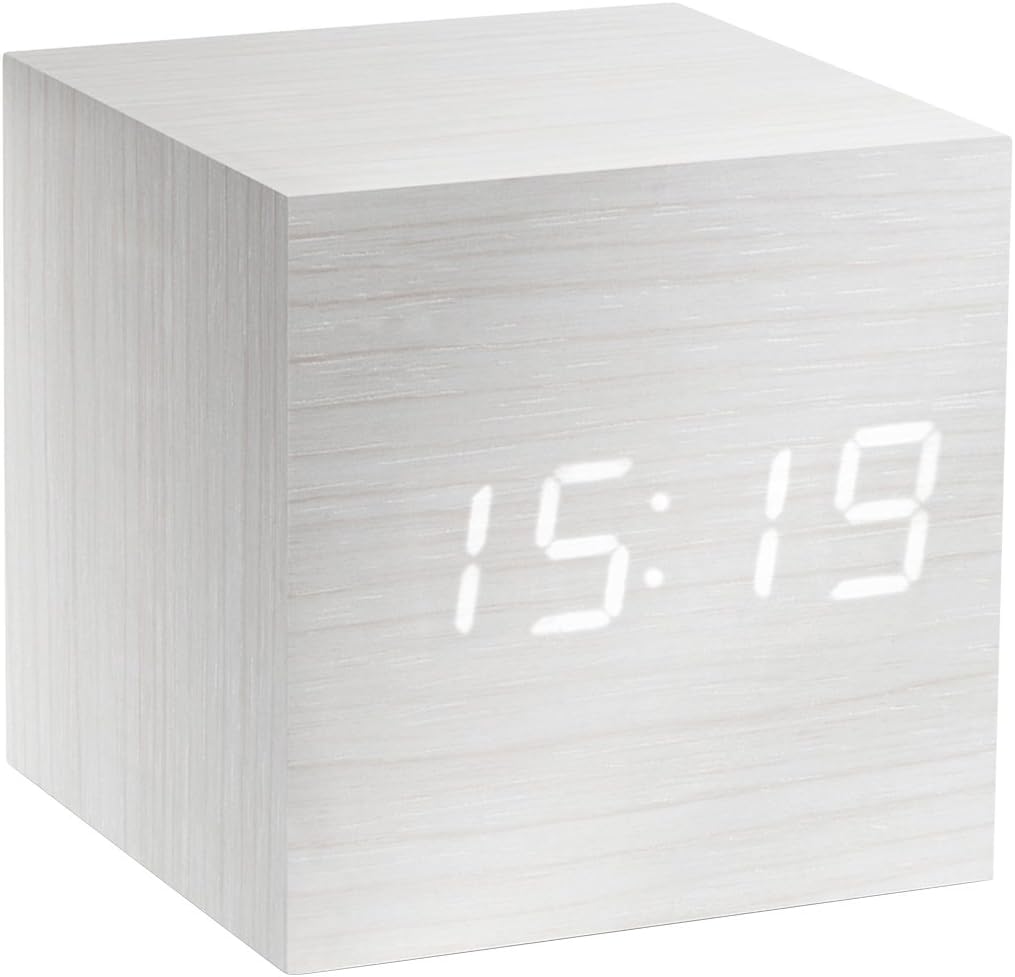
Figure 1: The Gingko Cube LED Click Clock displaying the time 15:19. The clock features a minimalist cube design with a white wood-grain finish and bright white LED digits.
2. 안전 정보
- 기기를 물이나 과도한 습기에 노출시키지 마세요.
- 극한 온도, 직사광선 또는 열원을 피하십시오.
- 기기를 분해하거나 개조하지 마십시오. 보증이 무효화됩니다.
- Use only the provided USB adapter or compatible power sources.
- 어린이의 손이 닿지 않는 곳에 보관하세요.
- 현지 규정에 따라 배터리를 책임감 있게 폐기하세요.
3. 패키지 내용
다음 항목에 대한 상자를 체크해 주세요.
- Gingko Cube LED Click Clock (Model GK08W13)
- USB 전원 어댑터
- USB 케이블
- 사용 설명서(본 문서)
4. 제품 오버view
The Gingko Cube LED Click Clock is designed for simplicity and functionality. Its main features include a hidden LED display that appears through the wood-grain finish, and control buttons located on the back panel.

그림 2: 후면 view of the Gingko Cube LED Click Clock. This image shows the battery compartment cover removed, revealing slots for three AAA batteries. Above the battery compartment, five small control buttons are visible: SET, UP, DOWN, V/S, and RESET.
4.1 제어 버튼
- 세트: Enters setting mode for time, date, and alarms. Confirms selections.
- 쪽으로: 설정 중에 값이 증가합니다.
- 내려가는: 설정 중에 값이 감소합니다.
- V/S (음성/소리): Toggles between sound-activated display mode and permanent display mode.
- RESET : 시계를 공장 초기 설정값으로 재설정합니다.
4.2 전원 입력
The clock can be powered via the included USB cable and adapter, or by 3 x AAA batteries (not included). An internal battery is included to retain settings during power outag에스.
5. 설정
5.1 전원 켜기
- USB 전원 사용: Connect the small end of the USB cable to the DC5V port on the back of the clock. Plug the larger end into the USB power adapter, then plug the adapter into a wall outlet.
- 배터리 사용: Open the battery compartment cover on the back of the clock. Insert 3 x AAA batteries, ensuring correct polarity (+/-). Close the battery compartment cover securely.
디스플레이에 불이 들어오면 시계 전원이 켜진 것입니다.
5.2 Initial Settings (Time, Date, Temperature Format)
를 누르고 계세요 세트 button for 3 seconds to enter setting mode. The display will flash, indicating the current setting is ready for adjustment. Use the UP 그리고 아래에 buttons to change values. Press 세트 확인하고 다음 설정으로 이동합니다.
- 연도 설정: Adjust the year (e.g., 2024). Press 세트.
- 월 설정: Adjust the month. Press 세트.
- 날짜 설정 : Adjust the day. Press 세트.
- 12/24시간 형식: Select "12H" or "24H". Press 세트.
- 시간 설정: Adjust the hour. Press 세트.
- 분 설정: Adjust the minute. Press 세트.
- 온도 단위 : Select "°C" (Celsius) or "°F" (Fahrenheit). Press 세트.
The clock will exit setting mode automatically after a few seconds of inactivity or after the last setting is confirmed.
6. 사용 설명서
6.1 Display Modes (Time, Date, Temperature)
The clock can cycle through displaying time, date, and temperature. By default, it will alternate between these displays.

Figure 3: The clock displaying the time 11:43, positioned on a dark desk next to a laptop. This illustrates the clock's compact size and clear LED display in a typical environment.
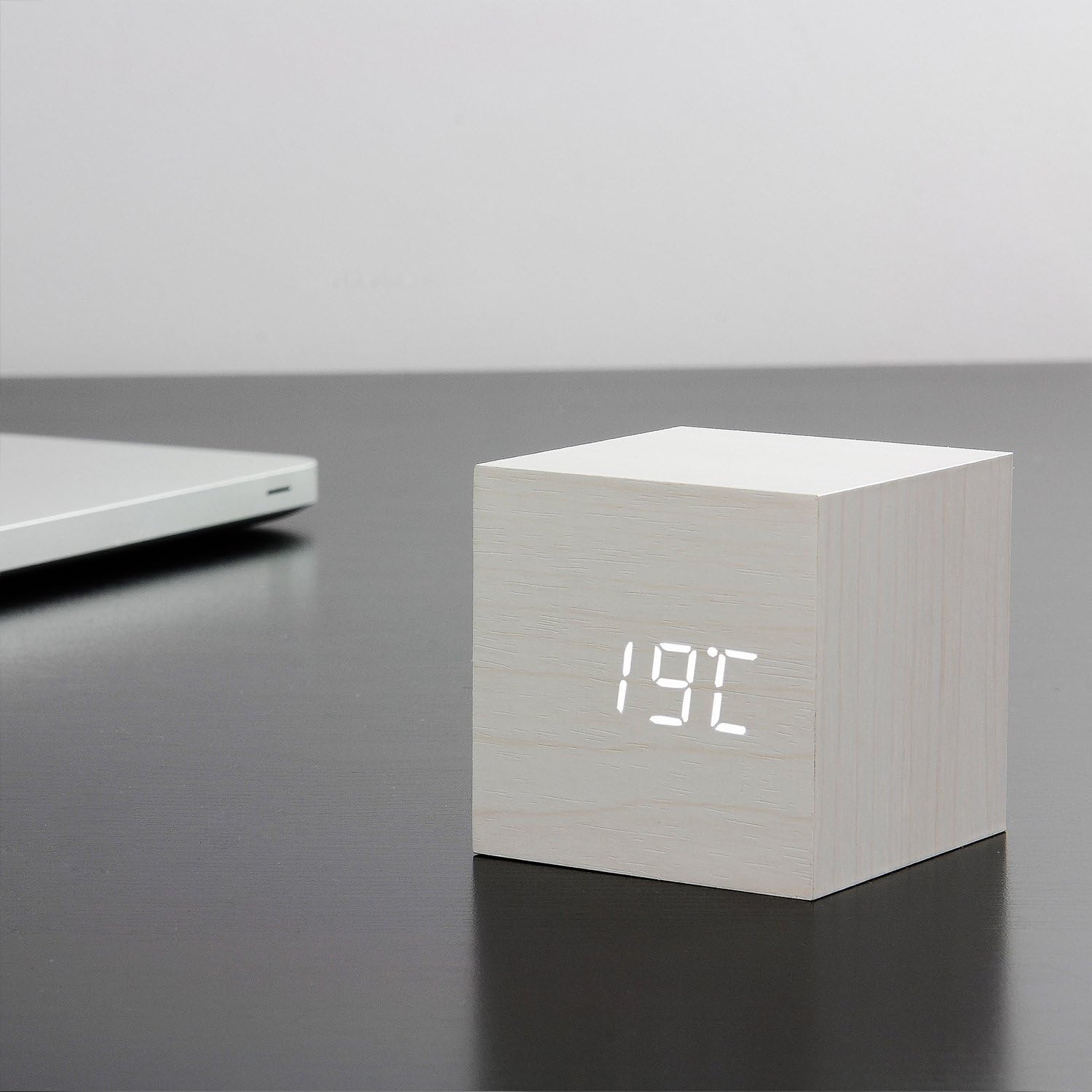
Figure 4: The clock displaying the temperature 19°C, also on a dark desk next to a laptop. This shows the clock's ability to display environmental temperature in addition to time and date.
6.2 Sound Activation (V/S Mode)
The clock features a sound-activated display mode, which conserves power and keeps your room dark. In this mode, the display turns off when the room is quiet and illuminates when a sound (like a clap or tap) is detected.
- 를 누르세요 V/S button to toggle between sound-activated display (display turns off after a few seconds of silence) and permanent display (display remains on).
- When in sound-activated mode, a sound above 60dB (e.g., a clap, finger snap, or gentle tap on the clock/surface) will activate the display for approximately 10 seconds.
6.3 알람 설정
The clock supports up to three different alarm settings (AL1, AL2, AL3).
- From the normal display mode, short press the 세트 button repeatedly until "AL1", "AL2", or "AL3" appears.
- To set an alarm, press and hold the 세트 button for 3 seconds when the desired alarm (e.g., "AL1") is displayed. The hour digits will flash.
- 사용 UP 그리고 아래에 to set the alarm hour. Press 세트.
- 사용 UP 그리고 아래에 to set the alarm minute. Press 세트.
- The display will show "ON:AL" or "OFF:AL". Use UP or 아래에 to toggle the alarm ON or OFF. Press 세트 확인합니다.
- Repeat for AL2 and AL3 if desired.
When an alarm sounds, it will last for 1 minute. To stop the alarm, press any button. The alarm will automatically turn off after 1 minute if no button is pressed.
6.4 디머 기능
The clock features an automatic dimmer function. The display brightness will automatically adjust between brighter (7:00 AM - 6:59 PM) and dimmer (7:00 PM - 6:59 AM) modes to suit ambient light conditions.
7. 유지관리
- 부드럽고 마른 천으로 시계 표면을 닦으십시오. 연마성 세제나 용제를 사용하지 마십시오.
- If using batteries, replace them when the display becomes dim or erratic. Remove batteries if the clock will not be used for an extended period.
8. 문제 해결
| 문제 | 가능한 원인 | 해결책 |
|---|---|---|
| 화면이 꺼져 있거나 어둡습니다. | Sound-activated mode is on; low batteries; no power. | Tap the clock or make a sound to activate. Press V/S to switch to permanent display. Replace batteries or ensure USB power is connected. |
| 시계가 버튼에 반응하지 않습니다. | 일시적인 소프트웨어 오류입니다. | Press the RESET button on the back of the clock. Re-enter settings if necessary. |
| 알람이 울리지 않습니다. | Alarm is set to OFF; incorrect alarm time. | Check alarm settings (AL1/AL2/AL3) to ensure it is set to ON and the time is correct. |
| Incorrect time/date/temperature. | Settings not correctly configured. | Re-enter setting mode (Section 5.2) and adjust values. |
9. 사양
| 특징 | 세부 사항 |
|---|---|
| 모델 번호 | GK08W13 |
| 치수(길이 x 너비 x 높이) | 68 x 68 x 68mm(2.68 x 2.68 x 2.68인치) |
| 무게 | 120그램(0.26파운드) |
| 재료 | 플라스틱 |
| 색상 | White / White LED |
| 디스플레이 유형 | 디지털 LED |
| 전원 | USB Cable (DC5V) or 3 x AAA Batteries |
| 특징 | Time, Date, Temperature Display, Sound Activation, 3 Alarm Settings, Dimmer Function, Internal Battery for Settings Retention |
10. 보증 및 지원
Gingko products are designed and manufactured to the highest standards. For warranty information or technical support, please refer to the official Gingko website or contact your retailer. Please have your model number (GK08W13) and purchase details ready when seeking support.
자세한 내용은 다음을 방문하세요. www.gingkodesign.com


