소개
This manual provides instructions for the safe and effective use of your Tzumi AquaBoost Boom Waterproof Bluetooth Speaker. Please read this manual thoroughly before operating the device and retain it for future reference.
패키지 내용
- Tzumi AquaBoost Boom Bluetooth Speaker
- 마이크로 USB 충전 케이블
- Auxiliary (AUX) Audio Cable
제품 특징
- IP68 방수 인증: Designed to be fully impervious to sand and water.
- 블루투스 4.2 연결: Wireless streaming up to 33 feet (10 meters).
- 내구성 있는 구조: Shockproof silicone shell and dust-resistant design.
- 긴 배터리 수명: 완충 시 최대 5시간 동안 연속 재생이 가능합니다.
- 직관적인 컨트롤: Four control buttons with LED indicator lights for easy operation.
- 자동 전원 끄기 : Conserves battery by powering off after 10 minutes of idle time.
- 다중 연결 옵션: Bluetooth and Auxiliary input.

Image: The AquaBoost Boom speaker is designed to float and continue playing music even when submerged, making it suitable for pool use.
설정
1. 스피커 충전
Before first use, fully charge the speaker. Connect the supplied Micro-USB cable to the charging port on the speaker and the other end to a USB power adapter (not included) or a computer's USB port. The LED indicator will show charging status.
- 충전 시간: 약 3시간.
- Battery Life: Up to 5 hours of playback.
2. 전원 켜기 / 끄기
- 전원 켜기: LED 표시등이 켜질 때까지 전원 버튼을 길게 누르세요.
- 전원 끄기: LED 표시등이 꺼질 때까지 전원 버튼을 길게 누르세요.
3. 블루투스 페어링
- Ensure the speaker is powered on and within 33 feet (10 meters) of your Bluetooth-enabled device.
- The speaker will automatically enter pairing mode, indicated by a blinking LED light.
- 기기에서 Bluetooth를 활성화하고 사용 가능한 기기를 검색하세요.
- Select "AquaBoost Boom" from the list of devices.
- Once paired, the LED indicator will become solid, and you will hear an audible confirmation.
- 스피커의 전원을 켜면 마지막으로 페어링된 장치가 있는 경우 해당 장치에 자동으로 다시 연결됩니다.

Image: The AquaBoost Boom speaker is designed for outdoor use, including sandy environments like beaches, due to its dust-resistant and shockproof construction.
4. 보조(AUX) 연결
To connect a device without Bluetooth, use the supplied 3.5mm auxiliary cable. Insert one end into the speaker's AUX input port and the other end into your device's audio output jack. The speaker will automatically switch to AUX mode.
작동 지침
제어 버튼
The AquaBoost Boom features four control buttons for managing playback and calls:
- 전원 버튼: 전원을 켜거나 끄려면 길게 누릅니다.
- 재생/일시 정지 버튼: Press to play or pause music. Press to answer or end a call.
- 볼륨 높이기(+): 볼륨을 높이려면 누르세요. 다음 트랙을 보려면 길게 누르세요.
- 볼륨 낮추기(-): 볼륨을 낮추려면 누르세요. 이전 트랙을 보려면 길게 누르세요.
자동 전원 끄기
To conserve battery, the speaker will automatically power off after 10 minutes of inactivity (no audio playback or Bluetooth connection).
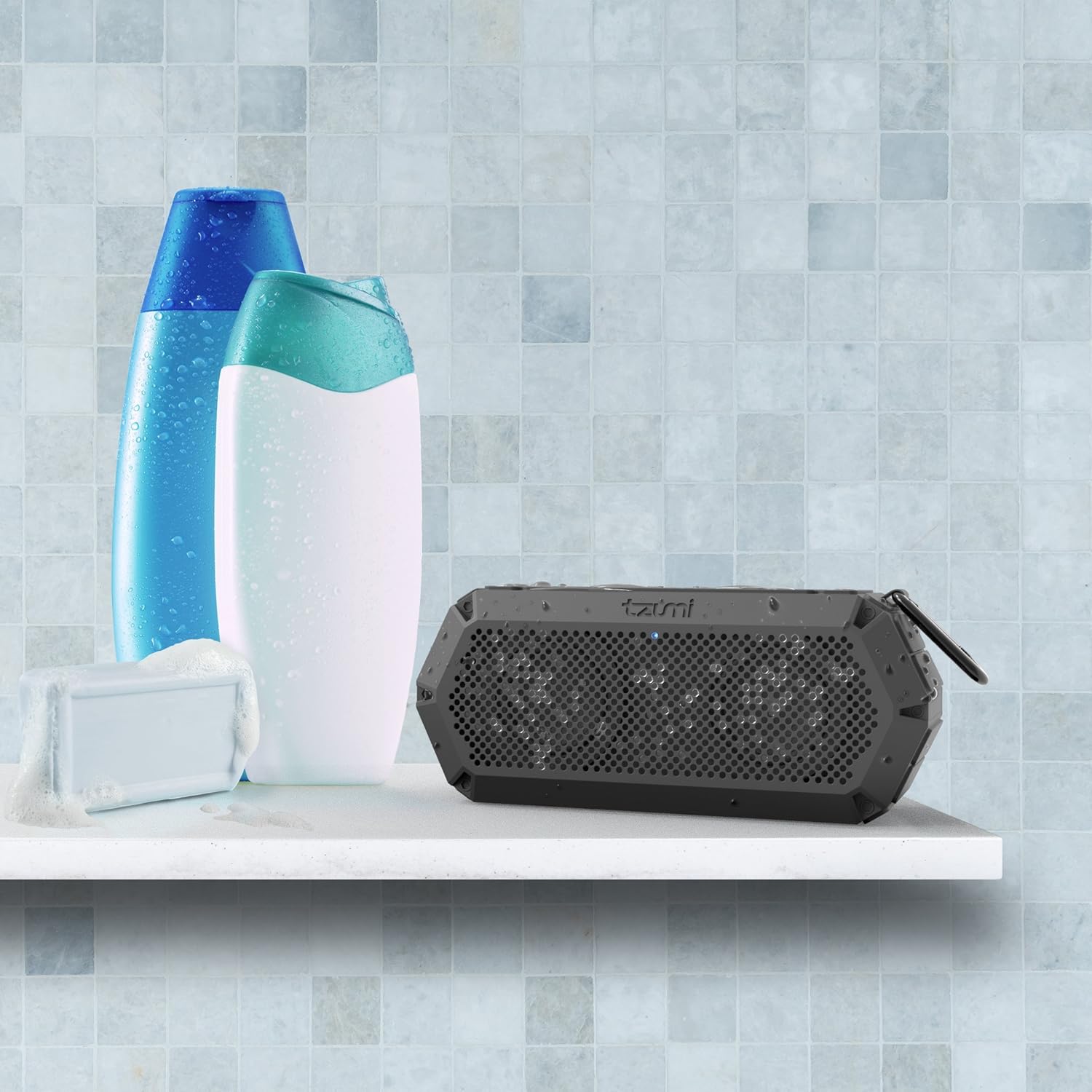
Image: The IP68 waterproof rating makes the AquaBoost Boom suitable for use in wet environments such as showers or bathrooms.
유지
청소
부드러운 천으로 스피커를 닦고 damp cloth. Do not use abrasive cleaners or solvents. Ensure all ports are dry before charging.
저장
스피커를 직사광선과 극한의 온도를 피해 서늘하고 건조한 곳에 보관하세요. 장기간 보관할 경우, 배터리 수명을 유지하기 위해 주기적으로 충전하세요.
문제 해결
| 문제 | 가능한 원인 | 해결책 |
|---|---|---|
| 스피커의 전원이 켜지지 않습니다. | 배터리가 부족합니다. | 스피커를 완전히 충전하세요. |
| 블루투스로 페어링할 수 없습니다. | 스피커가 페어링 모드가 아닙니다. 기기의 Bluetooth가 꺼져 있습니다. 스피커와의 거리가 너무 멀습니다. | Ensure speaker is on and LED is blinking. Turn device Bluetooth off/on. Move device closer to speaker. |
| 소리가 나지 않습니다. | 볼륨이 너무 낮음; 입력 모드가 올바르지 않음; 기기가 재생되지 않음. | Increase speaker and device volume. Check if AUX cable is connected (switches to AUX mode). Ensure music is playing on the device. |
| 사운드 왜곡. | 볼륨이 너무 크거나 기기가 스피커에서 너무 멀리 떨어져 있습니다. | 스피커와 기기의 볼륨을 줄이세요. 기기를 스피커 가까이로 옮기세요. |
명세서
- 모델: 5311AMZ
- 블루투스 버전: 4.2
- 무선 범위: 최대 33피트(10미터)
- 방수 등급: IP68
- 배터리 용량: Provides up to 5 hours of playback
- 충전 시간: 약 3시간
- 전력 출력: 8 와트
- 치수: 2.9 x 5 x 7.9 인치
- 무게: 14.4 온스
- 연결성: Bluetooth, Auxiliary (3.5mm), Micro-USB for charging
- 포함된 구성 요소: Bluetooth Speaker, Micro-USB Cable, AUX Cable
보증 및 지원
Tzumi products are designed for reliability and performance. If you encounter any issues or require assistance with your AquaBoost Boom speaker, please contact Tzumi customer support directly for assistance.
For support, visit the official Tzumi web자세한 내용은 해당 사이트를 참조하거나 제품 포장과 함께 제공된 연락처 정보를 참조하세요.


