소개
These true wireless earbuds feature a minimal design for a secure fit. Digital Noise Cancelling technology allows for an immersive audio experience, while Smart Listening adapts noise cancellation levels based on your activity. The included chargeable case provides up to 9 hours of uninterrupted listening.
상자 안에 무엇이 들어있나요?
- 충전 케이스
- USB 케이블 (1)
- Earbuds (Long Hybrid silicone rubber earbuds: SS, S, M, L x2; Fitting Supporters: M, L x2; Triple-Comfort Earbuds: S, M, L x2)
제품 끝view
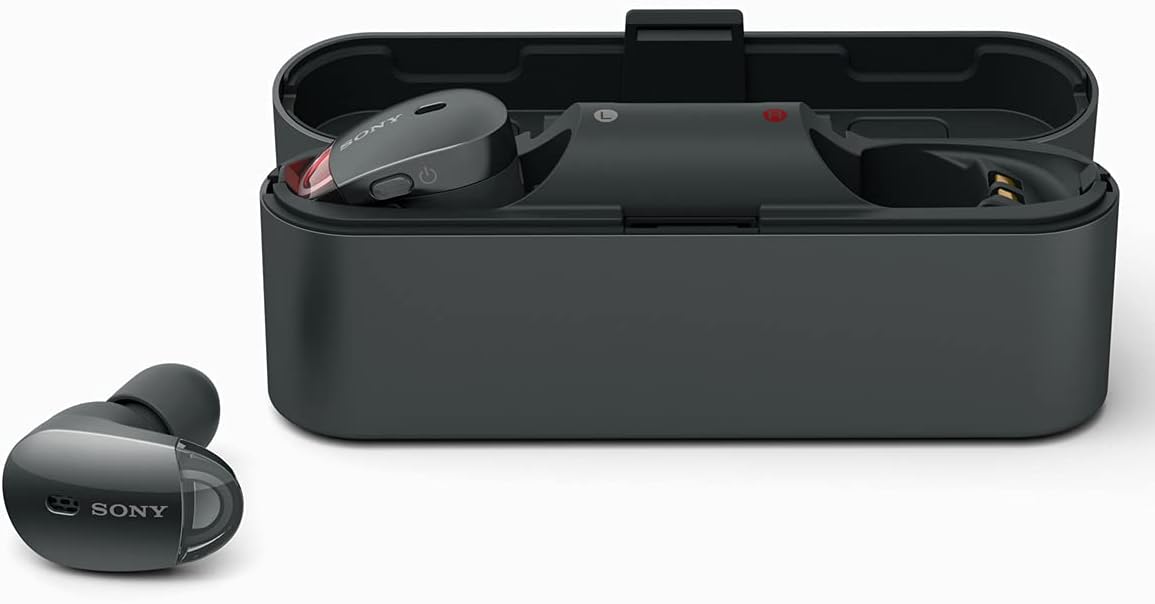
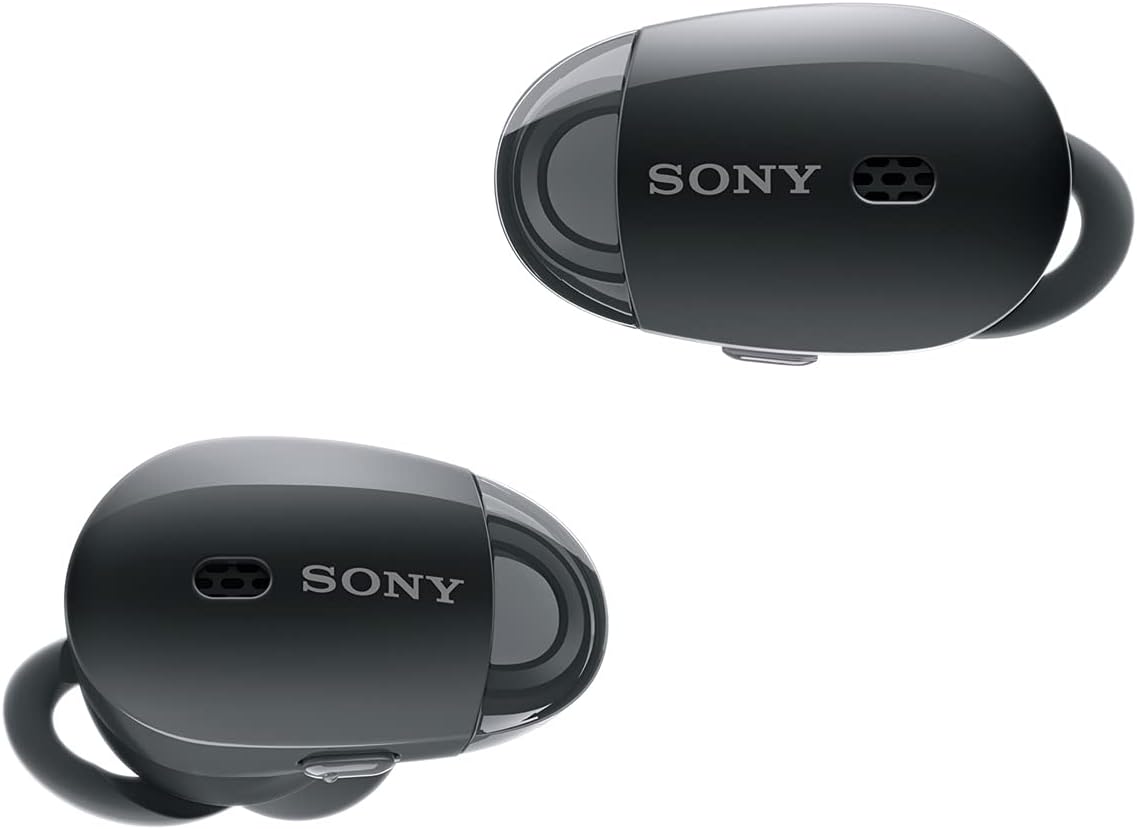

설정
1. 이어버드와 케이스 충전
Before initial use, fully charge the earbuds and the charging case. Place the earbuds into the charging case. Connect the USB cable to the charging case and a power source. The indicator light on the case will show charging status. A full charge provides up to 9 hours of battery life.
2. 장치와 페어링
To pair the headphones with your device via Bluetooth:
- 이어버드가 충전 케이스에 들어 있고 케이스 뚜껑이 열려 있는지 확인하세요.
- 기기에서 Bluetooth를 활성화하고 사용 가능한 기기를 검색하세요.
- Select "WF-1000X" from the list to complete pairing.
For quick pairing with NFC-enabled devices, simply touch the device to the N-Mark on the charging case.
3. 소니 | 헤드폰 커넥트 앱
Download the Sony | Headphones Connect app from your device's app store (Android/iOS). This app allows you to customize ambient sound settings, adjust noise cancelling levels, and access other smart listening features.
작동 지침
Digital Noise Cancelling and Ambient Sound Mode
The WF-1000X features Digital Noise Cancelling to minimize distractions. Utilize the Sony | Headphones Connect app to adjust noise cancelling levels or activate Ambient Sound Mode. Ambient Sound Mode allows you to hear important sounds from your surroundings without removing the earbuds, ideal for situations requiring awareness.
핸즈프리 통화
Make and receive calls hands-free using the left earpiece. Simply tap the earpiece to answer or end a call. The integrated microphone ensures clear communication.
Smart Listening by Adaptive Sound Control
This feature automatically detects your activity (e.g., walking, traveling, waiting) and adjusts the ambient sound settings accordingly. Configure preferences within the Sony | Headphones Connect app.
유지
청소
- 이어버드와 충전 케이스를 부드럽고 마른 천으로 정기적으로 닦아주세요.
- 이어팁을 제거하고 작고 부드러운 브러시를 사용하여 스피커 메시에 묻은 귀지나 이물질을 청소하십시오.
- 이어버드를 충전 케이스에 다시 넣기 전에 모든 구성품이 완전히 건조되었는지 확인하십시오.
저장
Store the earbuds in their charging case when not in use to protect them and ensure they remain charged. Avoid exposing the device to extreme temperatures, humidity, or direct sunlight.
문제 해결
소리가 나지 않거나 연결이 간헐적입니다
- 양쪽 이어버드가 모두 충전되어 있는지 확인하세요.
- 기기에서 Bluetooth가 활성화되어 있고 이어버드가 페어링되어 있는지 확인하세요.
- 이어버드를 기기와 다시 페어링해보세요.
- 간섭을 피하려면 장치에 더 가까이 다가가세요.
소음 제거 기능이 효과적이지 않음
- Ensure the ear tips are correctly sized and provide a snug fit in your ears.
- Adjust noise cancelling settings via the Sony | Headphones Connect app.
전화를 걸거나 받을 수 없습니다
- Confirm the earbuds are connected to your phone for calls.
- 연결된 기기의 마이크 설정을 확인하세요.
명세서
| 특징 | 세부 사항 |
|---|---|
| 모델명 | WF-1000X |
| 연결 기술 | 블루투스 |
| 무선 통신 기술 | 블루투스, NFC |
| 포함된 구성 요소 | 헤드폰 |
| 재료 | 고무, 실리콘 |
| 제품의 특정 용도 | Travel, Mobility, Commuting, Exercise |
| 충전 시간 | 1.5시간 |
| 호환 장치 | 스마트폰, 태블릿, 노트북, 데스크톱, 블루투스 지원 기기 |
| 제어 유형 | 제어 |
| 케이블 기능 | 케이블 없이 |
| 품목 무게 | 9.12 온스 |
| 방수 레벨 | 방수 |
| 제어 방법 | 앱 |
| 항목 수 | 1 |
| 배터리 수명 | 9시간 |
| 오디오 드라이버 유형 | 동적 드라이버 |
| 블루투스 범위 | 10 미터 |
| 블루투스 버전 | 4.1 |
| 운반 케이스 소재 | 플라스틱 |
| 운반 케이스 색상 | 검은색 |
| 오디오 드라이버 크기 | 6 밀리미터 |
| 이어피스 모양 | 둥근 끝 |
| 입력 장치 인터페이스 | 블루투스 |
| 세대 | 1 |
| 특징 | 무선 전화 |
| 제조업체 | 소니 |
| 제품 치수 | 4.96 x 2.36 x 6.02 인치 |
| 귀 위치 | 귀에 |
| 폼 팩터 | 귀에 |
| 소음 제어 | 능동 소음 제거 |
보증 및 지원
보증 정보 및 고객 지원은 제품에 동봉된 설명서를 참조하거나 소니 공식 지원 웹사이트를 방문하십시오. web사이트. 보증 청구를 위해 구매 증빙 자료를 보관하세요.