1. 서론
This manual provides detailed instructions for the installation, operation, and maintenance of your CP Plus CP-UVR-0401E1-S 4 Channel Digital Video Recorder (DVR). This device is designed for surveillance applications, allowing you to record and manage video footage from up to four cameras. Please read this manual thoroughly before using the product to ensure proper and safe operation.
2. 안전 정보
- 전원 공급 장치: 지정된 전원 어댑터만 사용하십시오. 볼륨이 잘못되었습니다.tag기기를 손상시킬 수 있으며 보증이 무효화될 수 있습니다.
- 통풍: Ensure adequate ventilation around the DVR. Do not block ventilation openings.
- 환경: Avoid exposing the DVR to extreme temperatures, humidity, dust, or direct sunlight.
- 손질: Handle the device with care. Avoid dropping or subjecting it to strong vibrations.
- 서비스: Do not attempt to open or service the DVR yourself. Refer all servicing to qualified personnel.
3. 패키지 내용
패키지에 모든 품목이 들어 있는지 확인하세요.
- CP Plus CP-UVR-0401E1-S 4 Channel DVR Unit
- 전원 어댑터
- USB 마우스
- Screws for Hard Disk Drive (HDD) Installation
- 빠른 시작 가이드
4. 설정
4.1. 하드 디스크 드라이브(HDD) 설치
The CP-UVR-0401E1-S DVR is supplied without a pre-installed hard disk drive. An HDD is required for recording video footage.
- Unscrew and remove the top cover of the DVR unit.
- Connect the SATA data cable and power cable from the DVR to the corresponding ports on your 3.5-inch SATA HDD.
- Secure the HDD to the bottom of the DVR chassis using the provided screws.
- 윗 덮개를 다시 덮고 나사로 고정합니다.
4.2. 카메라 연결
Connect your analog surveillance cameras to the BNC video input ports on the rear panel of the DVR. The DVR supports up to 4 cameras.
4.3. Connecting a Monitor
Connect a monitor to the DVR using either the VGA or HDMI output port on the rear panel. This allows you to view 실시간 영상을 보고 설정을 구성하세요.
4.4. 네트워크 연결
원격용 viewing and network features, connect an Ethernet cable from your router or network switch to the LAN port on the DVR's rear panel.
4.5. 전원 연결
Connect the provided power adapter to the DC 12V input port on the DVR, then plug the adapter into a power outlet. The DVR will power on automatically.
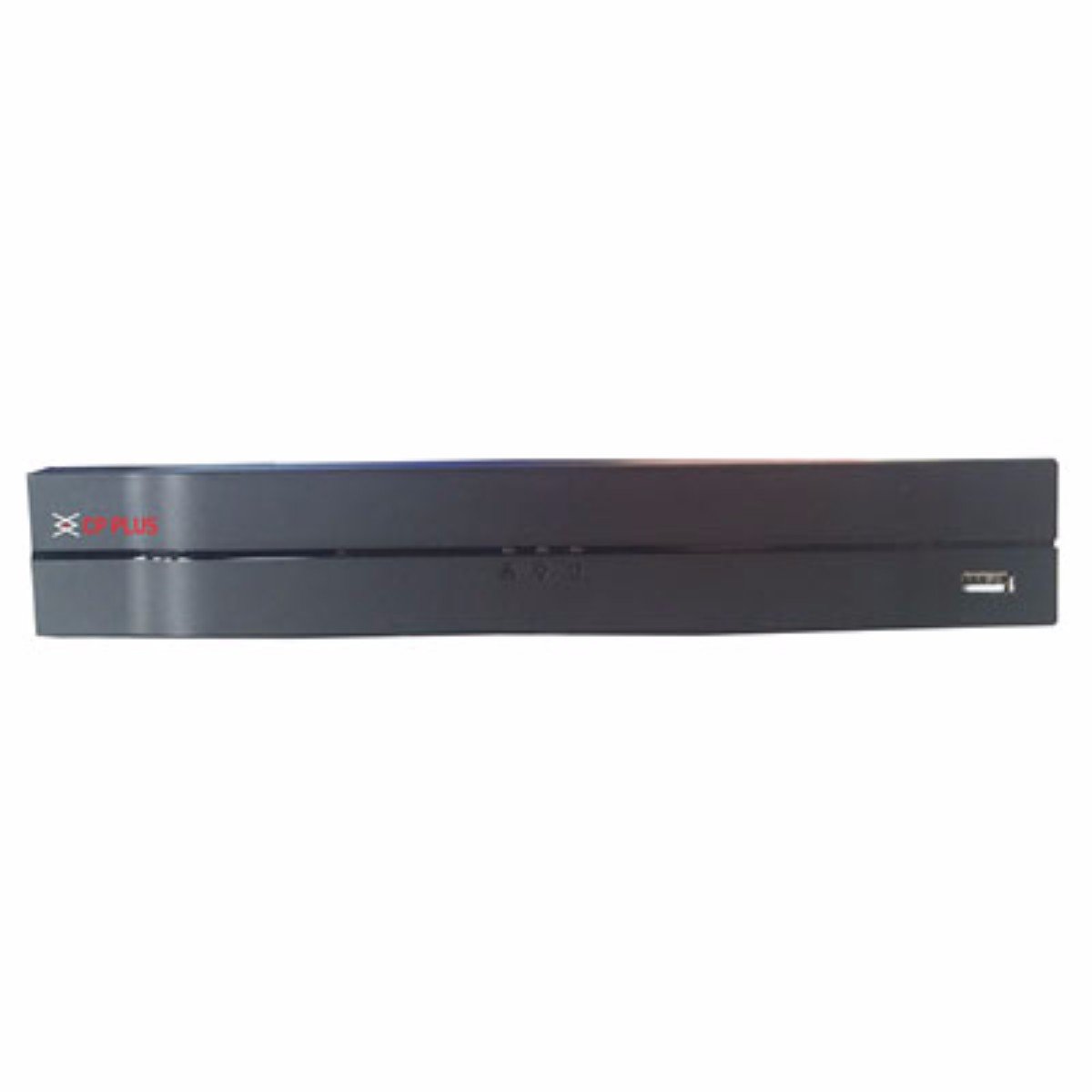
이미지: 앞면 view of the CP Plus CP-UVR-0401E1-S 4 Channel DVR unit, showing its compact black design and front panel indicators.
5. 운영
5.1. Initial Boot and Setup Wizard
Upon first power-on, the DVR will guide you through an initial setup wizard. This typically includes setting the date/time, network configuration, and creating an administrator password. Follow the on-screen prompts.
5.2. 사용자 인터페이스 탐색
Use the included USB mouse to navigate the DVR's graphical user interface (GUI). Right-click to access the main menu, and left-click to select options.
5.3. 라이브 View
설치가 완료되면 DVR에 실시간 영상이 표시됩니다. view 연결된 카메라에서. 단일 카메라 간에 전환할 수 있습니다. view 및 멀티 카메라 그리드 views.
5.4. 녹화 구성
Access the 'Record' settings from the main menu to configure recording schedules, motion detection, and other recording parameters for each camera. Ensure your HDD is formatted and recognized by the system.
5.5. 재생
다시view 기록된 footage, select 'Playback' from the main menu. You can search for recordings by date, time, and camera channel. Use the playback controls to fast forward, rewind, and pause.
5.6. Network Access / Remote View잉
Configure network settings (IP address, port forwarding, or P2P cloud service) to enable remote access to your DVR via a web browser or mobile application. Refer to the DVR's network settings menu for specific options.
6. 유지관리
6.1. 정기적인 청소
Periodically clean the exterior of the DVR with a soft, dry cloth. Ensure ventilation openings are free from dust and debris to prevent overheating.
6.2. HDD Management
Regularly check the status of your Hard Disk Drive (HDD) through the DVR's system settings. Ensure there is sufficient storage space and that the HDD is functioning correctly. The DVR may automatically overwrite older footage when the disk is full, depending on your settings.
6.3. 펌웨어 업데이트
제조사 공식 웹사이트를 확인하세요. website for available firmware updates. Firmware updates can improve performance, add new features, or fix bugs. Follow the provided instructions carefully when performing an update.
7. 문제 해결
7.1. 힘이 없다
- Ensure the power adapter is securely connected to the DVR and a working power outlet.
- 다른 장치를 연결하여 전원 콘센트가 작동하는지 확인하세요.
7.2. No Video Signal on Monitor
- Check the VGA or HDMI cable connection between the DVR and the monitor.
- 모니터의 전원이 켜져 있고 올바른 입력 소스로 설정되어 있는지 확인하세요.
- 카메라가 제대로 연결되어 있고 전원이 공급되고 있는지 확인하십시오.
7.3. 녹음 문제
- Confirm that an HDD is installed and properly formatted within the DVR's settings.
- Check the recording schedule and ensure it is enabled for the desired channels.
- 하드디스크에 충분한 여유 공간이 있는지 확인하십시오.
7.4. 네트워크 연결 문제
- Ensure the Ethernet cable is securely connected to the DVR and your router/switch.
- Check the network settings in the DVR to confirm correct IP address configuration (DHCP or static IP).
- Verify your router is functioning correctly and providing network access.
8. 사양
| 특징 | 사양 |
|---|---|
| 모델 번호 | CP-UVR-0401E1-S |
| 채널 수 | 4 |
| 연결 기술 | USB, 이더넷 |
| 총 USB 포트 | 4 |
| 미디어 형식: 디지털 비디오 | HDD (Hard Disk Drive, not included) |
| 패키지 크기 | 33.6 x 30.6 x 8.6cm |
| 품목 무게 | 1.44kg |
| 필요한 배터리 | 아니요 |
9. 보증 정보
This product is covered by a manufacturer's warranty. For specific warranty terms, conditions, and duration, please refer to the warranty card included with your product or visit the official CP Plus web사이트. 보증 청구를 위해 구매 증빙 자료로 구매 영수증을 보관하세요.
10. 지원
For technical assistance, troubleshooting beyond this manual, or service inquiries, please contact CP Plus customer support. Contact details can typically be found on the manufacturer's web사이트 또는 제품 포장.


