1. 서론
This manual provides detailed instructions for the installation, operation, and maintenance of your DIGOO DG-M1Z 1080P Home Security Camera. Please read this manual thoroughly before using the product to ensure proper functionality and safety.
2. 제품 오버view
2.1 주요 특징
- True 1080P HD Video Quality (2.0MP Image Sensor)
- 130° Wide Angle Lens (2.8mm)
- 11 Pcs IR LED for Night Vision (up to 10m)
- 양방향 오디오 커뮤니케이션
- Motion Detection with E-mail Alerts
- 팬 및 틸트 기능
- Support for Micro TF Card Slot (up to 64GB) for Local Storage
- H.264 비디오 압축
- ONVIF 지원
- Compatible with iOS, Android, and Windows PC via "Digoo Eye" App
2.2 카메라 구성 요소
The DIGOO DG-M1Z camera features a compact design with essential components for surveillance. Refer to the image below for a visual representation.

이미지 1: 앞면 view of the DIGOO DG-M1Z camera, showing the lens, IR LEDs, and base with the DIGOO logo.
주요 구성 요소는 다음과 같습니다.
- 카메라 렌즈: 동영상 foo를 캡처합니다.tage.
- 적외선(IR) LED: 야간 투시를 위한 조명을 제공하십시오.
- 마이크로폰: 양방향 통신 중 오디오 입력을 위해 사용됩니다.
- 스피커: 양방향 통신 및 알람 시 오디오 출력을 위해 사용됩니다.
- 마이크로 TF 카드 슬롯: 로컬 비디오 저장(최대 64GB).
- 전원 포트: DC 5V/2A+ input.
- 이더넷 포트 : 유선 네트워크 연결용.
3. 설정 가이드
3.1 카메라 전원 켜기
- Connect the provided Micro USB power cable (3 meters long) to the camera's power port.
- Plug the other end of the cable into a DC 5V/2A+ power adapter (ensure the adapter provides sufficient current).
- 카메라의 전원이 켜지고 시작 시퀀스가 시작됩니다.
3.2 Installing the "Digoo Eye" App
The "Digoo Eye" application is required to configure and operate your camera. It is available for iOS, Android, and Windows PC.
- For mobile devices, search for "Digoo Eye" in your device's app store (Google Play Store for Android, Apple App Store for iOS).
- 응용 프로그램을 다운로드하여 설치하십시오.
- For Windows PC, download the client software from the official DIGOO web사이트(가능한 경우).

Image 2: A smartphone displaying the "Digoo Eye" application interface, showing a live camera feed and control options.
3.3 네트워크 구성
The camera supports both wireless (Wi-Fi) and wired network connections. Note: The camera only supports 2.4GHz Wi-Fi networks, not 5GHz.
3.3.1 Wireless Connection (Acoustic Smart Link)
- 모바일 기기가 2.4GHz Wi-Fi 네트워크에 연결되어 있는지 확인하세요.
- Open the "Digoo Eye" app and follow the on-screen instructions to add a new device.
- Select the "Acoustic smart link configuration" option.
- The app will guide you through entering your Wi-Fi password and using sound to pair the camera.
3.3.2 유선 연결
- 라우터의 이더넷 케이블을 카메라의 이더넷 포트에 연결합니다.
- 카메라는 자동으로 네트워크에 연결됩니다.
- Open the "Digoo Eye" app and follow the instructions to add a new device, selecting the wired connection option.
4. 사용 설명서
4.1 라이브 View 및 팬/틸트 제어
Once connected, you can access the live video feed through the "Digoo Eye" app. Use the on-screen controls to pan (horizontal movement) and tilt (vertical movement) the camera lens to adjust the view잉 각도.

Image 3: Illustration of key camera functionalities including Pan & Tilt, Two-Way Talking, Inframe Light (IR), and Screeching Alarm.
4.2 양방향 오디오
The camera supports two-way audio communication. In the app's live view, tap the microphone icon to speak through the camera's speaker, and listen through your device's speaker to audio captured by the camera's microphone.

Image 4: Depiction of multi-account video sharing and two-way audio communication feature.
4.3 동작 감지 및 알림
Configure motion detection settings within the "Digoo Eye" app. When motion is detected, the camera can trigger an alarm, send real-time message pushes, and E-mail alerts to your configured accounts.

Image 5: Visual explanation of motion detection functionality, showing alerts and diverse applications.
4.4 녹음 및 재생
Insert a Micro TF card (up to 64GB) into the camera's slot for local video storage. The camera supports continuous recording or event-triggered recording based on your settings. You can review 기록된 footage directly from the "Digoo Eye" app.
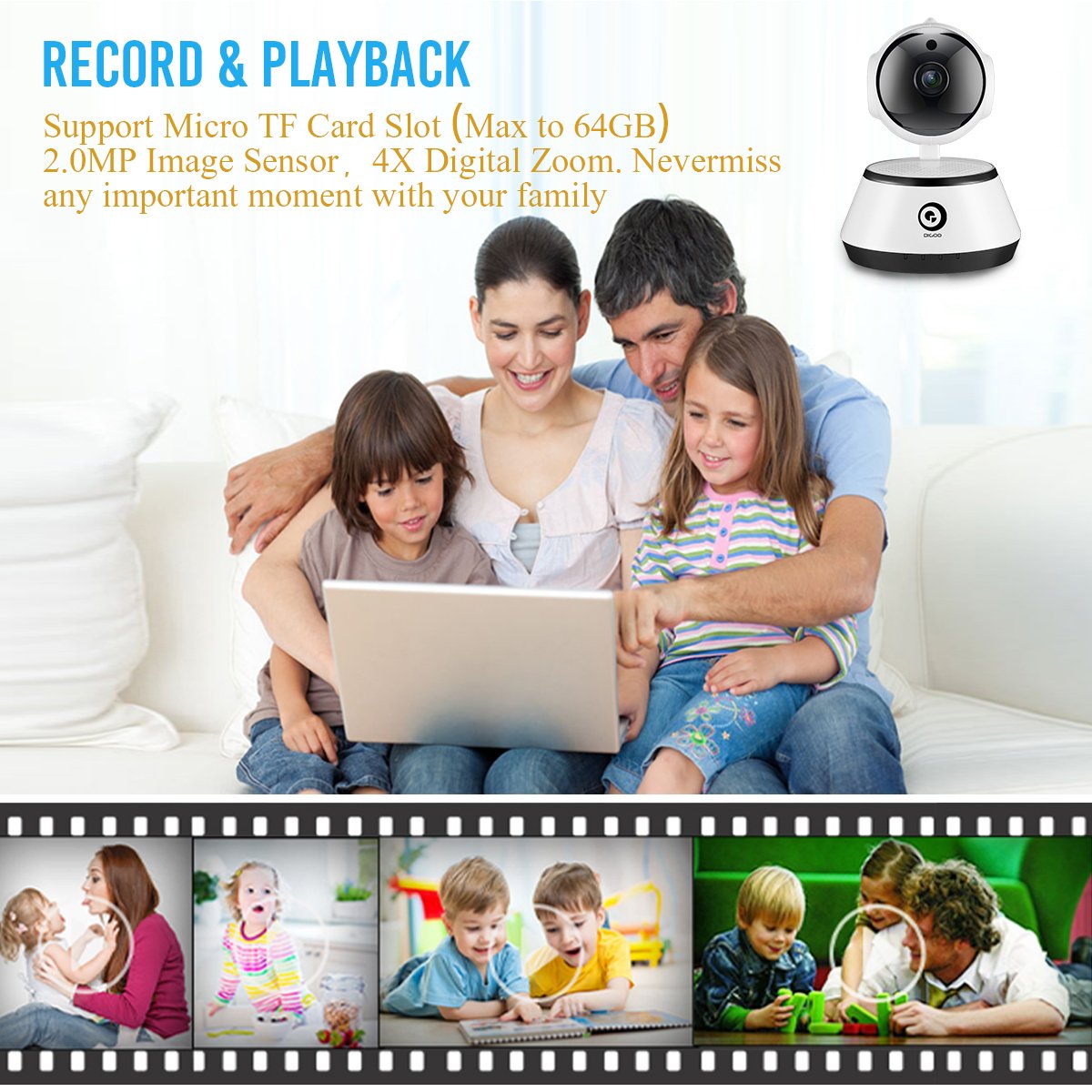
Image 6: A family viewing recorded video, highlighting the record and playback feature with a timeline of events.
4.5 야간 투시경
The camera automatically switches to night vision mode in low-light conditions, utilizing its 11 IR LEDs to provide clear black-and-white video up to 10 meters.

Image 7: Visual comparison demonstrating the clarity of 1080P HD video quality compared to lower resolutions.
5. 유지관리
- 청소: 부드럽고 마른 천으로 카메라 렌즈와 본체를 부드럽게 닦으세요. 강한 화학 물질이나 연마재는 사용하지 마세요.
- 펌웨어 업데이트: Periodically check the "Digoo Eye" app for available firmware updates to ensure optimal performance and security.
- 전원 공급 장치: Ensure the camera is always connected to a stable DC 5V/2A+ power source.
- 환경 조건: Operate the camera within the specified temperature range (-10°C to +60°C) and humidity (RH95% Max). While it can be used indoors or outdoors, ensure it is protected from direct weather exposure if used outdoors.
6. 문제 해결
- 카메라 전원이 켜지지 않음:
- Ensure the power adapter is correctly connected and providing sufficient power (DC 5V/2A+). Try a different power outlet or adapter.
- Wi-Fi에 연결할 수 없습니다.
- Wi-Fi 네트워크가 2.4GHz인지 확인하세요. 카메라는 5GHz 네트워크를 지원하지 않습니다.
- 정확한지 Wi-Fi 비밀번호를 확인하세요.
- 카메라가 Wi-Fi 라우터 범위 내에 있는지 확인하세요.
- 라우터와 카메라를 다시 시작하세요.
- If using acoustic smart link, ensure there is no excessive background noise.
- No video feed in the app:
- 카메라의 전원이 켜져 있고 네트워크에 연결되어 있는지 확인하세요.
- 인터넷 연결을 확인하세요.
- 앱과 카메라를 다시 시작하세요.
- Micro TF card not recording:
- TF 카드가 올바르게 삽입되었는지 확인하세요.
- Check if the TF card is formatted correctly (usually FAT32).
- Verify that recording settings are enabled in the "Digoo Eye" app.
- The card might be full; consider backing up data and formatting or replacing it.
7. 사양
| 특징 | 세부 사항 |
|---|---|
| 모델 | DG-M1Z SHARK |
| 이미지 센서 | 1/2.7 Progressive CMOS Sensor |
| 렌즈 | 2.8mm, 130° Wide Angle Lens, 5.0MP Lens |
| 숫양 | 1GB |
| 해결 | FHD 1080P (2.0MP) |
| 프레임 속도 | 25fps± (internet adaptively adjustment) |
| 디지털 줌 | 4X 디지털 줌 |
| 비디오 압축 | H.264 |
| 오디오 압축 | G.711 |
| 저장 | Micro TF Card Slot (Max 64GB) |
| 연결성 | Wireless (2.4G Wi-Fi), Wired (Ethernet), ONVIF |
| 알람 기능 | Motion Detection, One Button Guard/Dis-Guard, E-mail alert |
| IR 조명 | 11 Pcs IR LED |
| IR 거리 | Night Visibility 10m+ |
| 작동 온도 | -10°C ~ +60°C RH95% Max |
| 전원 공급 장치 | DC 5V/2A+ |
| 전력 소비 | 3W-5W |
| 치수 | 15.01 x 11.99 x 10.01cm |
| 무게 | 381g |
| 앱 호환성 | iOS, Android, Windows PC ("Digoo Eye") |
8. 보증 및 지원
For warranty information and technical support, please refer to the documentation provided with your purchase or visit the official DIGOO web사이트. 보증 청구를 위해 구매 증빙 자료로 구매 영수증을 보관하세요.
For further assistance, you may contact DIGOO customer support through their official channels.


