1. 서론
This manual provides instructions for the proper setup, operation, and maintenance of your ELECOM HUGE Wireless Trackball Mouse (Model: M-HT1DRBK). Please read this manual thoroughly before using the product to ensure optimal performance and longevity.
2. 상자 안에 무엇이 들어있나요?
- ELECOM HUGE Wireless Trackball Mouse
- USB 수신기
- AA 배터리(x2)
- 사용 설명서 (본 문서)
3. 설정
3.1. 배터리 설치
- 트랙볼 마우스 아랫면에 있는 배터리함을 찾으세요.
- 배터리 덮개를 엽니다.
- AA 배터리 2개를 올바른 극성(+/-)에 맞춰 삽입하세요.
- 배터리 덮개를 단단히 닫으세요.
3.2. USB 수신기 연결
The USB receiver is stored within the trackball mouse for convenience during transport.
- Remove the USB receiver from its storage slot on the underside of the trackball mouse.
- USB 수신기를 컴퓨터(PC 또는 Mac)의 사용 가능한 USB 포트에 꽂으세요.
- Turn on the trackball mouse using the power switch located on the underside. The mouse should be automatically recognized by your operating system.

그림 1: Inserting the USB receiver into the storage slot on the underside of the trackball mouse.
3.3. Software Installation (Mouse Assistant)
For full customization of the 8 programmable buttons and advanced features, it is recommended to install the ELECOM Mouse Assistant software.
- ELECOM 공식 홈페이지를 방문하세요 web대지.
- Navigate to the 'Support' or 'Downloads' section and locate 'Mouse Assistant'.
- 귀하의 운영 체제(Windows 또는 macOS)에 맞는 버전을 다운로드하세요.
- 화면의 지시에 따라 설치를 완료하세요.

그림 2: Example of the ELECOM Mouse Assistant software interface for button customization.
4. 사용 설명서
4.1. Basic Cursor Control
The ELECOM HUGE trackball is designed for index finger control, providing precise cursor movement. Use your index finger to roll the 52mm trackball to move the cursor on the screen.
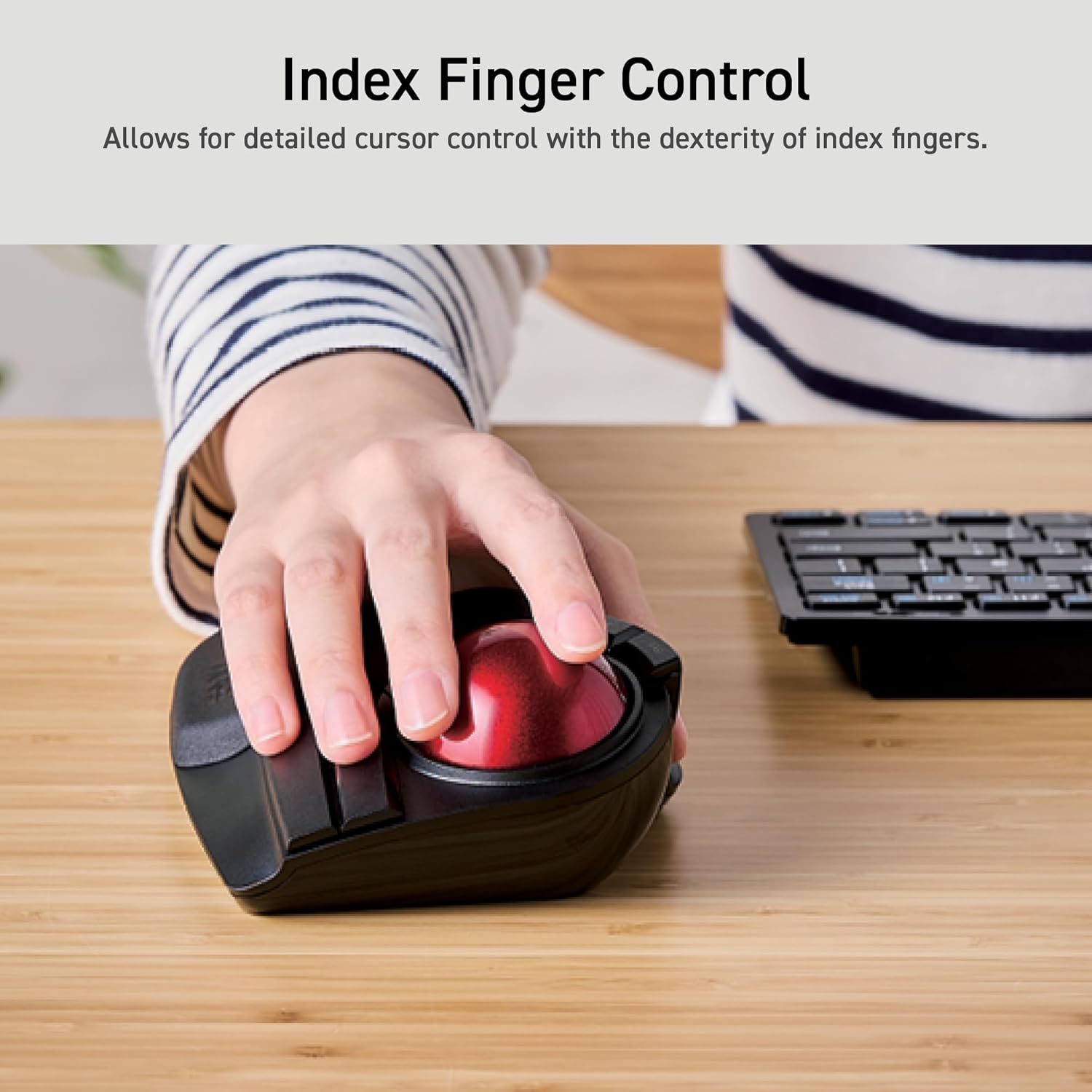
그림 3: Demonstrating index finger control for precise cursor movement.
4.2. DPI 조정
The trackball features a DPI button to adjust cursor speed. You can switch between three DPI settings: 500 (LOW), 1000 (MID), and 1500 (HIGH) DPI. Press the DPI button to cycle through these settings and find your preferred cursor speed.
4.3. 프로그래밍 가능한 버튼
The trackball is equipped with 8 physical buttons, including the scroll wheel with tilt functionality. These buttons can be customized using the ELECOM Mouse Assistant software to perform various functions, such as application shortcuts, media controls, or custom macros.

그림 4: 위에view of the 8 programmable buttons and their locations.
4.4. Ergonomic Design and Palm Rest
The trackball features an ergonomic angled design and a large, soft palm rest to support your hand and wrist in a natural position, promoting comfort during extended use.
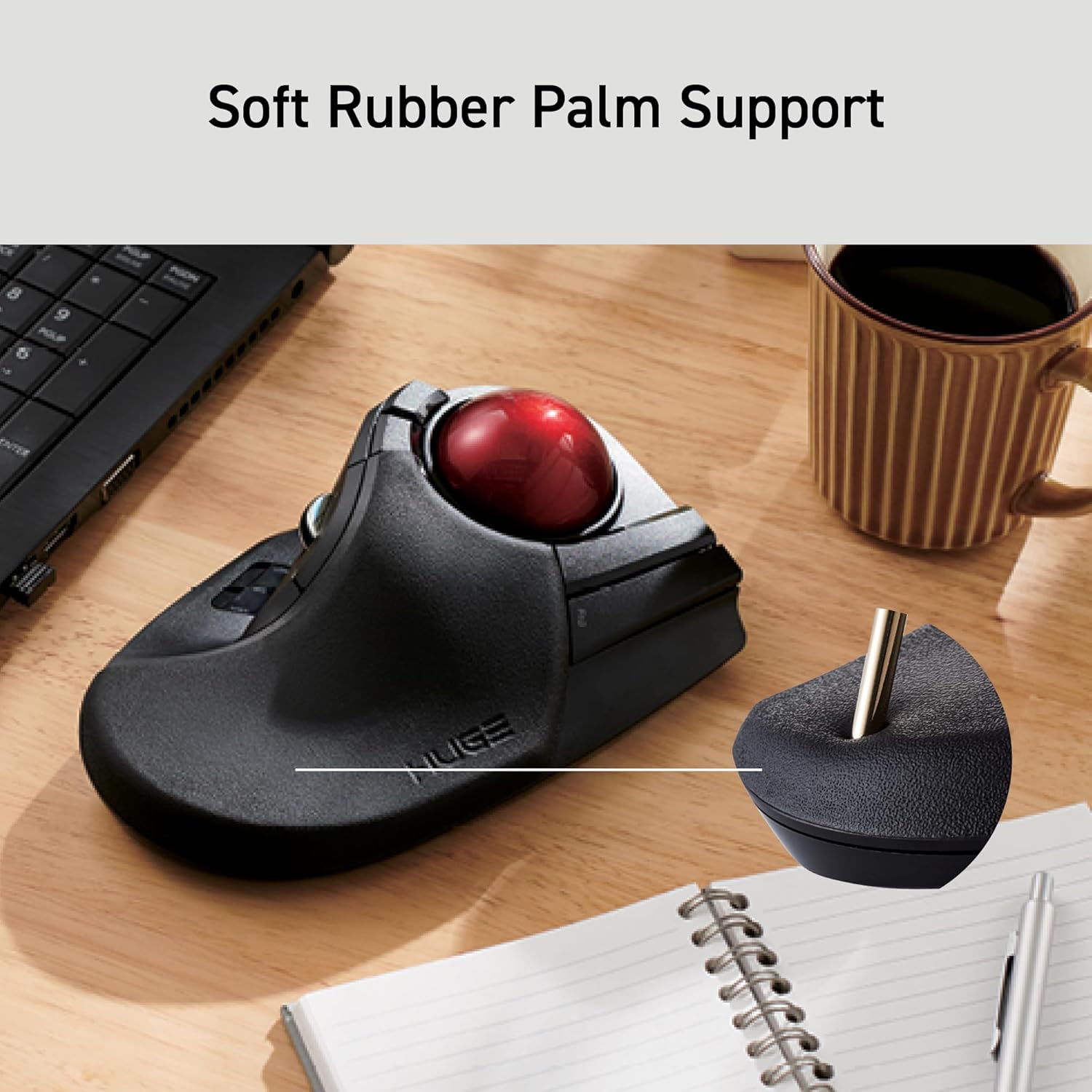
그림 5: The soft rubber palm support integrated into the trackball design.
5. 유지관리
5.1. Trackball Cleaning
To maintain smooth operation, periodically clean the 52mm trackball and its ruby bearings. Dust and debris can accumulate and affect performance.
- 트랙볼 마우스를 끄세요.
- Locate the ball removal hole on the underside of the device.
- 이 구멍을 통해 트랙볼을 조심스럽게 밀어 넣으세요.
- 부드럽고 보푸라기가 없는 천으로 트랙볼을 닦으세요.
- Clean the three ruby ball bearings and the inside of the trackball housing with a cotton swab or a soft brush to remove any dust or debris.
- Reinsert the trackball into the housing until it clicks into place.
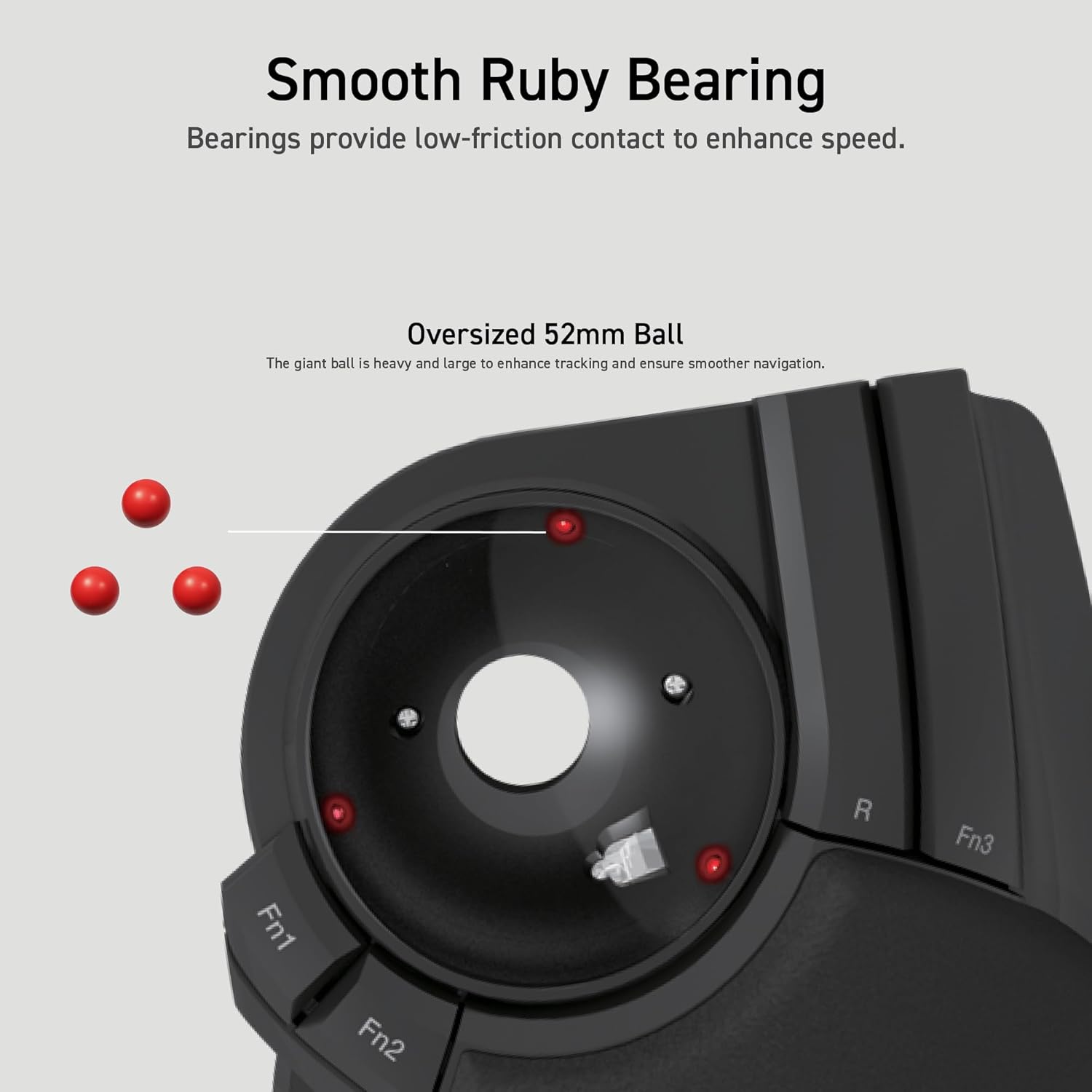
그림 6: Illustration of the smooth ruby bearings and the trackball removal process.
6. 문제 해결
6.1. 커서가 움직이지 않거나 불규칙함
- 배터리 확인: Ensure batteries are correctly installed and have sufficient charge. Replace if necessary. The trackball has a battery remaining light lamp.
- USB 수신기를 확인하세요: USB 수신기가 정상적으로 작동하는 USB 포트에 제대로 꽂혀 있는지 확인하세요. 다른 USB 포트에 연결해 보세요.
- 트랙볼 청소: Refer to Section 5.1 for instructions on cleaning the trackball and bearings.
- 간섭: 트랙볼을 USB 수신기에 더 가까이 이동시키거나 간섭을 일으킬 수 있는 다른 무선 장치에서 멀리 이동시키십시오.
6.2. 버튼이 응답하지 않음
- 소프트웨어 확인: 사용자 지정 버튼 할당을 사용하는 경우 ELECOM Mouse Assistant 소프트웨어가 실행 중이고 올바르게 구성되어 있는지 확인하십시오.
- 장치 재페어링: In rare cases, re-pairing the device with the USB receiver might resolve the issue. Consult the ELECOM support web특정 지침을 위한 사이트.
7. 사양
| 모델 번호 | M-HT1DRBK |
| 연결성 | 2.4GHz 무선 USB |
| DPI 설정 | 500 / 1000 / 1500 DPI (switchable) |
| 버튼 | 8 (Programmable) + Scroll Wheel with Tilt |
| 트랙볼 크기 | 52mm |
| 전원 | 2 x AA 배터리(포함) |
| 운영 체제 호환성 | Windows 7, 8, 10 or later; macOS 10.13 or later |
| 치수(길이x너비x높이) | 7.16 x 4.52 x 2.25인치(181.9 x 114.7 x 57.2mm) |
| 무게(배터리 제외) | 9.2 온스 (260g) |
8. 보증 및 지원
ELECOM products are designed for reliability and performance. For warranty information, technical support, or to download the latest software and drivers, please visit the official ELECOM website or contact ELECOM customer service.
공식 ELECOM Web대지: https://www.elecom.co.jp/global/


