소개
The Sphero BB-9E is a menacing astromech droid of the First Order, designed for interactive control via a smart device. This app-enabled droid offers an immersive experience within the Star Wars galaxy, allowing users to control its movements, engage in holographic simulations with the Droid Trainer, and observe its interactions with other Sphero Star Wars App-enabled Droids. BB-9E also features signature LED lights in its dome and can react while viewing films from the Star Wars saga.
무엇이 포함됩니까?
- BB-9E App-Enabled Droid
- USB 충전 케이블이 포함된 무선 충전 거치대
- Droid Trainer
- 빠른 시작 가이드
설치 가이드
1. Charging Your BB-9E Droid
Before first use, ensure your BB-9E Droid is fully charged. Place the BB-9E Droid onto its inductive charging base. Connect the USB charging cable from the base to a compatible USB power source. The droid's indicator lights will show charging status. A full charge typically takes approximately 3 hours.

Image: The BB-9E Droid resting on its inductive charging base, connected via a USB cable for power.
2. 앱 다운로드 및 연결
To control your BB-9E, you will need to download the Sphero App. 검색 "Sphero App" in your device's app store (iOS or Android). Once installed, open the app and follow the on-screen instructions to connect to your BB-9E Droid via Bluetooth. Ensure your device's Bluetooth is enabled.
Operating Your BB-9E Droid
Authentic Movement
Control BB-9E's movements directly from your smart device. The app provides intuitive controls to drive the droid, allowing it to roll and move authentically, mimicking its on-screen counterpart.
Holographic Simulation with Droid Trainer
Place BB-9E on its Droid Trainer accessory. Use the app to explore the Star Wars galaxy through augmented reality. The Droid Trainer enhances the interactive experience by projecting holographic simulations.
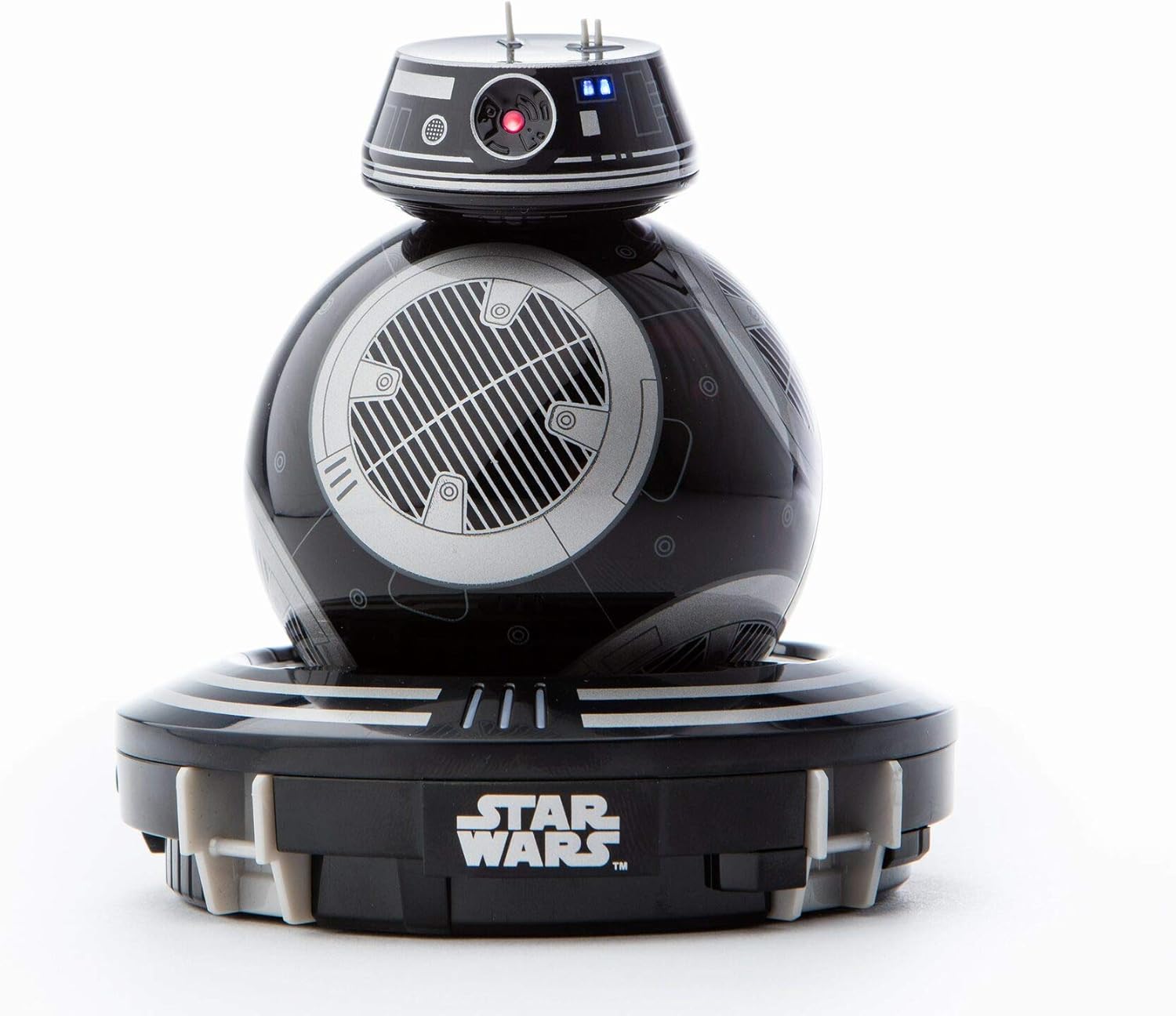
Image: The BB-9E Droid positioned on its Droid Trainer, ready for holographic simulations.
Droid-to-Droid Experience
If you own other Sphero Star Wars App-enabled Droids, BB-9E can interact with them. Place multiple droids in proximity and observe their unique responses and communication within the app.
Watch With Me Feature
View films from the Star Wars saga with BB-9E by your side. The droid will react to key moments in the movies, enhancing your viewing experience with its movements and sounds.
Signature LEDs
BB-9E's dome is equipped with vibrant LED lights that illuminate during operation and interactions, adding to its authentic appearance.
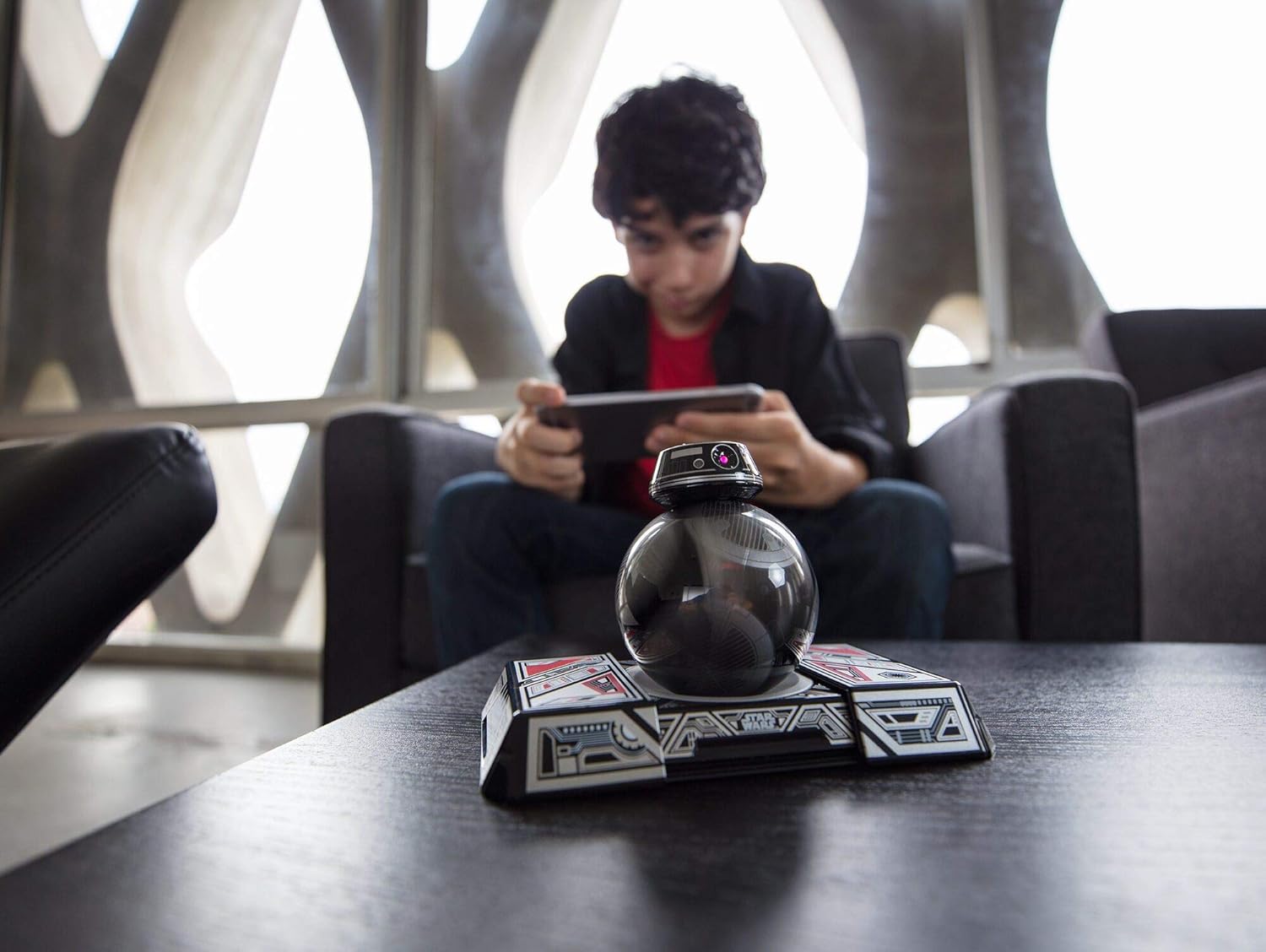
Image: A person using a tablet to control the Sphero BB-9E Droid, demonstrating app interaction.
유지
청소
To clean your BB-9E, gently wipe the exterior with a soft, dry cloth. Avoid using harsh chemicals or abrasive materials, as these can damage the droid's finish. Ensure no moisture enters the charging port or any seams.
저장
When not in use, store your BB-9E Droid in a cool, dry place away from direct sunlight and extreme temperatures. It is recommended to store the droid on its charging base to maintain battery health, or ensure it has a partial charge if storing for extended periods.
문제 해결
앱 연결 문제
If you experience difficulty connecting your BB-9E to the app:
- 스마트 장치에서 Bluetooth가 활성화되어 있는지 확인하십시오.
- Make sure the BB-9E Droid is charged and powered on.
- Restart the Sphero App and try connecting again.
- 문제가 지속되면 스마트 기기를 재시작해 보세요.
- Verify that you are using the correct and most up-to-date Sphero App. Some older versions of the app may no longer support the BB-9E Droid.
충전 문제
If your BB-9E Droid is not charging:
- Check that the USB charging cable is securely connected to both the inductive base and the power source.
- 다른 USB 포트나 전원 어댑터를 사용해 보세요.
- Ensure the droid is correctly seated on the inductive charging base.
- If the battery does not hold a charge, it may indicate a battery issue.
기술 사양
| 특징 | 세부 사항 |
|---|---|
| 제품 치수 | 1.94 x 1.13 x 1.4 인치 |
| 품목 무게 | 7.9 온스 |
| 품목 모델 번호 | VD01ROW |
| 제조업체 | 스페로 |
| 추천연령 | 18 - 18 months (Note: Safety information suggests not suitable for children under 8 years) |
| 배터리 | 1개의 리튬 폴리머 배터리 필요(포함) |
안전 정보
8세 미만의 어린이에게는 적합하지 않습니다. 성인의 감독하에 사용하십시오.
보증 및 지원
Specific warranty details are not provided in the product data. For warranty claims, technical support, or further assistance, please contact the manufacturer, Sphero, directly through their official web사이트 또는 고객 서비스 채널.
공식 제품 영상
제공된 데이터에는 이 제품에 대한 공식 판매자 영상이 없습니다.


