소개
The Emerald Full Motion TV Wall Mount is designed to securely hold televisions ranging from 26 inches to 70 inches. This mount provides flexible viewing angles through its swivel and tilt features, allowing for optimal visibility from various positions within a room. Constructed from high-quality alloy steel, it ensures durability and reliable support for your television. Its low-profile design helps save space and enhances the aesthetic of your living area.
안전 정보
- 모든 지침을 주의 깊게 읽으십시오. Ensure you understand all assembly and installation instructions before beginning.
- 중량 용량: Do not exceed the maximum weight capacity of 86 lbs. Overweight may cause damage or serious injury.
- TV 크기 : 이 거치대는 26인치에서 70인치 사이의 TV에 적합합니다.
- 벽 유형: Mount only on solid concrete, brick walls, or single wood studs. 석고보드에만 부착하지 마십시오.
- 전문적인 설치: 설치 과정에 대해 확신이 없다면 자격을 갖춘 전문가에게 문의하세요.
- 연결 확인: 모든 나사와 연결부가 단단히 고정되어 있는지 주기적으로 점검하십시오.
- 어린이와 애완동물: 어린이와 애완동물이 설치 장소에 접근하지 못하도록 하세요.
패키지 내용
Verify that all components are present and undamaged before beginning installation. Refer to the instruction manual for a complete list of parts.
영상: 언박싱 및 종료view of the Subtek Full Motion TV Wall Mount components, including various screws, spacers, and the main bracket.
- 벽판 조립체
- TV 브래킷 암 (2개)
- 하드웨어 키트(다양한 나사, 와셔, 스페이서, 앵커)
- 케이블 관리 타이
- 작은 렌치
- 버블 레벨
- 사용 설명서
설정 및 설치
1. Wall Type Compatibility & Tools Required
Ensure your wall is suitable for mounting. The mount is compatible with solid concrete, brick walls, and single wood studs. Do not install on drywall alone without proper stud support.
Video: Demonstrates compatible wall types (solid concrete, single wood stud, solid brick) and lists necessary tools like a drill, socket wrench, measuring tape, screwdriver, pencil, and stud detector.
2. TV에 브래킷 부착하기
Carefully place your TV face down on a soft, clean surface. Select the appropriate screws, washers, and spacers from the hardware kit that fit your TV's VESA mounting holes. Attach the two vertical TV brackets to the back of your TV, ensuring they are securely fastened and aligned.

Image: This image displays the main components of the Emerald Full Motion TV Wall Mount, including the wall plate and the TV bracket arms.
Video: Step-by-step guide on connecting the plate components and attaching them to the TV's VESA holes.
3. Mounting Wall Plate
Determine the desired height and center position for your TV. Use the provided template or the wall plate itself to mark the drilling points on the wall. Drill pilot holes, insert anchors (if required for your wall type), and securely fasten the wall plate to the wall using the appropriate screws.

Image: The wall plate component of the TV mount, designed to be securely attached to the wall.
Video: Illustrates the process of marking drill points, drilling, and securing the wall plate to a wooden stud wall.
4. Hanging the TV & Securing
With assistance, carefully lift the TV and hook the attached TV brackets onto the wall plate. Ensure the TV is level using the included bubble level. Secure the TV to the mount using the safety screws located at the bottom of the TV brackets to prevent accidental dislodging.
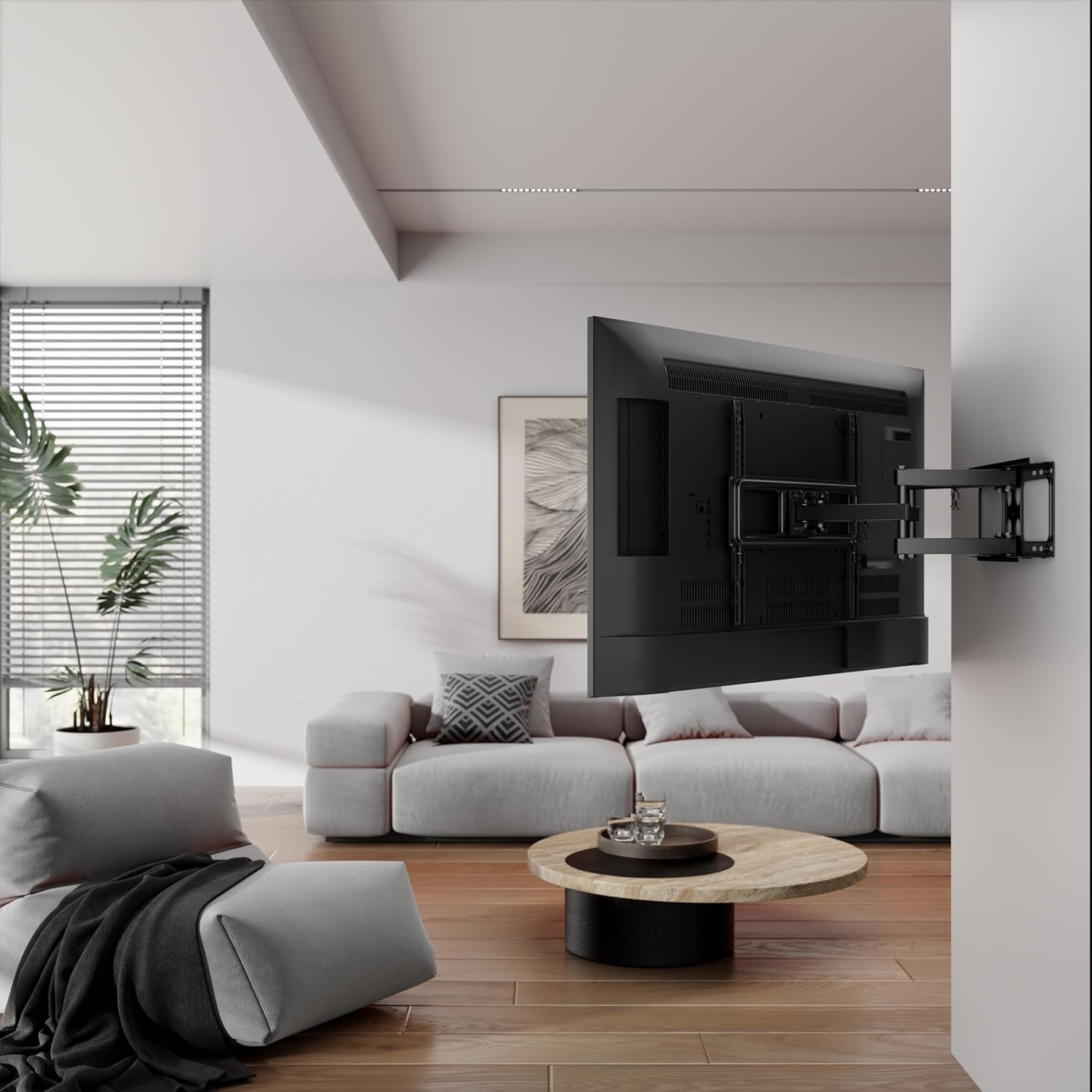
Image: A television mounted on the Emerald Full Motion TV Wall Mount, shown extended from the wall, demonstrating its full motion capability.
Video: Shows the final step of hanging the TV onto the wall mount and securing it with safety screws.
5. 케이블 관리
Use the provided cable management ties to neatly route and secure all cables along the mount arms. This helps maintain a clean appearance and prevents cables from getting tangled or damaged during adjustments.
Video: Demonstrates how to use cable ties to manage and organize cables along the TV mount arms.
마운트 작동
The Emerald Full Motion TV Wall Mount offers versatile adjustments to enhance your view경험.
- Extend and Retract: Gently pull the TV away from the wall to extend the mount, or push it back towards the wall to retract it. The mount extends up to 18.3 inches and retracts to a slim 2.1 inches.
- 받침: The mount allows for a 60-degree swivel, enabling you to angle the TV left or right to achieve the perfect viewing position from different areas of the room.
- 경사: Adjust the tilt angle to minimize glare and optimize viewing comfort. The mount supports a maximum tilt angle of 3 degrees.

Image: The TV mount demonstrating its tilt adjustment feature, allowing the screen to be angled for optimal view빛 반사 및 눈부심 감소.

Image: This image illustrates the maximum extension (18.3 inches) and minimum retraction (2.1 inches) capabilities of the TV mount from the wall.
Video: Demonstrates the full motion capabilities of a TV wall mount, including extending, retracting, swiveling, and tilting the television.
유지
- 청소: 먼지를 제거하려면 부드럽고 마른 천으로 거치대를 닦으십시오. 연마성 세척제나 용제를 사용하지 마십시오.
- 정기 점검: Regularly inspect all mounting hardware and connections to ensure they are tight and secure. Re-tighten any loose screws as necessary.
- 매끄럽게 하기: 마운트의 움직이는 부품은 부드러운 작동을 위해 설계되었으며 일반적으로 윤활유가 필요하지 않습니다. 움직임이 뻑뻑해지면 제조업체에 문의하십시오.
문제 해결
- TV가 수평이 아닙니다: Use the integrated leveling adjustment feature (if available) or slightly loosen the wall plate screws, adjust the level, and re-tighten.
- TV를 옮기는 데 어려움이 있습니다. Check for any obstructions or overtightened pivot points. Loosen adjustment screws slightly if movement is too stiff.
- 산이 불안정하다고 느껴집니다: Immediately remove the TV from the mount. Re-check all wall and TV connections to ensure they are installed correctly and securely tightened according to the instructions. Ensure the wall type is appropriate and anchors are correctly installed.
명세서
| 특징 | 사양 |
|---|---|
| 상표 | 에메랄드 |
| 모델 번호 | SM-720-8550 |
| 호환 가능한 TV 크기 | 26~70인치 |
| 이동 유형 | Full Motion (Swivel, Tilt, Extend/Retract) |
| 최대 기울기 각도 | 3도 |
| 확장 범위 | 2.1인치(수축 시)에서 18.3인치(확장 시)까지 |
| 재료 | 합금강 |
| 색상 | 검은색 |
| 품목 무게 | 8파운드 |
| 제품 치수 | 20.25 x 9.75 x 3 인치 |
보증 및 지원
For warranty information or technical support, please refer to the contact details provided with your purchase documentation or visit the official Emerald web사이트. 구매 증빙 자료로 구매 영수증을 보관하세요.