1. 제품 오버view
The Fender Monterey Bluetooth Speaker delivers clear, powerful audio with a design inspired by classic Fender amplifiers. This speaker is engineered for high-fidelity sound reproduction, featuring 120 watts of power, two woofers, and two tweeters. It supports audio streaming via Bluetooth and direct connection through a 3.5mm auxiliary jack or RCA inputs.
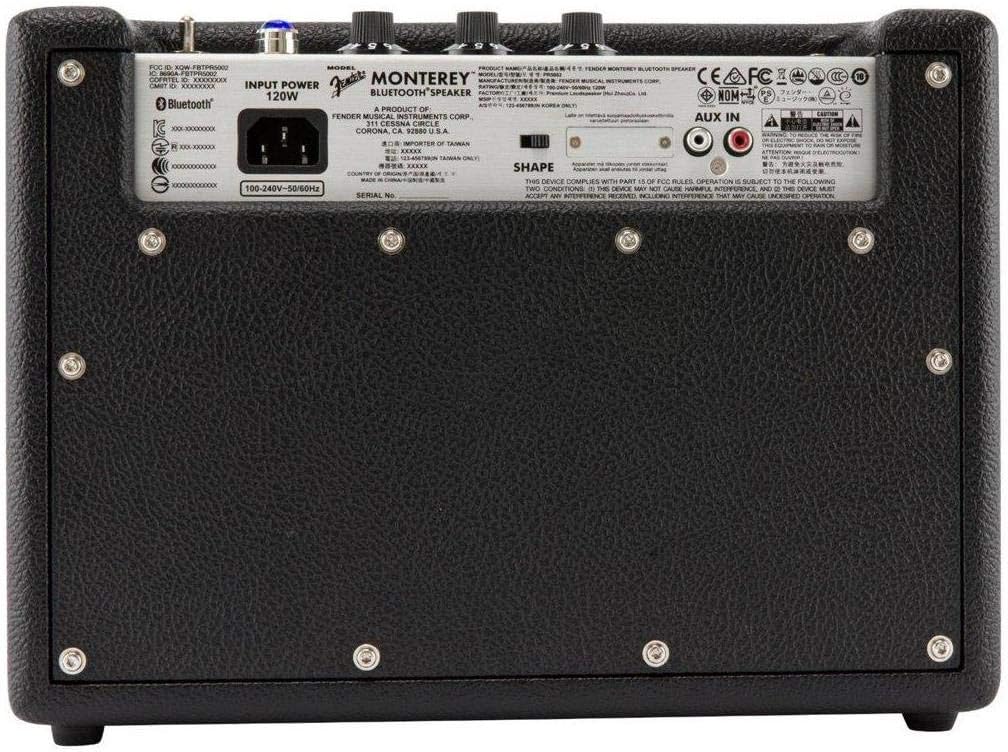
그림 1: 전면 view of the Fender Monterey Bluetooth Speaker, showcasing its classic amplifier-inspired grille and Fender logo.
2. 상자 안에 무엇이 들어있나요?
아래 나열된 모든 품목이 패키지에 포함되어 있는지 확인하세요.
- Fender Monterey Bluetooth Speaker
- 3.5mm 보조 케이블
- RCA 케이블
- 전원 케이블
3. 설정 가이드
3.1 전원 연결
- Ensure the speaker's volume control is set to minimum before connecting power.
- 제공된 전원 케이블을 스피커 후면 패널의 AC 입력 단자에 연결하십시오.
- 전원 케이블의 다른 쪽 끝을 적절한 벽면 콘센트(100-240V, 50/60Hz)에 꽂으십시오.
- Flip the power switch on the top panel to the "ON" position. The speaker will emit a chime indicating it is powered on.
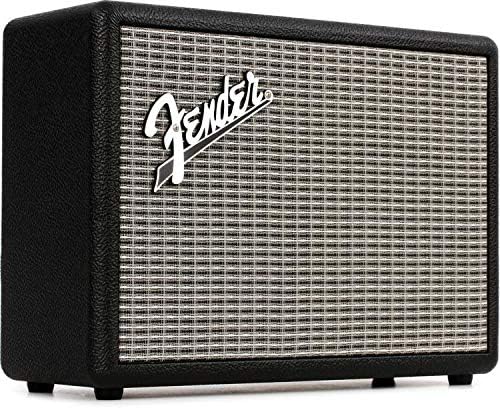
Figure 2: Rear panel of the Fender Monterey speaker, showing the power input and auxiliary connections.
3.2 블루투스 페어링
- 스피커 전원이 켜진 상태에서 버튼을 누르세요. 쌍 button on the top panel. The Bluetooth indicator light will begin to flash, indicating it is in pairing mode.
- 오디오 기기(스마트폰, 태블릿, 컴퓨터)에서 블루투스 설정으로 이동하세요.
- Select "Fender Monterey" from the list of available devices.
- Once successfully paired, the Bluetooth indicator light on the speaker will turn solid blue, and a confirmation chime will sound.
3.3 보조 입력 연결
For devices without Bluetooth, use the provided 3.5mm auxiliary cable or RCA cable.
- 3.5mm 보조 단자: Connect one end of the 3.5mm cable to your audio device's headphone jack and the other end to the 미니 input on the speaker's top panel.
- RCA : Connect the RCA cable to your audio device's RCA outputs and the other end to the (주)알에이씨에이 inputs on the speaker's rear panel.
Select the appropriate source (BLUETOOTH, 미니, 또는 (주)알에이씨에이)을 사용하여 원천 상단 패널의 버튼.

Figure 3: Top panel controls of the Fender Monterey speaker, including Volume, Treble, Bass, Source, and Pair buttons.
4. 사용 설명서
4.1 오디오 재생
- Ensure your audio source is connected and selected (Bluetooth, Mini, or RCA).
- 연결된 장치에서 오디오 재생을 시작합니다.
- 조정하다 용량 knob on the speaker's top panel to your desired listening level.
4.2 톤 컨트롤
The Fender Monterey speaker features dedicated controls for customizing your sound:
- 고음부: Adjusts the high-frequency response of the audio. Turn clockwise for brighter sound, counter-clockwise for warmer sound.
- 베이스: Adjusts the low-frequency response of the audio. Turn clockwise for more bass, counter-clockwise for less bass.
- 모양: A toggle switch located on the rear panel. This control modifies the overall tonal character, offering different sound profiles. Experiment with both positions to find your preferred sound.
5. 유지관리
- 청소: Use a soft, dry cloth to clean the speaker's exterior. Avoid abrasive cleaners, solvents, or sprays that may damage the finish.
- 저장: 장시간 사용하지 않을 경우, 스피커를 직사광선과 극한의 온도를 피해 서늘하고 건조한 곳에 보관하세요.
- 통풍: Ensure proper ventilation around the speaker to prevent overheating. Do not block any ventilation openings.
- 액체 노출: Keep the speaker away from liquids. In case of accidental spills, immediately disconnect power and allow it to dry completely before re-use.
6. 문제 해결
전원이 없습니다
- 전원 케이블이 스피커와 작동하는 벽면 콘센트에 모두 단단히 연결되어 있는지 확인하세요.
- Verify the power switch on the top panel is in the "ON" position.
- 다른 장치를 연결해 벽면 콘센트가 작동하는지 확인하세요.
소리가 나지 않습니다
- Confirm the correct audio source (Bluetooth, Mini, or RCA) is selected using the 원천 단추.
- 증가시키다 용량 knob on the speaker and the volume on your connected audio device.
- If using Bluetooth, ensure the device is properly paired and connected. Try re-pairing if necessary.
- If using auxiliary inputs, ensure cables are fully inserted and not damaged.
블루투스 페어링 문제
- Ensure the speaker is in pairing mode (flashing Bluetooth indicator). Press the 쌍 button if it's not flashing.
- Move your audio device closer to the speaker to ensure it's within range.
- 오디오 장치의 Bluetooth 기능을 껐다가 켜세요.
- If the speaker was previously paired with another device, disconnect it from that device first.
7. 기술 사양
| 모델 번호 | 6960200000 |
| 상표 | 펜더 |
| 출력 와트tage | 120 와트 |
| 스피커 구성 | Two woofers, two tweeters |
| 연결성 | Bluetooth, 3.5mm Auxiliary Input, RCA Input |
| 제품 크기(D x W x H) | 9.3" x 16.8" x 14.6"(23.6cm x 42.7cm x 37.1cm) |
| 품목 무게 | 18.6파운드(8.44kg) |
| 색상 | 검은색 |
| 제조업체 | Fender Musical Instruments Corp. |
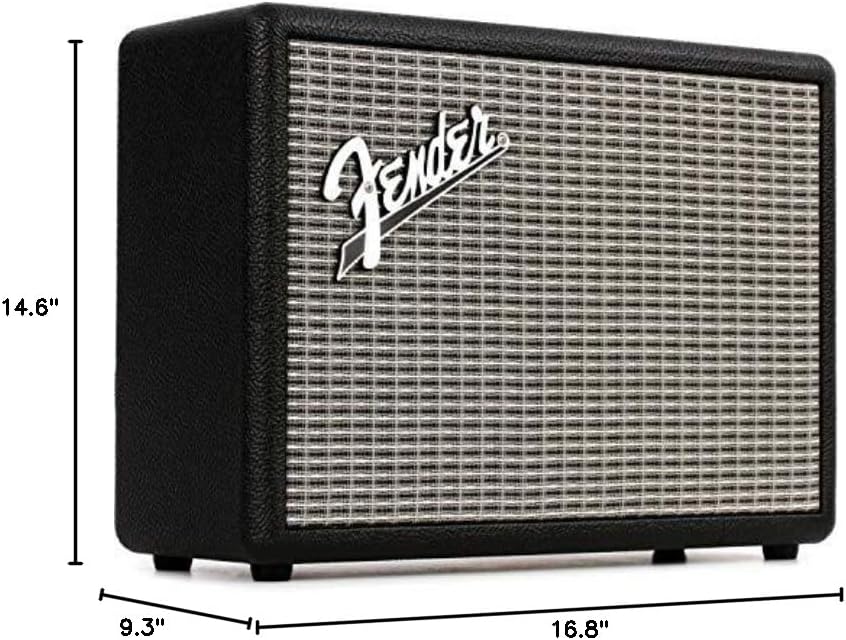
Figure 4: Dimensions of the Fender Monterey Bluetooth Speaker.
8. 보증 및 지원
For warranty information, product registration, or technical support, please refer to the official Fender web웹사이트를 방문하거나 Fender 고객 서비스 센터에 문의하십시오. 보증 청구를 위해 구매 증빙 자료를 보관하십시오.
온라인 리소스: www.fender.com