1. 서론
This manual provides comprehensive instructions for the safe and efficient operation, setup, and maintenance of the Panduit CT-2300/ST Crimp Tool. Please read this manual thoroughly before using the tool to ensure proper function and to prevent injury or damage.
2. 안전 정보
Always follow basic safety precautions to reduce the risk of injury or damage to the tool.
- Wear appropriate personal protective equipment (PPE), such as safety glasses, when operating the tool.
- Ensure the tool is clean and in good working condition before each use.
- Do not use the tool for purposes other than its intended crimping function.
- Keep hands and fingers clear of the crimping dies during operation.
- Store the tool in a dry, secure location away from children and unauthorized users.
3. 패키지 내용
포장을 풀 때 모든 품목이 있는지 확인하세요.
- Panduit CT-2300/ST Crimp Tool
- 사용 설명서 (본 문서)
- Any standard accessories included by the manufacturer.
4. 제품 오버view
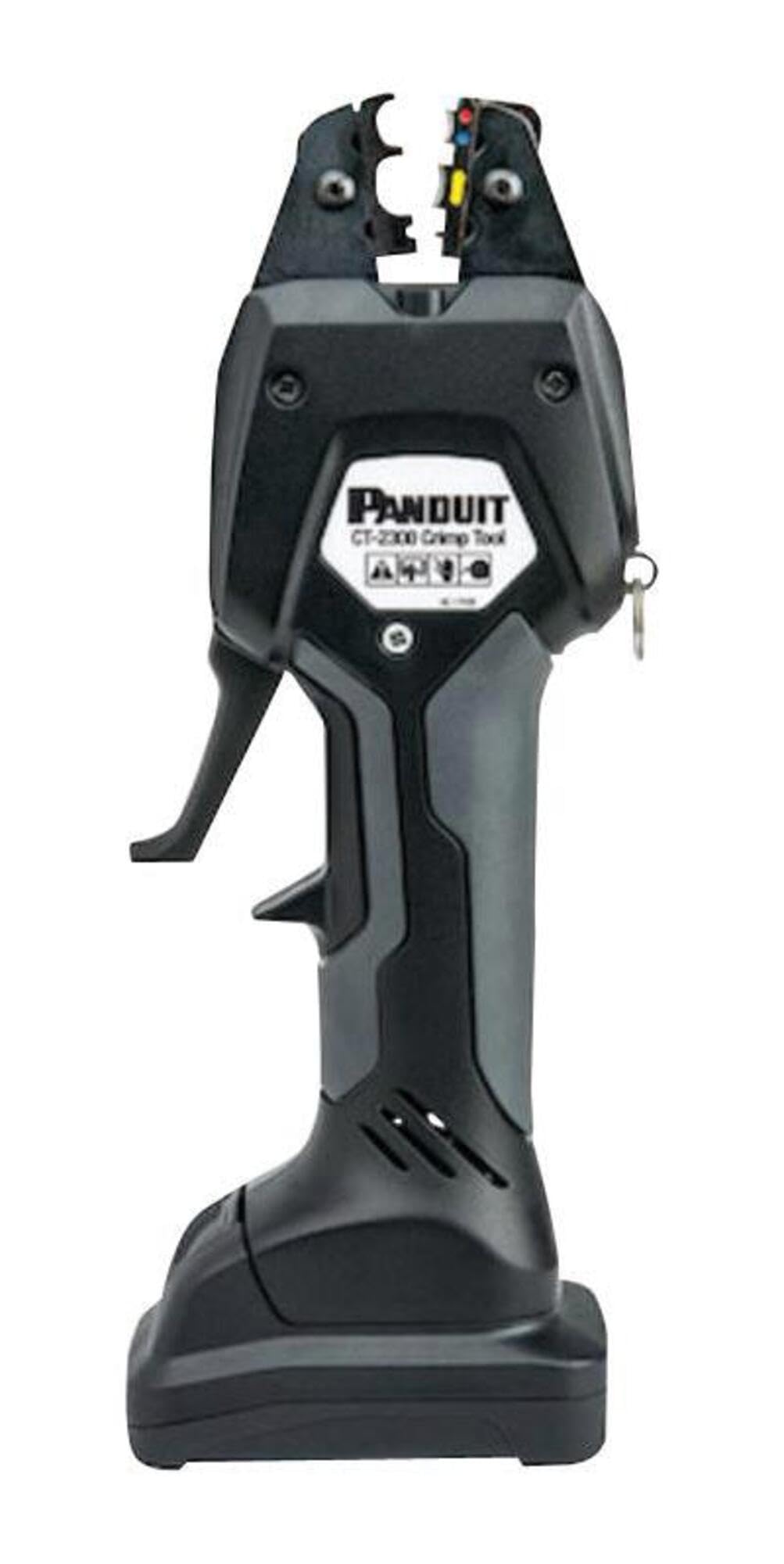
Figure 1: Panduit CT-2300/ST Crimp Tool. This image displays the black and gray handheld crimp tool with its jaws open, revealing colored indicators on the dies. The Panduit logo and model number are visible on the side.
The Panduit CT-2300/ST is an industrial-grade crimp tool designed for reliable electrical connections. Its ergonomic design and robust construction ensure consistent performance and durability in various applications, making it an easy-to-install, high-quality Panduit product.
5. 설정
- 짐 풀기: Carefully remove the crimp tool from its packaging. Inspect for any signs of damage during transit.
- 배터리 설치(해당되는 경우): If the tool is battery-powered, ensure the battery is fully charged and correctly inserted according to the markings on the tool and battery.
- 다이 선택: Select the appropriate crimping dies for the specific terminal and wire gauge you intend to use. Ensure the dies are securely installed in the tool's jaws.
- 초기 검사: Before first use, operate the tool without a terminal to ensure smooth jaw movement and proper closing.
6. 사용 설명서
- 와이어 준비: Strip the insulation from the wire to the recommended length for the terminal being used. Avoid damaging the wire strands.
- 터미널 삽입: Place the terminal into the correct crimping cavity of the dies. Ensure it is seated properly.
- 와이어 삽입: Insert the stripped wire into the terminal barrel until it bottoms out.
- 주름: Squeeze the tool handles firmly and completely until the crimping cycle is finished. The tool may have a ratchet mechanism that releases only after a full crimp is achieved.
- 크림핑 상태를 점검하십시오: After crimping, visually inspect the connection. The crimp should be tight and secure, with no loose strands. Perform a gentle pull test to confirm mechanical integrity.
7. 유지관리
- 청소: Regularly clean the crimping dies and tool jaws to remove any debris, insulation particles, or residue. Use a dry, lint-free cloth.
- 매끄럽게 하기: Periodically apply a light coat of machine oil to the pivot points and moving parts of the tool to ensure smooth operation.
- 저장: Store the tool in its original case or a protective pouch in a dry environment to prevent corrosion and damage.
- 점검: Before each use, inspect the dies for wear or damage. Replace worn dies to maintain crimp quality.
8. 문제 해결
| 문제 | 가능한 원인 | 해결책 |
|---|---|---|
| 크림핑 품질 불량 | Incorrect die selection; Worn dies; Improper wire stripping; Incomplete crimp cycle. | Ensure correct die for terminal/wire; Replace worn dies; Verify wire strip length; Complete full crimp cycle. |
| Tool Jaws Stick | Lack of lubrication; Debris in jaws. | Clean jaws and pivot points; Apply light machine oil. |
| Difficulty Operating Tool | Tool not fully opened; Incorrect terminal/wire size for dies. | Ensure jaws are fully open before inserting; Use correct terminal/wire size for selected dies. |
9. 사양
- 모델: CT-2300/ST
- 제조업체: 판듀이트
- 제품 유형: 주름 도구
- 제품 크기: 3.66 x 2.52 x 9.96 인치
- 제품 무게: 1 파운드
- 원산지: 중국
- ASIN: B06ZXXFLZ5
10. 보증 및 지원
For warranty information, technical support, or to purchase replacement parts, please contact Panduit customer service or visit the official Panduit web사이트. 구매 증빙 자료로 구매 영수증을 보관하세요.
Panduit Official Web대지: www.panduit.com


