소개
This manual provides comprehensive instructions for the setup, operation, and maintenance of your SE ELECTRONICS X1 S Microphone System. The X1 S Vocal Pack includes the X1-S microphone, sE ISOLATION-PACK (with pop shield), and a 3-meter microphone cable, offering essential components for high-quality audio recording.
The X1 S features a custom-designed, hand-crafted true condenser capsule, capable of handling high Sound Pressure Levels (SPL) up to 160dB, making it suitable for a wide range of audio sources. The included ISO PACK provides a quick-lock shockmount and a metal pop filter, designed to absorb low-end rumble, footfall noise, and offer superb plosive protection.
패키지 내용
- sE X1 S Condenser Microphone
- sE ISOLATION-PACK (Shockmount and Metal Pop Filter)
- 3-meter XLR Microphone Cable
설치 가이드
Follow these steps to set up your X1 S Microphone System:
- 쇼크마운트를 부착하세요: Carefully screw the sE ISOLATION-PACK shockmount onto a standard microphone stand. Ensure it is securely fastened.

Image: The SE ELECTRONICS X1 S microphone securely mounted within its shockmount, with the pop filter positioned in front.
- 마이크 삽입: Gently slide the X1 S microphone into the shockmount's cradle. The quick-lock mechanism will secure the microphone in place, isolating it from vibrations and handling noise.
- Position the Pop Filter: Attach the metal pop filter to the shockmount. Position it approximately 2-3 inches (5-7.5 cm) in front of the microphone capsule. This helps to reduce plosive sounds (e.g., 'p' and 'b' sounds) and protect the microphone from moisture.
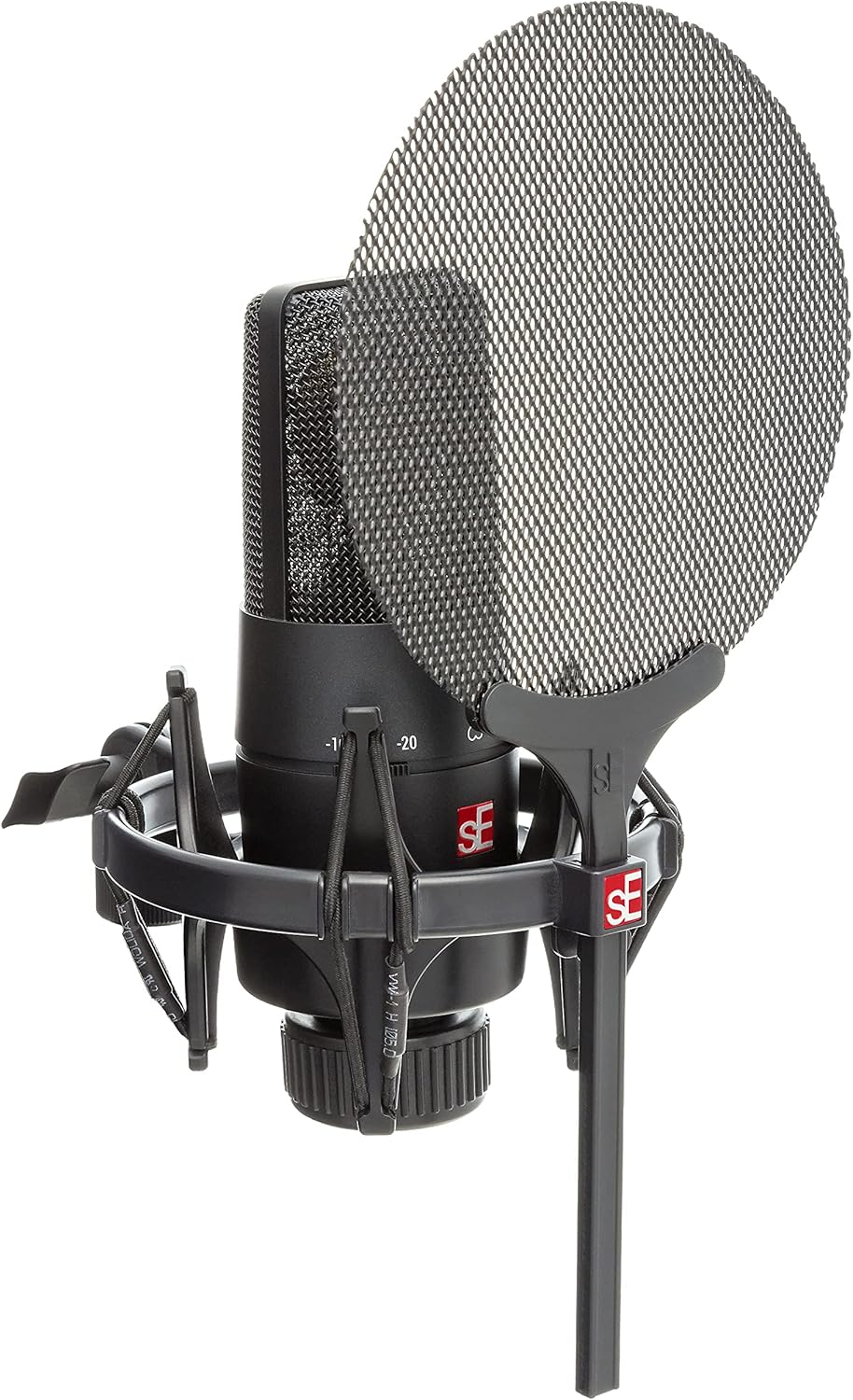
이미지: 클로즈업 view of the SE ELECTRONICS X1 S microphone, showing the integrated shockmount and the metal mesh pop filter.
- 케이블 연결: Connect one end of the supplied 3-meter XLR microphone cable to the XLR output on the bottom of the X1 S microphone. Connect the other end to an XLR input on your audio interface, mixer, or preamp리퍼.
- 팬텀 파워를 적용하세요: The X1 S is a condenser microphone and requires +48V phantom power to operate. Activate phantom power on your audio interface or mixer. Refer to your audio device's manual for instructions on enabling phantom power.
작동 지침
The X1 S is designed for versatile recording applications. Here are key operational considerations:
- 극성 패턴: The X1 S features a fixed cardioid (unidirectional) polar pattern. This means it is most sensitive to sounds coming from the front and rejects sounds from the sides and rear, making it ideal for isolating a sound source.
- 패드 스위치: The microphone includes two switchable attenuation pads:
- -10dB 패드: Use this setting when recording louder sources to prevent input clipping on your audio interface.
- -20dB 패드: Engage this for extremely loud sources, such as close-miked drums or guitar amplifiers, to further reduce the signal level.
- 로우 컷 필터: The X1 S also features two switchable low-cut (high-pass) filters:
- 80Hz 로우컷: Activates a filter at 80 Hz to reduce unwanted low-frequency rumble, such as HVAC noise or footfall vibrations.
- 160Hz 로우컷: Provides a steeper cut at 160 Hz, useful for reducing proximity effect (excessive bass boost when close to the microphone) or further cleaning up low-end frequencies.
- 추천 용도: The X1 S is highly versatile and recommended for:
- Vocals and Speech
- Broadcasting and Podcasting
- 일렉트릭 기타 Amp리퍼
- Drums (overhead or close-miking)
- Video Recording and Streaming
유지
Proper maintenance ensures the longevity and optimal performance of your microphone:
- 청소: Use a soft, dry cloth to wipe the microphone body. Do not use liquid cleaners or solvents, as they can damage the finish or internal components. For the pop filter, a soft brush can be used to remove dust.
- 저장: When not in use, store the microphone in its original packaging or a protective case to shield it from dust, moisture, and physical damage. Avoid storing in environments with extreme temperatures or high humidity.
- 손질: Always handle the microphone with care. Avoid dropping it or subjecting it to strong impacts, as this can damage the sensitive condenser capsule.
- 케이블 관리: Coil the XLR cable loosely when storing to prevent kinks and damage to the internal wiring. Avoid placing heavy objects on the cable.
문제 해결
If you encounter issues with your X1 S Microphone System, refer to the following common problems and solutions:
| 문제 | 가능한 원인 | 해결책 |
|---|---|---|
| 소리가 출력되지 않음 |
|
|
| 왜곡된 소리 / 클리핑 |
|
|
| Excessive Bass / Muddy Sound |
|
|
| Background Noise / Hum |
|
|
명세서
| 모델명 | X1 S VOCAL PACK |
| 마이크 유형 | 콘덴서 |
| 극성 패턴 | 단방향 (카디오이드) |
| 주파수 범위 | 20Hz - 20kHz |
| 오디오 감도 | 160dB (최대 음압 레벨) |
| 임피던스 | 1000옴 |
| 신호 대 잡음 비율 | 87데시벨 |
| 소음 수준 | 16데시벨 |
| Pad Switches | -10dB, -20dB |
| Low-Cut Filters | 80Hz, 160Hz |
| 전원 | +48V Phantom Power (XLR) |
| 연결 기술 | XLR |
| 재료 | 금속 |
| 제품 크기(L x W x H) | 15.55 x 7.87 x 4.92 인치 |
| 품목 무게 | 15.7온스(445그램) |
| 제조업체 | SE Electronics |
| 한국어: | 819032011201 |
보증 정보
SE ELECTRONICS products are manufactured to the highest quality standards. For detailed warranty terms and conditions, please refer to the warranty card included with your product or visit the official SE ELECTRONICS web사이트. 보증 청구를 위해 구매 증빙 자료를 보관하세요.
참고: 보증 조건은 지역에 따라 다를 수 있습니다.
지원하다
For technical support, service, or further inquiries regarding your SE ELECTRONICS X1 S Microphone System, please contact SE ELECTRONICS customer support through their official web사이트 또는 제품 설명서에 제공된 연락처 정보를 참조하세요.
온라인 리소스: www.seelectronics.com/support


