1. 서론
The Bittium Tough Mobile is a high-security, robust 4G/LTE smartphone designed for demanding professional use. It integrates advanced security features with the Android operating system, making it suitable for government agencies, public safety, and other professionals requiring secure and reliable communication.
This manual provides comprehensive instructions for setting up, operating, maintaining, and troubleshooting your Bittium Tough Mobile device.
2. 상자 안에 무엇이 들어있나요?
Upon unboxing your Bittium Tough Mobile, verify that all components are present:
- 1 x Bittium Tough Mobile Smartphone
- 1 x 배터리
- 1 x Battery Door Cover
- 1 x Wired Stereo Head Set
- 1 x PC Connecting Cable
- 2 x Mains / Wall / Travel Chargers
- 1 x Documentation (User Manual, Quick Start Guide)
- 1 x Interior Retail Packing
- 1 x Retail Box with IMEI Numbers

그림 2.1: Contents of the Bittium Tough Mobile retail box, including the phone, battery, chargers, cables, headset, and documentation.
3. 제품 오버view
3.1 앞면과 뒷면 Views

그림 3.1: 앞쪽 view of the Bittium Tough Mobile smartphone, showing the display with Google services and standard Android icons.
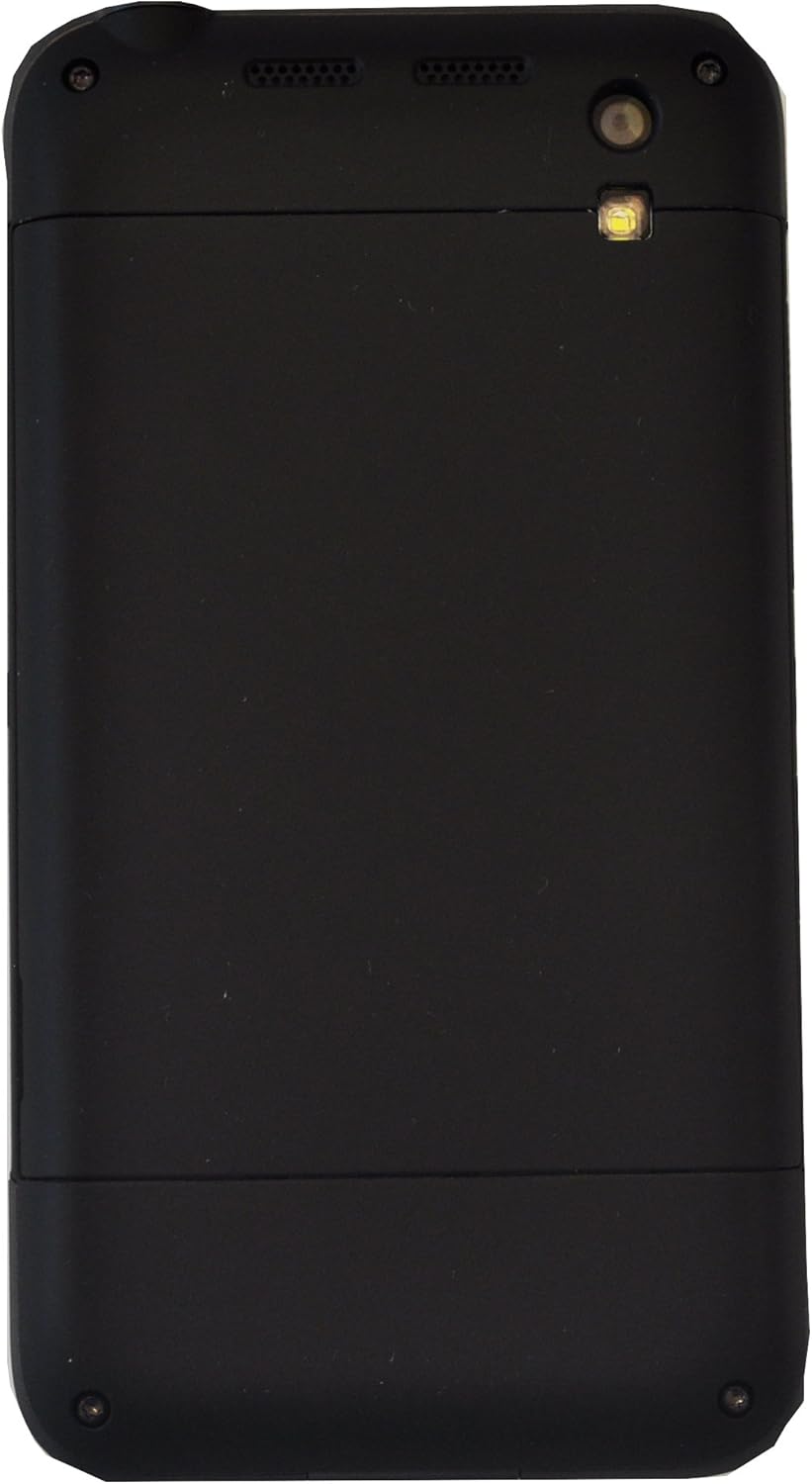
그림 3.2: 뒤쪽에 view of the Bittium Tough Mobile smartphone, featuring a plain black design with the camera lens and LED flash visible at the top.
3.2 장치 구성 요소 및 포트

그림 3.3: 옆 view of the Bittium Tough Mobile, highlighting key components such as the earpiece, front camera, speakers, rear camera, LED flash, volume keys, and a programmable button.

그림 3.4: 상단 및 하단 views of the Bittium Tough Mobile, indicating the locations of microphones, the USB3 connector, charging pins, the power key, and the headset connector.
4. 설정
4.1 SIM 카드 및 배터리 삽입
- Carefully remove the battery door cover from the back of the device.
- Insert your Micro-SIM card(s) into the designated slot(s). Ensure the SIM card is oriented correctly as indicated on the device. The Bittium Tough Mobile supports Dual-SIM functionality.
- 배터리를 배터리 칸에 넣고 금색 접점이 서로 맞닿도록 하십시오.
- Replace the battery door cover, ensuring it clicks securely into place.
4.2 초기 전원 켜기 및 설정 마법사
- Press and hold the Power Key (refer to Figure 3.4) until the Bittium logo appears on the screen.
- Follow the on-screen instructions to complete the initial setup wizard. This includes selecting your language, connecting to a Wi-Fi network, and setting up your Google account.
- For optimal security, ensure you set up a strong screen lock (PIN, pattern, or password) during this process.
5. 장치 작동
5.1 네트워크 호환성
The Bittium Tough Mobile is a factory unlocked GSM-only device. It is compatible with the following network frequencies:
- 2G GSM: 850/900/1800/1900MHz
- 3세대: 850(B5) / 900(B8) / 1700(B4) / 1900(B2) / 2100(B1) MHz
- 4G LTE: 700(B13) / 700(B14) / 700(B17) / 800(B20) / 850(B5) / 1700(B4) / 1800(B3) / 1900(B2) / 2600(B7) MHz
Important: This phone WILL NOT WORK with any CDMA Networks such as VERIZON, SPRINT, US CELLULAR. Please verify compatibility with your network provider before use.
5.2 기본 기능
- 전원 켜기/끄기: Press and hold the Power Key. Select "Power off" from the options.
- 볼륨 조절: Use the Volume Keys (refer to Figure 3.3) to adjust media, call, and alarm volumes.
- 화면 잠금/잠금 해제: Briefly press the Power Key to turn the screen on or off. Swipe up or enter your security credentials to unlock.
- 전화 걸기: Open the Phone app, dial the number, and press the call icon.
- 메시지 보내기: Open the Messages app, start a new conversation, enter recipient and message, then send.
- Wi-Fi에 연결: Go to Settings > Network & internet > Wi-Fi. Select your desired network and enter the password if required.
- 블루투스 페어링 : Go to Settings > Connected devices > Bluetooth. Turn on Bluetooth and select the device you wish to pair with.
6. 유지관리
6.1 장치 청소
To clean your Bittium Tough Mobile, use a soft, lint-free cloth. For stubborn marks, slightly dampen the cloth with water. Avoid using harsh chemicals, abrasive cleaners, or aerosol sprays, as these can damage the device's finish and internal components.
The device has an IP67 rating, meaning it is dust tight and can withstand immersion in 1 meter of water for up to 30 minutes. However, it is not recommended for intentional submersion or use in extreme water conditions. Ensure all ports are dry before charging.
6.2 배터리 관리
- Use only the original Bittium charger and battery provided with your device.
- 배터리를 극한 온도(더위나 추위)에 노출시키지 마세요.
- 배터리에 구멍을 뚫거나 분해하거나 단락시키지 마십시오.
- If the battery appears damaged or swollen, discontinue use immediately and dispose of it properly according to local regulations.
6.3 소프트웨어 업데이트
Regularly check for and install software updates to ensure your device has the latest security patches and features. Go to Settings > System > System update to check for available updates.
7. 문제 해결
| 문제 | 가능한 원인 | 해결책 |
|---|---|---|
| 장치의 전원이 켜지지 않습니다. | 배터리가 방전되었거나 제대로 삽입되지 않았습니다. | Charge the device for at least 30 minutes. Ensure the battery is correctly seated. |
| 네트워크에 연결할 수 없습니다. | Incorrect SIM card insertion, out of network coverage, or incompatible network. | Re-insert SIM card. Move to an area with better signal. Verify network compatibility (GSM only). |
| 화면이 응답하지 않습니다. | 일시적인 소프트웨어 오류입니다. | Perform a forced restart by holding the Power Key for approximately 10-15 seconds. |
| 배터리가 빨리 소모됩니다. | Too many apps running in background, high screen brightness, or poor signal. | 사용하지 않는 앱을 닫으세요. 화면 밝기를 낮추세요. 사용하지 않을 때는 Wi-Fi/블루투스를 비활성화하세요. |
If you encounter issues not listed here or if the suggested solutions do not resolve your problem, please contact Bittium customer support.
8. 사양
| 특징 | 세부 사항 |
|---|---|
| 모델명 | Bittium Tough Mobile |
| 운영 체제 | 구글 안드로이드 |
| 표시하다 | 5 Inches Full HD LCD (1920 x 1080 resolution) |
| 메모리(RAM) | 2 GB LPDDR3 PoP |
| 저장 (내부) | 32GB 메모리 |
| 치수(높이x너비x깊이) | 141mm x 75.5mm x 13.5mm |
| 무게 | 180그램(6.3온스) |
| 무선 기술 | Wi-Fi 802.11 a/b/g/n/ac, Bluetooth 4.0, NFC |
| 셀룰러 기술 | LTE (GSM Only, Dual-SIM) |
| 내구성 등급 | IP67, MIL-STD-810G |
| 오디오 잭 | 헤드폰 잭이 없습니다 |
| 색상 | 검은색 |
9. 보증 및 지원
For warranty information, please refer to the documentation included in your product packaging or visit the official Bittium website. Bittium provides support for its products to ensure optimal performance and user satisfaction.
If you require technical assistance, have questions about your device, or need to report an issue, please contact Bittium customer support through their official channels. Details for support can typically be found on the Bittium web사이트 또는 포함된 문서에서 확인하세요.


