소개
The Altec Lansing IMW478s Mini Life Jacket-3 is a rugged, portable Bluetooth speaker designed for various environments. It features a durable construction that is waterproof, sandproof, snowproof, dustproof, and shockproof, and it floats on water. This speaker offers up to 16 hours of battery life and includes an onboard power bank for charging other devices. It also supports hands-free calls via its integrated microphone and offers True Universal Wireless Stereo pairing for an enhanced audio experience.
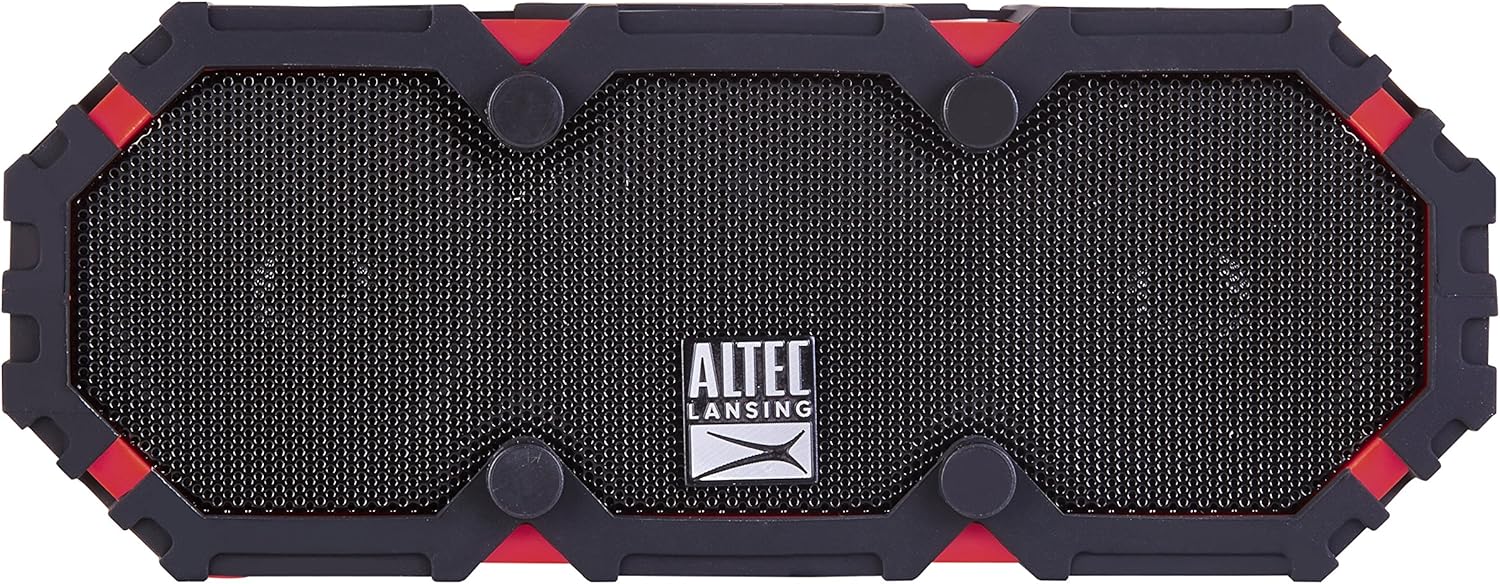
그림 1: 전면 view of the Altec Lansing IMW478s Mini Life Jacket-3 Bluetooth Speaker.
패키지 내용
- Altec Lansing IMW478s Mini Life Jacket-3 Bluetooth Speaker
- 장착 브래킷
- USB 충전 케이블
- AUX 케이블

Figure 2: The Altec Lansing IMW478s Mini Life Jacket-3 Bluetooth Speaker in its retail packaging, showing included accessories.
설정
1. 스피커 충전
Before initial use, fully charge the speaker. Connect the supplied USB charging cable to the DC IN 5V port on the speaker and the other end to a USB power adapter (not included) or a computer's USB port. The charging indicator light will illuminate during charging and turn off when fully charged.
2. 전원 켜기 / 끄기
- 전원을 켜려면: 전원 버튼을 길게 누릅니다(O) located on the top of the speaker until you hear an audible tone.
- 전원을 끄려면: 전원 버튼을 길게 누릅니다(O) again until you hear an audible tone.

그림 3: 상단 view of the speaker, highlighting the power and control buttons.
3. 블루투스 페어링
- Ensure the speaker is powered on and in pairing mode. The Bluetooth indicator light will flash.
- 스마트폰이나 기타 Bluetooth 지원 기기에서 Bluetooth 설정으로 이동합니다.
- Select "IMW478s" from the list of available devices.
- 페어링이 완료되면 Bluetooth 표시등이 켜지고 확인음이 들립니다.
4. 스피커 장착
The speaker includes a mounting bracket for attachment to various surfaces or equipment. Secure the bracket to the speaker and then attach it to your desired location, such as a bicycle handlebar or motorcycle frame.
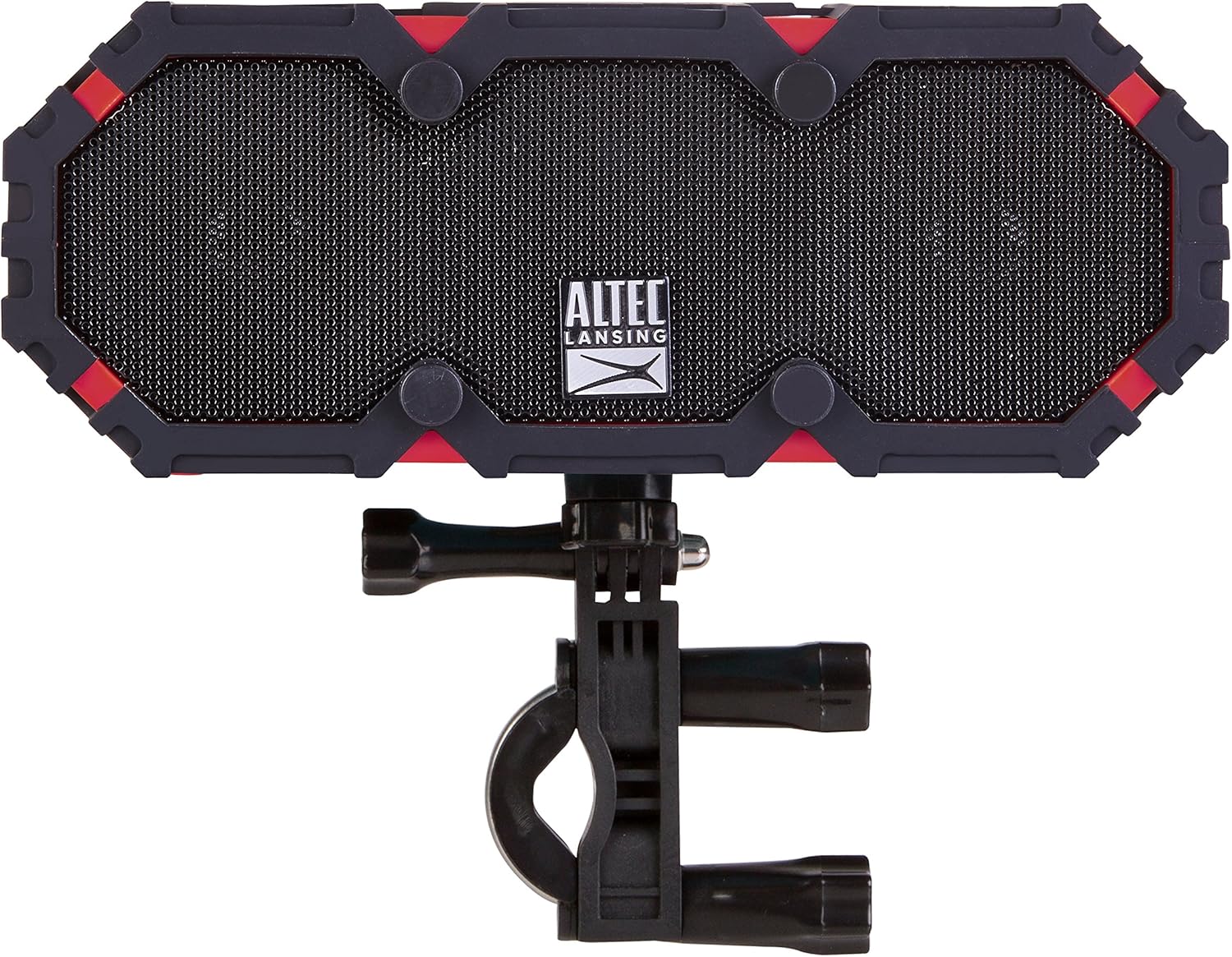
Figure 4: The speaker shown with the included mounting bracket.

Figure 5: The speaker mounted on a bicycle handlebar, demonstrating its portability.

Figure 6: The speaker mounted on a motorcycle, illustrating another mounting option.
작동 지침
1. 오디오 재생
- 블루투스: Once paired, audio from your device will stream wirelessly to the speaker. Use your device's volume controls or the speaker's volume buttons (+ / -) to adjust the sound level.
- 보조 입력: Connect one end of the supplied AUX cable to the AUX IN port on the speaker and the other end to the audio output of your device. The speaker will automatically switch to AUX mode.

그림 7: 후면 view of the speaker, showing the USB OUT, AUX IN, and DC IN ports.
2. 스피커폰 기능
When connected via Bluetooth, the speaker can be used for hands-free calls. When a call comes in, the music will pause. Press the Play/Pause button (▶||) to answer or end a call. The integrated microphone will pick up your voice.
3. Using the Power Bank
The speaker features an onboard power bank. Connect your mobile device's charging cable to the USB OUT 5V port on the speaker to charge your device. This function is available even while the speaker is playing audio.
4. True Universal Wireless Stereo Pairing
For a stereo audio experience, two Altec Lansing IMW478s speakers can be paired together wirelessly. Refer to the specific instructions provided with your product for detailed steps on initiating True Universal Wireless Stereo pairing.
유지
청소
부드러운 천으로 스피커를 닦고 damp cloth. Do not use harsh chemicals or abrasive cleaners. Ensure all port covers are securely closed before exposing the speaker to water or dust.
저장
스피커를 직사광선과 극한의 온도를 피해 서늘하고 건조한 곳에 보관하세요. 장기간 보관할 경우, 배터리 수명을 유지하기 위해 주기적으로 충전하세요.
문제 해결
- 스피커 전원이 켜지지 않습니다. 배터리가 충전되어 있는지 확인하십시오. USB 충전 케이블을 사용하여 스피커를 전원에 연결하십시오.
- Bluetooth를 통해 페어링할 수 없습니다.
- 스피커가 페어링 모드인지 확인하십시오(블루투스 표시등이 깜빡임).
- 기기에서 Bluetooth가 활성화되어 있는지 확인하세요.
- 스피커를 기기에 더 가까이 옮기세요.
- Turn off and on both the speaker and your device, then attempt pairing again.
- 기기의 블루투스 목록에서 스피커를 삭제하고 다시 페어링하세요.
- 소리가 나지 않습니다:
- 스피커와 연결된 기기의 볼륨 레벨을 확인하세요.
- Ensure the correct input source is selected (Bluetooth or AUX).
- AUX 케이블을 사용하는 경우 케이블이 완전히 삽입되어 정상적으로 작동하는지 확인하십시오.
- Charging issues (speaker or external device):
- Verify the charging cable is securely connected.
- 다른 USB 포트나 전원 어댑터를 사용해 보세요.
- Ensure the speaker's battery has sufficient charge to power external devices.
If you encounter persistent issues, please refer to the support section for further assistance.
명세서
| 특징 | 세부 사항 |
|---|---|
| 모델 번호 | IMW478-DR |
| 연결 기술 | 블루투스, 보조, USB |
| 오디오 출력 모드 | 스테레오 재생 |
| 스피커 유형 | 집 밖의 |
| 방수 레벨 | 방수(IP67 등급) |
| 전원 | 배터리 구동(리튬 폴리머 배터리 1개 포함) |
| 평균 배터리 수명 | 최대 16시간 |
| 제어 방법 | 만지다 |
| 제품 치수 | 6 x 8 x 2 인치 |
| 품목 무게 | 1 파운드 |
| 특별 기능 | Travel, Onboard Power Bank, Speakerphone, True Universal Wireless Stereo Pairing |
보증 정보
Altec Lansing products are covered by a limited warranty. Specific warranty terms and conditions, including duration and coverage details, are typically provided with your product at the time of purchase or can be found on the official Altec Lansing web사이트. 보증 청구를 위해 구매 증빙 자료를 보관하세요.
지원하다
For additional support, frequently asked questions, or to contact customer service, please visit the official Altec Lansing website. You may also find helpful resources and product registration information there.
Web대지: www.alteclansing.com


