1. 소개 및 안전 경고
1.1개 제품 이상view
The Orbegozo RRE 1810 Thermal Emitter is an 1800W electric radiator designed for efficient and comfortable heating. This elegant, white aluminum model operates without fuel, producing no fumes or odors, and does not dry out the environment. It features a programmable function allowing you to set a schedule and temperature for each of the 7 days of the week, promoting energy savings. Control is managed via a digital LCD screen and an included remote control. The emitter offers three operating modes: Economic, Comfort, and Anti-frost, to suit various heating needs. Its Real Warm Elements technology, with 10 individual heating elements, ensures homogeneous temperature distribution and reduced heat dispersion for continuous, efficient warmth.
1.2 중요한 안전 경고
- This appliance contains air pressure. Do not strike or puncture the unit.
- Keep the appliance away from direct natural light.
- Always ensure the appliance is placed on a stable, level surface or securely mounted to a wall.
- 라디에이터를 덮지 마십시오. 과열 및 화재 위험이 발생할 수 있습니다.
- 전원 코드나 플러그가 손상된 상태로 제품을 작동하지 마십시오. 수리가 필요한 경우 자격을 갖춘 서비스 담당자에게 문의하십시오.
- 제품이 작동하는 동안 어린이와 애완동물이 제품에 접근하지 못하도록 하세요.
2. 패키지 내용
다음 항목에 대한 상자를 체크해 주세요.
- Orbegozo RRE 1810 Thermal Emitter (1800W)
- Remote Control (requires 1 AA battery, not included)
- Support Feet (for floor-standing installation)
- Wall Mount Brackets and Hardware (for wall-mounted installation)
- 사용 설명서 (본 문서)
3. 설정 및 설치
The Orbegozo RRE 1810 Thermal Emitter is designed for easy installation, offering both floor-standing and wall-mounted options.
3.1 Floor-Standing Installation
- 열 방출기와 모든 부속품을 조심스럽게 포장에서 꺼내십시오.
- Attach the provided support feet to the base of the radiator using the included screws. Ensure they are securely fastened.
- Place the radiator on a flat, stable surface, ensuring adequate clearance from walls and furniture for proper air circulation.

그림 1: 전면 view of the Orbegozo RRE 1810 Thermal Emitter with support feet.
3.2 벽걸이 설치
- 구조적으로 안전하고 가연성 물질로부터 멀리 떨어진 적절한 벽면 위치를 선정하십시오.
- Using the wall mount brackets as a template, mark the drilling points on the wall.
- 벽에 구멍을 뚫고 적절한 벽 플러그를 삽입하십시오(벽 유형에 따라 필요한 경우).
- Securely attach the wall mount brackets to the wall using the provided screws.
- Carefully hang the thermal emitter onto the installed wall brackets, ensuring it is level and firmly seated.

Figure 2: Orbegozo RRE 1810 Thermal Emitter installed on a wall.
4. 사용 설명서
The Orbegozo RRE 1810 features an intuitive digital control panel and a remote control for convenient operation.
4.1 제어판 이상view
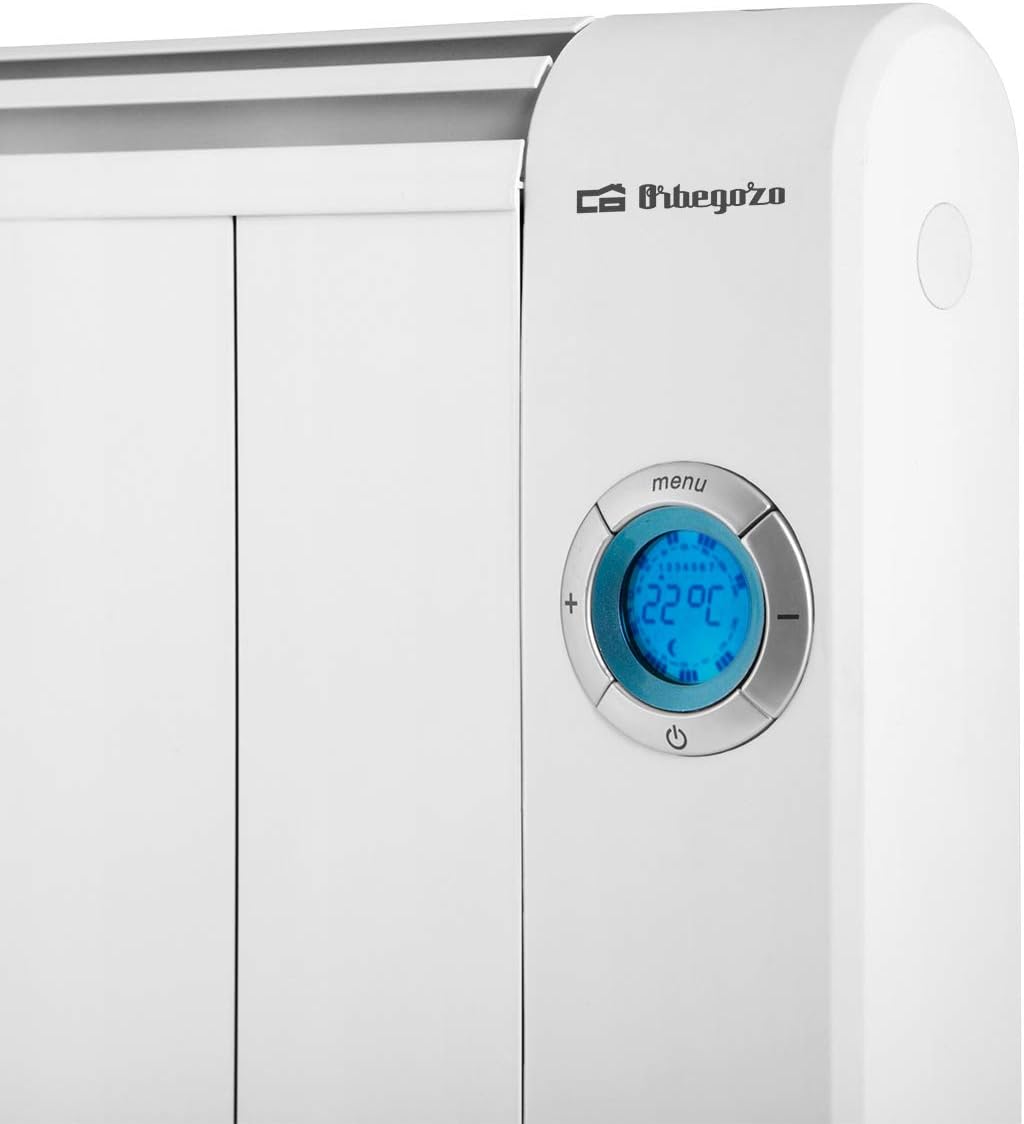
Figure 3: Digital LCD control panel and buttons.
The control panel consists of an LCD screen displaying temperature and settings, along with buttons for navigation and adjustment. The remote control duplicates most of these functions for ease of use.
4.2 초기 전원 켜기
- Plug the thermal emitter into a suitable electrical outlet (220V).
- Press the power button on the control panel or remote control to turn on the unit. The LCD screen will illuminate.
4.3 온도 설정
- Use the '+' and '-' buttons on the control panel or remote to adjust the desired room temperature. The set temperature will be displayed on the LCD screen.
- The unit will automatically heat until the set temperature is reached, then maintain it.
4.4 작동 모드
The RRE 1810 offers three distinct operating modes:
- 경제 모드: Designed for lower power consumption, maintaining a comfortable background temperature.
- 컴포트 모드: Provides rapid heating to reach and maintain your desired comfort temperature efficiently.
- 결빙 방지 모드: Automatically activates when the room temperature drops below a certain threshold (typically 5-7°C) to prevent freezing.
Press the 'Mode' button (or equivalent on remote) to cycle through these options.
4.5 7일 일정표 작성
The programmable function allows you to set specific temperatures and operating times for each day of the week.
- Press the 'Menu' button to enter the programming interface.
- Use the navigation buttons to select the day of the week you wish to program.
- For each hour or time slot, set the desired temperature or operating mode (Economic, Comfort, Anti-frost).
- Repeat for all desired days and time slots.
- Save your settings and exit the programming menu. The unit will now operate according to your schedule.
5. 유지관리
Regular maintenance ensures optimal performance and longevity of your thermal emitter.
- 청소: 청소하기 전에 제품의 전원 플러그를 뽑고 완전히 식혔는지 확인하십시오. 부드러운 천으로 외부를 닦으십시오.amp 천. 연마성 세척제나 용매를 사용하지 마십시오.
- 먼지 제거: Periodically remove dust from the vents and surfaces using a soft brush or vacuum cleaner to maintain efficient heat output.
- 저장: If storing the unit for an extended period, unplug it, clean it thoroughly, and store it in a dry, dust-free location.
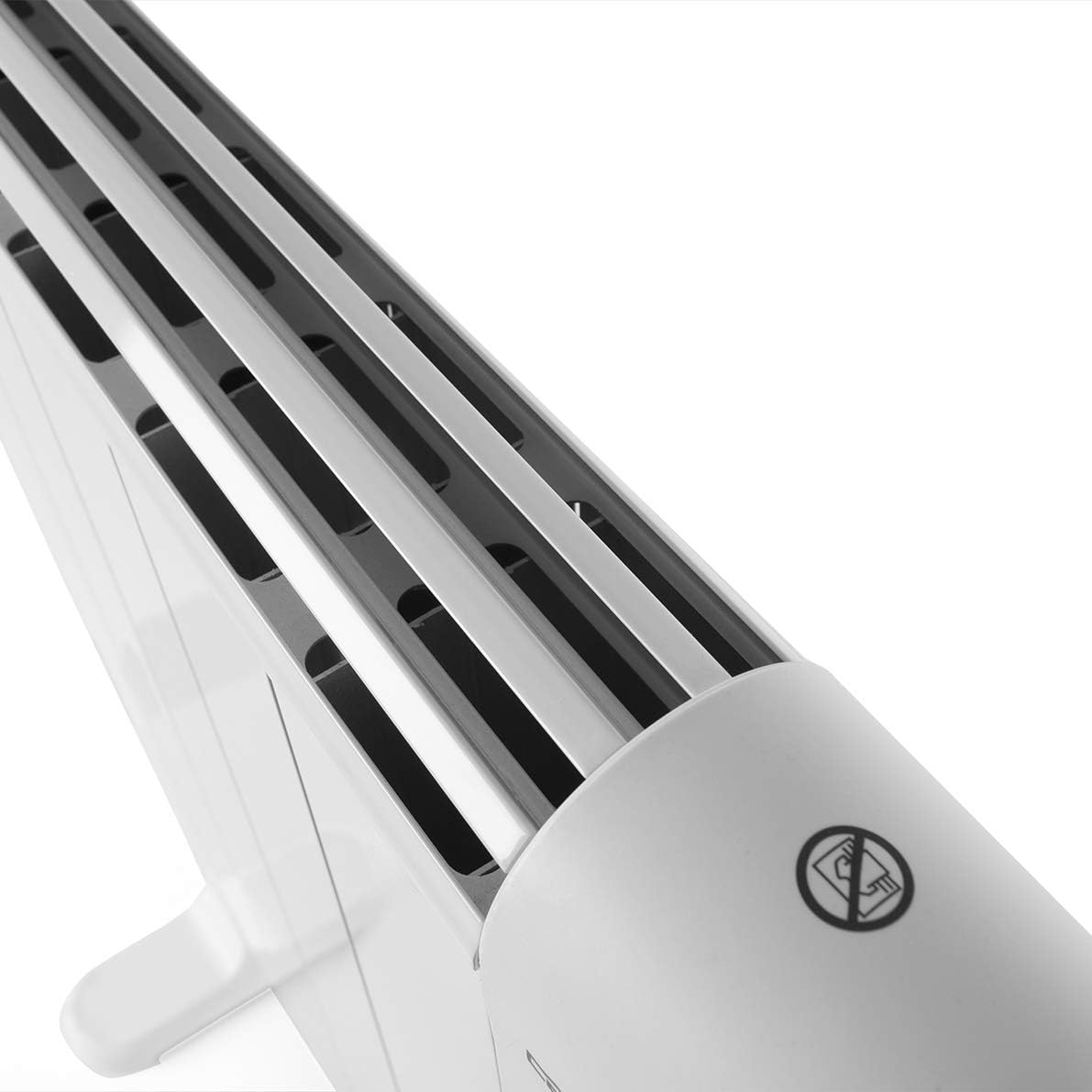
Figure 4: Top vents for heat emission.
6. 문제 해결
If you encounter issues with your Orbegozo RRE 1810, please refer to the following common problems and solutions:
| 문제 | 가능한 원인 | 해결책 |
|---|---|---|
| 장치가 켜지지 않습니다 | No power supply; Power button not pressed; Unit is in standby. | Check power cord connection and wall outlet. Press the power button. Ensure unit is not in standby mode. |
| 장치가 켜져 있지만 가열되지 않습니다. | Temperature setting too low; Anti-frost mode active; Overheat protection activated. | Increase the set temperature. Switch to Comfort mode. Unplug the unit, let it cool for 30 minutes, then plug back in. Ensure vents are not blocked. |
| 프로그래밍이 작동하지 않습니다 | Incorrect programming steps; Battery in remote is low. | Review Section 4.5 and re-program. Replace remote control battery. |
| Unusual noises (clicking/cracking) | 금속 부품의 열팽창/수축. | This is normal during heating and cooling cycles and typically subsides. |
위 해결 방법을 시도한 후에도 문제가 지속되면 오르베고조 고객 지원팀에 문의하십시오.
7. 사양
| 특징 | 사양 |
|---|---|
| 상표 | 오르베고조 |
| 모델 번호 | RRE 1810 |
| 색상 | 하얀색 |
| 힘 | 1800 와트 |
| 권tage | 220 볼트 |
| 재료 | 알류미늄 |
| 치수(길이 x 너비 x 높이) | 87.5 x 7.5 x 58.5cm |
| 품목 무게 | 9.59 킬로그램 |
| 속도/모드 개수 | 3 (Economic, Comfort, Anti-frost) |
| 에너지 클래스 | A+ |
| 특징 | Easy to Install, Programmable |
| 폼 팩터 | 벽걸이형/바닥형 |
| 실내/실외 사용 | 실내 |
| 가열 방식 | 광점 |
| 추천 용도 | Home office, Bedroom, Living room |
8. 보증 및 지원
For warranty information and customer support, please refer to the warranty card included with your product or contact Orbegozo directly through their official web웹사이트 또는 고객 서비스 채널을 이용하십시오. 보증 청구를 위해서는 구매 영수증을 구매 증빙 자료로 보관하십시오.


