소개
This manual provides detailed instructions for the Logitech M221 Wireless Mouse. Designed for quiet operation and reliable performance, the M221 offers a comfortable, ambidextrous design with an 18-month battery life. Please read this manual thoroughly to ensure proper setup and optimal use of your device.
설치 가이드
Follow these steps to set up your Logitech M221 Wireless Mouse:
- 배터리 설치:
Locate the battery compartment on the underside of the mouse. Slide the battery cover off. Insert the included AA battery, ensuring correct polarity. Replace the battery cover.

이미지: 밑면 view of the Logitech M221 mouse, showing the battery compartment and the location of the USB receiver.
- USB 수신기를 찾으세요:
The tiny USB receiver is stored inside the battery compartment for convenience during transport. Carefully remove it from its slot.
- Connect the Receiver to Your Computer:
Plug the USB receiver into an available USB port on your computer (PC or Mac). The mouse will automatically connect to your computer.
- 마우스 전원 켜기:
Ensure the power switch on the underside of the mouse is in the "ON" position. The mouse is now ready for use.
작동 지침
The Logitech M221 is designed for intuitive and comfortable use:
- 조용한 클릭음: The M221 features 90% reduced click sound, providing a quiet working environment without sacrificing the familiar click feel.
- 양손잡이 디자인: Its comfortable, contoured shape is suitable for both left and right-handed users.
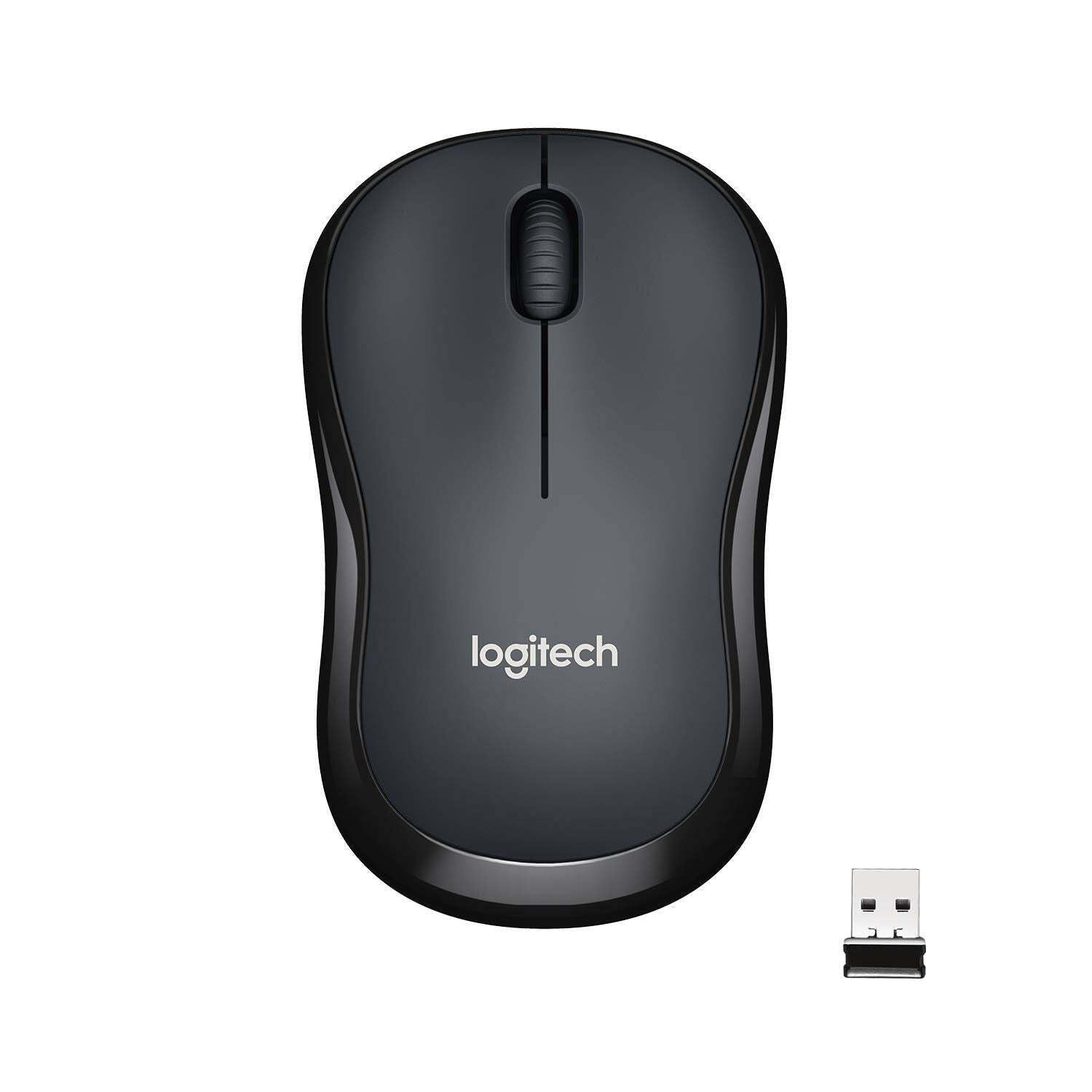
이미지: 상단 view of the Logitech M221 Wireless Mouse in charcoal, alongside its compact USB receiver.
- 광학 추적: The mouse uses 1000 DPI optical tracking for smooth and precise cursor control.
- 무선 범위: Enjoy reliable wireless connectivity up to 10 meters (33 feet) from your computer. Actual range may vary based on environmental conditions.
- 자동 절전 기능: To conserve battery life, the mouse automatically enters a sleep mode when not in use. Move the mouse or click a button to wake it up.
유지
Proper maintenance ensures the longevity and optimal performance of your M221 mouse.
- 배터리 교체: The M221 mouse boasts an 18-month battery life. When the mouse performance degrades or the indicator light (if present) signals low battery, replace the AA battery. Refer to the "Install the Battery" step in the Setup Guide.
- 청소: 부드럽고 마른 천으로 마우스를 닦으십시오. 연마성 세제나 용제는 사용하지 마십시오.
- 저장: When not in use for extended periods, turn off the mouse using the power switch on the underside to further conserve battery life. Store the USB receiver inside the battery compartment to prevent loss.
문제 해결
Logitech M221 마우스에 문제가 발생하면 다음 해결 방법을 시도해 보세요.
- 마우스가 응답하지 않음:
- 마우스의 전원이 켜져 있는지 확인하세요.
- 배터리를 확인하세요. 필요하면 교체하세요.
- USB 수신기가 컴퓨터의 정상 작동하는 USB 포트에 제대로 꽂혀 있는지 확인하세요. 다른 USB 포트에 연결해 보세요.
- 범위 문제를 배제하려면 마우스를 USB 수신기에 더 가까이 옮기세요.
- 불규칙한 커서 움직임:
- 부드럽고 마른 천으로 마우스 밑면의 광학 센서를 닦으세요.
- 마우스를 적절한 표면에서 사용하고 있는지 확인하세요. 반사율이 높거나 투명한 표면은 피하세요.
- 다른 무선 장치의 간섭을 확인하십시오.
- 버튼이나 스크롤 휠이 작동하지 않음:
- 컴퓨터를 다시 시작하세요.
- USB 수신기를 다시 삽입하세요.
- If the issue persists, the mouse may require replacement.
명세서
| 특징 | 세부 사항 |
|---|---|
| 상표 | 로지텍 |
| 모델 | M221 (Item model number: 910-004882) |
| 연결 기술 | 2.4GHz 무선(USB 수신기) |
| 움직임 감지 | 광학식 (1000 DPI) |
| Silent Buttons | Yes (90% reduced click sound) |
| 배터리 유형 | 1 x AA 배터리(포함) |
| 평균 배터리 수명 | 18개월 |
| 양 손잡이 디자인 | 예 |
| 호환되는 운영 체제 | Windows 10 or later, Windows 8, Windows RT, Windows 7, Mac OS X 10.5 or later, Chrome OS, Linux Kernel 2.6+2 |
| 제품 치수 | 6 x 4 x 10cm(길이 x 너비 x 높이) |
| 품목 무게 | 77g |
| 포함된 구성 요소 | Mouse, Nano Receiver, 1 AA Battery, User Documentation |

Image: Diagram showing the dimensions of the Logitech M221 Wireless Mouse: 99mm length, 60mm width, 39mm height, and 75g weight.
보증 및 지원
보증 정보 및 기술 지원에 대해서는 공식 Logitech를 참조하십시오. website or the documentation included with your product. Logitech provides customer support for product inquiries and assistance.
You can typically find support resources, FAQs, and contact information by visiting www.logitech.com/support.


