1. 제품 오버view
The Kanto PMX660 Full Motion Pro Series TV Mount is designed for flat panel TVs ranging from 37" to 80" and supports up to 125 lb (57 kg). It accommodates VESA sizes from 200x100 to 600x400. This mount offers extensive adjustability, including extension, swivel, and tilt, to optimize your view경험.
- Fits most flat panel TVs from 37" to 80".
- Supports TVs up to 125 lb (57 kg).
- Accommodates VESA sizes from 200x100 to 600x400.
- Extends up to 22" (55.9 cm) from the wall and retracts to 2.5" (6.3 cm).
- Accommodates 16" stud spacing.
- Accessible tilt mechanism provides +12 degrees to -3 degrees of tilt.
- 90 degrees of swivel in either direction, depending on screen size.
- 6" (15.2 cm) of horizontal offset and adjustable horizontal leveling.
- cULus Certified.
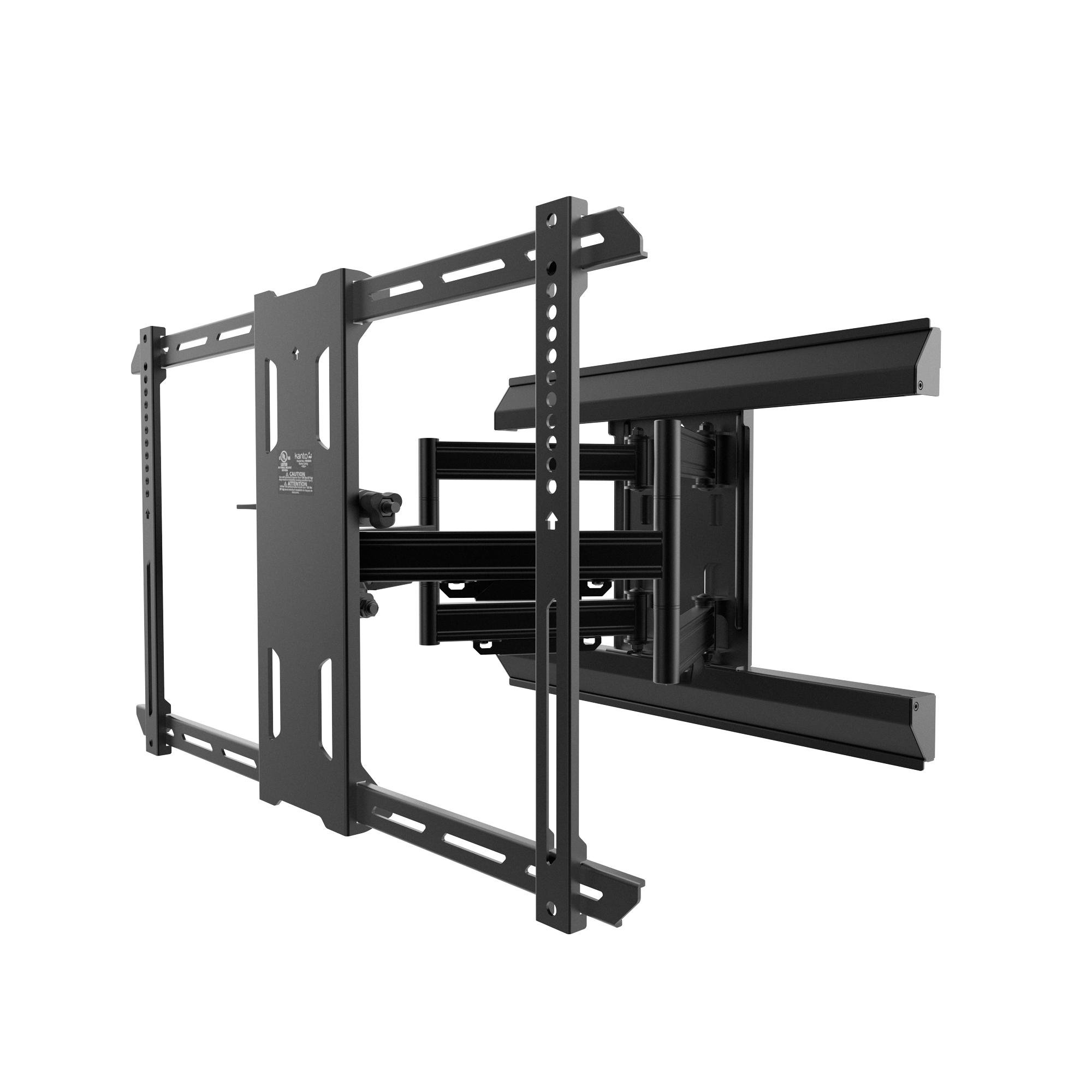
Figure 1: Kanto PMX660 Full Motion Pro Series TV Mount.
비디오 1: 끝view of PMX Series Professional TV Mounting Solutions, highlighting key features and benefits for installers and end-users.
2. 설정 및 설치
Proper installation is crucial for the safety and functionality of your TV mount. Please follow these instructions carefully. A detailed installation video is available for visual guidance.
2.1. 포장해체 및 구성품 확인
Verify all components are present before beginning installation. The package includes the mount, various hardware for wood studs and concrete, a manual, and a punched cardboard template.

Figure 2: All mounting hardware, precision drill template, and installation components included with the Kanto PMX660 mount.
2.2. TV 브래킷 부착
Attach the vertical TV brackets to the back of your television using the appropriate screws and spacers from the provided bolt package. Ensure the brackets are securely fastened and centered on the VESA mounting holes.

그림 3: 후면 view of a television, illustrating the VESA mounting pattern where the brackets attach.
2.3. 벽판 설치
Locate suitable wood studs or a concrete wall for mounting. Use the provided template to mark drill holes accurately. The arm assembly can be easily removed from the wall plate to facilitate unassisted installation of the wall plate, reducing the weight and making the process simpler.
Video 2: Detailed installation guide for Kanto PMX Series Full Motion TV Mounts, covering all steps from wall preparation to final TV mounting.
2.4. Attaching Arm Assembly and TV
Once the wall plate is secure, reattach the arm assembly. Finally, carefully lift and hook the TV (with attached brackets) onto the arm assembly. Secure the TV to the mount using the safety screws.

Figure 4: The Kanto PMX660 mount securely installed on a wall, ready for TV attachment.
3. 마운트 작동
The PMX660 mount offers versatile positioning options to achieve the optimal viewing angle from anywhere in the room.
3.1. Extension and Swivel
The articulating arms allow the TV to extend up to 22 inches from the wall and swivel 90 degrees in either direction. This provides ample clearance to maneuver even large TVs around corners or out of recessed locations.

Figure 5: The TV mount fully extended from the wall, demonstrating its reach.

Figure 6: The TV mount angled to provide optimal view다양한 위치에서 ing.
3.2. Toolless Tilt
Adjust the tilt angle of your TV from +12 degrees to -3 degrees using the specially designed toolless tilt mechanism. A simple lever, in conjunction with heavy-duty friction washers, allows for fingertip adjustments or locking the TV in place.
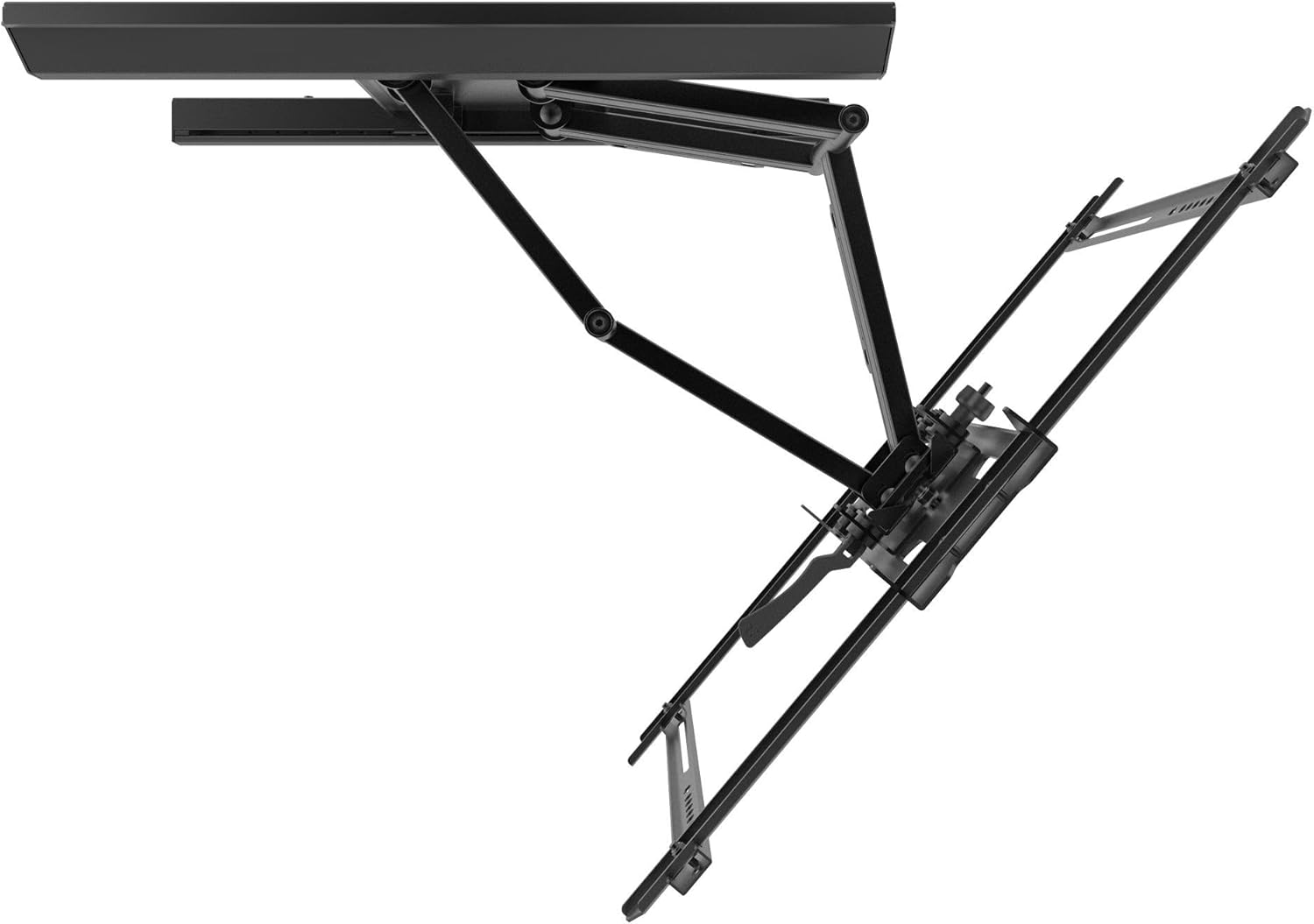
그림 7: 클로즈업 view of the toolless tilt mechanism for easy angle adjustments.
3.3. 케이블 관리
The PMX660 is equipped with four cable management raceways and screw-on aluminum covers. Route your cables through these channels to maintain a clean and organized appearance.
4. 유지관리
To ensure the longevity and safe operation of your Kanto PMX660 TV mount, regular maintenance is recommended.
- 청소: 부드럽고 마른 천으로 마운트를 닦으세요. 마감재를 손상시킬 수 있는 연마성 세제나 용제는 사용하지 마세요.
- 점검: Periodically check all screws and bolts to ensure they are tight and secure. Over time, vibrations or movement may cause fasteners to loosen.
- 움직임: If the articulation or tilt mechanisms become stiff, apply a small amount of silicone-based lubricant to the moving parts. Do not use oil-based lubricants as they can attract dust and debris.
5. 문제 해결
If you encounter any issues with your Kanto PMX660 TV mount, refer to the following common troubleshooting tips:
- TV 수평이 맞지 않음: The mount features adjustable horizontal leveling. Loosen the appropriate screws on the TV brackets, adjust the TV to be level, and then re-tighten the screws.
- TV 이동/조정에 어려움이 있습니다: Ensure all locking mechanisms (especially for tilt) are disengaged. Check for any obstructions or cables that might be caught. If movement is still stiff, refer to the maintenance section for lubrication.
- 마운트가 헐거워진 느낌입니다: Immediately check all lag bolts securing the wall plate to the wall and all screws connecting the TV brackets to the TV. Tighten any loose fasteners. If the issue persists, consult a professional installer.
- 잃어버린 부분들: If any parts were missing from the package, contact Kanto customer support for assistance.
6. 사양
| 특징 | 사양 |
|---|---|
| 장착 유형 | 벽걸이형 |
| 이동 유형 | 관절 |
| 상표 | 간토 |
| 재료 | 금속 |
| 색상 | 검은색 |
| 호환 장치 | 모니터, 텔레비전 |
| 최대 기울기 각도 | 12도 |
| 한국어: | 800152716626 |
| 제조업체 | Kanto Distribution Inc. |
| Maximum-Supported Screen Size | 80 인치 |
| Minimum-Supported Screen Size | 37 인치 |
| 품목 무게 | 29.1 파운드 |
7. 상자 안에 무엇이 들어있나요?
- Kanto PMX660 TV Mount
- Mounting Hardware (for wood studs and concrete)
- 사용 설명서
- Punched Cardboard Template
8. 보증 및 지원
The Kanto PMX660 Full Motion Pro Series TV Mount comes with a Ten year manufacturer's warranty. For technical support, missing parts, or warranty claims, please visit the official Kanto website or contact their customer service directly. Ensure you have your product model and purchase information available.
For additional resources and installation videos, you can visit the Kanto web대지: http://q-r.to/bad7VQ


