1. 서론
This manual provides comprehensive instructions for the installation, operation, and maintenance of the HP Aruba 2930F 24G 4SFP+ Switch (Model JL253A). Please read this manual thoroughly before using the device to ensure proper setup and optimal performance. Retain this manual for future reference.
2. 제품 오버view
The HP Aruba 2930F 24G 4SFP+ Switch is a high-performance network switch designed for enterprise edge deployments. It features 24 Gigabit Ethernet ports and 4 SFP+ ports for high-speed uplinks, providing reliable and secure connectivity.

그림 2.1: 전면 view of the HP Aruba 2930F 24G 4SFP+ Switch, showing 24 RJ45 Gigabit Ethernet ports, 4 SFP+ uplink ports, and LED indicators.

그림 2.2: 각도 view of the HP Aruba 2930F 24G 4SFP+ Switch, highlighting its compact design suitable for rack mounting.
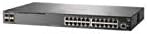
그림 2.3: 측면 view of the HP Aruba 2930F 24G 4SFP+ Switch, showing ventilation slots for heat dissipation.
3. 설정
3.1 포장 풀기 및 내용물 확인
스위치를 조심스럽게 포장에서 꺼내 모든 구성품이 있는지 확인하십시오. 포장에는 다음이 포함되어야 합니다.
- HP Aruba 2930F 24G 4SFP+ Switch (Model JL253A)
- 전원 케이블
- 랙 장착 키트
- 콘솔 케이블
품목이 누락되었거나 손상된 경우 즉시 공급업체에 문의하세요.
3.2 물리적 설치
- 랙 장착: Use the provided rack-mount kit to secure the switch in a standard 19-inch equipment rack. Ensure adequate ventilation around the switch.
- 전원 연결: Connect the power cable to the switch's power input and then to a grounded AC power outlet.
- 초기 네트워크 연결: Connect a computer to the switch's console port using the console cable for initial configuration, or connect to any RJ45 port for network access if DHCP is available.
Ensure all cables are securely connected and routed to prevent accidental disconnections.
4. 사용 설명서
4.1 전원 켜기 및 초기 부팅
Once the power cable is connected, the switch will automatically power on. Observe the LED indicators on the front panel. The Power LED should illuminate, indicating the device is receiving power. Other LEDs will indicate port status and activity.
4.2 포트 연결
- RJ45 Ports (10/100/1000BASE-T): Connect standard Ethernet cables (Cat5e or higher) to these ports for connecting network devices such as computers, servers, and other switches. These ports support auto-negotiation for speed and duplex settings.
- SFP+ Ports (10 Gigabit Ethernet): Use compatible SFP+ transceivers and fiber optic cables for high-speed uplinks to core switches or servers.
- PoE+ (Power over Ethernet Plus): If your model supports PoE+, these ports can provide power to compatible devices like IP phones, wireless access points, and security cameras, eliminating the need for separate power supplies.
4.3 LED 표시등
전면 패널의 LED는 스위치와 포트의 상태를 시각적으로 보여줍니다.
- 전원 LED: 전원 상태(켜짐/꺼짐)를 나타냅니다.
- 결함 LED: Indicates system errors or malfunctions.
- 포트 링크/활동 LED: Indicate link status (solid green for link) and network activity (flashing green). Different colors or patterns may indicate different speeds (e.g., amber for 100Mbps, green for 1Gbps). Refer to the device's specific LED guide for detailed interpretation.
5. 유지관리
5.1 청소
부드럽고 마른 천으로 스위치 외부를 정기적으로 청소하세요. 액체 또는 에어로졸 세척제는 사용하지 마세요. 통풍구에 먼지나 이물질이 없어 공기 흐름이 원활하도록 하세요.
5.2 펌웨어 업데이트
Periodically check the Hewlett Packard (Aruba) support web펌웨어 업데이트 사이트입니다. 펌웨어를 최신 상태로 유지하면 최적의 성능, 보안 및 새로운 기능에 대한 액세스를 보장할 수 있습니다. 펌웨어 업데이트 패키지와 함께 제공된 지침을 주의 깊게 따르세요.
6. 문제 해결
This section addresses common issues you might encounter with your HP Aruba 2930F switch.
- 전원 없음:
- Verify the power cable is securely connected to both the switch and a working power outlet.
- 콘센트가 정상적으로 작동하는지 다른 기기를 사용하여 확인하십시오.
- 포트에 링크가 없습니다.
- 이더넷 케이블의 양쪽 끝이 제대로 연결되어 있는지 확인하십시오.
- 다른 이더넷 케이블을 사용해 보세요.
- Test the connected device with another port or switch to isolate the issue.
- 연결된 장치의 전원이 켜져 있고 올바르게 작동하는지 확인하세요.
- Slow Network Connection:
- Check for excessive network traffic or bottlenecks.
- Ensure cables are Cat5e or higher for Gigabit speeds.
- Verify duplex settings on connected devices match the switch's auto-negotiated settings.
- Consider updating the switch firmware.
For more advanced troubleshooting or persistent issues, consult the official Hewlett Packard (Aruba) support documentation or contact technical support.
7. 사양
| 특징 | 값 |
|---|---|
| 상표 | 휴렛팩커드 |
| 모델 번호 | JL253A |
| 품목 무게 | 2.4킬로그램(5.28파운드) |
| 제품 크기(LxWxH) | 17.42 x 7.88 x 1.73 인치 |
| 권tage | 200 볼트 |
| 인터페이스 유형 | RJ45, SFP+, PoE+ |
| 데이터 전송 속도 | 100 Megabits Per Second (per port, supports Gigabit on RJ45 and 10 Gigabit on SFP+) |
| 숫양 | 1024메가바이트 |
| 포트 수 | 24 Gigabit Ethernet, 4 SFP+ (Total 28 logical ports) |
| 포함된 구성 요소 | 전원 케이블, 랙 마운트 키트, 콘솔 케이블 |
| 색상 | 검은색 |
| 호환 장치 | 데스크톱(일반 네트워크 장치) |
Note: Data Transfer Rate of "100 Megabits Per Second" may refer to a baseline or specific port type; the switch supports Gigabit Ethernet on RJ45 ports and 10 Gigabit Ethernet on SFP+ ports.
8. 보증 및 지원
This HP Aruba 2930F 24G 4SFP+ Switch is manufactured by HEWLETT PACKARD. For warranty information, please refer to the warranty card included with your product or visit the official Hewlett Packard Enterprise (Aruba) website. Technical support and additional resources can be found on their support portal.
도움이 필요하면 다음을 방문하세요. 아루바 네트워크 지원


