1. 서론
This manual provides detailed instructions for the safe and effective operation of the OWON XDS3102 Digital Oscilloscope. The XDS3102 is a versatile 4-in-1 instrument, combining the functions of a digital storage oscilloscope, datalogger, multimeter, and waveform generator. It features a 100 MHz bandwidth, 1 GS/s sample rate, and an 8-bit resolution ADC for precise waveform analysis.
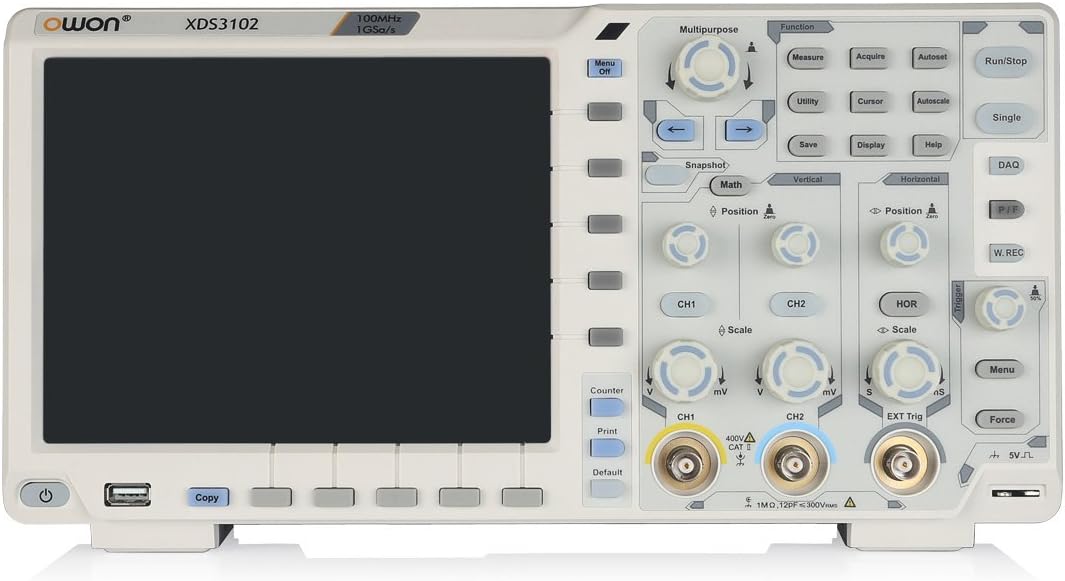
그림 1: 전면 view of the OWON XDS3102 Digital Oscilloscope, showing the display, control panel, and input connectors.
2. 주요 특징
- 대역폭: 100MHz
- Samp르 비율: 1GS/초
- 해결: 8-bit ADC for detailed waveform restoration
- 채널: 2
- 수직 감도: 1 mV/div - 10 V/div with low background noise
- 표시하다: 8-inch 800 x 600 high-resolution LCD
- 다기능성: Digital Storage Oscilloscope, Datalogger, Multimeter, Waveform Generator
- 고급 트리거링: Xvisual multi-trigger functions
- Bus Decoding: Supports various bus decoding functions (optional: RS232, SPI, I2C, CAN)
3. 패키지 내용
아래 나열된 모든 품목이 패키지에 들어 있는지 확인하세요.

Figure 2: OWON XDS3102 Oscilloscope with its standard accessories, including probes, power cord, USB cable, and software CD.
- OWON XDS3102 Digital Oscilloscope Unit
- 전원 코드
- 소프트웨어 CD
- USB 케이블
- Probe (1x)
- Probe Adjust Tool
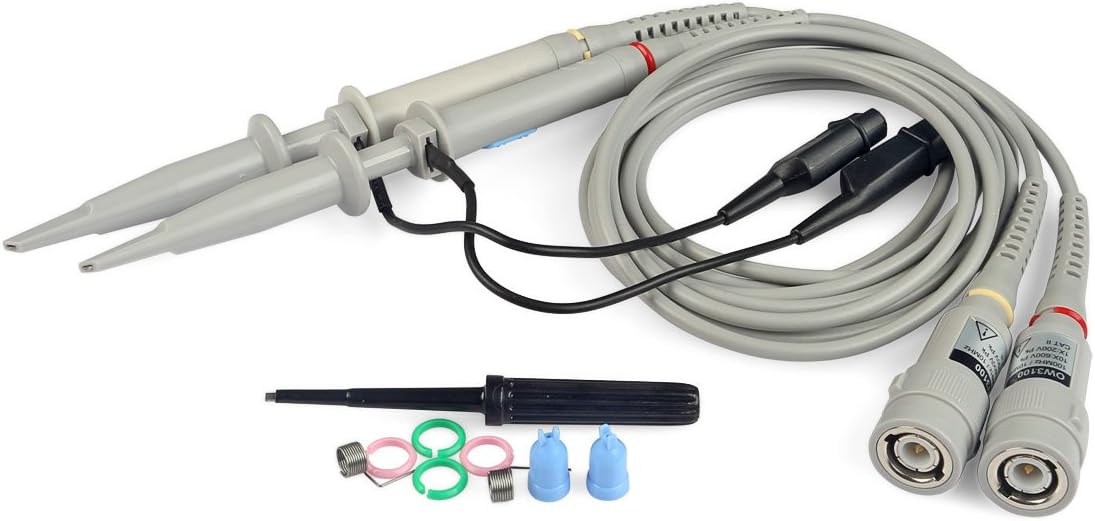
Figure 3: Close-up of the included oscilloscope probes and adjustment tool.
4. 설정
4.1 전원 연결
- 오실로스코프는 통풍이 잘 되는 안정적이고 평평한 표면에 놓아야 합니다.
- Connect the provided power cord to the AC power inlet on the rear panel of the oscilloscope.
- Plug the other end of the power cord into a grounded AC power outlet. The device supports 100V-240V, 50/60Hz.
- 전면 패널에 있는 전원 버튼을 눌러 장치를 켜세요.

Figure 4: Rear panel of the oscilloscope, highlighting the power input, USB device port, and LAN port.
4.2 프로브 연결
- Connect the BNC connector of the oscilloscope probe to the desired input channel (CH1 or CH2) on the front panel.
- 연결이 안전한지 확인하세요.
- Attach the probe tip to the circuit point you wish to measure.
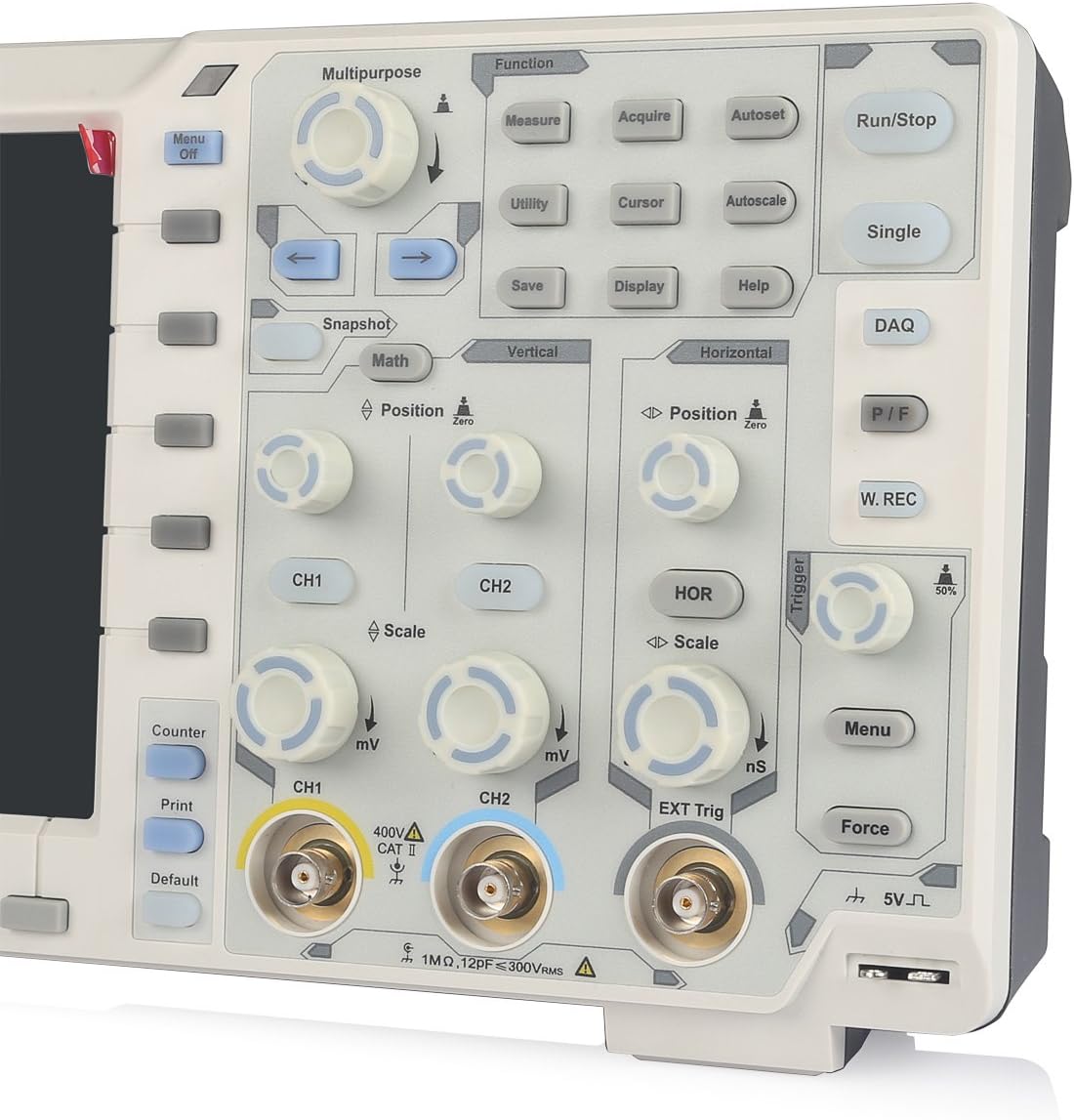
그림 5: 상세 view of the front panel, showing CH1 and CH2 BNC input connectors and associated controls.
5. 사용 설명서
5.1 Basic Oscilloscope Operation
- 전원 켜기/끄기: Use the power button on the lower left of the front panel.
- Autoset: 를 누르세요 자동 설정 이 버튼을 누르면 안정적인 파형 표시를 위해 수직, 수평 및 트리거 설정이 자동으로 조정됩니다.
- Vertical Controls (CH1/CH2): 사용하세요 위치 knob to adjust vertical position and the 규모 knob to adjust vertical sensitivity (V/div).
- 수평 제어: 사용하세요 위치 knob to adjust horizontal position and the 규모 knob to adjust time base (s/div).
- 트리거 제어: Adjust the trigger level using the dedicated knob. Press the 메뉴 button in the trigger section to access trigger settings.
- 측정: 를 누르세요 측정하다 button to display automatic measurements of waveform parameters.
- 구하다: 사용하세요 구하다 button to store waveforms or settings.
5.2 Multi-functionality (Datalogger, Multimeter, Waveform Generator)
The XDS3102 can function as a Datalogger, Multimeter, and Waveform Generator. Access these functions via the 다목적 or 기능 buttons on the control panel. Specific instructions for each mode are detailed in the full software manual provided on the included CD.
옵션 기능 : The device supports various optional functions such as VGA+AV output, Wi-Fi connectivity, 1CH 25M waveform generator, DMM digital multimeter, capacitive touch screen, and decoding kits (RS232, SPI, I2C, CAN). These functions require additional modules or software and are not included in the standard package.
6. 유지관리
- 청소: Use a soft, dry cloth to clean the exterior of the oscilloscope. For stubborn dirt, a lightly dampened cloth with mild detergent can be used. Avoid abrasive cleaners or solvents.
- 저장: 사용하지 않을 때는 오실로스코프를 직사광선과 극한 온도 변화를 피해 깨끗하고 건조한 곳에 보관하십시오.
- 프로브 관리: Handle probes carefully. Avoid bending or stressing the cables. Regularly check for damage to the probe tips and connectors.
- 내부 구성 요소: The device contains no user-serviceable components inside. Do not attempt to open the casing. 자격을 갖춘 담당자에게 서비스를 의뢰하십시오.

Figure 6: Close-up of the rear warning label, emphasizing not to open the device and to refer servicing to qualified personnel.
7. 문제 해결
| 문제 | 가능한 원인 | 해결책 |
|---|---|---|
| 장치의 전원이 켜지지 않습니다. | 전원 코드가 연결되지 않았습니다. 전원 콘센트가 고장났습니다. 내부 퓨즈가 끊어졌습니다. | Check power cord connection. Test power outlet. If problem persists, contact support. |
| 파형이 표시되지 않습니다. | Probe not connected; input signal too small/large; trigger settings incorrect. | Ensure probe is connected to input and circuit. Use 자동 설정. Adjust vertical scale (V/div) and trigger level. |
| 불안정한 파형. | Incorrect trigger settings; noisy signal. | Adjust trigger level and mode. Ensure proper grounding of the circuit and oscilloscope. |
| Display issues (e.g., flickering, no image). | Software glitch; hardware malfunction. | 기기를 다시 시작하세요. 문제가 지속되면 지원팀에 문의하세요. |
8. 사양
| 사양 | 값 |
|---|---|
| 제조업체 | 오원 |
| 모델 번호 | XDS3102 |
| 품목 무게 | 7.38파운드 |
| 패키지 크기 | 16.14 x 11.18 x 7.01 인치 |
| 재료 | 플라스틱 |
| 품목 패키지 수량 | 1 |
| 배터리 포함 | 아니요 |
| 필요한 배터리 | 아니요 |
| 권tag및 범위 | 100V~240V, 50/60Hz |
| 최대 전력 | 15와트 |
| 옵션 배터리 | 4.2V |
9. 보증 및 지원
OWON products are designed for reliability and performance. For warranty information, please refer to the warranty card included with your product or visit the official OWON website. For technical support, troubleshooting assistance, or inquiries regarding optional features, please contact OWON customer service or your authorized dealer.
OWON 공식 계정 Web대지: www.owon.com.cn


