1. 이상view
The iHome iBT35 is a rugged, portable, and waterproof Bluetooth stereo speaker designed for both indoor and outdoor use. It features a built-in speakerphone for hands-free calling and is engineered to withstand various environmental conditions, making it an ideal companion for travel and outdoor activities.

이미지 1.1: 앞면 view of the iHome iBT35 speaker, showcasing its black body, blue trim, and attached carabiner clip.
2. 주요 특징
- 견고한 디자인: Built to withstand military-grade drop tests, offering durability against accidental falls.
- 방수(IP67 등급): Fully waterproof, allowing submersion up to 3 feet for 30 minutes. It also floats, making it suitable for poolside use.
- 블루투스 연결: 호환되는 기기에서 무선으로 오디오를 스트리밍하세요.
- 내장 스피커폰: Answer and end calls directly from the speaker.
- 긴 배터리 수명: Up to 8 hours of playback in normal mode, extendable to 14 hours in Eco mode.
- Aux-in 포트: For wired connection to non-Bluetooth audio sources.
- Carabiner Clip with Bottle Opener: Convenient for portability and utility.
3. 설정
3.1 스피커 충전
Before initial use, fully charge the iBT35 speaker. Use the provided Micro USB cable to connect the speaker's 'POWER IN' port to a USB power source (e.g., computer USB port, USB wall adapter). The charging indicator light will show the charging status.

Image 3.1: Side panel of the iBT35 with the protective door open, showing the AUX-IN, POWER IN, and ON/ECO/OFF switch.
3.2 전원 켜기/끄기
Locate the 'ON/ECO/OFF' switch behind the waterproof door on the side of the speaker. Slide the switch to 'ON' to power on the speaker. To conserve battery, slide the switch to 'ECO' mode, which slightly reduces volume levels for extended playback. Slide to 'OFF' to power down.
3.3 블루투스 페어링
- 스피커의 전원이 켜져 있는지 확인하십시오.
- 를 누르고 계세요 블루투스 페어링 버튼 (often combined with Play/Pause) on the top panel until the Bluetooth indicator light flashes, indicating it's in pairing mode.
- 모바일 기기에서 블루투스를 활성화하고 사용 가능한 기기를 검색하세요.
- Select "iHome iBT35" from the list.
- Once paired, the Bluetooth indicator light will become solid, and you will hear an audible confirmation.
3.4 Using Aux-in
For devices without Bluetooth, connect an audio cable (not included) from your device's headphone jack to the 'AUX-IN' port on the speaker (located behind the waterproof door). The speaker will automatically switch to Aux-in mode.
4. 사용 설명서
4.1 상단 패널 컨트롤
- 전원 버튼 (수직선이 있는 원): Press to power on/off (short press for power, long press for pairing if combined).
- 볼륨 높이기 (+): 재생 볼륨을 높이세요.
- 볼륨 낮추기 (-): 재생 볼륨을 줄이세요.
- 재생/일시 정지(재생/일시정지 아이콘): Play or pause audio playback. Also functions as Bluetooth pairing button (long press).
- 다음 트랙 (오른쪽 화살표 두 개): Skip to the next audio track. Also functions as 'Talk' button for calls.
- 이전 트랙(왼쪽 화살표 두 개): Go to the previous audio track. Also functions as 'End' button for calls.
4.2 스피커폰 기능
When paired with a mobile phone:
- 전화 받기: Press the 'Talk' button (Next Track button) to answer an incoming call.
- 통화 종료: Press the 'End' button (Previous Track button) to end an active call.
5. 유지관리
5.1 방수 유지 관리
To ensure the iBT35 remains waterproof, always make sure the side protective door covering the ports (AUX-IN, POWER IN, ON/ECO/OFF switch) is completely closed and securely sealed before exposing the speaker to water or moisture.
5.2 청소
부드러운 천으로 스피커를 청소하세요.amp cloth. Do not use abrasive cleaners or solvents, as these may damage the finish or rubberized coating.
5.3 스피커 재설정
If the speaker becomes unresponsive or experiences connectivity issues, locate the small 'RESET' pinhole button behind the side waterproof door. Use a thin object (like a paperclip) to gently press and hold the reset button for a few seconds. This will restart the speaker without losing pairing information.
6. 문제 해결
- 전원 없음: Ensure the speaker is charged. Connect it to a power source using the Micro USB cable. Check the 'ON/ECO/OFF' switch is in the 'ON' or 'ECO' position.
- Bluetooth를 통해 페어링할 수 없습니다. Make sure the speaker is in pairing mode (flashing Bluetooth indicator). Ensure your device's Bluetooth is enabled and within range. Try turning both devices off and on again. If issues persist, perform a reset on the speaker.
- 음질 불량/왜곡: Reduce the volume on both the speaker and your connected device. Ensure there are no obstructions between the speaker and the Bluetooth device. If using Aux-in, check the cable connection.
- Speaker Not Waterproof: Verify that the side protective door is fully closed and sealed. Any gap will compromise its waterproof capabilities.
Helpful Video: iHome iBT35 Waterproof Bluetooth Speaker Overview
이 영상은 시각적으로 다음을 제공합니다.view of the iHome iBT35 speaker, demonstrating its design, features, and rugged capabilities, including its waterproof nature and various ports.
7. 사양
| 특징 | 세부 사항 |
|---|---|
| 모델명 | iBT35 |
| 스피커 유형 | 집 밖의 |
| 특별 기능 | Built-in Microphone, Waterproof (IP67) |
| 추천 용도 | Smartphones, Tablets, Outdoor Activities |
| 호환 장치 | 데스크탑, 노트북, 스마트폰, 태블릿 |
| 제품 치수 | 8인치 깊이 x 4인치 너비 x 4인치 높이 |
| 품목 무게 | 1.5 파운드 |
| 제어 방법 | 만지다 |
| 무선 통신 | 블루투스 |
| 전원 | 배터리 구동 |
| 오디오 드라이버 유형 | 동적 드라이버 |
| 스타일 | 견고한 야외 |
| 제조업체 | 아이 홈 |
| 스피커 최대 출력 전력 | 3 와트 |
| 오디오 출력 모드 | 스테레오 재생 |
| 장착 유형 | 독립형 |
| UPC/GTIN | 047532910162 |
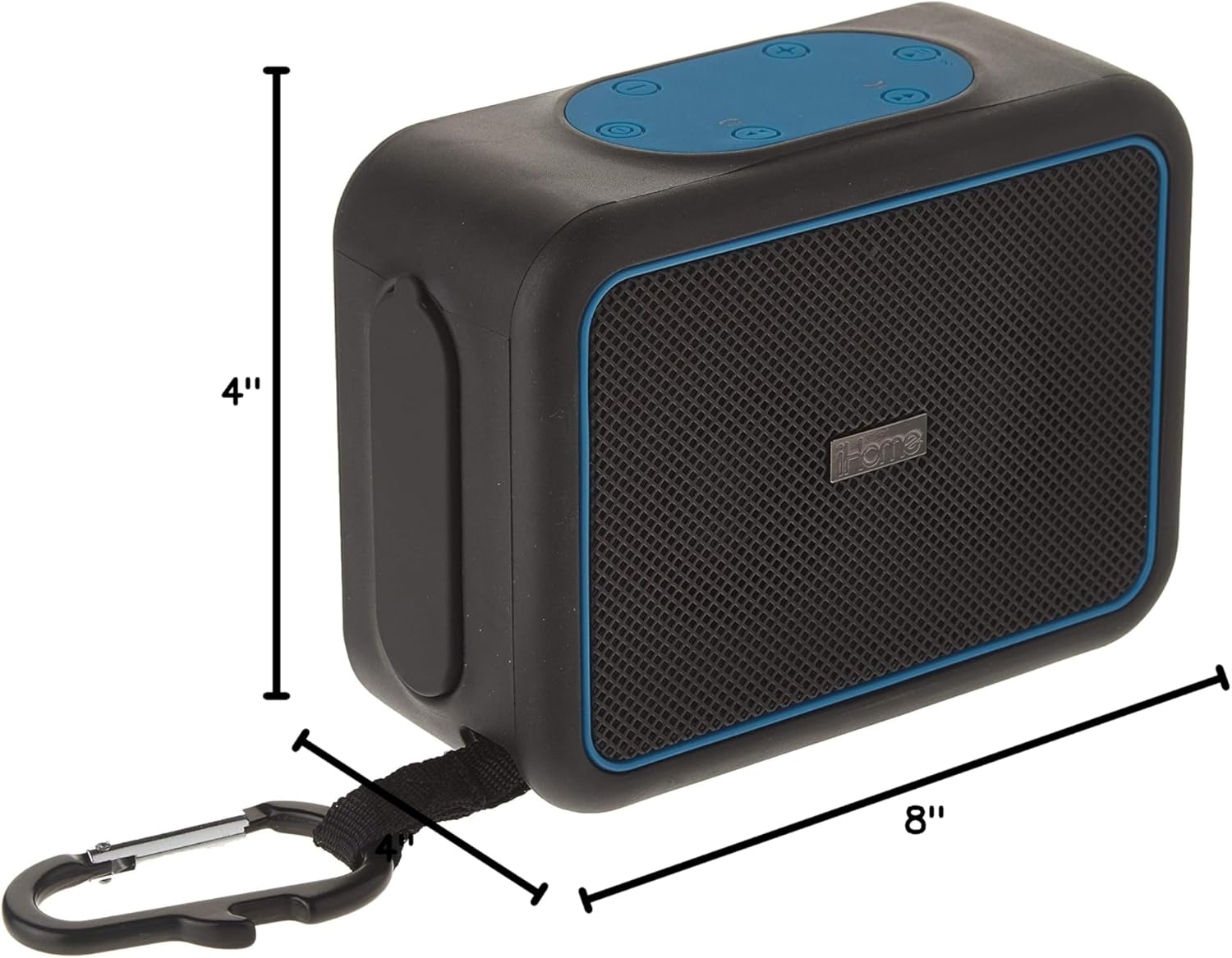
Image 7.1: Dimensions of the iHome iBT35 speaker.
8. 보증 및 지원
The iHome iBT35 speaker comes with an Extended Warranty. For specific warranty terms, conditions, and to register your product, please refer to the warranty card included in your product packaging or visit the official iHome support website. For technical assistance or further inquiries, please contact iHome customer support.


