Intermec PM43A01000000201

Intermec PM43 직접 감열/열전사 프린터 사용 설명서

Model: PM43A01000000201

1. 서론

The Intermec PM43 is a mid-range industrial label printer designed for reliable performance and ease of use. This printer supports both direct thermal and thermal transfer printing methods, making it versatile for various labeling applications. It features a user-friendly interface, available with either a color touch-screen or universal icons, to simplify operation and reduce training requirements. This manual provides essential information for setting up, operating, maintaining, and troubleshooting your PM43 printer.

Intermec PM43 printer front view

그림 1: 전면 view of the Intermec PM43 printer, showing the control panel and media output slot.

2. 설정

2.1 포장 풀기 및 배치

Carefully remove the printer from its packaging. Ensure all packing materials are removed. Place the printer on a stable, flat surface with adequate space around it for ventilation and access to ports and media loading areas.

2.2 전원 연결

  1. Ensure the printer's power switch is in the OFF (O) position.
  2. Connect the power cord to the printer's AC inlet.
  3. 전원 코드의 다른 쪽 끝을 접지된 전기 콘센트에 꽂습니다.

2.3 Connecting to a Host System

The PM43 printer supports USB and Ethernet connectivity.

  • USB 연결: 프린터의 USB 포트와 컴퓨터의 사용 가능한 USB 포트에 USB 케이블을 연결하세요.
  • 이더넷 연결: 프린터의 이더넷 포트와 네트워크 라우터 또는 스위치를 이더넷 케이블로 연결하십시오.
뒤쪽 view of Intermec PM43 printer showing power and data ports

Figure 2: Rear panel of the PM43 printer, illustrating the power inlet, power switch, USB ports, and Ethernet port.

2.4 로딩 미디어

The PM43 printer can use various media types, including labels, tags, and continuous media. For thermal transfer printing, a ribbon is also required.

  1. Open the printer's media cover.
  2. Place the roll of labels onto the media supply spindle, ensuring the labels feed from the bottom of the roll.
  3. Thread the media through the guides and under the printhead assembly.
  4. If using thermal transfer, load the ribbon onto the ribbon supply spindle and thread it according to the internal diagrams.
  5. 미디어 덮개를 닫습니다.
내부에 view of Intermec PM43 printer showing media loading area

그림 3: 내부 view of the PM43 printer, highlighting the media and ribbon loading mechanisms.

3. 사용 설명서

3.1 전원 켜기/끄기

  • To power on, flip the power switch on the rear panel to the ON (I) position. The printer will perform a self-test.
  • To power off, flip the power switch to the OFF (O) position.

3.2 기본 인쇄

Once the printer is connected and media is loaded, you can send print jobs from your host system. Ensure the correct printer drivers are installed on your computer.

  1. 인쇄하려는 문서 또는 애플리케이션을 엽니다.
  2. Select the Intermec PM43 printer from the print dialog.
  3. Adjust print settings (e.g., label size, print density) as needed.
  4. 인쇄 작업을 시작하세요.

3.3 Using the User Interface

The PM43 features either a color touch-screen or a universal-icon interface for direct control and configuration. Navigate through menus to adjust settings such as media calibration, network configuration, and printer status.

4. 유지관리

4.1 Cleaning the Printhead

Regular cleaning of the printhead is crucial for maintaining print quality and extending the printhead's lifespan. Use a lint-free cloth or a printhead cleaning pen with isopropyl alcohol.

  1. Power off the printer and disconnect the power cord.
  2. 미디어 커버를 엽니다.
  3. Gently wipe the printhead element from the center outwards.
  4. Allow the printhead to dry completely before closing the cover and powering on the printer.

4.2 Replacing Media and Ribbon

Replace media rolls and thermal transfer ribbons as they run out. Refer to section 2.4 for loading instructions. Always ensure the correct media and ribbon types are used for optimal performance.

5. 문제 해결

This section addresses common issues you might encounter with your PM43 printer.

5.1 인쇄 품질이 좋지 않음

  • Faded or incomplete print: Clean the printhead (see section 4.1). Ensure the ribbon (if thermal transfer) is correctly loaded and not depleted. Adjust print density settings.
  • Smudged print: Verify media type is compatible. Ensure printhead pressure is correctly set.

5.2 Media Jams

  • 프린터 전원을 끕니다.
  • Open the media cover and carefully remove any jammed media.
  • Ensure media is loaded correctly and guides are properly adjusted.
  • Close the cover and power on.

5.3 연결 문제

  • Printer not detected: Check all cable connections (USB/Ethernet). Restart the printer and host system. Verify driver installation.
  • 네트워크 문제: Confirm network cable is connected. Check network settings on the printer and host system.

6. 사양

The following table outlines the key technical specifications for the Intermec PM43 printer.

특징사양
모델명오후 43
인쇄 기술Direct Thermal / Thermal Transfer
인쇄 색상흑백 (검정)
최대 인쇄 속도초당 12인치
최대 인쇄 해상도203dpi
지원되는 미디어 유형Black Mark, Continuous Label, Fanfold, Gap, Label, Linered Label, Linerless, Notch, Roll Fed, Tag
최대 미디어 크기4 x 6 인치
연결성USB, 이더넷
메모리128메가바이트
제어 방법Touch-screen or Universal-icon interface
제품 치수25 x 18 x 16 인치
품목 무게1 파운드
전원AC 공급
Language EmulationDSim, Fingerprint, IPL, XML
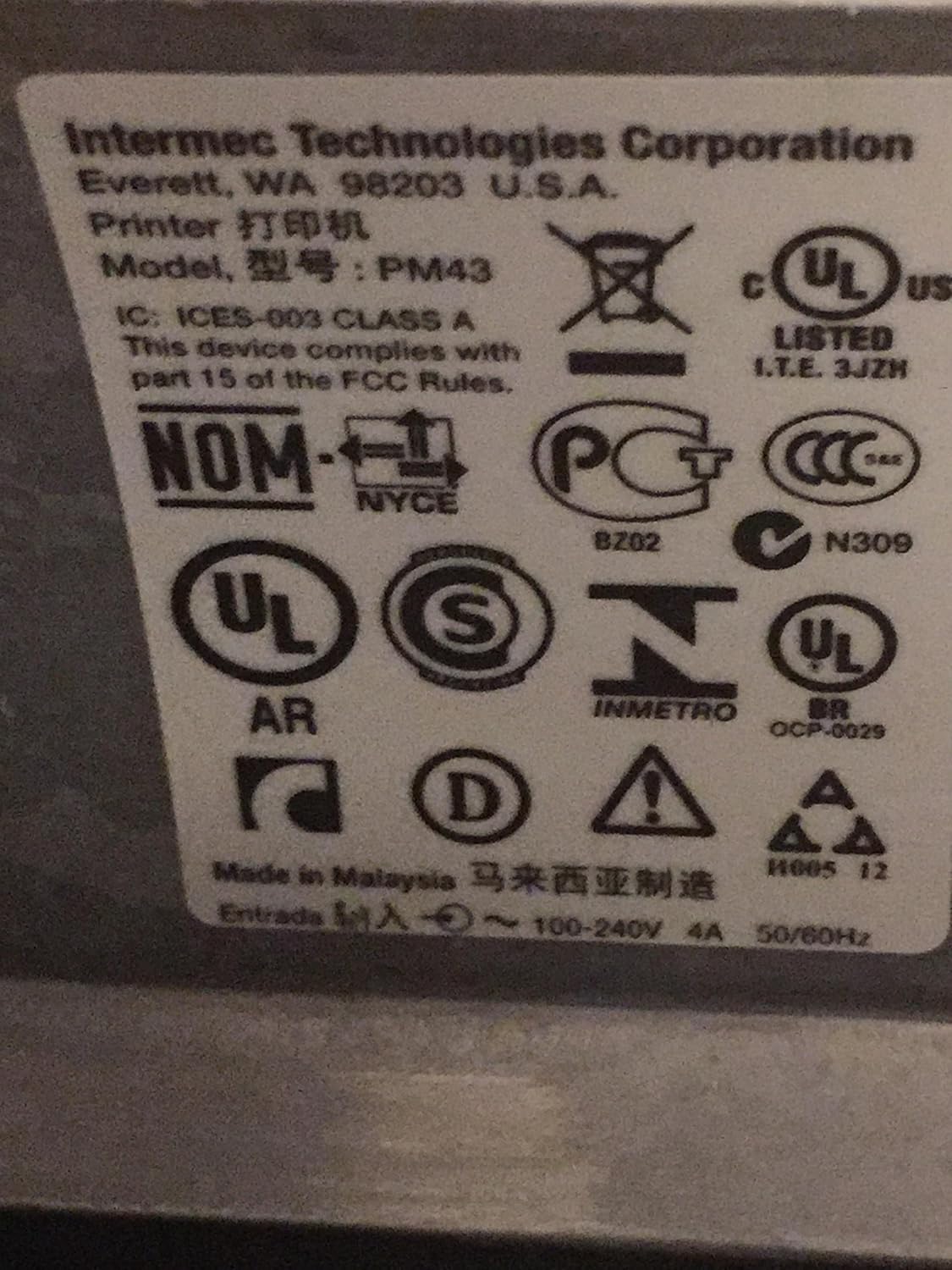
Close-up of regulatory labels on Intermec PM43 printer

Figure 4: Regulatory and compliance labels found on the Intermec PM43 printer.

7. 보증 정보

The Intermec PM43 printer is covered by a limited warranty. For specific terms and conditions, please refer to the warranty documentation included with your product or visit the official Intermec support web대지.

8. 지원

For further assistance, technical support, or to download the latest drivers and firmware, please visit the official Intermec support website or contact your authorized Intermec dealer. Ensure you have your printer's model number (PM43A01000000201) and serial number available when seeking support.

관련 문서 - PM43A01000000201

사전view Intermec Direct Protocol v8.60 프로그래머 참조 매뉴얼
Intermec Direct Protocol v8.60에 대한 포괄적인 가이드로, EasyCoder PF2i, PF4i, PM4i, PX4i, PX6i와 같은 Intermec 프린터에 대한 라벨 레이아웃을 만들고 포맷 지침을 보내는 데 사용하는 방법을 자세히 설명합니다.
사전view Intermec 3400E에서 PM43 라벨 프린터로의 마이그레이션 가이드
인터멕 3400E에서 PM43 라벨 프린터로의 마이그레이션 가이드로, 구성 구조 및 변환 경로를 자세히 설명합니다. 기술 사양 및 호환성 정보도 포함되어 있습니다.
사전view 매뉴얼 사용자 Stampanti Intermec PM23c, PM43, PM43c: Guida Completa
Scopri come configurare, utilizzare e mantenere le stampanti di etichette Intermec PM23c, PM43 e PM43c con questa guida utente completa. Include istruzioni dettag거짓말, 문제가 구체적으로 기술되어 있습니다.
사전view Intermec PM43/PM43c Label Dispenser Setup and Operation Instructions
A concise guide detailing the setup and operational steps for the Intermec PM43 and PM43c label dispensers, including loading labels, threading the web, sensor adjustment, and unit attachment.
사전view Intermec PM43/PM43c 라이너리스 롤러 설치 가이드
Intermec PM43/PM43c 라이너리스 롤러를 설치하기 위한 단계별 지침으로, 필수적인 청소 절차와 필요한 재료가 포함되어 있습니다.
사전view Intermec PM23c, PM43, PM43c UART+Industrial Interface Installation Guide
Step-by-step installation instructions for the Intermec PM23c, PM43, and PM43c printers' UART+Industrial Interface Board, covering hardware setup, component installation, and serial communication configuration.