SENCOR SCO 509-015 USB 연결 케이블 사용 설명서
모델: SCO 509-015
소개
This manual provides essential information for the proper use and care of your SENCOR SCO 509-015 USB Connection Cable. This cable is designed for reliable data transfer and connection between devices utilizing USB 2.0 Type A and USB 2.0 Type B ports.
제품 끝view
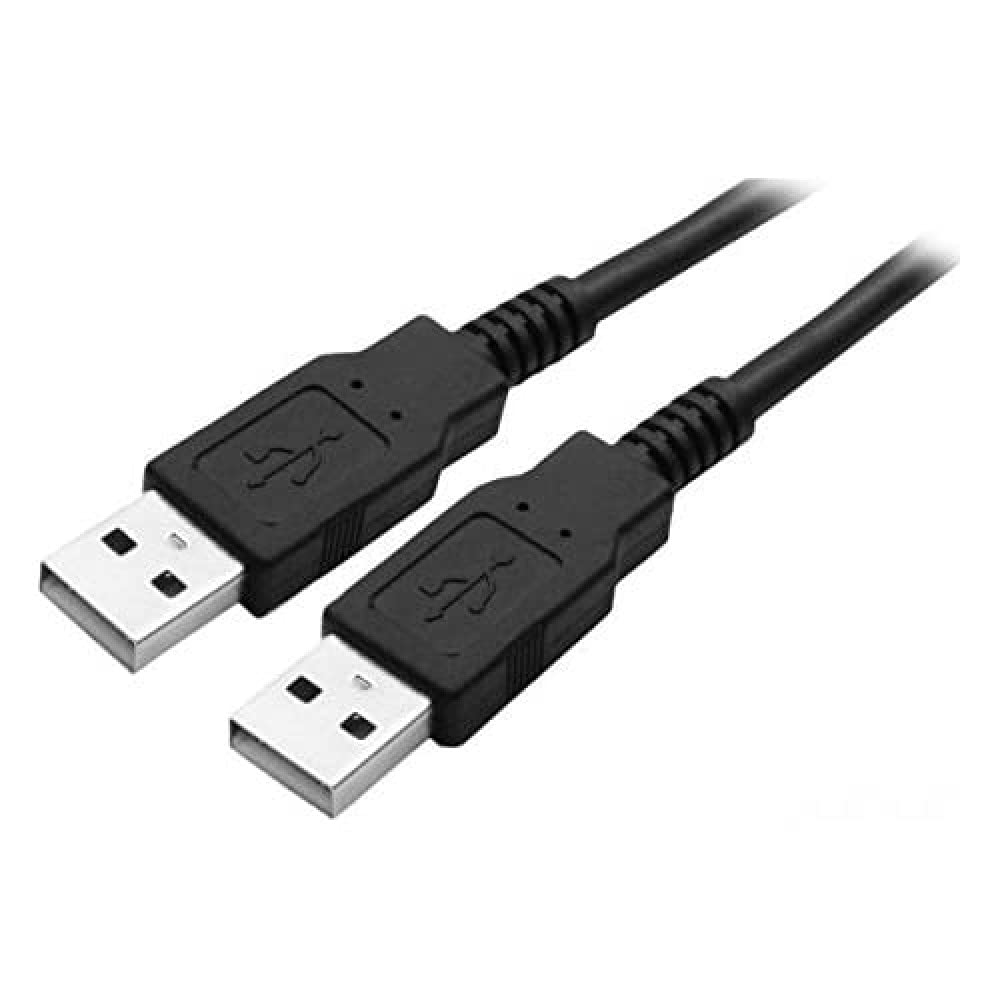
Figure 1: SENCOR SCO 509-015 USB Connection Cable. This image shows the black 1.5-meter cable with two USB 2.0 Type A male connectors, one at each end, typically used for connecting two host devices or for specific data transfer scenarios.
The SENCOR SCO 509-015 is a 1.5-meter USB 2.0 connection cable featuring a Type A Male connector on one end and a Type B Male connector on the other. It is suitable for connecting various peripherals such as printers, scanners, external hard drives, and other devices to a computer or host device.
설정
The SENCOR SCO 509-015 USB cable is designed for plug-and-play functionality. No special software or drivers are typically required for basic operation.
- 포트 식별: Locate the appropriate USB 2.0 Type A port on your host device (e.g., computer, laptop) and the USB 2.0 Type B port on your peripheral device (e.g., printer, scanner).
- 케이블 연결: Gently insert the USB 2.0 Type A Male connector of the cable into the Type A port on your host device.
- 주변기기 연결: Gently insert the USB 2.0 Type B Male connector of the cable into the Type B port on your peripheral device. Ensure both connections are firm and secure.
- 연결 확인: Your operating system should automatically detect the connected device. Refer to your device's manual for specific setup instructions if needed.
운영
Once connected, the SENCOR SCO 509-015 USB cable facilitates data transfer between your host and peripheral devices. The cable supports USB 2.0 specifications, offering data transfer rates up to 480 Mbps.
- 데이터 전송: Use the cable to transfer files, print documents, or perform other functions supported by your connected devices.
- 전력 공급 : The cable may also provide power to compatible low-power devices, eliminating the need for a separate power adapter for some peripherals.
- 핫 스와핑: USB cables are designed for hot-swapping, meaning you can connect or disconnect them while devices are powered on, though it is always recommended to safely eject devices from your operating system before disconnecting to prevent data corruption.
유지
Proper care will extend the life of your SENCOR USB cable.
- 저장: 케이블은 직사광선과 극한 온도 변화를 피해 서늘하고 건조한 곳에 보관하십시오. 케이블을 너무 세게 감거나 심하게 구부리지 마십시오. 내부 전선이 손상될 수 있습니다.
- 청소: If the cable or connectors become dirty, gently wipe them with a soft, dry, lint-free cloth. Do not use liquid cleaners or abrasive materials.
- 손질: 케이블을 연결하거나 분리할 때는 케이블 자체가 아닌 커넥터 하우징을 잡아야 연결부에 무리가 가는 것을 방지할 수 있습니다.
문제 해결
If you experience issues with your SENCOR USB cable, consider the following:
- 기기 감지 안 됨:
- 케이블 양쪽 끝이 제대로 연결되어 있는지 확인하세요.
- Try connecting the cable to a different USB port on your host device.
- Test the cable with another compatible device to rule out a cable fault.
- Ensure the peripheral device is powered on and functioning correctly.
- 느린 데이터 전송:
- Verify that both the host and peripheral devices support USB 2.0 for optimal speeds. Connecting to a USB 1.1 port will result in slower transfer rates.
- 신호 품질이 저하될 수 있으므로 지나치게 긴 USB 연장 케이블 사용을 피하십시오.
- 물리적 손상: Inspect the cable and connectors for any visible signs of damage, such as frayed wires, bent pins, or cracked housings. Discontinue use if damage is found.
명세서
| 특징 | 세부 사항 |
|---|---|
| 모델 | 스코 509-015 |
| 상표 | 시너 |
| 케이블 유형 | USB 2.0 연결 케이블 |
| 커넥터 | USB 2.0 Type A Male to USB 2.0 Type B Male |
| 길이 | 1.5 미터 |
| 데이터 전송 속도 | Up to 480 Mbps (USB 2.0 Standard) |
| 색상 | 검은색 |
| 제조업체 | FAST ČR as |
| ASIN | B01DFP1CQ2 |
보증 및 지원
For information regarding warranty coverage and customer support for your SENCOR SCO 509-015 USB Connection Cable, please refer to the documentation provided at the time of purchase or visit the official SENCOR web사이트. 보증 청구를 위해 구매 증빙 자료를 보관하세요.


