소개
The Intermec PB51 is a rugged, 4-inch direct thermal mobile receipt printer designed for demanding field service, route accounting, and point-of-service applications. It offers fast, reliable printing performance to enhance productivity for mobile workers.
This manual provides essential information for the proper setup, operation, maintenance, and troubleshooting of your PB51 printer.
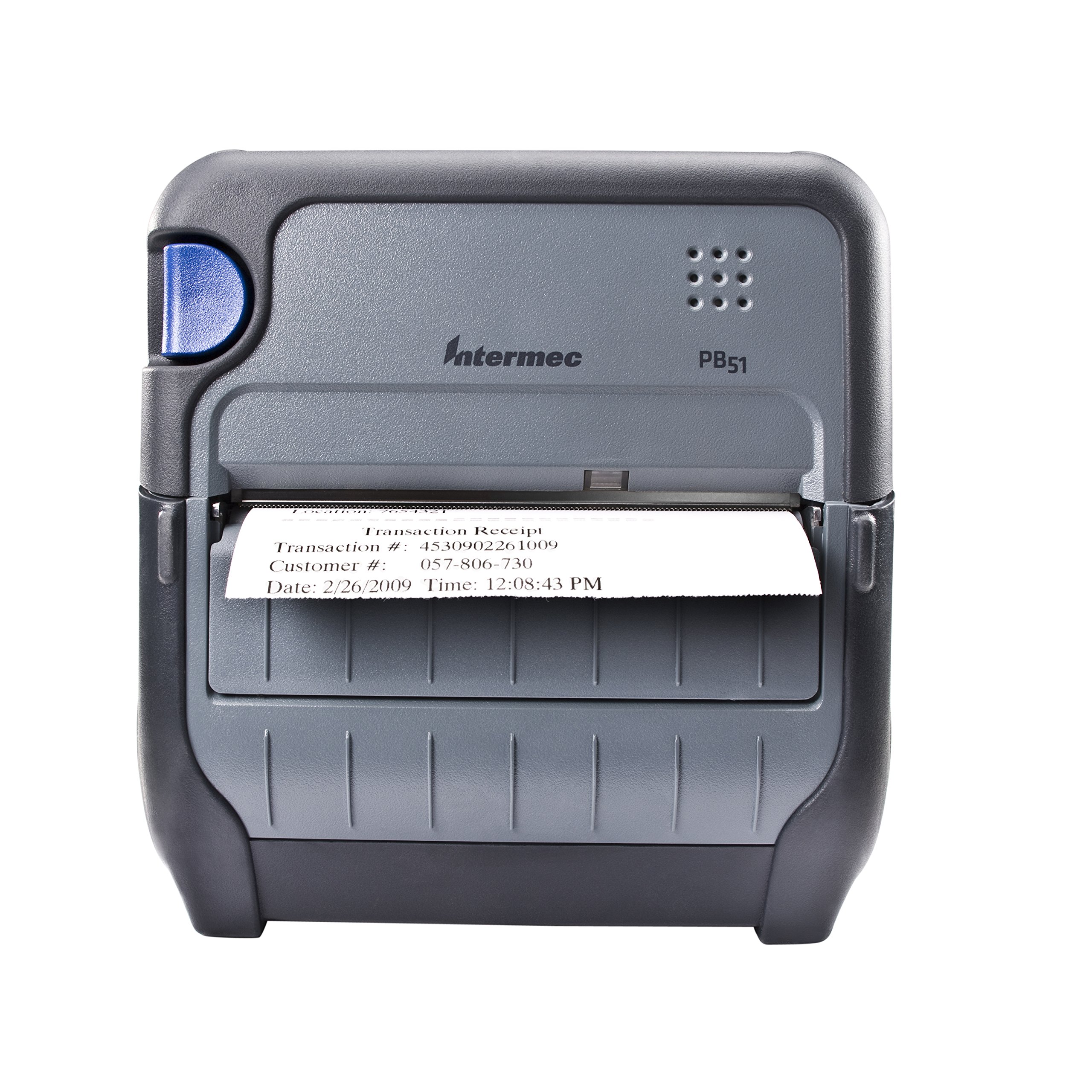
그림 1: 전면 view of the Intermec PB51 mobile receipt printer. A receipt is partially ejected from the front slot, displaying "Transaction Receipt", "Transaction #: 4530902261009", "Customer #: 057-806-730", and "Date: 2/26/2009 Time: 12:08:43 PM". The printer features a dark gray casing with a blue button on the left side and the "Intermec PB51" logo on the top panel.
설정
1. 개봉 및 검사
- 프린터와 모든 액세서리를 포장에서 조심스럽게 꺼내세요.
- 포장 명세서에 기재된 모든 구성품이 있는지 확인하십시오.
- Inspect the printer for any visible damage. If damage is found, contact your supplier immediately.
2. 배터리 설치 및 충전
- 프린터의 전원이 꺼져 있는지 확인하십시오.
- Locate the battery compartment on the printer.
- 배터리를 삽입할 때 접점과 배터리의 위치가 정확히 일치하는지 확인하세요.
- 배터리 칸을 단단히 닫으세요.
- Connect the AC adapter to the printer and a power outlet. The battery indicator light will show charging status. Allow the battery to fully charge before first use.
3. 감열지 넣기
- 용지함 커버를 엽니다.
- Insert the thermal paper roll with the print-side facing the print head.
- Pull a small amount of paper out past the print mechanism.
- Close the paper compartment cover firmly until it latches.
- The printer's paper sensors will detect the paper, minimizing lost transactions.
4. Connectivity Setup (Bluetooth / USB / Serial)
- 블루투스: Turn on the printer and enable Bluetooth on your host device (e.g., smartphone, tablet, or computer). 검색 available devices and select the PB51. Pair using the default PIN (refer to the printer's display or documentation for the specific PIN).
- USB: Connect the printer to your host device using a standard USB cable. Install the necessary printer drivers on your host device if prompted.
- 연속물: Connect the printer to your host device using a serial cable. Configure the serial port settings (baud rate, data bits, parity, stop bits) on both the printer and the host device to match.
작동 지침
1. 전원 켜기 / 끄기
- 전원을 켜려면 디스플레이가 켜질 때까지 전원 버튼을 길게 누르세요.
- To power off, press and hold the power button until the display indicates shutdown, then release.
2. Printing a Receipt
- Ensure the printer is powered on and connected to your host device.
- Open the application on your host device that generates receipts or invoices.
- Initiate the print command from your application. The PB51 is designed for 20-30% faster time-to-receipt printing.
- The printer will automatically feed and print the receipt.
- Tear off the receipt along the serrated edge.
3. LCD 디스플레이 사용
The standard LCD display provides important information about the printer's status, battery level, connectivity, and error messages. Use the navigation buttons (if present) to scroll through menu options and settings.
유지
1. 프린트 헤드 청소
- Power off the printer and disconnect it from any power source.
- 종이칸을 열어보세요.
- Gently wipe the print head surface with a lint-free cloth damp이소프로필 알코올로 소독함.
- 덮개를 닫고 프린터의 전원을 켜기 전에 프린트 헤드가 완전히 마르도록 하세요.
- Perform this cleaning regularly, especially if print quality degrades.
2. 배터리 관리
- 배터리 수명을 극대화하려면 배터리를 자주 완전히 방전하지 마세요.
- Store the printer and battery in a cool, dry place when not in use for extended periods.
- Use only genuine Intermec replacement batteries.
3. 일반 청소
프린터 외부를 부드러운 천으로 닦으세요.amp cloth. Do not use harsh chemicals or abrasive cleaners. Ensure no liquid enters the printer's openings.
문제 해결
| 문제 | 가능한 원인 | 해결책 |
|---|---|---|
| 프린터 전원이 켜지지 않습니다 | Low or dead battery; faulty power adapter; loose battery connection. | Charge the battery; check power adapter connection; re-seat the battery. |
| 출력 없음 | No paper; paper loaded incorrectly; connectivity issue; print head dirty. | Load paper correctly; check Bluetooth/USB/Serial connection; clean print head. |
| 인쇄 품질이 좋지 않음 | Dirty print head; incorrect paper type; low battery. | Clean print head; ensure thermal paper is used; charge battery. |
| 연결 문제 | Incorrect pairing; driver issues; out of range. | Re-pair Bluetooth; reinstall drivers; move closer to host device. |
If the problem persists after attempting these solutions, please contact Intermec customer support.
명세서
| 특징 | 세부 사항 |
|---|---|
| 모델명 | PB51B33004100 |
| 인쇄 기술 | 직접 열 |
| 프린터 출력 | 단색화 |
| 최대 미디어 크기 | 4인치 |
| 연결 기술 | USB, Serial, Bluetooth |
| 품목 무게 | 42온스(약 2.63파운드) |
| 패키지 크기 | 10.2 x 10 x 5 인치 |
| 컨트롤러 유형 | 안드로이드(호환) |
| 제조업체 | 인터멕 |
보증 및 지원
Specific warranty information for the Intermec PB51 printer is not available in this document. Please refer to the warranty card included with your product or visit the official Intermec (now Honeywell) web자세한 보증 약관은 해당 사이트에서 확인하세요.
For technical support, service, or to purchase accessories, please contact your authorized Intermec/Honeywell dealer or visit their official support portal.


