소개
This manual provides essential information for the safe and efficient installation, operation, and maintenance of your Hormann HET 24 BS 868 MHz 2-channel receiver. Please read these instructions carefully before beginning any work with the device. Keep this manual for future reference.
안전 지침
경고: Incorrect installation or operation can lead to serious injury or damage to property. Always follow these safety guidelines:
- Installation and electrical connections must only be performed by qualified personnel in accordance with local electrical codes and regulations.
- 설치, 유지보수 또는 수리 작업을 수행하기 전에 반드시 전원 공급 장치를 차단하십시오.
- The device operates with 12-24V AC/DC. Verify the correct voltag연결하기 전에 e를 누르세요.
- Protect the device from moisture, extreme temperatures, and direct sunlight, even though it has an IP44 protection rating.
- Do not modify the device in any way. Unauthorized modifications can void the warranty and create safety hazards.
제품 끝view
The Hormann HET 24 BS is a 2-channel universal receiver designed for controlling gate operators, garage door openers, and other automation systems. It operates on the 868 MHz frequency and features two potential-free relays, allowing for versatile integration with various motorization units. The receiver is housed in a separate casing with an IP44 protection rating, making it suitable for protected outdoor installation.
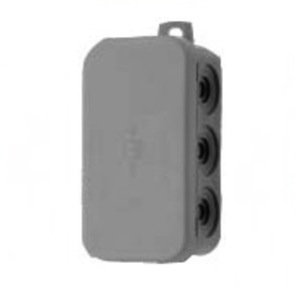
주요 특징:
- 빈도: 868MHz
- 채널: 2 (two potential-free relays)
- 운영 볼륨tage: 12 - 24V AC/DC
- 기능: 펄스 작동
- 보호 등급: IP44(방말)
설정 및 설치
The installation of the HET 24 BS receiver involves mounting the unit and connecting it to the power supply and the automation system. Professional installation is highly recommended.
1. 수신기 장착
- Choose a suitable location for mounting the receiver. The IP44 rating allows for protected outdoor installation, but avoid direct exposure to heavy rain or prolonged sunlight.
- 장착 표면이 안정적이고 안전한지 확인하세요.
- Mount the receiver using appropriate screws and fixings. Ensure the antenna is positioned for optimal signal reception.
2. 전기 연결
Before making any electrical connections, ensure the power supply to the automation system is completely disconnected.
- Connect the power supply (12-24V AC/DC) to the designated terminals on the receiver. Observe correct polarity if using DC power.
- Connect the two potential-free relay outputs of the receiver to the control inputs of your automation system (e.g., gate operator, garage door motor). Refer to your automation system's manual for specific input terminals.
- 모든 연결 부분이 안전하고 적절히 절연되어 있는지 확인하세요.
3. Pairing Transmitters (Remote Controls)
The HET 24 BS receiver needs to be paired with compatible Hormann 868 MHz BiSecur (BS) transmitters. The exact pairing procedure may vary slightly depending on the specific transmitter model. Generally, this involves:
- Activating a programming mode on the receiver (often via a button on the unit).
- Pressing a button on the transmitter to send the pairing signal.
- Confirming successful pairing (e.g., via an LED indicator on the receiver).
Refer to the specific instructions provided with your Hormann transmitter for detailed pairing steps.
수신기 작동
Once installed and paired with a transmitter, the HET 24 BS receiver operates by receiving signals from the transmitter and activating its relays. Each channel corresponds to a specific relay output.
- When a paired button on your transmitter is pressed, it sends an 868 MHz signal to the receiver.
- The receiver processes this signal and momentarily activates the corresponding potential-free relay output.
- This pulse signal then triggers the connected automation system (e.g., opening/closing a gate or garage door).
유지
The Hormann HET 24 BS receiver is designed for low maintenance. However, periodic checks can ensure its longevity and reliable operation:
- 청소: Periodically clean the exterior of the receiver with a soft, damp 천. 연마성 세척제나 용매를 사용하지 마십시오.
- 점검: Annually inspect the wiring for any signs of wear, damage, or loose connections. Ensure the housing is intact and free from cracks.
- 환경 조건: While IP44 rated, ensure the receiver is not constantly exposed to harsh weather conditions that could compromise its seals over time.
Always disconnect power before performing any inspection or cleaning that involves opening the unit.
문제 해결
If you experience issues with your HET 24 BS receiver, consider the following common troubleshooting steps:
| 문제 | 가능한 원인 | 해결책 |
|---|---|---|
| Receiver does not respond to transmitter. |
|
|
| Automation system does not activate. |
|
|
| Short reception range. |
|
|
If problems persist after attempting these solutions, please contact a qualified technician or Hormann customer support.
명세서
- 모델: HET 24 BS
- 제조업체: 호르 만
- 빈도: 868MHz
- 채널: 2
- 릴레이 유형: 포텐셜 프리
- 운영 볼륨tage: 12 - 24V AC/DC
- 보호 등급: IP44
- 기능: 맥박
- 품목 무게: 약 400그램
- ASIN: B01C66413W
보증 및 지원
Specific warranty details for the Hormann HET 24 BS receiver are not provided within this document. For information regarding warranty coverage, terms, and conditions, please refer to the documentation supplied with your purchase or contact your retailer (DOMOCONCEPT) or Hormann directly.
For technical support or further assistance, please contact Hormann customer service or a certified Hormann dealer.


