1. 서론
This manual provides essential instructions for the setup, operation, and maintenance of your NVIDIA 3DVIZ PRO- ONE RF Glasses and accompanying RF emitter. Designed for professional 3D visualization environments such as caves, VR setups, and auditoriums, this system utilizes radio frequency (RF) technology, offering superior flexibility compared to infrared (IR) based systems. The RF system eliminates line-of-sight limitations and provides an extended operating range of approximately 100 feet in all directions. It is specifically compatible with NVIDIA Quadro Plex Scalable Visualization Solutions, Quadro SDI, and G-Sync Solutions, ensuring reliable performance for demanding professional applications.
2. 제품 오버view 및 패키지 내용물
The NVIDIA 3DVIZ PRO- ONE RF Glasses system includes the following components:
- One (1) 3DVIZ PRO-E RF Glasses
- One (1) RF Emitter
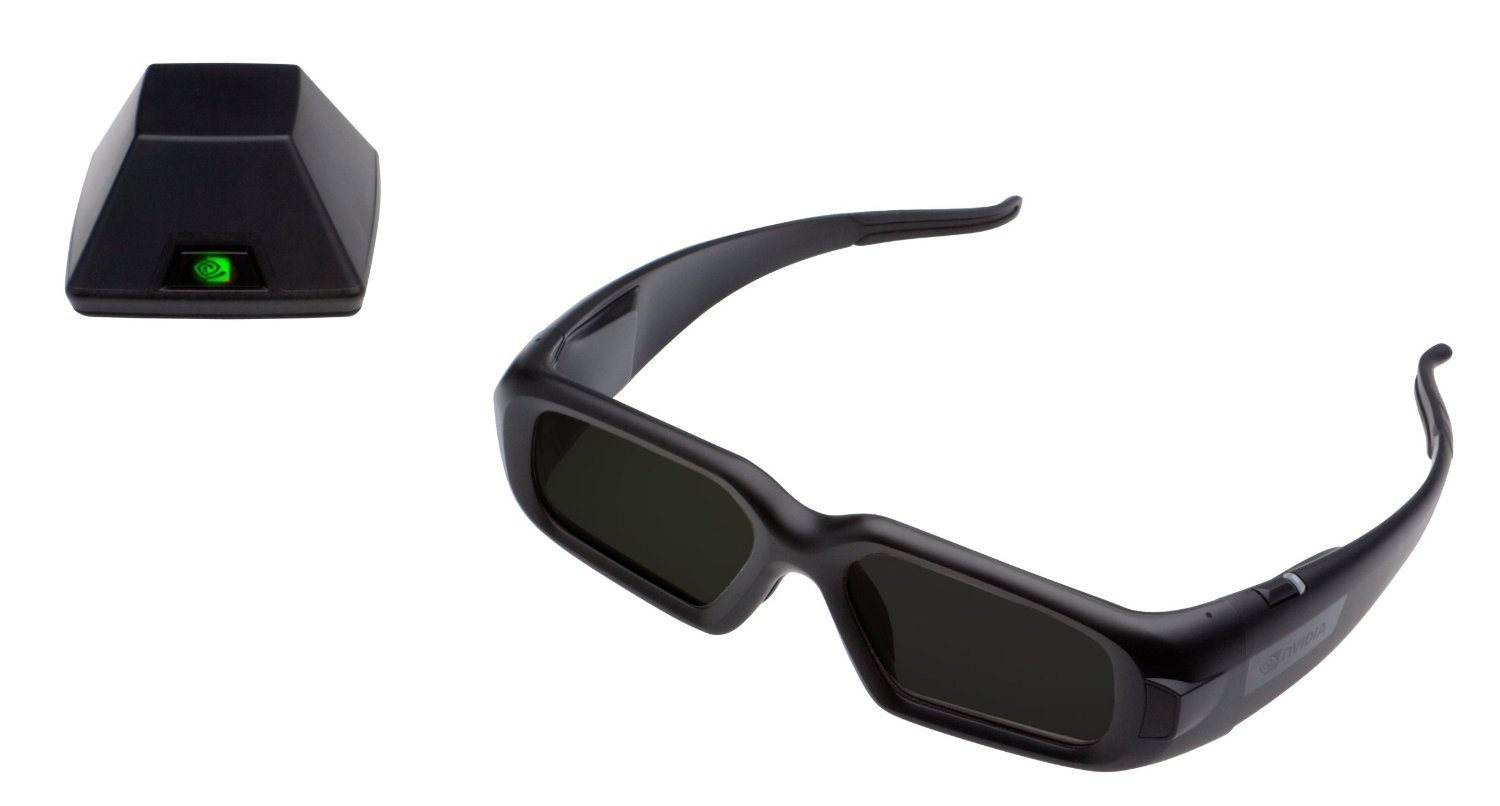 Image: The NVIDIA 3DVIZ PRO- ONE RF Glasses and its accompanying RF emitter. The glasses feature a sleek design, and the emitter is a compact device designed for broad signal distribution.
3. 설정 지침
- Emitter Placement: Position the RF emitter in a central location within your viewing area. The emitter provides a signal range of approximately 100 feet (30 meters) in all directions, without requiring a direct line of sight to the glasses. Ensure it is free from obstructions that could physically block the signal, although line-of-sight is not strictly necessary for RF transmission.
- 시스템 연결 : Connect the RF emitter to your NVIDIA Quadro system. Refer to your NVIDIA Quadro system's documentation for specific port requirements and connection procedures. Typically, this involves a USB connection for power and data, or a dedicated 3D Vision Pro port.
- 드라이버 설치: Ensure that the latest NVIDIA Quadro drivers and 3D Vision Pro software are installed on your system. These drivers are crucial for proper communication between the emitter, glasses, and your graphics card. Visit the official NVIDIA web드라이버 다운로드 사이트.
- Pairing Glasses:
- Turn on the 3DVIZ PRO-E RF Glasses. Locate the power button, usually on the frame.
- Initiate the pairing process on the RF emitter (refer to the emitter's specific instructions, often a button press).
- The glasses should automatically detect and pair with the emitter. A status indicator on both the glasses and emitter will confirm a successful connection.
4. 사용 설명서
- 전원 켜기/끄기: Press and hold the power button on the glasses for approximately 2 seconds to turn them on or off. An LED indicator will typically illuminate when the glasses are active.
- 안경 착용: Place the glasses comfortably on your face. Ensure they are positioned correctly for optimal 3D viewing. Adjust the nose pads if necessary.
- Viewing 3D Content: Once your NVIDIA Quadro system is configured for 3D output and displaying compatible content, the glasses will automatically synchronize with the RF emitter to provide a stereoscopic 3D experience.
- 배터리 상태: Monitor the battery indicator on the glasses. When the battery is low, recharge the glasses using the provided charging cable.
5. 유지관리
- 청소: Use a soft, lint-free cloth to clean the lenses and frame of the glasses. Do not use abrasive cleaners, solvents, or alcohol, as these can damage the lens coatings.
- 저장: When not in use, store the glasses in a protective case to prevent scratches and damage. Avoid exposing them to extreme temperatures or direct sunlight for prolonged periods.
- 배터리 관리 : For optimal battery life, avoid fully discharging the glasses frequently. If storing for an extended period, charge the battery to approximately 50% capacity.
6. 문제 해결
- No 3D Effect or Flickering Image:
- Ensure the RF emitter is powered on and properly connected to your NVIDIA Quadro system.
- Verify that the glasses are turned on and successfully paired with the emitter. Check the status indicators.
- Confirm that the NVIDIA Quadro drivers and 3D Vision Pro software are correctly installed and updated.
- Check for any potential sources of RF interference in the environment, although the system is designed to be robust.
- Ensure your display device and NVIDIA Quadro settings are configured for 3D output.
- Glasses Not Turning On:
- The battery may be depleted. Connect the glasses to a power source using the charging cable and allow them to charge.
- Ensure the charging cable and power source are functioning correctly.
- 제한된 범위 또는 간헐적 연결:
- Reposition the RF emitter to a more central location within the view지역입니다.
- While RF does not require line-of-sight, dense physical obstructions can still attenuate the signal. Try to minimize such barriers.
- Ensure no other strong RF devices are operating on conflicting frequencies nearby.
7. 사양
| 특징 | 세부 사항 |
|---|---|
| 모델 번호 | P753, P703 |
| 기술 | Radio Frequency (RF) Active Shutter |
| 호환성 | NVIDIA Quadro Plex, Quadro SDI, G-Sync Solutions |
| 작동 범위 | Approximately 100 feet (30 meters) in all directions |
| 품목 무게 | 1kg (0.45 파운드) |
| 제조업체 | 엔비디아 |
| ASIN | B018JM1OFA |
| 첫 번째 이용 가능 | 31년 2013월 XNUMX일 |
8. 보증 및 지원
For information regarding warranty coverage, technical support, or service, please refer to the documentation provided with your purchase or visit the official NVIDIA support web사이트. 보증 청구를 위해 구매 증빙 자료를 보관하세요.


