소개
This manual provides essential information for the proper setup, operation, and maintenance of your RCA Cambio 10.1 W101 V2 Windows 10 2-in-1 Tablet PC. Please read these instructions thoroughly before using your device to ensure optimal performance and longevity.
The RCA Cambio 10.1 W101 V2 is a versatile 10-inch tablet powered by an Intel quad-core processor and preloaded with Windows 10. It features a detachable keyboard, allowing for flexible use as both a tablet and a laptop. Key features include Bluetooth connectivity, front and rear 2MP cameras, and 32GB of internal storage.
설정
1. 언박싱 및 초기 검사
모든 구성품을 포장에서 조심스럽게 꺼내세요. 다음 품목이 모두 있는지 확인하세요.
- RCA Cambio 10.1 W101 V2 Tablet
- 분리형 키보드
- 전원 어댑터
기기에 눈에 띄는 손상이 있는지 검사하십시오. 구성품이 누락되었거나 손상된 경우 고객 지원팀에 문의하십시오.
2. 장치 충전
Before first use, fully charge the tablet. Connect the power adapter to the charging port on the tablet and then to a power outlet. The charging indicator will illuminate. A full charge may take several hours.
3. 분리형 키보드 부착
Align the tablet with the magnetic connector on the detachable keyboard. Gently push the tablet down until it securely clicks into place. The keyboard does not require separate power or pairing.

이미지: 후면 view of the RCA Cambio 10.1 W101 V2 tablet with the detachable keyboard attached, illustrating the connection point and available ports.
4. 초기 전원 켜기 및 Windows 10 설정
Press and hold the power button located on the side of the tablet until the screen illuminates. Follow the on-screen prompts to complete the initial Windows 10 setup, including language selection, network connection, and user account creation.
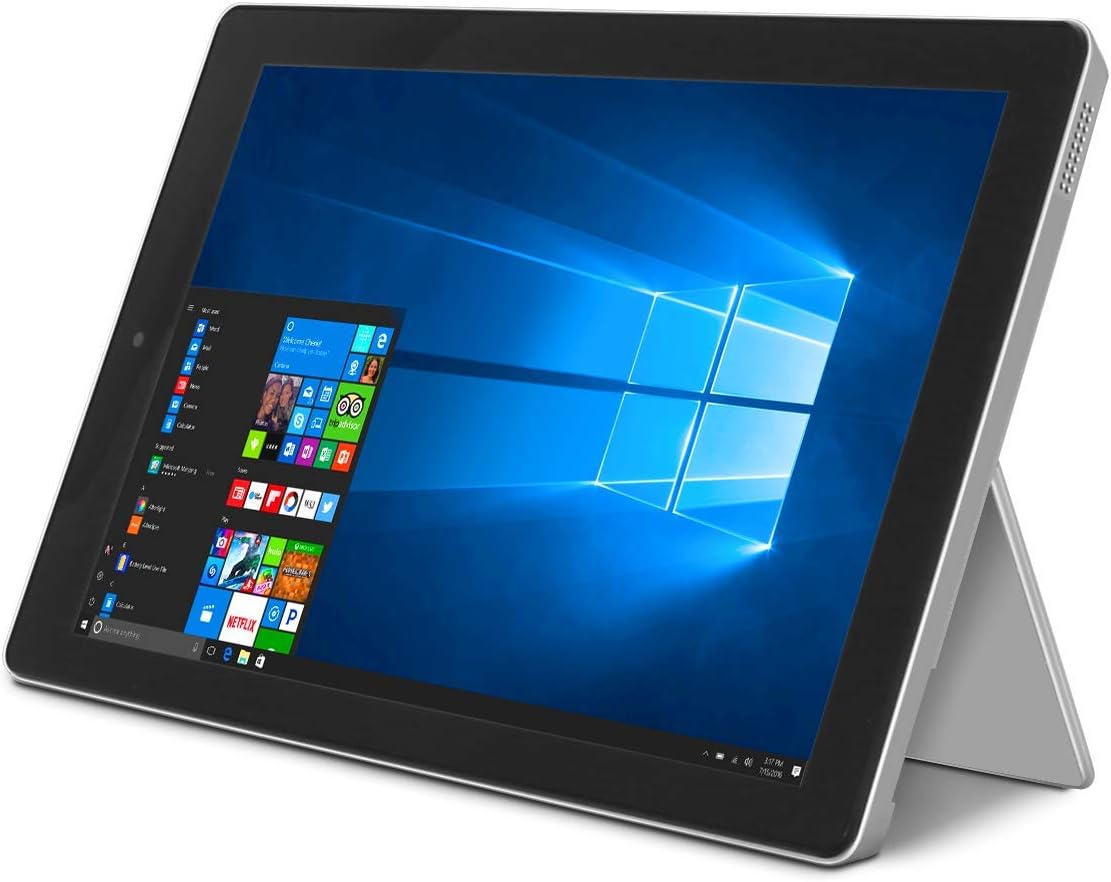
Image: The RCA Cambio 10.1 W101 V2 tablet in laptop mode, showcasing the Windows 10 operating system interface.
작동 지침
1. 기본 탐색
터치스크린:
The tablet features a multi-touch display. Use gestures such as tap, swipe, pinch-to-zoom, and press-and-hold to interact with the interface.
키보드 및 터치패드:
When the detachable keyboard is connected, you can use the physical keys for typing and the integrated touchpad for cursor control. The touchpad supports multi-touch gestures similar to a laptop touchpad.

Image: The RCA Cambio 10.1 W101 V2 tablet in portrait orientation, showing the Windows 10 Start screen with application tiles.
2. Wi-Fi에 연결하기
- 열기 시작 메뉴 그리고 클릭하세요 설정.
- 선택하다 네트워크 및 인터넷.
- 선택하다 와이파이 왼쪽 메뉴에서.
- Wi-Fi 전환 On 만약 꺼져있다면.
- Select your desired network from the list and click 연결하다.
- 메시지가 표시되면 네트워크 암호를 입력합니다.
3. 블루투스 페어링
- 열기 시작 메뉴 그리고 클릭하세요 설정.
- 선택하다 장치.
- 선택하다 Bluetooth 및 기타 장치 왼쪽 메뉴에서.
- 블루투스 전환 On.
- 딸깍 하는 소리 Bluetooth 또는 기타 장치 추가 and follow the instructions to pair with your desired device.
4. 카메라 사용
The tablet is equipped with front and rear 2MP cameras. To access the camera, open the 카메라 application from the Start Menu or search bar. You can switch between front and rear cameras within the application interface.
5. Productivity with Microsoft Office 365
The device comes preloaded with Windows 10, which supports Microsoft Office 365 applications. You can create and edit documents, spreadsheets, and presentations. An active subscription to Microsoft Office 365 may be required for full functionality.

Image: The RCA Cambio 10.1 W101 V2 tablet running Microsoft Office applications, highlighting its use for productivity tasks.
6. 스토리지 관리
The tablet includes 32GB of internal storage. To manage your storage, go to 설정 > 시스템 > 저장소. 할 수 있습니다 view storage usage, free up space, and change where new content is saved. Consider using cloud storage or an external microSD card (not included) for additional space.
유지
1. 장치 청소
부드럽고 보풀 없는 천으로 화면과 외부 표면을 닦으세요. 잘 지워지지 않는 얼룩은 살짝 두드려 닦아내세요.amp천에 물이나 화면 세척액을 묻혀 닦아주세요. 강한 화학 물질이나 연마재는 사용하지 마세요.
2. 소프트웨어 업데이트
시스템에 최신 보안 패치와 기능이 적용되도록 Windows 업데이트를 정기적으로 확인하고 설치하세요. 다음 링크를 참조하세요. 설정 > 업데이트 및 보안 > Windows 업데이트 업데이트를 확인하세요.
3. 배터리 관리
배터리 수명을 연장하려면:
- 배터리를 자주 완전히 방전시키지 마세요.
- 장치를 극한 온도에 노출시키지 마십시오.
- Unplug the charger once the battery is fully charged, especially during extended periods of non-use.
4. 데이터 백업
Regularly back up important data to an external drive or cloud storage to prevent data loss in case of device malfunction.
문제 해결
This section addresses common issues you might encounter with your RCA Cambio 10.1 W101 V2.
장치 전원이 켜지지 않음:
- Ensure the device is fully charged. Connect the power adapter and wait a few minutes before attempting to power on again.
- Press and hold the power button for at least 10-15 seconds to perform a hard reset.
성능 저하 또는 정지:
- 백그라운드에서 실행 중인 불필요한 애플리케이션을 닫으세요.
- 보류 중인 Windows 업데이트를 확인하고 설치하세요.
- 충분한 저장 공간을 확보하세요. 불필요한 파일을 삭제하세요. file또는 외부 저장소로 옮기세요.
- 장치를 다시 시작합니다.
Wi-Fi 연결 문제:
- Wi-Fi가 활성화되어 있는지 확인하십시오. 설정 > 네트워크 및 인터넷 > Wi-Fi.
- Wi-Fi 라우터와 태블릿을 다시 시작하세요.
- 네트워크 연결을 해제하고 비밀번호를 다시 입력하여 재연결하세요.
- Wi-Fi 신호 범위 내에 있는지 확인하세요.
블루투스 페어링 문제:
- 태블릿과 페어링하려는 기기 모두에서 블루투스가 활성화되어 있는지 확인하십시오.
- Make sure both devices are in pairing mode and within close proximity.
- Remove previously paired devices from the tablet's Bluetooth settings if you are experiencing conflicts.
키보드가 응답하지 않음:
- Ensure the keyboard is securely attached to the tablet's magnetic connector.
- 키보드를 분리했다가 다시 연결하세요.
- 태블릿을 다시 시작하십시오.
배터리가 빨리 소모됩니다:
- 화면 밝기를 낮춰보세요.
- Close background applications and disable unnecessary features like Bluetooth or Wi-Fi when not in use.
- 배터리 사용량을 확인하세요 Settings > System > Battery to identify power-consuming applications.
공장 초기화(최후의 수단):
If issues persist, you may consider performing a factory reset. This will erase all data and reinstall Windows 10. 계속하기 전에 중요한 데이터를 모두 백업하세요. 이동하다 Settings > Update & Security > Recovery > Reset this PC 화면의 지시를 따르세요.
명세서
| 특징 | 사양 |
|---|---|
| 모델 번호 | W101 V2 |
| 운영 체제 | 윈도우 10 |
| 화면 크기 | 10.1 인치 |
| 화면 해상도 | 1280 x 800 |
| 프로세서 | Intel Quad-Core (1.83 GHz) |
| 숫양 | 2GB DDR3 SDRAM |
| 내부 저장소 | 32GB 플래시 메모리 |
| 무선 연결 | 802.11b Wi-Fi, Bluetooth |
| 카메라 | Front and Rear (2 MP) |
| 배터리 | 1개의 리튬 이온 배터리(포함) |
| 치수(길이x너비x높이) | 12.2 x 8.5 x 3.15 인치 |
| 품목 무게 | 2.75파운드 |
보증 및 지원
보증 정보 및 기술 지원에 대해서는 제품에 포함된 설명서를 참조하거나 RCA 공식 지원 웹사이트를 방문하십시오. web사이트. 보증 청구를 위해 구매 증빙 자료를 보관하세요.
For further assistance, you may contact RCA customer service. Contact details are typically available on the manufacturer's web대지.


