소개
구매해주셔서 감사합니다asing the Coby CSBT-317-WHT Tune Box Portable Bluetooth Speaker. This device is designed to provide high-quality wireless audio from your Bluetooth-enabled devices, such as cell phones and computers. Its compact design and built-in features make it ideal for portable use. Please read this manual thoroughly before operating the speaker to ensure proper use and to maximize its performance.
안전 정보
- 스피커를 극한의 온도, 습도 또는 직사광선에 노출시키지 마세요.
- 스피커를 분해하거나 개조하지 마십시오. 그렇게 하면 보증이 무효화되고 제품이 손상될 수 있습니다.
- 스피커를 물이나 기타 액체에 가까이 두지 마십시오. 본 제품은 방수가 되지 않습니다.
- 지정된 충전 케이블과 전원 어댑터만 사용하세요.
- 청력 손상을 방지하려면 장시간 높은 볼륨으로 청취하지 마십시오.
패키지 내용
다음 품목이 패키지에 포함되어 있는지 확인하세요.
- Coby CSBT-317-WHT Tune Box Portable Bluetooth Speaker
- USB 충전 케이블
- 3.5mm 오디오 케이블
- 사용자 설명서
제품 끝view
Familiarize yourself with the various parts of your Coby Tune Box speaker.

그림 1: 전면 및 측면 View. This image displays the speaker's main grille on the front face and a black carrying strap attached to the side.
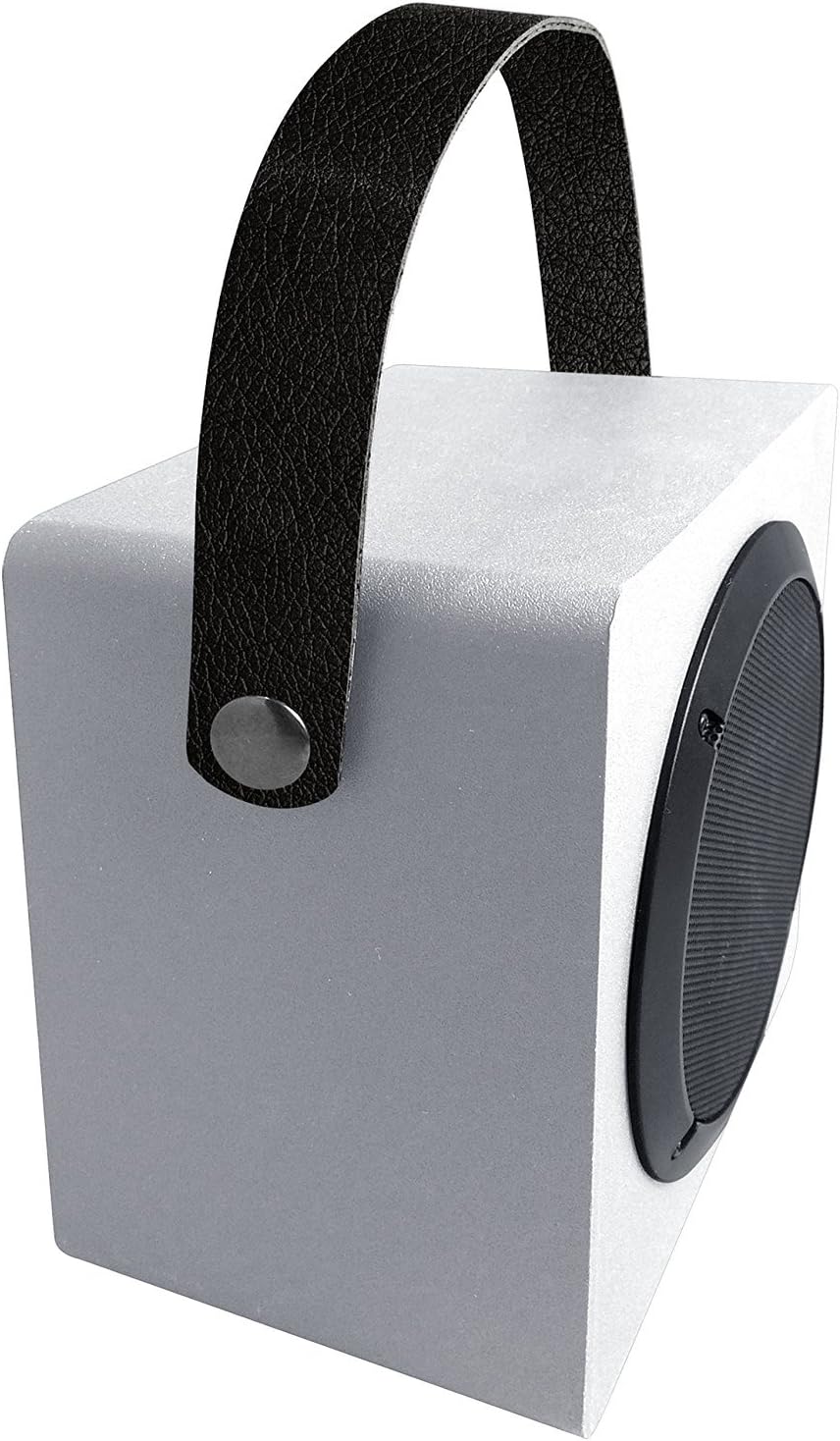
그림 2: 상단과 측면 View with Handle. This image shows the speaker from an elevated angle, emphasizing the integrated carrying handle and the overall compact design.
주요 구성 요소:
- 스피커 그릴: 스피커 드라이버를 보호하고 소리가 투사되도록 합니다.
- 운반 손잡이: 간편한 휴대를 위해.
- 제어판: (Typically located on the side or back) Includes power button, volume controls, and mode selection.
- 충전 포트: USB 충전 케이블을 연결합니다.
- 보조 입력: 유선 오디오 연결용 3.5mm 잭.
- 내장 마이크: 핸즈프리 통화를 위해.
설정
스피커 충전:
- USB 충전 케이블의 작은 끝을 스피커의 충전 포트에 연결합니다.
- USB 충전 케이블의 큰 쪽 끝을 USB 전원 어댑터(포함되지 않음)나 컴퓨터의 USB 포트에 연결합니다.
- The charging indicator light will illuminate, typically red, while charging.
- Once fully charged, the indicator light will change color or turn off. A full charge typically takes 2-3 hours.
운영
전원 켜기/끄기:
- 전원을 켜려면: Press and hold the Power button for approximately 3 seconds. You will hear an audible tone or voice prompt indicating the speaker is on.
- 전원을 끄려면: Press and hold the Power button for approximately 3 seconds. You will hear an audible tone or voice prompt indicating the speaker is off.
블루투스 페어링 :
- 스피커의 전원이 켜져 있고 Bluetooth 페어링 모드인지 확인하세요. Bluetooth 표시등이 일반적으로 빠르게 깜박입니다.
- Bluetooth가 활성화된 기기(스마트폰, 태블릿, 컴퓨터)에서 Bluetooth 설정으로 이동합니다.
- 검색 available devices. You should see "Coby CSBT-317-WHT" or a similar name in the list.
- 목록에서 스피커를 선택하여 페어링을 시작하세요.
- Once successfully paired, the Bluetooth indicator light will stop flashing and remain solid, and you will hear a confirmation tone.
- 스피커는 전원을 켜면 마지막으로 페어링된 장치에 자동으로 연결됩니다. 단, 해당 장치가 범위 내에 있고 블루투스가 활성화되어 있어야 합니다.
Connecting via AUX Input:
- 3.5mm 오디오 케이블의 한쪽 끝을 스피커의 AUX 입력 포트에 연결하십시오.
- Connect the other end of the 3.5mm audio cable to the headphone jack or audio output of your external device (e.g., MP3 player, non-Bluetooth computer).
- 스피커가 자동으로 AUX 모드로 전환됩니다.
볼륨 조절:
- Use the Volume Up (+) and Volume Down (-) buttons on the speaker to adjust the playback volume.
- You can also control the volume from your connected Bluetooth device or external audio source.
통화 걸기/받기 (내장 마이크):
- When connected via Bluetooth, incoming calls will be routed through the speaker.
- Press the Play/Pause button (often doubles as call answer/end) to answer an incoming call.
- 재생/일시정지 버튼을 다시 누르면 통화가 종료됩니다.
- 수신 전화를 거부하려면 재생/일시 정지 버튼을 길게 누르세요.
유지
- 청소: 부드럽고 마른 천으로 스피커 외부를 닦으세요. 액체 세척제나 연마재를 사용하지 마세요.
- 저장: 장시간 사용하지 않을 경우, 스피커를 직사광선과 극한의 온도를 피해 시원하고 건조한 곳에 보관하세요.
- 배터리 관리 : 배터리 수명을 연장하려면 배터리를 자주 완전히 방전하지 마세요. 스피커를 사용하지 않을 때에도 정기적으로 충전하세요.
문제 해결
| 문제 | 가능한 원인 | 해결책 |
|---|---|---|
| 스피커의 전원이 켜지지 않습니다. | 배터리가 소진되었습니다. | 스피커를 최소 30분 동안 충전하세요. |
| Bluetooth 장치와 페어링할 수 없습니다. | 스피커가 페어링 모드가 아닙니다. 기기의 블루투스가 꺼져 있습니다. 스피커가 이미 다른 기기에 연결되어 있습니다. 장치가 범위를 벗어났습니다. | 스피커가 페어링 모드(깜빡이는 표시등)인지 확인하십시오. 기기의 Bluetooth를 켜세요. Disconnect from other devices or restart the speaker. Move device closer to the speaker (within 33ft/10m). |
| 소리가 나지 않거나 볼륨이 작습니다. | Volume is too low on speaker or device. 잘못된 입력 모드가 선택되었습니다. Audio cable not fully inserted (AUX mode). | Increase volume on both speaker and connected device. Ensure correct mode (Bluetooth/AUX) is active. Check 3.5mm cable connection. |
| 사운드 왜곡. | 볼륨이 너무 높습니다. 기기가 스피커에서 너무 멀리 떨어져 있습니다. 간섭. | 볼륨을 줄입니다. Move device closer. 다른 전자 장치에서 멀리 떨어지세요. |
명세서
| 특징 | 세부 사항 |
|---|---|
| 모델 번호 | CSBT-317-WHT |
| 연결 기술 | 블루투스 |
| 무선 범위 | 최대 33피트(10미터) |
| 전원 | 배터리 구동 |
| 스피커 유형 | 휴대용 블루투스 스피커 |
| 특별 기능 | Bass-boosting sound, Built-in microphone, Durable aluminum grill |
| 색상 | 하얀색 |
| 제품 크기(D x W x H) | 3.7인치 x 6.1인치 x 1.4인치 |
| 품목 무게 | 0.99파운드(15.8온스) |
| 재료 | 알류미늄 |
| 제조업체 | 서밋 일렉트로닉스, 미국 |
| 한국어: | 812180024789 |
보증 및 지원
For warranty information or technical support, please refer to the warranty card included in your product packaging or visit the official Coby website. Please have your model number (CSBT-317-WHT) and proof of purchase ready when contacting support.
제조업체: 서밋 일렉트로닉스, 미국


