1. 제품 오버view
The JETBeam MS-R28 is a robust military-grade flashlight designed for reliability and performance. It features advanced LED technology, durable construction, and user-friendly functionalities suitable for various demanding environments.
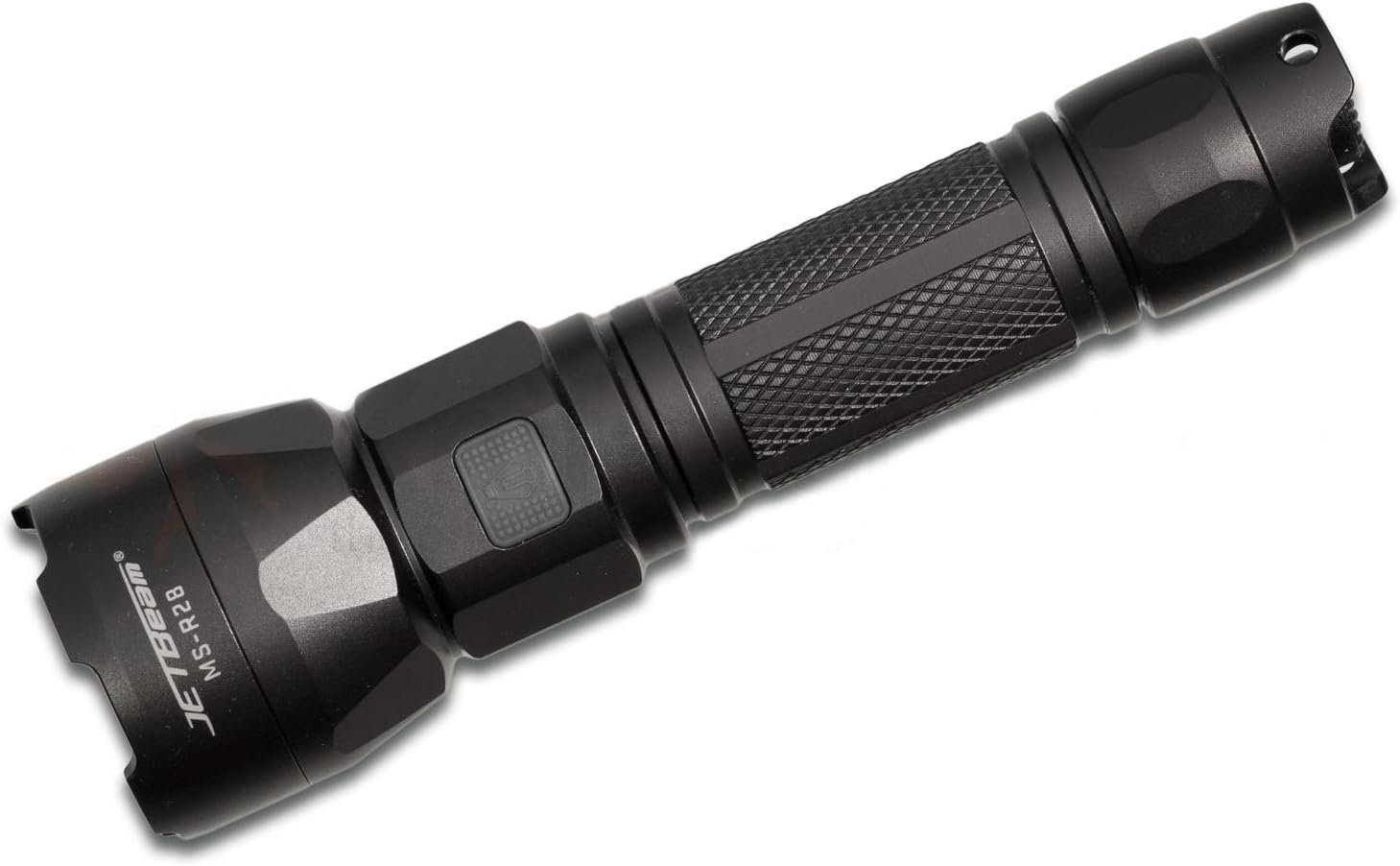
Figure 1: JETBeam MS-R28 Military Flashlight. This image displays the flashlight's full body, highlighting its black finish and textured grip. The JETBeam brand logo and MS-R28 model number are clearly visible on the side of the head.
2. 안전 정보
- 빛줄기를 직접 쳐다보지 마십시오. 강렬한 빛은 일시적인 시력 저하 또는 영구적인 눈 손상을 유발할 수 있습니다.
- 어린이의 손이 닿지 않는 곳에 보관하세요.
- Do not disassemble the sealed head of the flashlight. Doing so may cause damage to the flashlight and will void the warranty.
- Use only recommended batteries. Incorrect battery types may cause damage or explosion.
- Ensure proper battery polarity during installation.
- 손전등을 떨어뜨리거나 심한 충격을 가하지 마십시오.
- 손전등을 극한의 온도나 화염에 노출시키지 마십시오.
3. 패키지 내용
포장을 개봉하신 후 모든 구성품이 있는지, 그리고 양호한 상태인지 확인해 주십시오.
- JETBeam MS-R28 Military Flashlight (1 unit)
- 사용 설명서(본 문서)
- Lanyard (if included in specific package variant)
- Spare O-rings (if included)
- USB Charging Cable (if included)
4. 설정
4.1 배터리 설치
The JETBeam MS-R28 requires a compatible rechargeable battery (not included). Ensure the battery is fully charged before first use.
- 손전등의 꼬리 캡을 시계 반대 방향으로 돌려서 풉니다.
- Insert the battery with the positive (+) terminal facing towards the head of the flashlight.
- Screw the tail cap back on clockwise until it is securely tightened. Ensure the O-ring is properly seated to maintain waterproofing.
4.2 초기 충전
If your MS-R28 model supports USB charging, it is recommended to fully charge the battery before initial use to ensure optimal performance and battery longevity.
- Locate the USB charging port, typically covered by a rubber seal near the head of the flashlight.
- Open the rubber seal and connect the provided USB charging cable to the port.
- USB 케이블의 다른 쪽 끝을 호환되는 USB 전원(예: 컴퓨터 USB 포트, USB 벽면 어댑터)에 연결합니다.
- The indicator light will show charging status (refer to Section 6 for details).
- Once charging is complete, disconnect the cable and securely close the rubber seal to maintain waterproofing.
5. 사용 설명서
5.1 전원 켜기/끄기
- 손전등을 켜려면 ON: Press the power button located on the side or tail cap (depending on model variant) until the light illuminates.
- 손전등을 켜려면 끄다: Press the power button again.
5.2 모드 선택
The MS-R28 typically features multiple brightness levels and special modes. The method for cycling through modes may vary slightly by specific production batch, but generally involves the following:
- 손전등으로 ON, press and hold the power button to cycle through brightness levels (e.g., Low, Medium, High, Turbo). Release the button to select the desired brightness.
- For special modes (e.g., Strobe, SOS): Double-press the power button rapidly to activate Strobe mode. Double-press again for SOS mode. Press once to return to the last used brightness level.
5.3 배터리 잔량 표시기
The power button on the MS-R28 features a built-in flash indicator to denote battery life. The specific color or flash pattern will indicate the remaining power level:
- 진한 녹색/파란색: Sufficient power remaining.
- Flashing Yellow/Orange: Medium power, consider recharging soon.
- 빨간색으로 깜박임: Low power, immediate recharge required.
Note: Specific indicator colors may vary slightly. Refer to the quick start guide included with your specific product for exact details if different.
6. 충전
The JETBeam MS-R28 features USB-charger capabilities for convenient recharging of its internal battery.
- Ensure the flashlight is turned OFF before charging.
- Locate the USB charging port, typically protected by a rubber cover to maintain waterproofing.
- Carefully lift the rubber cover to expose the USB port.
- Insert the micro-USB end of the charging cable into the flashlight's port.
- Connect the standard USB-A end of the cable to a 5V USB power adapter or a computer's USB port.
- The power button indicator light will typically illuminate red or orange during charging and turn green or blue when charging is complete.
- Once fully charged, disconnect the USB cable and firmly press the rubber cover back into place to ensure the waterproofing seal is intact.
7. 유지관리
7.1 청소
- 손전등 본체를 깨끗한 천으로 닦으세요.amp 천. 연마성 세척제나 용매를 사용하지 마십시오.
- Clean the threads of the tail cap and head regularly. Apply a thin layer of silicone grease to the O-rings to maintain waterproofing and smooth operation.
- Keep the lens clean. Use a lens cleaning cloth or cotton swab with a small amount of rubbing alcohol if necessary.
7.2 보관
- 손전등은 직사광선과 극한의 온도를 피해 시원하고 건조한 곳에 보관하세요.
- If storing for an extended period, remove the battery to prevent leakage and damage to the flashlight.
8. 문제 해결
| 문제 | 가능한 원인 | 해결책 |
|---|---|---|
| 손전등이 켜지지 않습니다. |
|
|
| 불빛이 깜빡이거나 어둡습니다. |
|
|
| 노출 후 물이 침투합니다. |
|
|
9. 사양
| 모델 번호 | MS-R28 |
| 상표 | 제트빔 |
| 제품 치수 | 19 x 5 x 5cm |
| 품목 무게 | 1kg(2.2파운드) |
| 색상 | 검은색 |
| 전구 유형 | 주도의 |
| 방수 | IPX-6 (Resistant to high-pressure, heavy sprays of water) |
| 충전 기능 | USB-charger capabilities |
| 배터리 표시기 | Flash indicator on power button denotes battery life |
| 열 관리 | Optimized thermal heat fins |
| 포함된 구성 요소 | Jetbeam MS-R28 Military Flashlight Black (and potentially USB cable, lanyard, spare O-rings depending on package) |
10. 보증 및 지원
JETBeam products are manufactured to high quality standards. For specific warranty terms and conditions, please refer to the warranty card included with your purchase or visit the official JETBeam web대지.
For technical support, service, or inquiries regarding your JETBeam MS-R28 Military Flashlight, please contact your authorized dealer or the manufacturer's customer service department. Contact information can typically be found on the product packaging or the official brand web대지.
- 제조업체: 스포츠맨 서플라이 주식회사
- 상표 Web대지: www.jetbeam.com (참고: 이것은 브랜드를 나타내는 일반적인 자리 표시자입니다. website, actual URL may vary or not exist.)


