소개
Thank you for choosing the DB Drive 8-inch Pro Audio Midrange Car Stereo Component Speaker System. This manual provides essential information for the proper installation, operation, and maintenance of your new audio system. Please read this manual thoroughly before attempting installation or use to ensure optimal performance and safety.
패키지 내용
아래 나열된 모든 품목이 패키지에 들어 있는지 확인하세요.
- Two (2) DB Drive 300 Watts 8-inch Pro Audio Midrange Speakers
- Two (2) 1-inch (25mm) Aluminum Pro Audio Tweeters
- Two (2) 12dB per Octave Passive Crossover Networks
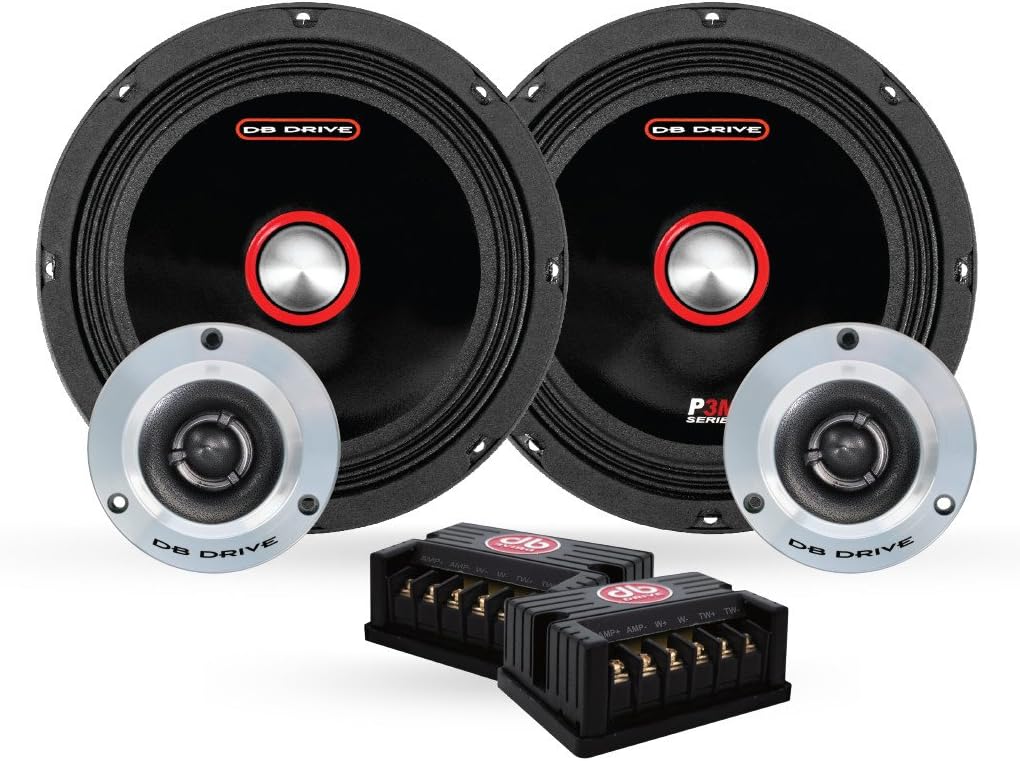
Image: All components of the DB Drive 8-inch Pro Audio Midrange Car Stereo Component Speaker System, including two midrange speakers, two tweeters, and two passive crossover networks.
중요한 안전 정보
설치 및 작동 시 다음 안전 예방 조치를 준수하세요.
- 전기 안전: 단락 및 감전을 방지하기 위해 전기 작업을 시작하기 전에 항상 차량 배터리의 음극 단자를 분리하십시오.
- 전문적인 설치: 설치 과정 중 어떤 부분이든 확신이 서지 않는다면, 자격을 갖춘 전문 차량 오디오 설치 기사에게 문의하십시오.
- 청력 보호: 높은 볼륨으로 장시간 노출되면 영구적인 청력 손상이 발생할 수 있습니다. 오디오 시스템은 적당한 볼륨으로 작동하십시오.
- 통풍: Ensure adequate ventilation around all components, especially amplifiers, to prevent overheating.
- 안전한 장착: Securely mount all speakers and components to prevent them from becoming projectiles in the event of a sudden stop or collision.
설치 가이드
최적의 성능을 위해서는 올바른 설치가 매우 중요합니다. 다음 단계를 주의 깊게 따르십시오.
시작하기 전에
- Gather necessary tools: wire strippers, crimpers, screwdrivers, drill, mounting hardware.
- Plan your speaker placement to ensure proper sound staging and clearance.
- 차량의 배터리를 분리합니다.
Mounting the Midrange Speakers
The 8-inch midrange speakers require a suitable mounting location, typically in door panels or custom enclosures. Ensure the mounting surface is rigid and free from obstructions.
- Carefully mark the cutout diameter for the speaker.
- Cut the opening using appropriate tools, ensuring a clean edge.
- Position the speaker in the opening and mark the screw holes.
- 장착 나사를 위한 파일럿 구멍을 뚫습니다.
- Secure the speaker using the provided mounting screws, ensuring it is flush and tight. Do not overtighten.

이미지: 사이드 프로file of a DB Drive 8-inch midrange speaker, illustrating its shallow mount design and cloth edge surround.
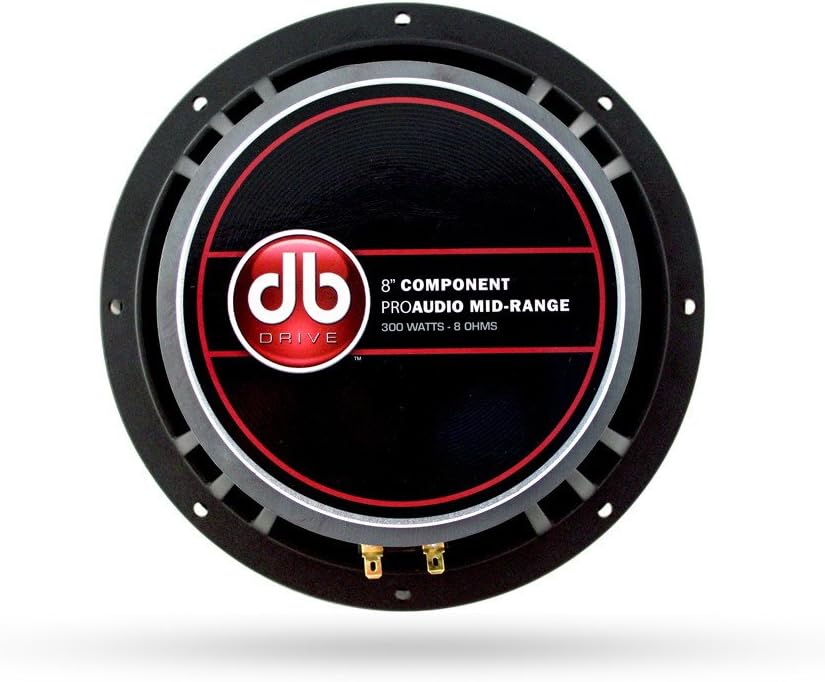
이미지: 후면 view of a DB Drive 8-inch midrange speaker, showing the mounting frame and speaker terminals for wiring connections.
트위터 장착
The 1-inch tweeters can be flush-mounted or surface-mounted depending on your vehicle's interior and desired sound dispersion. Refer to the tweeter's specific mounting hardware for detailed instructions.
Wiring the Crossover Network
The passive crossover network separates the audio signal into appropriate frequency ranges for the midrange speaker and tweeter. Each crossover has clearly labeled input and output terminals.
- AMP 입력: 스피커 출력선을 연결하세요. amp'에 대한 증폭기AMP' input terminals on the crossover. Observe correct polarity (+ to + and - to -).
- WOOFER Output: Connect the wires from the 'WOOFER' output terminals on the crossover to the 8-inch midrange speaker.
- TWEETER Output: Connect the wires from the 'TWEETER' output terminals on the crossover to the 1-inch tweeter.
모든 연결 부분이 안전하고 적절하게 절연되어 단락을 방지하세요.
에 연결 Amp리퍼
'를 연결하세요AMP' input of the crossover network to the corresponding speaker output channels of your car amp리퍼. 다음을 확인하십시오. amplifier is capable of handling the speaker system's power requirements (300 Watts peak power). Refer to your amplifier's manual for specific wiring diagrams and settings.
스피커 시스템 작동
Once installed, reconnect your vehicle's battery. Power on your car stereo and amplifier. Start with the volume at its lowest setting and gradually increase it to a comfortable listening level. Adjust your amplifier's gain and crossover settings according to its manual and your personal preference for optimal sound quality.
관리 및 유지 보수
To ensure the longevity and performance of your DB Drive speaker system, follow these maintenance guidelines:
- 청소: 부드럽고 마른 천으로 스피커 그릴과 주변을 닦으세요. 강한 화학 물질이나 연마성 세제는 사용하지 마세요.
- 습기를 피하세요: Keep the speakers dry. While designed for car environments, excessive moisture can damage components.
- 온도 극한: Avoid exposing the speakers to extreme temperatures for prolonged periods, as this can affect material integrity.
- 보안 연결: 배선 연결부가 단단히 고정되어 있고 부식이 없는지 주기적으로 점검하십시오.
일반적인 문제 해결
If you experience problems with your speaker system, consult the following table before seeking professional assistance.
| 문제 | 가능한 원인 | 해결책 |
|---|---|---|
| 스피커에서 소리가 나지 않음 |
|
|
| 왜곡된 소리 |
|
|
| 간헐적인 소리 |
|
|
기술 사양
Detailed specifications for the DB Drive 8-inch Pro Audio Midrange Car Stereo Component Speaker System:
| 특징 | 사양 |
|---|---|
| 상표 | DB 드라이브 |
| 스피커 유형 | Surround Sound Component System |
| 스피커 크기 | 8인치 (중간 범위) |
| 트위터 직경 | 1인치(25mm) |
| 스피커 최대 출력 전력 | 300 와트 |
| 음성 코일 | 1.5-inch (38mm) High Temperature |
| 서라운드 소재 | 천 가장자리 |
| 바구니 재료 | 다이캐스트 알루미늄 |
| 크로스오버 네트워크 | 12dB per Octave Passive |
| 장착 유형 | Shallow Mount Application |
| 항목 수 | 2 (Set of 2 Speakers) |
| 제품의 권장 용도 | 자동차 오디오 |
보증 정보
This DB Drive speaker system comes with a 1년 보증 from the date of purchase. This warranty covers manufacturing defects in materials and workmanship under normal use. It does not cover damage caused by improper installation, accident, misuse, abuse, negligence, or unauthorized modification. Please retain your proof of purchase for warranty claims.
고객 지원
For technical assistance, warranty service, or general inquiries, please contact DB Drive customer support through their official website or the retailer where the product was purchased. Have your product model number and proof of purchase ready when contacting support.


