1. 서론
This manual provides detailed instructions for the setup, operation, maintenance, and troubleshooting of your LUXUL XWC-1000 Stand Alone Wireless Controller. Please read this manual thoroughly before using the device to ensure proper functionality and to maximize its performance.
2. 제품 오버view
The LUXUL XWC-1000 is a stand-alone wireless controller designed to manage Luxul access points within a network environment. It provides centralized control for simplified network management.

Figure 2.1: The LUXUL XWC-1000 Stand Alone Wireless Controller unit.

Figure 2.2: Packaging detail showing the LUXUL XWC-1000 Wireless Controller model name.
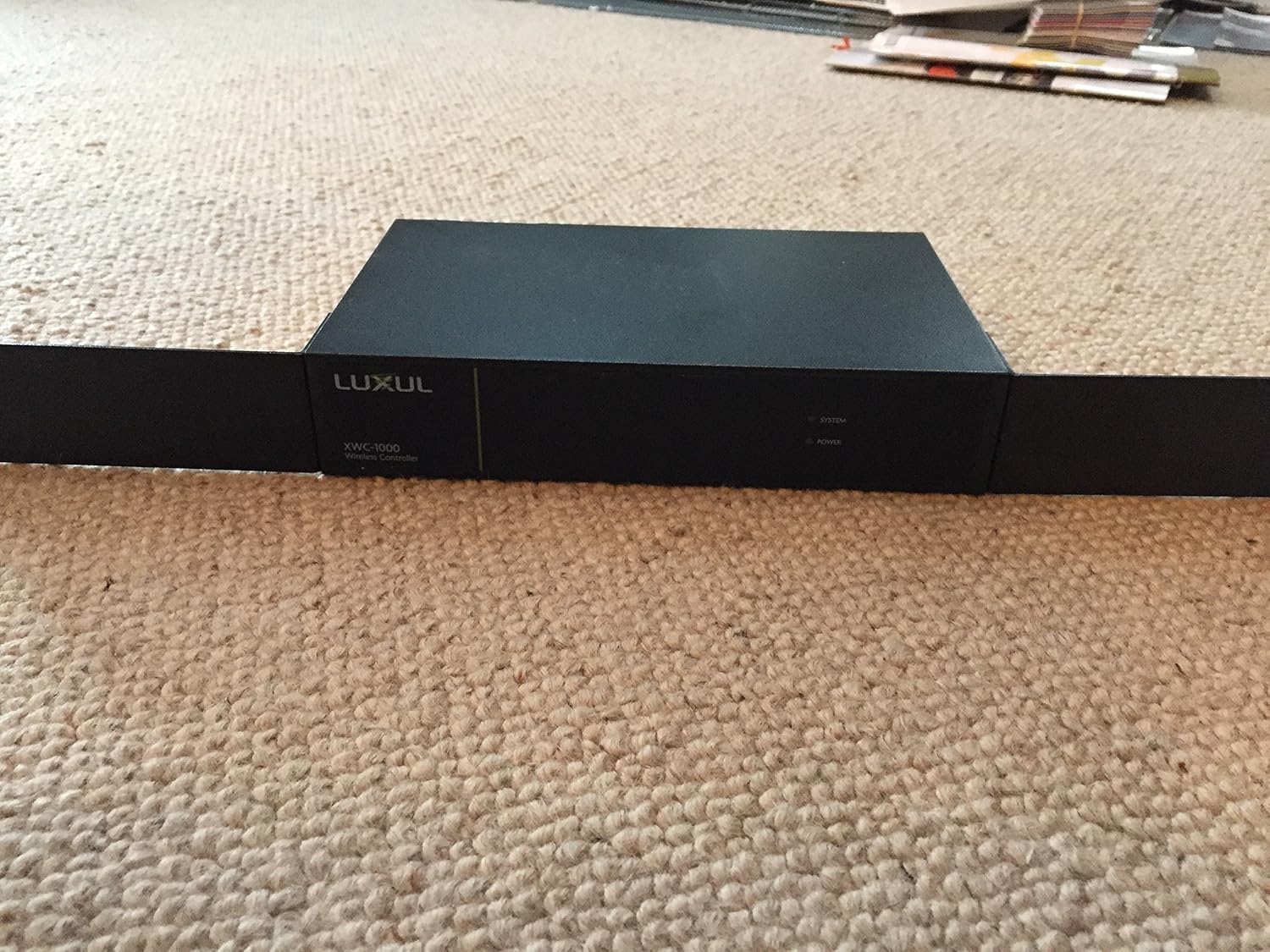
Figure 2.3: Product label displaying essential information including Model No.: XWC-1000, Vers. 2, default IP Address: 192.168.0.19, User Name: admin, Password: admin, Power: 100-240VAC 50/60Hz 0.6A. Serial numbers are XWC100010151097 and A4134E294581.

Figure 2.4: Front panel of the controller, showing SYSTEM, POWER, and RESET indicators, along with the LAN port and its LINK/ACTIVITY and 1000Mbps status lights.
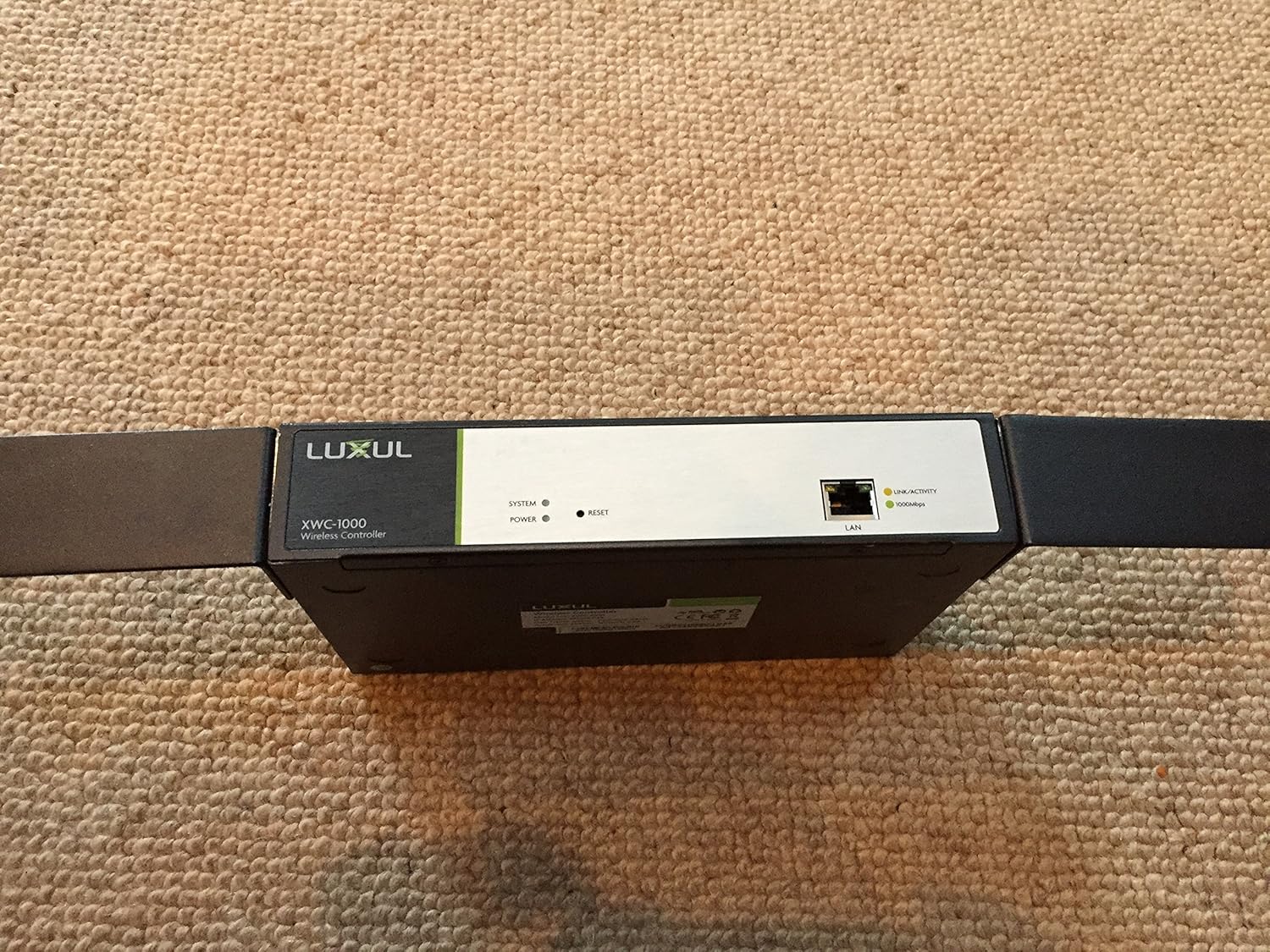
Figure 2.5: Close-up of the LAN port area, highlighting the BLUE/GREEN indicator switch, LAN port, and RESET button, along with LINK/ACTIVITY and 1000Mbps indicators.
3. 설정
- 짐 풀기: Carefully remove the XWC-1000 controller from its packaging. Ensure all components are present.
- 전원 연결: Connect the provided power adapter to the XWC-1000 and then to a suitable power outlet (100-240VAC, 50/60Hz). The POWER indicator light should illuminate.
- 네트워크 연결 : Connect an Ethernet cable from your network router or switch to the LAN port on the XWC-1000. The LINK/ACTIVITY and 1000Mbps indicators should show network activity.
- 초기 접근: To access the controller's web 인터페이스, 열기 web 브라우저를 열고 기본 IP 주소로 이동하세요. 192.168.0.19. Use the default credentials: User Name: 관리자, 비밀번호: 관리자보안상의 이유로 첫 로그인 후 기본 비밀번호를 즉시 변경하는 것을 강력히 권장합니다.
- Access Point Integration: Once logged in, follow the on-screen instructions or refer to the controller's internal help documentation to discover and integrate your Luxul Access Points (APs).
4. 사용 설명서
The LUXUL XWC-1000 provides a centralized interface for managing your wireless network. Key operational aspects include:
- Access Point Management: View the status of connected APs, configure their settings, and monitor their performance.
- 무선 네트워크 구성: Set up SSIDs, security protocols (WPA2/WPA3), and guest network access.
- 펌웨어 업데이트: Regularly check for and apply firmware updates to the controller and connected APs to ensure optimal performance and security.
- 시스템 모니터링: Monitor network traffic, client connections, and system logs for diagnostic purposes.
- 사용자 관리: Create and manage user accounts with different access levels for the controller interface.
5. 유지관리
- 정기적인 펌웨어 업데이트: Periodically check the Luxul website for the latest firmware versions for your XWC-1000 and connected access points. Updating firmware can resolve issues and introduce new features.
- 물리적 청소: Keep the device free from dust and debris. Use a soft, dry cloth for cleaning. Do not use liquid cleaners directly on the device.
- 환경 조건: Ensure the controller is operated within its specified temperature and humidity ranges to prevent damage. Avoid placing it near heat sources or in direct sunlight.
- 백업 구성: Regularly back up your controller's configuration settings. This allows for quick restoration in case of a system reset or replacement.
6. 문제 해결
If you encounter issues with your LUXUL XWC-1000, consider the following troubleshooting steps:
- 컨트롤러 전원이 켜지지 않음: Verify the power adapter is securely connected to both the device and the power outlet. Check the power outlet with another device.
- 접근할 수 없습니다 Web 인터페이스:
- Ensure your computer is on the same network segment as the controller (e.g., if the controller is 192.168.0.19, your computer should be 192.168.0.x).
- Confirm the Ethernet cable is properly connected and the LAN port indicators are active.
- Try resetting the controller by pressing the RESET button (refer to Figure 2.5).
- Verify you are using the correct IP address (default is 192.168.0.19) and login credentials.
- Access Points Not Recognized:
- Ensure your access points are Luxul brand and compatible with the XWC-1000.
- Check that the APs are powered on and properly connected to the network.
- Verify that the controller's firmware is up to date. Outdated firmware can sometimes cause compatibility issues with newer AP models.
- Consult the Luxul support documentation for specific AP discovery procedures.
- 네트워크 연결 문제: Check all network cables and ensure your router/switch is functioning correctly.
If problems persist, contact Luxul technical support for further assistance.
7. 사양
| 특징 | 세부 사항 |
|---|---|
| 상표 | 럭셔리 |
| 시리즈 | XWC-1000 |
| 모델 번호 | XWC-1000 |
| 품목 무게 | 2.58파운드 |
| 제품 크기(LxWxH) | 1 x 1 x 1 인치 |
| 전원 | Battery Powered (Note: This may refer to internal clock battery or general power source type, actual operation is via AC adapter) |
| 제조업체 | 럭셔리 |
| ASIN | B0144D61GA |
| 첫 번째 이용 가능 날짜 | 11년 2015월 XNUMX일 |
8. 보증 및 지원
For warranty information, please refer to the documentation included with your product or visit the official LUXUL website. For technical support, product registration, or to download the latest drivers and firmware, please visit www.luxul.com or contact Luxul customer service directly.


